Convert any Windows server in a free SAN for your ESX/vSphere lab
In case you are not using free Openfiler under Linux for your VMware ESX Server/vSphere 4 homelab (if you don’t like linux for example…) there is a solution for you. A company called StarWind is providing for free a Software allowing to create an iSCSI Target for your VMware Infrastructure (up to 2 Tb capcity !!!) and so to convert your existing Windows server to a SAN storage. With the Starwind free version you can converts any Windows server into a SAN in less than 10 minutes. This is a fully functional product at no cost.
What’s the details:
• Large 2 TB storage capacity
• Unlimited number of connections
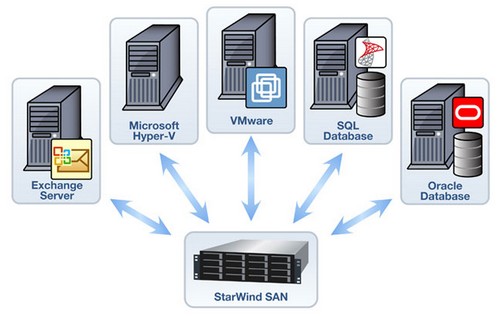
• Virtualization environment support for VMware, Hyper-V, XenServer, Virtual Iron
• Enhances VMware environments by enabling VMotion, VMware HA, DRS and VCB
• Supports Windows server clustering for any application including SQL Server, Exchange, SharePoint
Related Posts :
I had this error in my lab when I was trying to power on a virtual machine with Exchange 2007 in ...
Wellcome all, This is my first video. As you can see this website's title, the main subject wil ...
When you convert a physical server to a VM the resulting virtual machine's network settings are ...
After the Death of Virtual Iron acquired by Oracle, the users of Virtual Iron do have a solution ...
When you want to run VI client on Windows 7 recently released or on Windows 2008 Server R2 The ...
Other posts from Server Virtualization
- Adding second service console via CLI
- Disable web access on VMware vCenter
- VMware ESX - Configuration of Service console via CLI
- Basic VMware ESX CLI networking commands
- How to change the default location of updates in vCenter
- Did you know that ESX 3.5 general support will end in less than 90 days?
- Starwind iSCSI HA Connection to ESX Server
- See a list of Storage Array Type Plugins on ESX Server
- New whitepaper released on PVSCSI
- Enable Jumbo Frames in ESXi 4
- How-to troubleshoot iSCSI connection to your SAN
- Starwind with ISCSI SAN Software can do High Availability for you...
- Overview Video from the new vSphere Pro video training from Train Signal
- New upgrade webpage for ESXi 4 pushes us to the right direction?
- You know how to collect diag information when your ESXi does PSOD?
- Use PVSCSI or not for lower intensive workloads
- Hardening guides for vSphere 4
- NTLDR missing - silly but can happend
- How To Shrink VMware Virtual Disk Files and disable shrinking
- vSphere Quick Start guide bonus download..
- ESXi - the past, the present and the future
- Farm commander - management tool for VI and TS or Citrix Farms
- How to collect log information from vCenter Server 4
- How to know where is my VM if vCenter is down?
- New patches for ESX 4 and ESXi 4
- Use VMware Converter to import 3rd party VMs, for example Virtual Iron's VMs
- Windows XP installation as a VM - trouble to see the disk or not?
- Vmware HCL for ESXi 4
- Time keeping for Windows VM's best practices
- Virtu-Al releasing 3rd update of PowerPack





