ESXi 4.1 does not store log files locally. How to configure vMA as a destination of ESXi log files. It's recommended to configure syslog and get the log files persistent. You have to configure ESXi to send the logs somewhere, because they are not stored locally. Because if you need to reboot your ESXi host, the logs are just lost. I'll show you that by using vMA (VMware Management Assistant) has a built in syslog server which helps you to store logs locally.
I won't detail here how to setup vMA as I suppose that you're already using vMA or it's already in place. If not, download the vMA from vSphere Management Assistant Guide. Import and configure it using the steps in the vSphere Management Assistant Guide
Now our configuration steps. At first you'll need to stop the rsyslog daemon:
# sudo service rsyslog stop

Then you'll need to modify rsyslog file by using a nano editor for example:
#sudo nano /etc/sysconfig/rsyslog
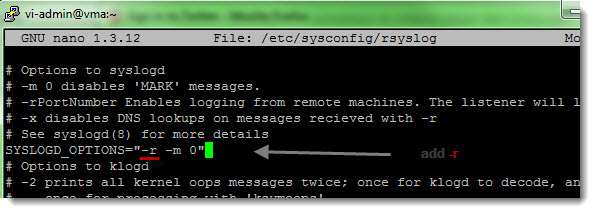
Save and quit. After this change, just start the rsyslog service with:
#sudo service rsyslog start
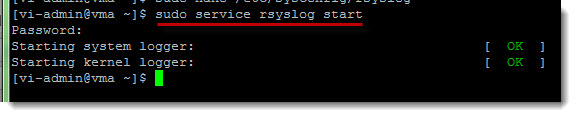
You'll need also to open one firewall port on the vMA's firewall:
#sudo iptables -I RH-Firewall-1-INPUT 2 -i eth0 -p udp --dport 514 -j ACCEPT
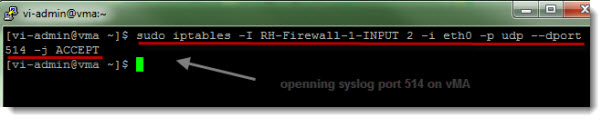
and then save the rule to make sure that it stays there after a reboot:
#sudo service iptables save
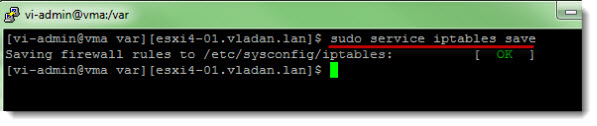
Ok, this is it for the vMA part, and so the vMA is ready to accept the logs which will be sent by the ESXi host.
Now we will need to configure the ESXi host using vMA to send those logs to vMA.
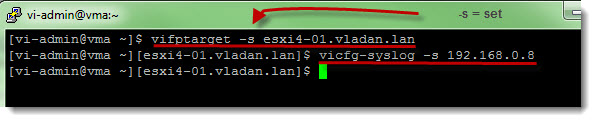
You have to setup the ESXi host as a fastpath target:
#vifptarget -s esxi4-01.vladan.lan
and
#vicfg-syslog -s 192.168.0.8 (where this is an IP adress of vMA)
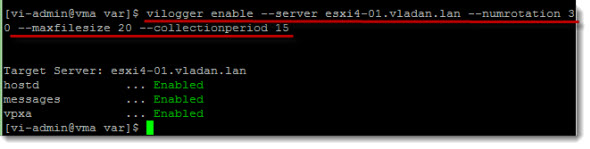
Then we need to enable the vilogger in vMA to collect the logs.
#vilogger enable –server esxi4-01.vladan.lan –numrotation 30 –maxfilesize 20 –collectionperiod 15
(you can run the vilogger –help command you will see other options and values which are available there to fits your needs).
Now when vMA is collecting your logs you can view them by:
#sudo tail -f /var/log/messages | grep <ESXI_IP_ADDRESS>
That's all folks.. !Enjoy… -:)









What is the difference between ur method and the vi-logger component already in vMA?
The vilogger needs to be configured in order to work as we wish… -:) The component on it’s own does not know where from to collect those logs.
Once the logs have been collected is there a way to get them into Windows ? can I just use something like WinScp ?
what command to get out from target picture 6 to root on picture 7?