How-to install and manage ESXi Server inside VMWare Workstation 6.5
I'm quite enjoying making those videos. I find that using videos is much more direct than to do a long article. So this time I'm going to show you a video about the installation of ESXi server inside of VMware Workstation. The workstation is actually my favorite testing program. I registered with VMware for the testing the beta 6.5…, it's quite nice. Not buggy for the moment. We'll see.
So I'm using the same hardware as in the previous video about the installation of ESX Server (laptop from Fujitsu-Siemens with 4GB of RAM with Intel VT capable processor). It's ok for doing some testing, you know, but then if you want to load a bit you'll really need a server.
The ESXi server from VMware is free to download now. So whenever at your job you'll want to experiment the installation for free, it's fine. The ESXi is not much big (only 32Mb), there is not any Linux console to manage it. You have the possibility to manage the server from your browser, without the need of installing some other software. Enjoy the video…
Enjoy.. -:)
- How to Install latest ESXi VMware Patch – [Guide]
- How to Connect to vCenter 6 vPostgres Database with PgAdmin – [Guide]
- Nested ESXi 6 in a lab – [ Guide]
- Install ESXi 6 to USB as Destination or Have it as Source (USB installer)
Also, I have recently rebuild my lab. It's got a great facelift, which was not cheap as I took it as an investment in my career:
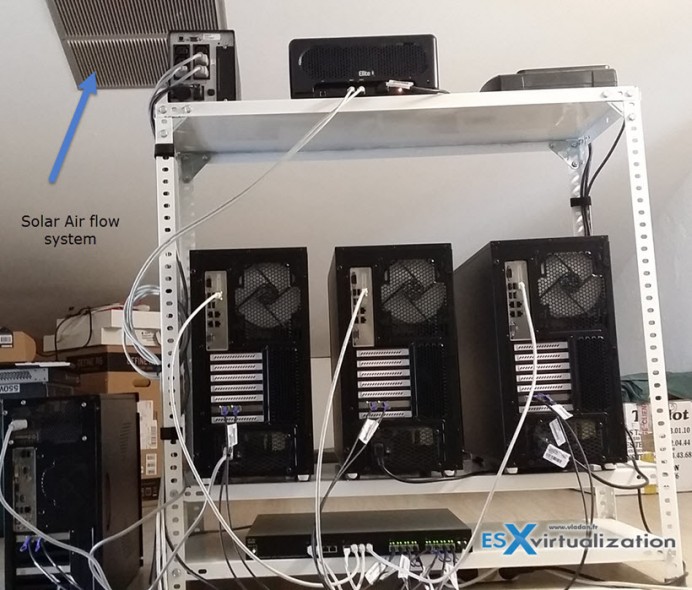
ESX Virtualization – The Lab!
- Building Power Efficient ESXi Server – Start with an Efficient Power Supply
- ESXi Home Lab – Get a quality and comfortable case
- Supermicro Single CPU Board for ESXi Home lab – X10SRH-CLN4F
- Supermicro Single CPU Board for ESXi Home lab – X10SRH-CLN4F – Part 2
- Supermicro Single CPU Board for ESXi Home lab – Upgrading LSI 3008 HBA on the X10SRH-CLN4F
- Building Energy Efficient ESXi Home Lab – parts list
- Homelab – Airflow Solar System









hi
I want to instal esxi on vmware workstation 6.5,
is it important that the vmware workstation be run on 64 bit processor or not?
please answer me,
I really appreciate you
Shohreh,
You should upgrade your Workstation to the latest release. The upgrade from 6.5 is free. If you don’t run on 64 bit processor you’ll not be able to install ESX(i)4.1 VM on it… and the 4 gigs of RAM limit will prevent you to use more RAM if available…
Have a nice Day.
Hi,
Thanks a lot for your recommendation:)
hi I just want to know that whether can I install esxi on vmware workstation on 64bit processor withour VT technology?
Himrana,
I believe its one of the required stuff there…