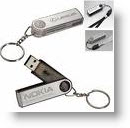
How-to Install ESXi onto USB Stick – video.
Not long time ago I published an article about how to install ESXi 4 onto USB memory stick. It's a step by step process which needs some tools too… Then Eric Gray has just published a simplified how-to using VMware Workstation for the job. It's really straightforward process. But nowhere I found a video actually showing it.
So here it is. Little video showing the process of installation the VMware ESXi 4 on a USB stick. I pressume that you know how-to install ESXi 4 inside of a VMware Workstation, because this video is using a VM of ESXi 4 already installed. Just to make sure that :
– You boot on the CD-rom at BIOS setup (new function of VMware Workstation can handle boot-to-bios… )
– You make sure that the CD drive connect at boot. (it happens to me to forget too…, don't worry)
– Make sure that the ESXi 4 VM has got the USB device present.
You can find some Free Whitepapers to download on my Free Resources page.
Enjoy… -:)








