This might happen if you have a floppy attached to your VM.
Sometimes, when you forget to un-attach a floppy drive from a VM, you might experience this error message.
Windows does not boot
You see the error:
NTLDR is missing
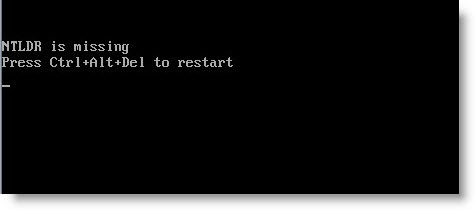
Well, to get your VM work again, just make sure that the SCSI driver floppy drive which is attached to a virtual machine, to disconnect the floppy:
Virtual Machine > Floppy > Disconnect Floppy. 😉
It's a quick tip from ESX Virtualization. I would recommend checking out my How-to category, where you'll find other how-to articles and tips on VMware administration and implementation. You can also check our Free e-book on how-to run nested VMware vSphere infrastructure on a laptop or PC with limited resources. It's mostly for learning purposes, since this configuration is not supported in production environments.
It's free e-book I written, which can be requested by e-mail. You'll find the step-by step configuration of VMware Workstation. You'll need a laptop or PC with at least 8 Gb of RAM. It's also preffered to have an SSD drive, with at least 64 Gb storage space.
The SSD's are getting really cheap those days, so I don't think that it should be a problem. Few years back when the first SSD's hit the market, the cost was double or triple, but not any more.









I always find it interesting that we still use Virtual Floppy disks on the VMs. 🙂 I think it is primarily nostalgia that keeps those Floppy drives alive in a virtual environment. 😉
Well, when we’ll not get any younger… that’s for sure, Carlo… -:)
Yes, that’s one of my first modification to virtual hardware – take off everything not needed…. And floppy, once external drivers installed (if any) is not needed any more… -:)
Vladan
We just spent the better part of 2 hours trying to get damned P2V box to book – and thanks to your blog post I’m now kicking myself heartily in the head… Thank you so much!