
On this page, you'll find ESXi Monitoring tools as well as Free Tools for VMware, Microsoft. This is one of the best selections of Free Tools for VMware and Microsoft. Monitoring tools for virtual infrastructure, but also backup products.
All products here are free because usually, you can upgrade to a paid product to get even more functions. Free VMware Monitoring Tools are the essentials that VMware admins can use and implement when managing virtual infrastructures running VMware or Microsoft Hyper-V. Many of them have been awarded during VMworld.
There are also other tools which are useful for IT admins and technicians. Those are more specific tools for troubleshooting Windows, Partitioning tools, Microsoft Active Directory, SQL, Exchange and other enterprise-class apps…
There is no particular order of listing those … -:)
 Nakivo Backup and Replication – You can download a free trial here. There is also a completely free version (NFR) if you are VMUG member, VMware vExpert, VCP, VSP, VTSP, or VCI you can receive a FREE two-socket Not For Resale (NFR) license of NAKIVO Backup & Replication for your home or work lab.
I published several articles about Nakivo. Latest feature? For example support for Oracle….
VMware Free Utility – vSphere Alert Center – Set up alerts from multiple vCenter Servers directly to your desktop
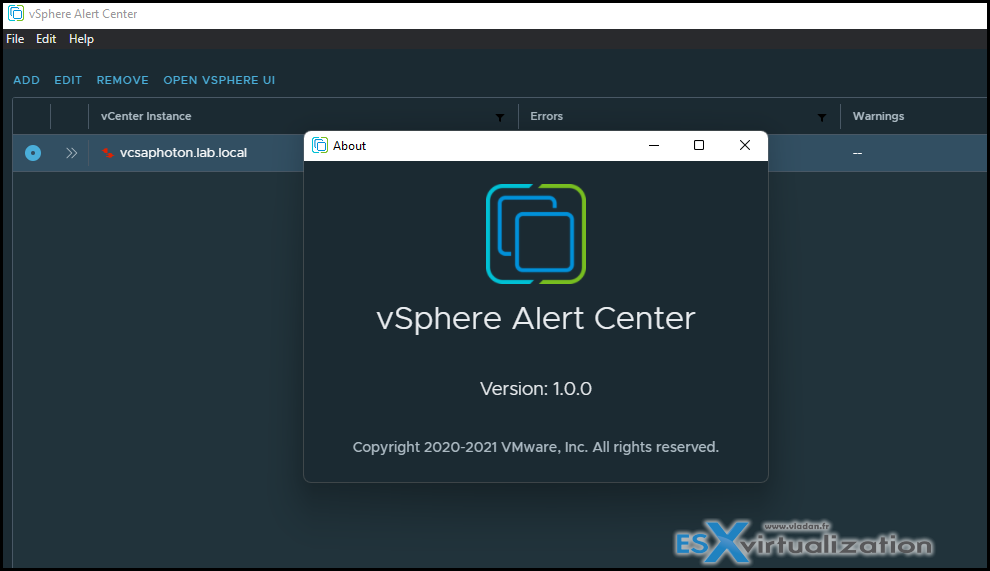
A new free tool from VMware Fling site is out. I have blogged in detail about this tool at 4sysops.com website here. Check it out. This tool is a standalone desktop application that you install on your Windows, Mac or Linux desktop/laptop. Then by configuring the connections (datas are encrypted after on the local disk) you can have the vCenter alerts being pulled at the required interval.
I found this tool really cool and handy for consultants, vSphere admins or other people working with multiple vCenter server environments. I'll definitely put a link to the tool also on my Free Tools page.
 Free SoftEther VPN Server – The product consists of several modules (server, client, bridge) and is available for Windows (including ARM machines), Linux and MacOS, or Android/iPAD. I'm usually not a much into a VPN software solutions, but this one seems to be quite different. It's built by Japanese university of Tsukuba and covers multiple use cases and has some built-in utilities for Dynamic DNS (no need for external IP being Fixed IP) and free Microsoft Azure VPN.
- Free OpenSource Software
- Resistance to highly-restricted firewalls.
- Windows, Linux, Mac, Android, iPhone, iPad and Windows Mobile
- SSL-VPN (HTTPS) and 6 major VPN protocols (OpenVPN, IPsec, L2TP, MS-SSTP, L2TPv3 and EtherIP) are all supported as VPN tunneling underlay protocols.
Read more in our detailed blog post >>
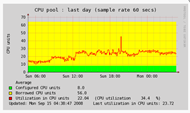 LPAR2RRD – The tool offers you end-to-end views of your server environment and can save you significant money in operation monitoring and by predicting utilization bottlenecks in your virtualized environment. You can also generate policy-based alerts, provide capacity reports, and forecasting data.
It is a Free Performance and monitoring tool distributed via GNU v3. For customers under support, there is distributed the enterprise edition with additional benefits. (paid support).
The tool supports IBM Power Systems™ and VMware™ virtualization platforms. It is agentless (it receives everything from the management stations like vCenter or HMC). The collected data set can be extended with data provided by the OS Agents or NMON files.
The product can be installed on Linux, Unix or AIX systems. Or you can use VMware or Microsoft Hyper-V virtual appliances.
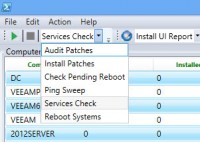 PoshPAIG – free utility called PoshPAIG (PowerShell Audit Installation GUI) is developed and maintained by Boe Prox at learn-powershell.net. Download from the product page. The tool allows you to Audit installed patches, Install patches remotely. The possibility to export the results to CSV files is also included.
This very interesting feature for doing PowerShell Audit and Patch Installation on windows server systems, where you need to gather a list of patches deployed etc. You can also remote – reboot the managed servers. Read my article on how to install and use this tool here.
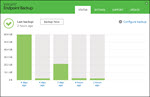 Veeam Agent – destined for physical PCs/ laptops. Can do a volume or file-level backups. The restore of Full PC/ laptop or individual files is possible. Check my post with video with details here. The product is free and will stay free. Recently updated to support Windows 11. Universal restore (to dissimilar hardware) options enhancements. Download here.
The 1st backup is Full and the next backups are incremental.
 Veeam FastSCP for Microsoft Azure – Veeam FastSCP for Microsoft Azure is meant to be used by developers willing to copy a file to and from VMs running on Microsoft Azure. So you can copy files to and from the inside of a VM, which is normally not so fast, and it’s painful if, for example, you do it through RDP.
It’s a standalone and Free tool from Veeam. No integration with other software products from Veeam. Check the detailed post and download link here.
—————————————————————–
Lightweight VMs for Home lab and Nested lab
MicroCore Linux (with open-source VMware Tools) – source: Mike Laverick's blog. The author is Doug Baer who put it together.
Size: 64MB RAM/SCSI HD (LSI Logic) 1GB (Thinly Provisioned)
Root Account Password: root
SSH account: VMware1!
SSH password: VMware1!
MicroCore Linux – in OVA Format
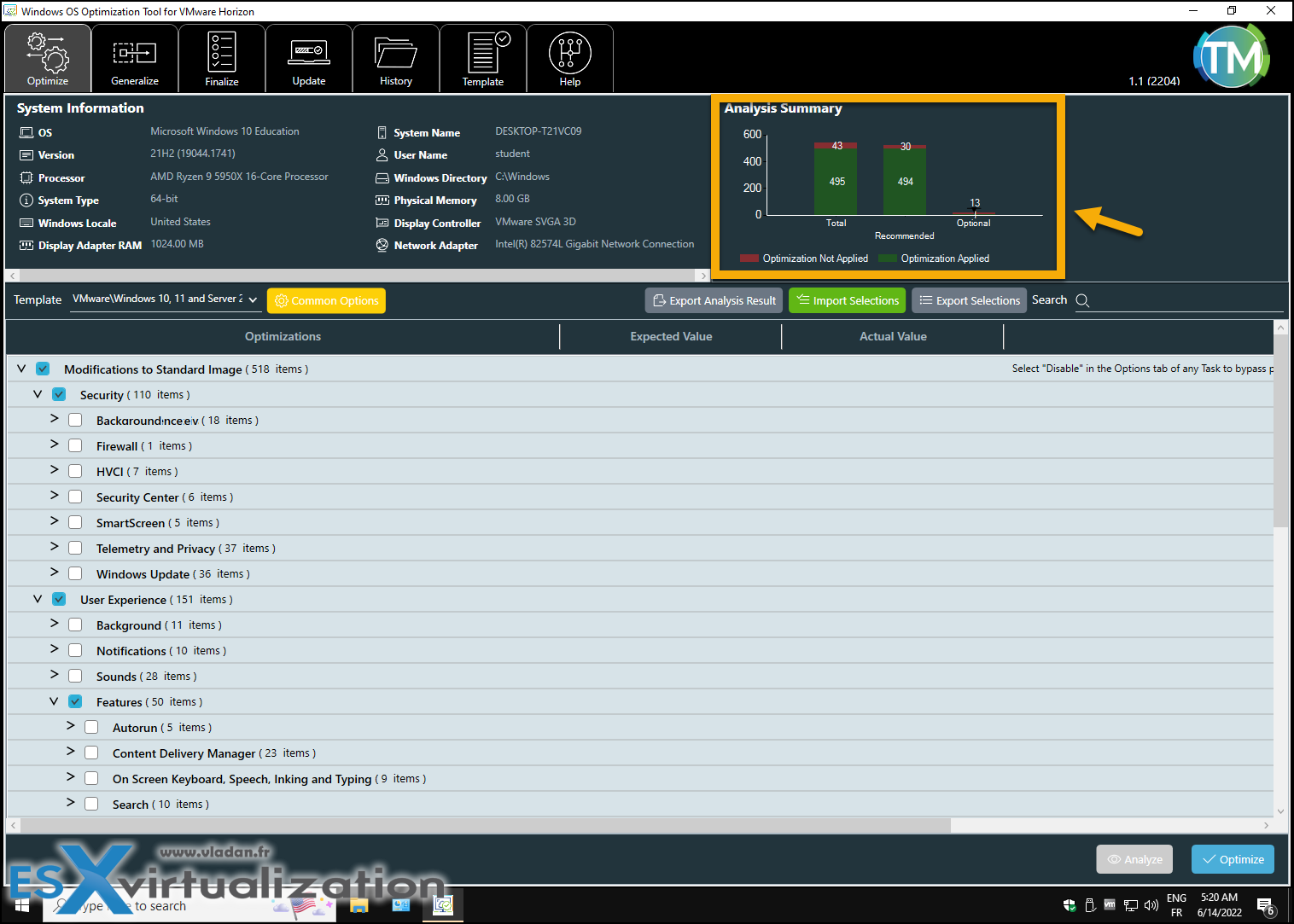 VMware OS Optimization tool – my latest article is here.
VMware Has Productized one of their best Flings – VMware OS Optimization Tool (OSOT). If you have been around a long time enough you certainly remember this tool as a Fling, but no more. VMware has officially made it available within the Customer Connect portal. I think this tool is one of the Best Desktop Performance Optimization Utility.
While VMware builds this tool in the first place for VMware Horizon as an optimization utility for VDI, you can also use it to optimize your desktop or laptop systems. It's easy to use and you can revert back to the original state if you need to. Also, you can copy the built-in template and edit the copy so it fits your needs. Really handy.
You can optimize Windows 11, Windows 10, Windows Server 2019 or Windows Server 2022. Windows OS Optimization Tool for Horizon optimizes virtual desktops and RDSH servers for Horizon, and Horizon Cloud.
The tool has been newly updated which you can download via Customer Connect portal. It's a fast utility that can optimize different settings which slowing down the VDI desktops when using default settings only. Many services, registry settings, scheduled tasks etc….
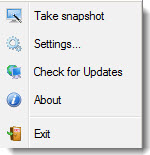 Free Backup Tool for Desktop OS – One-Click Restore software from Keriver is able to do a full, incremental or differential images of the underlying OS. If you look for a tool that does provide some kind of central management console, this is not the tool you should be looking for. It’s a rather simple tool for few individual desktops. In the past, I've been using well-known names like Norton Ghost or Acronis, which are a long time being on the market, but today I stumbled through this too and I thought that it’s worth sharing…
Starwind
Starwind Virtual SAN – Free version. The free version of Starwind Virtual SAN offers some good possibilities: Data Deduplication, Unlimited storage capacity & an unlimited number of supported concurrent iSCSI connections. Full Production use is allowed.
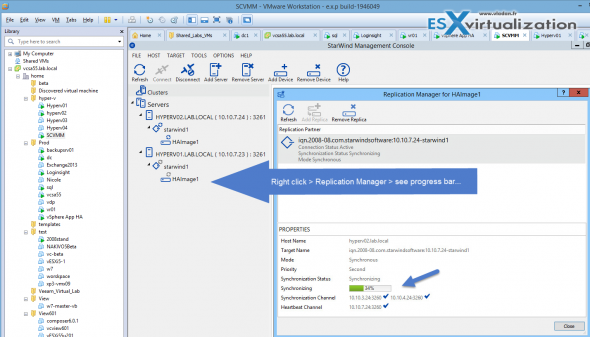
StarWind Virtual SAN Free is completely unrestricted: it is allowed for production use, supports all usage scenarios of the commercial version, has a perpetual license, and is not feature- or a functionality-limited version of StarWind VSAN.
- No Capacity Restrictions – you can use as many capacities for your mirrors, as you like (previously restricted)
- No Scalability Restrictions – as many nodes as you like. (previously limited to 2-nodes only)
- No Time Limit on License – The Free license if for life. After 30 days, the only management option you’ll have is PowerShell or CLI.
- Production use – can be used in production, but if anything goes wrong, you will only find support through community forums.
- PowerShell Scripts – StarWind Virtual SAN Free is shipped with a set of ready-to-use PowerShell scripts allowing users to quickly deploy the Virtual SAN infrastructure.
- No StarWind Support – only community-based support.
- StarWind HA – The shared Logical Unit is basically “mirrored” between the hosts, maintaining data integrity and continuous operation even if one or more nodes fail. Every active host acts as a storage controller and every Logical Unit has duplicated or triplicated data back-end.
- No virtual tape library VTL as on the paid version.
Caching – a multi-level cache mechanism can use gigabytes of RAM and converts it into extremely fast level 1 write-back or write-through cache. Continuous Data Protection and Snapshots that are completely compatible with VSS (Volume Snapshot Services). iSCSI boot is fully supported with iSCSI boot capable NIC. Download your copy of Starwind Virtual SAN.
Check out my article How-to setup Starwind Virtual SAN in Free Hyper-V 2012 R2 part 1 and part 2. Check the latest Free offer for 2017 from StarWind
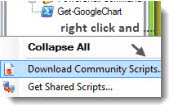
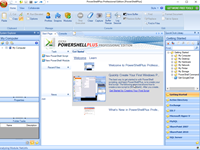 PowerShell Plus 5.0 – professional tool from Idera.
There is a free tool from Idera which has appeared recently on my radar, and even if I’m not a PowerShell guru, this tool might make me “like” the PowerShell thingy a bit more than usual.
Read my detailed article about PowerShell Plus here.
Download Free PowerShell Plus 5.0 here.
EchoSync – Free software (donnations accepted) can sync directories between systems, between different disks or NAS devices. Very flexible, fast and reliable tool. Read my latest post about Echosync here.

Microsoft
It's fairly difficult to get SQL Express with or without the management studio, with 3 different versions (2008, 2012 and 2014..). I gathered the links to this 6 direct downloads links (x64 bit versions only!!)
SQL Server (Express version) with or without Management Studio – direct Download links:
- 2008R2 SP2 – SQLExpress 2008 with management studio or Management studio only.
- 2012 – SQLExpress 2012 with management studio or Management studio only.
- 2014 – SQLExpress 2014 with management studio or Management studio only.
- 2016 – SQL Express 2016 Download or Management Studio only (SQL Express 2016 SP1)
- 2017 – SQL Express 2017 Download
- 2022 – SQL Express 2022 Download or Management Studio only
SQL Server Evaluation Edition
- SQL Server 2022 Trial – Download Now (Requires Form Completion)
- SQL Server 2019 On-Premises 180 Day Free Trial – Download Now (Requires Form Completion)
- SQL Server 2017 RTM 180 Day Free Trial – Download Now
- SQL Server 2016 + SP2 180 Day Free Trial – Download Now
- SQL Server 2014 + SP3 180 Day Free Trial – Download Now
SQL Server Cumulative Updates and Service Packs
SQL Server 2022
- SQL Server 2022 – Cumulative Update CU2 – Download now
SQL Server 2019
- SQL Server 2019 CU4 – Download Now
- SQL Server 2019 CU3 – Download Now
- SQL Server 2019 CU2 – Download Now
- SQL Server 2019 CU1 – Download Now
- SQL Server 2019 RTM – Download Now
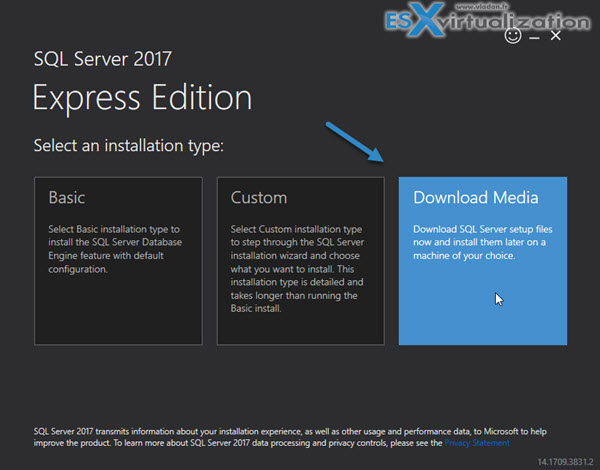
After downloading the small installer, execute it and chose Download Media option. (see bellow…)
Uninstall Office 2016, Office 2013, or Office 365 Using the Easy Fix Tool
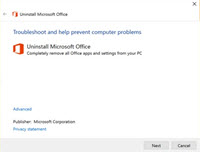
The tool is in CAB format and you can use this fix from Microsoft to uninstall Office from a central location on a single PC or multiple PCs at once. Download here
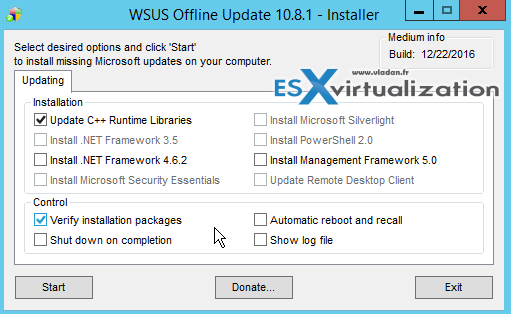 WSUS Offline Update Free Utility
Allows “Offline” patching of Windows systems. Client and server OS are supported. There is also patches for Microsft Office and in different languages.
- Client OS – Windows 7, 8, 10 patches
- Server OS – Windows Server 2008 R2, 2012, 2012R2 or 2016 patches
- Office – where there are 2010, 2013, 2016 with different languages
- Legacy products – Vista, Server 2008, Office 2007
- Options to verify downloaded Updates
- C++ Runtime libraries and .NET
- Microsoft Security Essentials
- Windows Defender definitions
- Create ISO (or USB) image – per selected product and language OR per selected language
- Copy to the directory – this option allows you to copy the patches elsewhere.
- Option to specify your local WSUS server is handy too where you can save your time and just “collect” what you need from your WSUS server running on your LAN.
Windows Management Framework 5.0
Has updates to Windows PowerShell, Windows PowerShell Desired State Configuration (DSC), Windows Remote Management (WinRM), Windows Management Instrumentation (WMI).
- Download the correct package for your operating system and architecture from this page at Microsoft. The following architectures are supported.
- Windows Server 2012 R2
- x64: W2K12R2-KB3094174-x64.msu
- Windows Server 2012
- x64: W2K12-KB3094175-x64.msu
- Windows Server 2008 R2 SP1
- x64: W2K8R2-KB3094176-x64.msu
- Windows 8.1
- x64: W2K12R2-KB3094174-x64.msu
- x86: Win8.1-KB3094174-x86.msu
- Windows 7 SP1
- x64: W2K8R2-KB3094176-x64.msu
- x86: Win7-KB3094176-x86.msu
- Windows Server 2012 R2
- Close all Windows PowerShell windows.
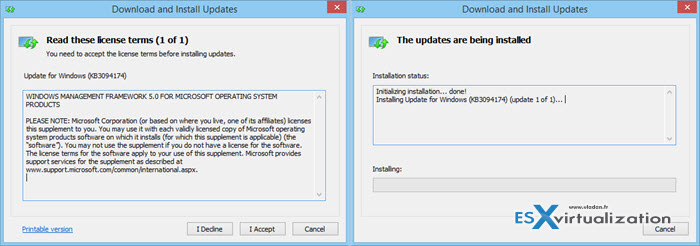
- Instructions specific to Windows 7 SP1 and Windows Server 2008 R2 SP1
- Ensure the following prerequisites have been met:
- The latest service pack is installed.
- WMF 4.0 is installed.
- WinRM Dependency:
- Windows PowerShell Desired State Configuration (DSC) depends on WinRM. WinRM is not enabled by default on Windows 7 and Windows Server 2008 R2. To enable WinRM, in a Windows PowerShell elevated session, run Set-WSManQuickConfig.
- Ensure the following prerequisites have been met:
 Core Configurator 2.0 – free config tool for Windows Server 2008R2 Core – works with Windows Server 2008R2 x64 core only. The tool is provided as an ISO, so to run the Core Configurator 2.0 just mount the ISO and run Start_CoreConfig.wsf. Here is the link to the developer's page: https://coreconfig.codeplex.com/
VMware
 (This tool is getting old). vCenter Pre-Upgrade Checker – The VMware vCenter Pre-Upgrade Checker not only detects problems but also miss-configuration and can avoid performance problems after the upgrade. The tool produces an output single zip file. Inside of this zip file, there is the database signature file and also the message log from running the upgrade checker tool.
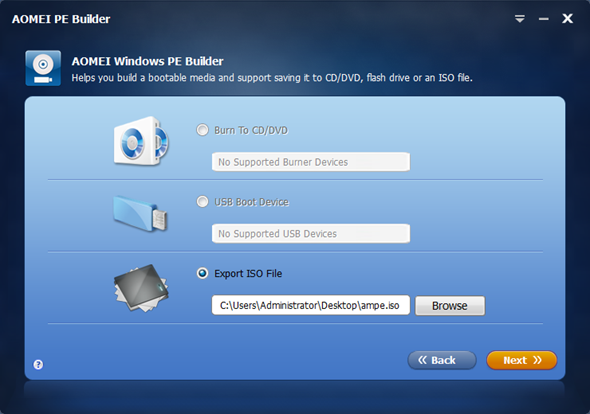 AOMEI PE Builder – Supported on Windows 7/8 based systems (x32 or x64) but also on Windows Server 2008/2012 based systems. The server platform support is a good thing in the case that you’re system administrator and maintaining physical server boxes.
It allows creating Win PE bootable environment without installing Microsoft WAIK. The tool has also some built-in tools and additionally, you can add your own utilities very easy which gets exported to the final ISO.
Note: You can install it only on Win 7/8 (not 8.1) or server 2008/2012 (not R2). But once created you can use it to boot systems from windows XP/2000/Vista/7/8/8.1 and Server 2000/2003/12008/2012…. Product page.
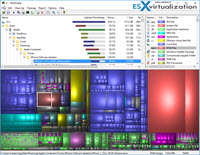 WinDirStat – Windows Directory Statistics. This free software helps you to find out where all your disk space has gone. It is free and open-source graphical disk usage analyzer for Microsoft Windows. We have previously reported on a different, but similar, software called Tree Size Free which has also a paid alternative. WinDirStat was re-programmed for Windows from Linux by Bernhard Seifert. The original program is based on Stefan Hundhammer's program KDirStat. The software is distributed under GNU General Public License v2.
Depending on which user you are, your Windows OS can become slower and slower over time and is eating more and more disk space. One day you might wonder Where all my disk space is gone? The files can be literally anywhere, usually hidden in sub-directories. To check all different sub-trees and folders manually and see if there are some high capacity files, it's impossible. One would have to open and collapse hundreds or thousands of directories. Download Page of WinDirStat.
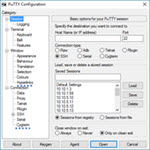 PuTTyTray – It's a free tool which can be personalized and which is cool. One of the personalization possibilities is, as you can imagine and according to its name, to have it running in Windows tray with eventually an option to open the window with a simple click. The personalizations can be done via Right clicking the app > Change settings.
PuTTyTray Features:
- Minimizing to the system tray (on CTRL + minimize, always or directly on startup)
- Icons are customizable
- Blinks tray icon when a bell signal is received
- Configurable window transparency
- URL Hyperlinking
- Portability: optionally stores session configuration in files (for example: on a USB drive) like portaPuTTY
- Easy access to the ‘always on top' setting (in the system menu)
- Android adb support
Setting up appearance or hyperlinks. Source Website: PuttyTray
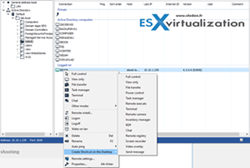 Remote Utilities – remote control over the remote system over LAN or WAN (passes through the router, like Teamviewer or Anydesk). Check the detailed post >>
- Security – IP filtering allowing to restrict access to only certain IP addresses. Whitelist the ones you need, or blacklist the ones you don’t…
- protection settings – remote users can’t change the settings on their machines
- Attended access – remote support via the agent module. No installation is necessary in this case.
- One to Many – connection to multiple machines at the same time from a single machine
- AD support – PCs attached to Microsoft domain appears automatically in the directory tree when preinstalled with the software. (cool…)
- Address book sync – can sync with other technician’s machines which provide the support for your company. The address book is also backed up every day.
- iOS and Android support – you can use Android or iOS devices to manage the network
- Remote settings – you can change the settings for the remote machine from the main console
- File Transfer – you can transfer files to and from.
 YUMI – Yumi provides you with a list of pre-programmed Linux Distributions and Utilities that are available for multi-boot USB creation. You can choose any of those tools from a drop-down menu. A second step is to point to the ISO file so YUMI can extract the necessary files and copy them to the particular folder on the USB stick. YUMI has almost all distros of Linux but also antivirus, system tools and other utilities which can’t be put into a particular category but shall be on every administrator’s USB stick toolbox. Download YUMI. Check How to Create Multiboot USB Stick With Veeam Recovery ISOs for Different Systems.

VMware Converter Standalone – This is a free tool from VMware that everybody knows. Use a converter to do P2V conversions, adjust Virtual disk size during V2V conversions, and change from Thick to thin … See how to shrink VMDK size in my post here.
You can check my post on How-to disable the SSL to speed up the conversion process. If you have many VMs to convert, want to speed up the conversions by disabling SSL via script. From v. 5.0 of Converter, there is the possibility of alignment of converted VMs on a destination datastore. Converter 6.1.1 supports conversion from Hyper-V v3 VMs (powered off) and also Windows 10 systems.
StarWind V2V Converter – StarWind V2V Converter allows the conversion of VMs from one format to another, basically “cloning” them and keeping the original file intact. P2V conversion does everything. It migrates the server OS including its configuration and all applications running on that server, into a virtual machine. With VMware converter we had an option to do P2V into VMware ESXi, but not into Hyper-V. StarWind V2V Converter allows both. StarWind V2V Converter Free is available at this link.
 You can gain up to 30% in performance. See my post on it here. It can be used as “Poor man's DR solution“. It's the same version that is bundled with vSphere Essentials, Essentials Plus, or higher versions of VMware vSphere. In case you need the Cold clone ISO – you can get it from my Dropbox Folder. (UPDATED). Get Dropbox with 5Gigs of free space.
 VMware Player – VMware Player is great for doing some demos or testing. It lacks a lot of features from VMware Workstation like snapshots, connection to the vSphere infrastructure, and many others, but I like to use it because it's very lightweight and handy and the recent features like unity are really great… You can have your VM in the background and the windows and programs executing inside this VM are “in front”. The unity mode is just signaled by a red icon on the window. You will not see the VM player windows floating on your desktop, but the applications.
 RVTools – Quick inventory can be done with this free tool from Rob de Veij. It's a small MSI package that after installation can list information about CPU, memory, disks, NICs, cd-ROM, floppy drives, snapshots, VMware tools, ESXi hosts, and datastores. Download RV Tools from here. Pretty useful to quickly gather different information about your infrastructure.
Putty is used for remote SSH to the VMware ESX service console and Linux servers or desktops. Putty is one of the “classic tools”. Everybody knows putty…. there is also a putty portable you can carry around on your USB stick. You can download Putty Here and Putty portable here.
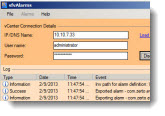 svfAlarms – By chance, I stumbled through this free GUI utility called svfAlarms, which enables you to import and export vCenter Alarms. There are some 37 default alarms in vCenter 4, 55 default alarms in vCenter5 and 61 default alarms in vCenter5.1 Alarm definitions can be fairly complex and managing and documenting alarms, duplicating them across multiple vCenter installations and also to keep a managed state can be time-consuming for administrators. The sfvAlarms utility can help simplify the alarm management task. Read my post or Download the utility.
 ESXi-Customizer – user-friendly GUI tool from Andreas Peetz, that automates the process of customizing the ESXi install-ISO with drivers that are not originally included. Unlike other scripts and manuals that are available for this purpose, ESXi Customizer runs entirely on Windows and does not require any knowledge of or access to Linux. Read my detailed post or download the tool.
Find inactive computer accounts in Active Directory – AD Tidy Tool – After running a reporting tool that brings results, you can select the desired records and do some actions, like disabling, moving, adding/removing to/from groups etc. You can also set expiration data on objects.
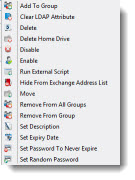 Find inactive computer accounts in Active Directory – AD Tidy Tool – After running a reporting tool that brings results, you can select the desired records and do some actions, like disabling, moving, adding/removing to/from groups etc. You can also set expiration data on objects.
The tool uses powerful filtering options and can do a lot of actions. You can also build your own action sequences or export pie charts. The creator of this tool is Chris Wright from the UK.
Enjoy… -:)
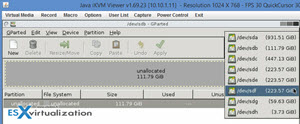 GParted Live ISO – I'm sure that everyone knows this tool. But still, I want to share my recent experience. You know that with the new hosts I got for my lab there is the Supermicro's iPMI remote management, and I found myself too lazy after all. All you need to do to attach a GParted Live ISO, then boot the system on it and then do what you have to do. No need to burn the iso or to create a bootable USB stick.
The GParted Live ISO can directly attach to the system, you boot on it and it can be used to format or create partitions on local disks. Check their website at www.gparted.org or my post how-to wipe local disks and prepare them for VMware VSAN
VMware Goodies!
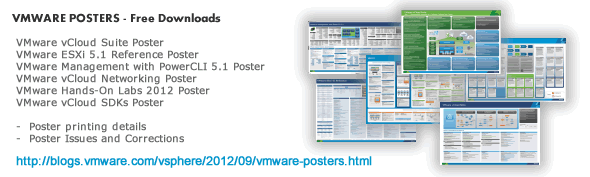
VMware Network port diagram – get it from this page.
vSphere 6.0 ESXTOP poster quick overview of troubleshooting.
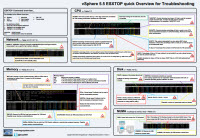 Andreas Lesslhumer over at www.running-system.com has an updated version of his vSphere 5.5 ESXTOP quick reference PDF poster.
I blogged about the poster in my article when it first came out, and now it's been updated for ESXi 6.0. Get your copy.
Then there is another interesting diagram about Memory management.
VMware vSphere 6 Memory Management and Monitoring diagram explain not only the four principal memory management techniques that vSphere 6 uses.
VMware uses a number of memory reclamation techniques when under pressure.
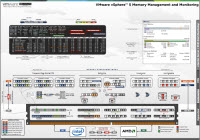 Transparent Page Sharing – This (pre 5.5 U4) used to share common pages between all guests on the same host. Now it’s shared pages on each VM because of security concerns (can be tweaked). See this article
Guest Ballooning – This is an in-guest driver that asks the guest operating system for system resources to force the guest to swap intelligently
Memory Compression – Pages are compressed and stored in a cache setup on main memory (set to 10% of total memory by default)
Hypervisor Swapping – Hypervisor swaps pages to disk… bad on performance.
I'm sure that you have already seen the diagrams like those and I'm sure that you recognize the author – Hany Michael who works for VMware -:). Get your copy.
Some vSphere latest content
- 5 New VMware Certifications for VVF and VCF
- VMware Alternative – OpenNebula: Powering Edge Clouds and GPU-Based AI Workloads with Firecracker and KVM
- Proxmox 9 (BETA 1) is out – What’s new?
- Another VMware Alternative Called Harvester – How does it compare to VMware?
- VMware vSphere 9 Standard and Enterprise Plus – Not Anymore?
- VMware vSphere Foundation (VVF 9) and VMware Cloud Foundation (VCF 9) Has been Released
- Vulnerability in your VMs – VMware Tools Update
- VMware ESXi FREE is FREE again!
- No more FREE licenses of VMware vSphere for vExperts – What’s your options?
- VMware Workstation 17.6.2 Pro does not require any license anymore (FREE)
- Migration from VMware to another virtualization platform with Veeam Backup and Replication
- Patching ESXi Without Reboot – ESXi Live Patch – Yes, since ESXi 8.0 U3
- Update ESXi Host to the latest ESXi 8.0U3b without vCenter
- Upgrade your VMware VCSA to the latest VCSA 8 U3b – latest security patches and bug fixes
- VMware vSphere 8.0 U2 Released – ESXi 8.0 U2 and VCSA 8.0 U2 How to update
- What’s the purpose of those 17 virtual hard disks within VMware vCenter Server Appliance (VCSA) 8.0?
- VMware vSphere 8 Update 2 New Upgrade Process for vCenter Server details
- What’s New in VMware Virtual Hardware v21 and vSphere 8 Update 2?
- vSphere 8.0 Page
- ESXi 7.x to 8.x upgrade scenarios
- What is The Difference between VMware vSphere, ESXi and vCenter
- How to Configure VMware High Availability (HA) Cluster
Stay tuned through RSS, and social media channels (Twitter, FB, YouTube)