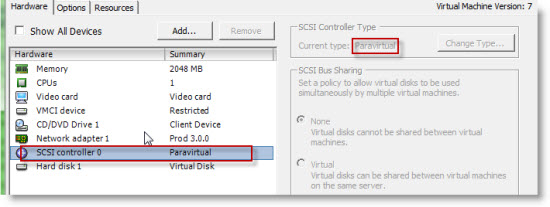
Do I choose the PVSCSI or LSI Logic virtual adapter on ESX 4.0 for non-IO intensive workloads? I thought that the question about using or not VMware Paravirtual adapter was solved with the vSphere 4 Update 1 and the announce that VMware has officialy support PVSCSI on boot disks. For me it was clear that I was going to use only this adapter for newly created VMs an those with LSI logic were on plan to be migrated. Sooner or later.
As I already blogged about the PVSCSI adapter greatly improves the throughput for heavy I/O workloads and and that also it consumes less CPU.
Use PVSCSI or not
But then there was an interresting KB article from VMware which says that “it depends on your workload“…. 😎
They've done actualy some deep testing on that and the experiment results show that:
PVSCSI greatly improves the CPU efficiency and provides better throughput for heavy I/O workloads. For certain workloads, however, the ESX 4.0 implementation of PVSCSI may have a higher latency than LSI Logic if the workload drives low I/O rates or issues few outstanding I/Os.
They also have a solution for taking a decision whether Yes or Not use this adapter:
PVSCSI is best for workloads that drive more than 2000 IOPS and 8 outstanding I/Os.
LSI Logic is best for workloads that drive lower I/O rates and fewer outstanding I/Os.
So you'd have to go and test the IOPS for those VM's that you think that should be migrated or not….
UPDATE: Scott Sauer has posted a “Deep dive” explanation on his blog. Make sure to check this out…
Source: VMware KB









thanks for pointing to the KB
I have been reading KB that VMware is planning to phase out PVSCSI in 2010
PVSCSI is great when speaking about performances. I wish the caveats list will get shorter. One caveat being MSCS support especialy with Windows 2008 (SPC-3 an the Persistent Reservation thing).
More at http://www.vmware.com/pdf/vsphere4/r40/vsp_40_admin_guide.pdf page 118
Didider,
The PDF, is there is an update for vSphere 4 Update 1? Because in this PDF one can read that the boot disks are not supported… That was the case before Update 1 was released…..
You’re right, latest document available at http://www.vmware.com/pdf/vsphere4/r40_u1/vsp_40_u1_admin_guide.pdf page 117
Is there a reasonable easy way to track # of outstanding I/Os? Just use Physical Disk -> Avg Disk Read Reqs / sec under perfmon for Windows?
This is good info but a bit disappointing to hear. Like VMXNET3 I was hoping to standardize all builds on the PVSCSI device but it sounds like that isn’t the best approach. You’re not going to see 2,000 IOPS on a server unless it’s pretty busy so most likely you won’t use this device often.
The other annoyance here is now you have to have multiple virtual machine templates for low and high I/O workloads. Throw in x86/x64 templates and suddenly I’m managing lots of templates.
Thanks for passing this along. Good info.