Veeam Backup 4 and it's new features:
Veeam Backup has been here for some time. All those great free products like Veeam Fast SCP, Veeam Monitor or the recently added Veeam Bussiness View, we all know and appreciate. The upcoming Veeam Backup and replication 4 will be introducing some new cool features which will helps you to increase the backup speed of your Virtual Infrastructure.
To increase speed of backup means also that you'll be able to recover faster too. You can pre-register at Veeam's website to be informed when the product will be widely available. Veeam Backup and replication 4 should be out during this month.
What is new?
- Veeam Backup 4 is fully compatible with vSphere 4.
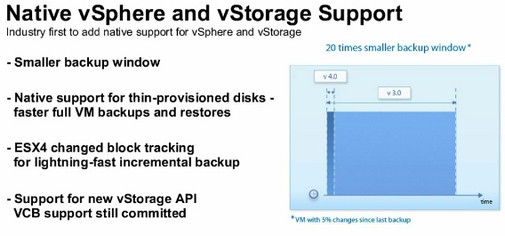
- vSphere 4 feature with changed block tracking will helps you make fast incremental backups. If for example the VM has only 5 percent changes since the last backup, the incremental backup time will be 20 times faster.
- One Entreprise admin console to use multiple Veeam Backup instances in one centralized environement.
- File-level restores are performed directly from backup image and support most of the major operating
and file systems, including Windows, Linux, Unix, BSD and Mac.
Concerning replication and CDP (continuous data protection) Veeam Backup and Recovery 4 also progressed in speed…
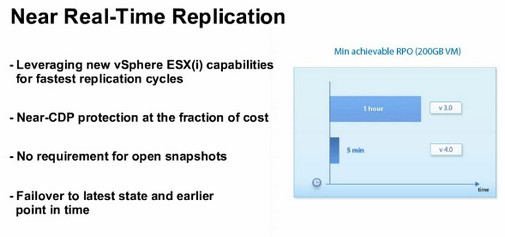
The vStorage API support ESX(i) 3.x, but also ESX(i) 4 . CDP replication works only in vSphere, because ESX(i) 4 and hardware version 7 virtual machines.








