
ESX Virtualization

VMware ESXi, vSphere, VMware Backup, Hyper-V... how-to, videos....

Nakivo Backup and Replication - #1 Backup solution for Virtual, physical, cloud, NAS and SaaS

Menu
  • Certification
      • VCP-VVF Administrator
          • vcp-vvf-2.
        • Close
      • VCP-DCV vSphere 8
          • vcp2024-125.
        • Close
    • Close
  • VMware
    • Configuration Maximums
    • vSphere
      • VVF 9 and VCF 9
      • vSphere 8.0
      • vSphere 7.0
      • vSphere 6.7
      • vSphere 6.5
      • vSphere 6.0
      • Close
    • VMworld
      • VMware EXPLORE 2024
      • VMware EXPLORE 2023
      • VMware EXPLORE 2022
      • VMworld 2019
      • VMworld 2018
      • VMworld 2017
      • VMworld 2016
      • VMworld 2015
      • VMworld 2014
      • VMworld 2013
      • VMworld 2012
      • VMworld 2011
      • Close
    • Close
  • XCP-NG
    • XCP-NG
    • Close
  • Proxmox
    • Proxmox
    • Close
  • Microsoft
    • Windows Server 2012
    • Windows Server 2016
    • Windows Server 2019
    • Windows Server 2025
    • Close
  • Categories
    • Tips – VMware, Microsoft and General IT tips and definitions, What is this?, How this works?
    • Server Virtualization – VMware ESXi, ESXi Free Hypervizor, VMware vSphere Server Virtualization, VMware Cloud and Datacenter Virtualization
    • Backup – Virtualization Backup Solutions, VMware vSphere Backup and ESXi backup solutions.
    • Desktop Virtualization – Desktop Virtualization, VMware Workstation, VMware Fusion, VMware Horizon View, tips and tutorials
    • How To – ESXi Tutorials, IT and virtualization tutorials, VMware ESXi 4.x, ESXi 5.x and VMware vSphere. VMware Workstation and other IT tutorials.
    • Free – Free virtualization utilities, ESXi Free, Monitoring and free backup utilities for ESXi and Hyper-V. Free IT tools.
    • Videos – VMware Virtualization Videos, VMware ESXi Videos, ESXi 4.x, ESXi 5.x tips and videos.
    • Home Lab
    • Reviews – Virtualization Software and reviews, Disaster and backup recovery software reviews. Virtual infrastructure monitoring software review.
    • Close
  • Partners
    • NAKIVO
    • StarWind
    • Xorux
    • Close
  • This Web
    • News
    • ESXi Lab
    • About
    • Advertise
    • Archives
    • Disclaimer
    • Privacy policy
    • PDFs and Books
    • Close
  • Free

How to balance VMware Performance and Capacity – video

By Vladan SEGET | Last Updated: February 26, 2013

Shares

17 min of video discussing the balance between performance and capacity.

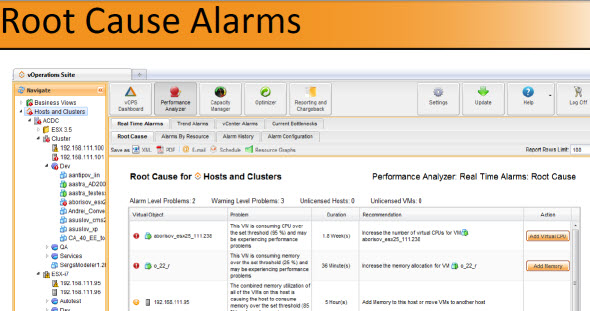
In this video Bryan Semple from vKernel discuss about performance and capacity. The video is quite long – 17 minutes. What's important and what's not. The video has been done in Toronto VMUG and the interaction with the users is very interesting since they brings in some points from their environments which might fits and be interesting for you.

A quick quote from vKernel's blog where I found the info:

The picture here is much as we have seen at other VMUgs. The low hanging fruit for cost savings is starting to go away. Yet the cost pressure is still there. Throwing more hardware at the problem is not the right answer. First you need to tame the performance issue, then optimize to bring costs down. The futility of eyeball analytics was pretty evident in many people’s reactions.

In larger environments (from 100VMs up), you loose the “visibility” of what VM has the right amount of Memory or right number of vCPU and it can also vary if your production needs changes from time to time.You say why? It's because there is too many metrics to look after for too many VMs….

Also, even if the initial configuraiton of your VMs is done right, the needs can change. Being able not only to monitor, but also change the configurations automatically of your VMs by adding/removing Memory or CPU during periodical checks. That's what tools available today from vKernel are providing.
Vote !
Shares

| Filed Under: Videos Tagged With: video vkernel capacity, video vkernel performance, vKernel Performance and capacity

About Vladan SEGET

This website is maintained by Vladan SEGET. Vladan is as an Independent consultant, professional blogger, vExpert x17, Veeam Vanguard x11, VCAP-DCA/DCD, ESX Virtualization site has started as a simple bookmarking site, but quickly found a large following of readers and subscribers.

Connect on: Facebook. Feel free to network via Twitter @vladan.

Private Sponsors


Featured

  • Thinking about HCI? G2, an independent tech solutions peer review platform, has published its Winter 2023 Reports on Hyperconverged Infrastructure (HCI) Solutions.
Click to Become a Sponsor

Most Recent

  • StarWind V2V / P2V Converter Version 9 (build 848) – Multi-VM Conversions, Full CLI Support, Hot Migrations, and Cloud Improvements Make This Free Tool a Datacenter Must-Have
  • Nakivo 11.2 With Proxmox 9.1 and VMware vSphere 9 Support Released
  • Ready for Voyage? Try Voyager Linux Distro – A Slick, Hybrid Distro That Just Works
  • VMware Releases ESXi 8.0 Update 3i – Build 25205845: Bug Fixes, Security Patches, and How to Upgrade Your Hosts
  • WinBoat – Running Windows Apps on Linux with Seamless Integration? Yes, Please!
  • VMware Workstation Pro 25H2U1 Released: Why You Should Update Now
  • StarWind VSAN for Hyper-V: Synchronous Replication for High-Availability Shared Storage
  • Veeam Backup & Replication Cybersecurity Improvements – Recon Scanner 3.0 and Malware Scanning in Backups
  • Diving Deep into Nakivo Backup & Replication: Lesser-Known Features, Multiplatform Flexibility, and Licensing Options for Cost-Effective Data Protection
  • Thinware SimpleVM – A Free-Forever Hypervisor Alternative for VMware Admins Tired of Broadcom’s Rising Costs

Veeam Vanguard x12

Get new posts by email:


Deals

Support us on Ko-Fi


Buy Me a Coffee at ko-fi.com

Friendly Websites and Blogs

  • vBlog.io
  • VMware Engineer Jobs
 

YouTube

…

Find us on Facebook

ESX Virtualization

…

Copyright © 2026 ·Dynamik-Gen · Genesis Framework · Hosted with HostColor.com