
Veeam released a new free tool called Veeam Reporter.
I have done a little test of how to install and get started with the tool. I used my VMware workstation 7.1.1 in my lab for that test. In production environment you'll probably pick up a clean VM cloned from template. I picked up an XP SP3 VM on my laptop to do the test.
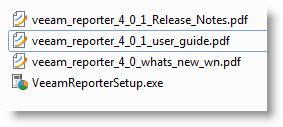
 What's are the system requirements and on which system you could or should run Veeam Reporter? Actually when you download the zip file from Veeam's website, after unzipping you'll see there are 3 pDF documents inside the Zip package…and where you can see all the compatible systems.
It's good to know that Veeam Reported fully supports both hypervizors from VMware – the ESX 4.1 and ESXi 4.1., but you can use this tool to report on your existing VI 3.X infrastructure as well.
As of the OS where you can install Veeam Reporter are following:
XP SP3, 2003 SP2, Vista SP2, 2008 SP2, 2008 R2, Windows 7…..
Databases: SQL Server 2005, 2008 and MS SQL Reporting services 2008.
You'll also need to have IE 6.0 or Firefox 3.5, and also Office 2007 or 2010 and PDF reader…. installed inside of the VM…
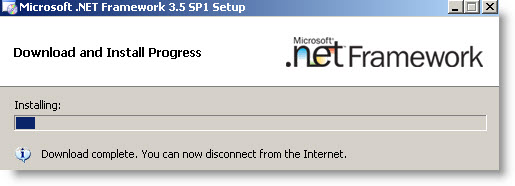
 After the first reboot of the VM, which is probably due to a missing patch, the installation process continue. I accept the default values and the process continues with installing .NET 3.5. Note that if you don't install the .NET 3.5 from a redistributed package the installation process connects itself to the Internet and download that file for you (the file is more than 200 Megs). So you can gain some time and install the package before installing Veeam Reporter. Get full package of Microsoft .NET Framework 3.5 SP1: dotnetfx35.exe (231 MB).
Even if you fully download the .NET package, you'll receive a message like that…. -:) You'll need to reboot your VM after installing .NET Framework.
The same apply for SQL Express SSRS. But I did not seek for the redistributable package this time, but I let the Veeam Reporter installer download the package for me. It does install a new instance called VEEAMSQL2008.
So with all the packages you're more likely loose some time while installing the solution. Probably to keep the installation package smaller (the Veeam Reporter installation file is only about 90 Megs), Veeam engineers designed the packaging for the product like that. It would be more convenient to download all those packages together from one place, or likely all slipstreamed into one installation file.
Ok, let's continue with the installation. You'll see a window asks for a license file, but if you're using the free version of the software, you don't need to enter any license there. Just hit the next button to continue.
One think to remember and which is also mentioned in the user guide PDF is that if you're installing the Veeam Reporter on a Windows XP machine you must disable the simple sharing in windows explorer. Go to Windows explorer window Tools Menu > Options > Click View and clear the Use simple file sharing checkbox.
I'll make a follow up on this post and show you some configuration steps there. So stay tuned via RSS…

