
Configure Service Console via CLI.
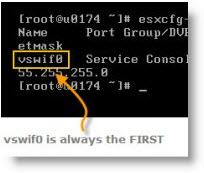 To manage VMware ESX server you must have an access via a special network interface called Service Console. SC. This network interface is called “vswif”. You can have several SC configured on your ESX server (It's recommended by VMware to have at least two SC, in case there is a NIC failure.
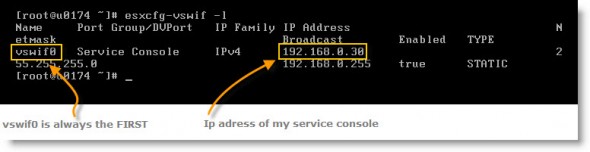
Today we'll see the command line command which enables us to reconfigure the VMware ESX Server SC. First I'll show you how to list a service console configuration. You must have access to the console of your ESX Server, or you can connect via putty. The command to list configured service consoles is:
esxcfg-vswif -l
The output will look like this:
If you need to change the IP adress of the service console you can do it 2 ways. You can do it via GUI (graphical user interface) by using the VI client or you can do it via command line. With the VI client you can create another service console first, connect another session with your VI client through that second SC and finally change the IP adress of the SC on the first session, and loose connection. It does not matter since you keep the second session open.
The second way is going through the command line interface. You do it on the console of the ESX server or The command for changing the IP address of your service console will look like this. Let's say that you'll want to assign this IP adress to your service console: 192.168.0.30 with this netmask: 255.255.255.0
esxcfg-vswif -i 192.168.0.30 -n 255.255.255.0 vswif0
Remember what I said at the beginning. That the SC starts first with vswif0 then vswif1 and vswif2 etc, etc…..
- Basic VMware ESX CLI networking commands
- VMware ESX – Configuration of Service console via CLI – this post
- Adding second service console via CLI
Stay tuned for more via RSS. Use your favorite browser (Firefox) for that, with Google Reader. If you do not know what is RSS, see my little guide of how to setup RSS in 5 minutes.

