Google Chrome OS (first compilations) is available as a VMware Image
There has been some first binaries released from the new upcoming Google Chrome OS. And some people compiled that binaries and transformed that to the VMware Image, so you have the possibility to run Google Chrome OS as a VM in VMware Player or VMware Workstation.
Quote from the website (https://gdgt.com) where the download is available:
After Google announced the availability of the Chrome OS / Chromium OS source code, one of our engineers (Jon Ursenbach), immediately got to work on compiling the code, trying to see if he could get an instance of Chromium OS running in a virtual machine.
The zipped VM is available from here. You must create a free account at thair website there and login into your account.
- Once downloaded, just unzip the file to your D drive for example.
- Create a new “custom” virtual machine and use the defaults but choose “I will install the OS later” option.
- Select “Other” and “Other Linux Kernel 2.6” for the VM
- Add some RAM and use Bridged networking. (1gig is OK).
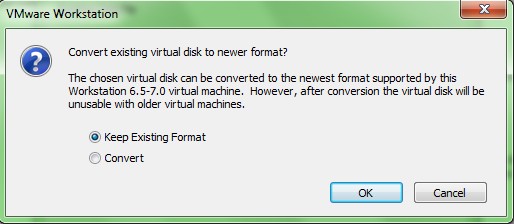
- Then when you're up to selecting a disk for your VM, just select “use an existing virtual disk” option and browse for the .vmdk that you downloaded and uncompressed on your D drive. Don't convert the format to the newest format.
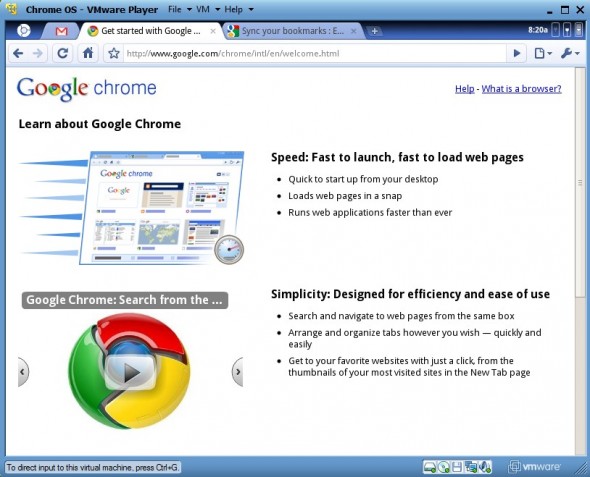
When you first boot the VM, your login and password are your google online credentials. You have to have an internet connection to be able to connect.. Also there is no vmware tools at the moment, co to be able to get your mouse back, use CTRL + ALT









Really really really useful information. Thanks for that, I've got a little bit comparison between different Web browser including Google Chrome
I have installed Chrome OS on one of my netbooks and the performance of Chrome OS is just okay. there is nothing fancy or very special about it. It was just a sort of GUI version of linux or something.
.
i have tested chrome os both at home and at work, it does not seem to be better than ubuntu”~
Chrome OS is at par with the current GUI release of Linux”.;