
SysInternals Suite – This is very old (and very popular) utility suite from Mark Russinovich got an update recently where you'll find some new tools and also, you'll be now able to download all tools in a single package. Hello everyone, Vladan here. If you’ve been reading ESX Virtualization since my very first 2008 posts on building cheap ESXi whiteboxes, through all the Hyper-V, Windows Server, and security deep-dives up to today, you know I don’t hype tools lightly. But there is one suite that has lived in my C:\Tools\ folder (and on every USB troubleshooting stick) for the last 17 years without fail: Microsoft SysInternals.
Yes, the same collection started by Mark Russinovich and Bryce Cogswell in the late 90s. Microsoft bought the company in 2006, yet the tools remain 100 % free, portable, actively developed, and more powerful than ever. As of the March 26, 2026 update, the suite has officially stepped outside the Windows-only bubble and is now genuinely useful for macOS and Linux admins too. If you manage any Windows infrastructure—or mixed environments—this is not “nice to have.” It’s required.
You can grab the full Sysinternals Suite (now 167.8 MB ZIP) here: https://learn.microsoft.com/en-us/sysinternals/downloads/
What Is SysInternals in 2026?
Over 70 advanced utilities that give you kernel-level visibility and control that Task Manager, Resource Monitor, or even PowerShell simply cannot match. Most are still single EXEs – no install, no bloat, no forced telemetry. Just unzip and run as Administrator.
The Core Tools Every IT Admin Uses Daily
Process Explorer (ProcExp.exe) – Task Manager on steroids. Full handle view, VirusTotal integration, parent/child process tree, and stack traces. I still use it every single day in my labs when a VM is spiking CPU and nothing obvious shows up.Process Monitor (ProcMon.exe)
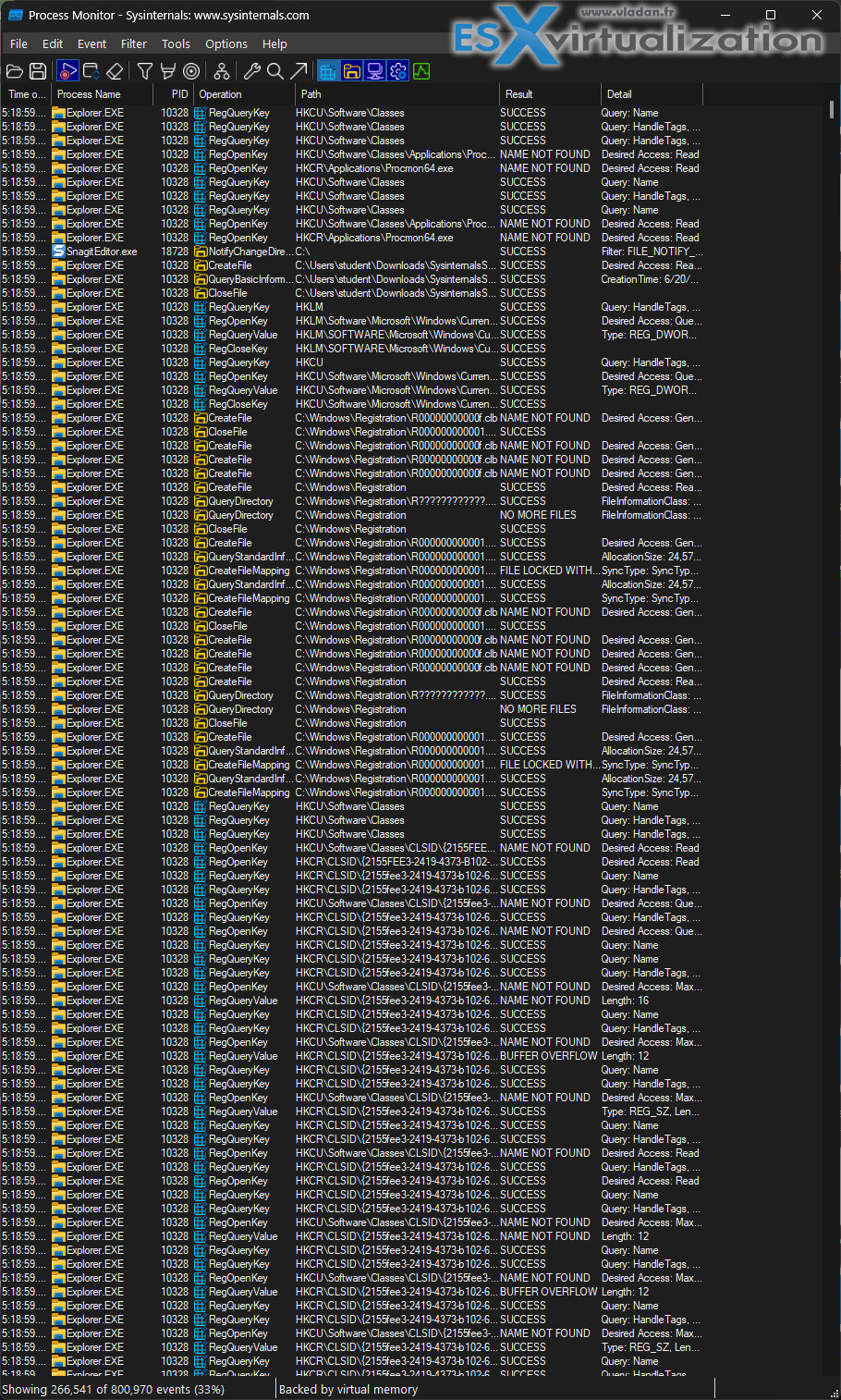
The ultimate real-time logger for file system, registry, process, and network activity. Filter on “ACCESS DENIED”, boot-time logging, and stack traces have saved me more Exchange/AD troubleshooting hours than I can count.
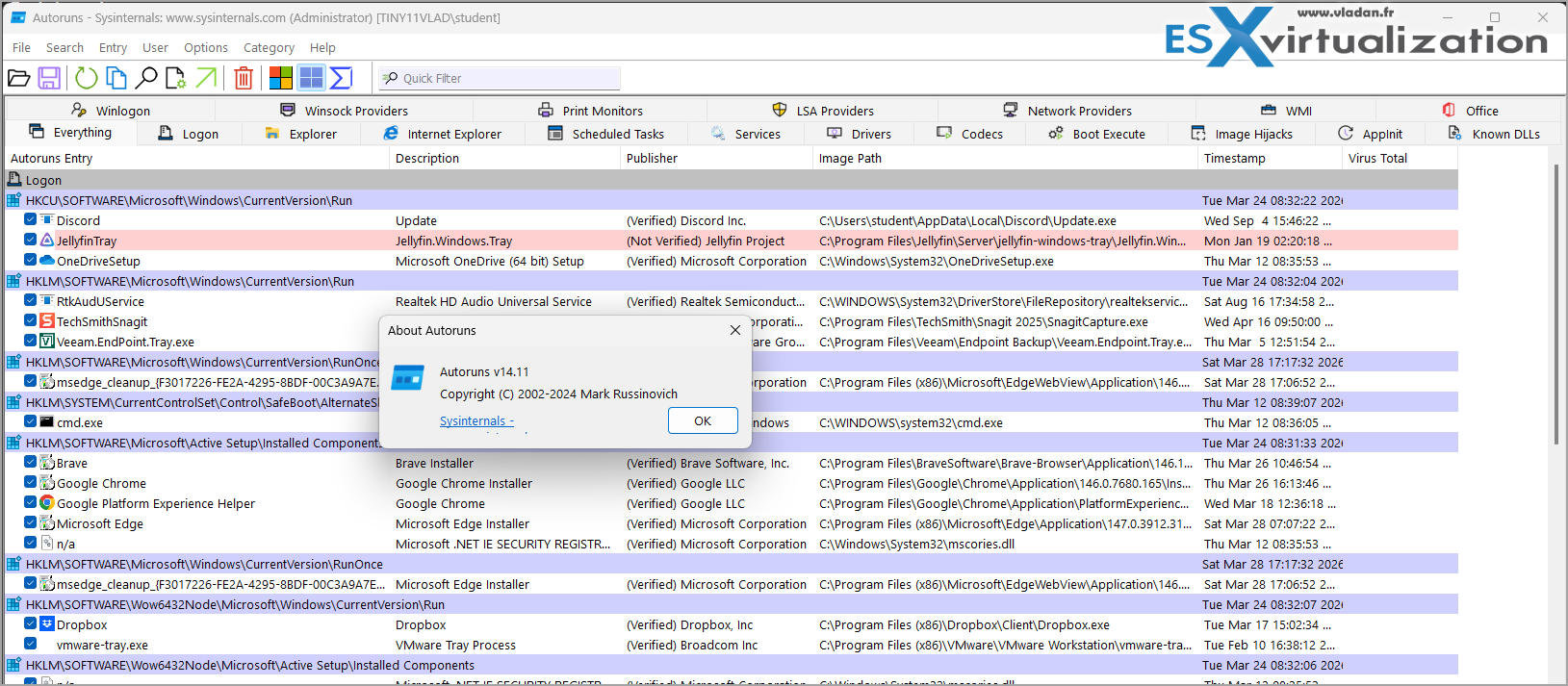
Autoruns – Shows literally everything that auto-starts—services, drivers, scheduled tasks, browser extensions. Hide Microsoft-signed entries and the bad guys light up like Christmas trees.
Sysmon (v15.2 – March 2026) – Free EDR-level logging into the Windows Event Log. The new release brings improved internal queue handling so you drop far fewer events under heavy load. I ship these events to Sentinel in every production environment I build.
PsTools – psexec \\server cmd.exe as SYSTEM still works when everything else is broken. Remote admin nirvana.Handle, RAMMap, Disk2vhd, SDelete, TCPView
All still indispensable.
RAMMap in particular just got better UX feedback during long save/load operations—small but welcome polish.
Brand New in the March 26, 2026 Release – Now Cross-Platform!
Microsoft clearly listened to those of us running hybrid shops.
The latest drop brings real value beyond Windows:
My favourite presentation/troubleshooting utility just levelled up again:
- Panorama / scrolling screenshots
- On-screen text extraction (OCR) during snips
- Lock-screen display mode for the break timer
- Video clip editor that now works with existing .mp4 and .gif files
Still the best tool for remote demos and quick “let me show you exactly what’s happening” moments.
This cross-platform move is huge. Many of us run Windows servers with Mac clients or Linux workloads in Azure/AWS. SysInternals is finally speaking their language too.
Why This Suite Is Still Non-Negotiable in 2026
Built-in Windows tools are fine for basic stuff. But when you’re troubleshooting a production issue at 3 a.m., you need depth. SysInternals gives you:
- Rootkit/malware hunting at kernel level
- Exact file/registry/network handles causing hangs
- Application compatibility debugging on Windows 11/Server 2025
- Free, detailed auditing and compliance data
- Zero-footprint portable execution (run from USB, clean up, done)
I’ve used these tools to fix everything. Knowing SysInternals is necessary to really solve problems, to go deep into the process, registry entries etc.
My Quick Start Tips (Still Valid in 2026)
- Download the full Suite ZIP → extract to C:\Sysinternals → add to PATH.
- Replace Task Manager with Process Explorer permanently (Options → Replace Task Manager).
- Install Sysmon with a decent config (I still use the SwiftOnSecurity one as base).
- Keep the suite on a USB stick labelled “Troubleshooting Kit 2026”.
- Read Mark’s Windows Internals book while you experiment—still the bible.
What is New in the latest release?
- New for macOS: 𝐥𝐢𝐬𝐭𝐞𝐧𝐭 — a command-line tool for discovering and listing code-signing entitlements, with both static scanning and real-time monitoring options.
- 𝐙𝐨𝐨𝐦𝐈𝐭: panorama screenshot support, text extraction from the screen, lock-screen display mode for the break timer, and video clip editor for existing .mp4 and .gif files.
- 𝐃𝐞𝐛𝐮𝐠𝐕𝐢𝐞𝐰: a modernized UI (including dark theme), improved Windows 11 support, plus performance work.
- 𝐒𝐲𝐬𝐦𝐨𝐧: improved resilience under heavy load with better internal queue handling to reduce dropped events.
- 𝐍𝐨𝐭𝐌𝐲𝐅𝐚𝐮𝐥𝐭: expanded crash-trigger coverage (secure kernel and hypervisor) for deeper system diagnostics scenarios.
- 𝐑𝐀𝐌𝐌𝐚𝐩: better UX feedback during longer save/load operations.
- 𝐏𝐫𝐨𝐜𝐦𝐨𝐧 for Linux: dependency refresh
Final Words
Seventeen years after I first wrote about virtualization tools on this blog, SysInternals remains in my personal “top 5 tools of all time” list—right next to PowerCLI or Veeam. The March 2026 release proves Microsoft is not letting it stagnate; they’re actively expanding it for modern, multi-platform realities.
If you’re a Windows sysadmin, Hyper-V/VMware engineer, security analyst, or anyone touching production infrastructure—stop reading and download it now. It’s free, it’s portable, and it will make you dramatically better at your job.
More posts from ESX Virtualization:
- Ready for Voyage? Try Voyager Linux Distro – A Slick, Hybrid Distro That Just Works
- VMware Workstation Pro 25H2U1 Released: Why You Should Update Now
- Thinware SimpleVM – A Free-Forever Hypervisor Alternative for VMware Admins Tired of Broadcom’s Rising Costs
- Veeam Backup and Replication Upgrade on Windows – Yes we can
- Securing Your Backups On-Premises: How StarWind VTL Fits Perfectly with Veeam and the 3-2-1 Rule
- Winux OS – Why I like it?
- VMware Alternative – OpenNebula: Powering Edge Clouds and GPU-Based AI Workloads with Firecracker and KVM
- Proxmox 9 (BETA 1) is out – What’s new?
- Another VMware Alternative Called Harvester – How does it compare to VMware?
- VMware vSphere 9 Standard and Enterprise Plus – Not Anymore?
- VMware vSphere Foundation (VVF 9) and VMware Cloud Foundation (VCF 9) Has been Released
- Vulnerability in your VMs – VMware Tools Update
- VMware ESXi FREE is FREE again!
- No more FREE licenses of VMware vSphere for vExperts – What’s your options?
- VMware Workstation 17.6.2 Pro does not require any license anymore (FREE)
- Two New VMware Certified Professional Certifications for VMware administrators: VCP-VVF and VCP-VCF
- Patching ESXi Without Reboot – ESXi Live Patch – Yes, since ESXi 8.0 U3
- Update ESXi Host to the latest ESXi 8.0U3b without vCenter
- Upgrade your VMware VCSA to the latest VCSA 8 U3b – latest security patches and bug fixes
- VMware vSphere 8.0 U2 Released – ESXi 8.0 U2 and VCSA 8.0 U2 How to update
- What’s the purpose of those 17 virtual hard disks within VMware vCenter Server Appliance (VCSA) 8.0?
- VMware vSphere 8 Update 2 New Upgrade Process for vCenter Server details
- vSphere 8.0 Page
- ESXi 7.x to 8.x upgrade scenarios
- VMware vCenter Server 7.03 U3g – Download and patch
- Upgrade VMware ESXi to 7.0 U3 via command line
- VMware vCenter Server 7.0 U3e released – another maintenance release fixing vSphere with Tanzu
- What is The Difference between VMware vSphere, ESXi and vCenter
- How to Configure VMware High Availability (HA) Cluster
Stay tuned through RSS, and social media channels (Twitter, FB, YouTube)


Leave a Reply