My One (at the moment) ESXi 4.1 whitebox runs with some SATA and SSD drives.
UPDATE: You can access directly my ESXi Homelab Page Here.
I'm preparing a series of articles about the evolution of my homelab, but I just realized that I haven't blogged about my actual setup. I evolved with my home lab I was using some time ago. Now I'm not running nested ESXi hypervisors from withing VMware Workstation like I did before, with Teams feature, but directly on my Whitebox. The Asus P5T SE Mobo with 12 Gigs of RAM, some SATA drives and 2 SSD drives can do quite a lot.
The ESXi 4.1 is the hypervisor, then I have the VMware vCenter running as a Virtual Machine. As a backup solution, with the help of Veeam, I'm using Veeam Backup and Replication 5.0 as my homelab backup solution. The backup software is installed in a VM which is running Windows 2003 R2 x64. The VM is configured with an USB port so I'm able to see my USB drive which is the destination of those backups.
Then I'm running several domain controllers, Exchange 2010, and some Virtual appliances from vKernel and VMturbo, mainly for testing purposes. The 12 gigs or RAM and the SSD's work just great together, but it's still only one box, thus I can simulate vMotion and HA through some nested ESXi.
But, even if you run another nested ESXi and a virtual appliance, like Openfiler for shared storage, you don't have the possibility to 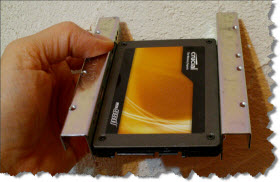 run FT (fault tolerance) and also the nested VMs can't run 64 bit OS… Not even talking about the speed of such a setup, even by using SSD's. But anyone who is starting with virtualization might gonna go the same way, since it's just the cheapest one.. -:)
But the idea of having a home lab similar to the production environment (with desktop parts..) was still there and I was just waiting the right moment to make the move. The time is here now and as I said at the beginning of this post, in near future when all my parts I ordered on Line will be delivered to Reunion Island, I'll show you the way I went for my home lab.
I can already tell you, that the way I choose my NAS device is slightly different then what was the choice of my 2 fellow bloggers and vExperts Kendrick Coleman or Didier Pironet… -:)
I have put on another article on my Network configuration with a low-cost Layer 3 switch with VLAN configuration for my home lab. You can read about the experience here.
Stay tuned for more…. -:)









Hey mate thx for the link to my blog post 😉
Looking forward your next post about the NAS storage you pick up for your improved home lab!
Cheers,
Didier
No problem, good info there… -:) I’ll do some DIY NAS in my future posts…. Fun -:)
What type of mainboard are you running this config on?
Tried looking up the P5T from ASUS but can’t seem to be able to find it … even on the Asus website…..
Thanks
Patrick,
It’s the P6T SE… but i’ts last year’s model… or maybe older.. -:)
Hi Vladan.
My friend told me the majority of mobo nowadays support virtualization in the bios (VT).
But not all support VTd (direct VT access to certain computer parts). The price difference is quite big. Is that true? Do we need VTd in learning Vmware?
Intel VT is necessary, that’s for sure. As for the latest vSphere 5 I’m not sure if VTd brings some signinficant improvements and features just for homelabbing… -:). Buy as much as RAM as you can, or get an SSD drive for shared storage. I rarely use some huge amount of CPU in my lab….
Best
Vladan