
My selection of freeware tools to manage your Virtual Infrastructure.
Update: You might find an updated version of this list on a Dedicated Page of my Website here: www.vladan.fr/free-tools-vmware…..
Time to time is a good move to share with the others my tools that I'm using to manage and administer VI infrastructure, but not only… So there is quite a few of them. The list is not exhausted, feel free to comment and add yours as well…
01.) Putty : Putty is used for remote SSH to the VMware ESX service console and Linux servers or desktops. Putty is one of the “classic tools”. Everybody knows putty…. there is also putty portable you can carry arround on your USB stick. You can download Putty Here and Putty portable here.
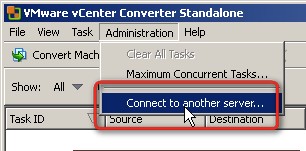
02.) VMware Converter 4.0.1: When you need to convert a physical machine, to do a P2V conversion, you will use this free tool from VMware you can download here. Now VMware Converter is Free to use for multiple conversions. This was not the case before. You can use VMware Converter to perform a fast and reliable physical-to-virtual migration/conversion. This tool is now very mature and offers a lot of possibilities to convert Windows or Linux machines into VMware ESX Infrastructure. You can also convert Third party backups images like Acronis or Symantec Ghost images. At the same time you can resize your hard disk size if needed….. -:) See the section free tools of this blog…
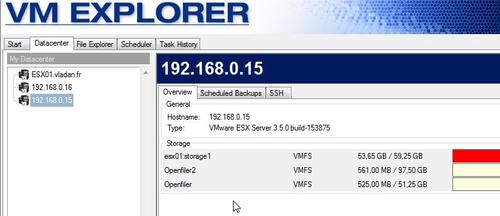
03.) Trilead VM Explorer : VM Explorer is a management tool designed to ease management, backup, and disaster recovery tasks in a virtual environment. You can connect easily to your existing ESX infrastructure and manage (backup) your VMDK files as needed. You can connect up to five ESX Servers. There is SSH-compatible terminal client included, so you can remotely connect to Linux or FreeBSD servers as well as the VMware ESX service console. You can get Trilead VM Explorer here.
04.) Veeam Backup Free Edition : (has SCP client built in).
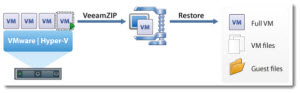
Veeam Backup Free Edition : Also called VeeamZIP . Can do full backups of single VM at a time of VMware ESX/ESXi environment. Don't do incrementals, or replications, like the full product does. Can copy file from one ESX to another. Useful for archiving VMs, (has some great compression ratio – read my post and see the video here), You can also transport archived VMs to the DR site with an USB drive etc…. Download Veeam Backup Free Edition here.
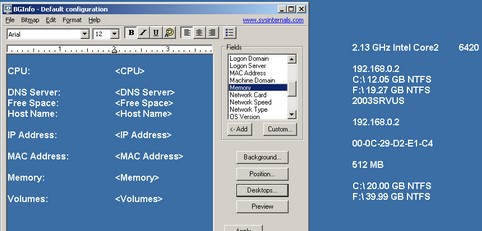
05.) BGInfo : Pretty cool little application which puts useful information onto a desktop when installed so you are able to view this info in your remote session. Like this you don't get lost when you need to manage lot's of Servers – physical or virtual. You can download BGInfo here.
06.) Daemon Tools Lite – whether you need to mount an ISO image as a CD/DVD or create an ISO, Daemon-Tools cames to action. It also emulated up to 4 virtual CD/DVD drives, so you can mount (insert) and unmount (eject) images. See more info about Daemon Tools Lite Here and/or download here.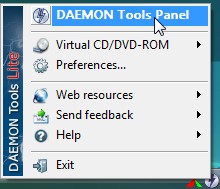
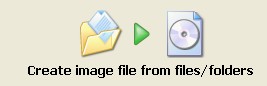
07.) Imgburn – Similar functionality as Daemon Tools, but you can also build ISOs from files and folders. Get ImgBurn here.
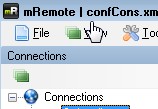
08.) mRemote – free, multitab, multifolder, remote desktop utility and connection manager. You can save your remote desktop connections in one easy to use interface. Or you can use the software to organize RDP connections in your client's site. The following protocols are supported:
 – RDP (Remote Desktop)
– VNC (Virtual Network Computing)
– ICA (Independent Computing Architecture)
– SSH (Secure Shell)
– Telnet (TELecommunication NETwork)
– HTTP/S (Hypertext Transfer Protocol)
– Rlogin (Rlogin)
– RAW
See and download the version you need. There is also portable version… -:)
09.) OpsCheck – when you have problems to get the vMotion working right, there is a free tool from Tripwire which helps ensure your systems are configured to support VMware VMotion. The tool analyzes the configuration of your ESX Servers and delivers a troubleshooting guide. You can then just follow by correcting the issue.

10.) RVTools – I already blogged several times about this great little tool. It can list information about cpu, memory, disks, nics, cd-rom, floppy drives, snapshots, VMware tools, ESX hosts and datastores.
Check out my Free VMware Tools page here!


Cool stuff,
and you can also add VESI tool (http://www.vesi.org)
I don’t think that Veeam FastSCP works with ESXi hosts. The best is does is allow SCP of closed servers from one machine to another. It also disables the reports and current activity feature so you can’t tell when a copy is finished.
Further, the timed events won’t work as you’d have to down the server so the files are closed, run the copy and then start it up. One day, it won’t start!
Correct me if I’m wrong.