
If you’ve been reading ESX Virtualization since the VMware 3.x days (yeah, 2008–2024 archive still holds up), you know I’ve always had a soft spot for backup solutions that actually deliver real value instead of just burning your budget. I’ve tested pretty much every major player over the years – Veeam, Commvault, you name it – and NAKIVO has consistently been the one that punches way above its weight. One of the best value overall all time.
With the release of NAKIVO Backup & Replication 11.2 (March 2026), they’ve just made the case even stronger. Full agentless support for the latest Proxmox VE 9.0 (and 9.1 compatibility), continued rock-solid VMware vSphere 9 support, a bunch of quality-of-life improvements, and — most importantly for SMBs and cost-conscious enterprises — the same aggressive pricing that makes it roughly half the cost of the usual suspects. Let me walk you through what’s new, why it matters in real production environments, and how you can actually use this to migrate off VMware to Proxmox (or any other hypervisor) without the usual pain.
Why NAKIVO 11.2 Feels Like a No-Brainer Right Now
Let’s be honest: most of us are dealing with mixed environments. Some VMware left over from the old days, growing Proxmox clusters because of licensing costs and Broadcom’s new reality, maybe a few Hyper-V boxes or even physical servers. You don’t want three different backup tools. You want one that just works everywhere and doesn’t require a second mortgage.
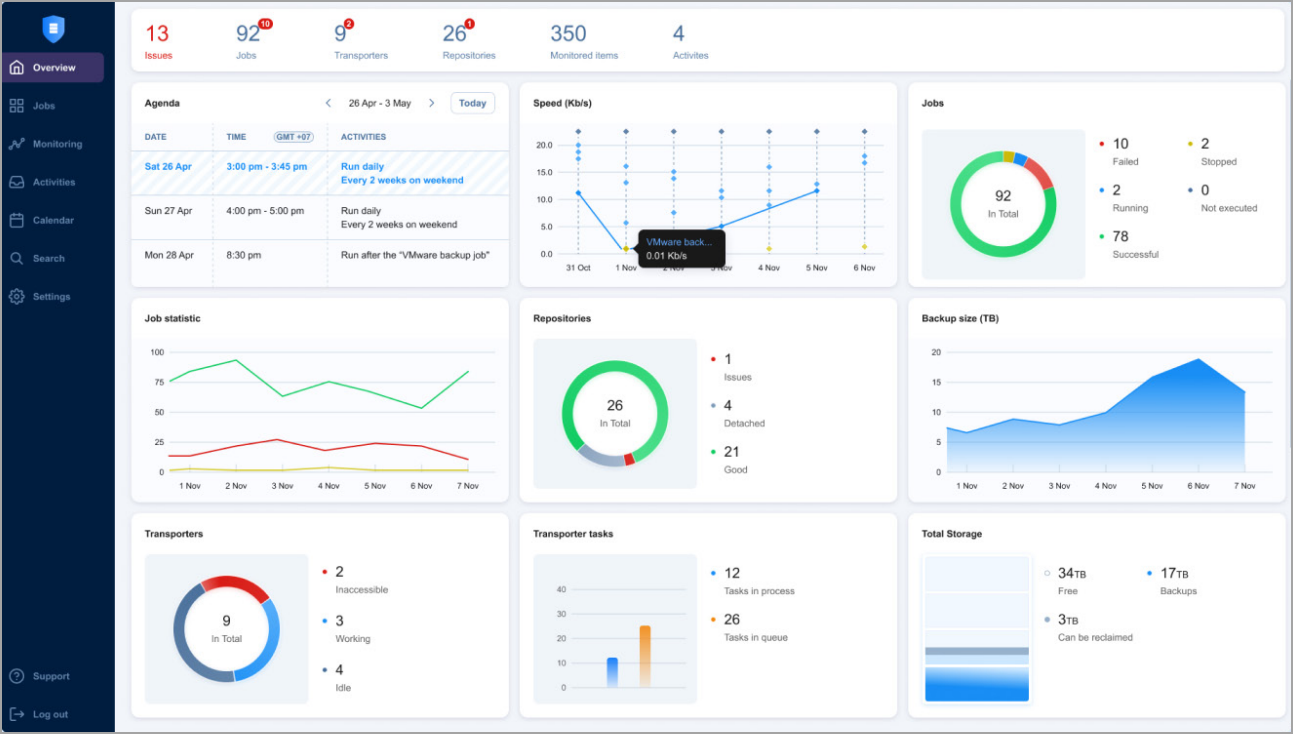
NAKIVO 11.2 delivers exactly that.1. Proxmox VE 9.0 – Full Agentless Backup & Replication (Finally Mature)
This is the headline feature for a lot of you.
- Agentless at the host level – no need to install anything inside the guest VMs or templates.
- Block-level incremental backups using Proxmox’s native change tracking → only changed blocks are transferred. Fast and storage-efficient.
- Instant Verification with automated screenshot-based reports so you actually know your backups are good (no more “trust me bro” recovery).
- Replication to a target Proxmox host for real HA/failover scenarios.
- Flash VM Boot and granular file/application-object recovery directly from backup.
- Flexible storage: local, NFS/CIFS, public clouds (S3, Wasabi, Azure Blob, Backblaze B2), S3-compatible, dedup appliances, and tape.
If you’re running Proxmox in the edge, homelab-turned-production, or as a deliberate VMware escape pod, this is now enterprise-grade protection without the enterprise price tag.2. VMware vSphere 9 – Full Support, No Waiting
NAKIVO was one of the first third-party vendors to deliver full support (vCenter 9.0.1.0 + ESXi 9.0.1.0 + VDDK 9.0.1.0).
- Agentless image-based backup/replication with CBT
- Real-time replication (as low as every second)
- Site Recovery jobs with one-click failover/failback and pre-failover testing
- All the usual ransomware goodies: source-side AES-256 encryption, immutable storage (local + cloud), air-gapped tape, malware scan before restore
If you’re in the middle of a vSphere 9 upgrade (especially now that features are bundled under VMware vSphere Foundation), you can update NAKIVO and keep protecting without skipping a beat.3. Other Notable Technical Wins in 11.2
- NAS backup for unstructured data (NFS/SMB shares) with hybrid/immutable destinations
- Backup from storage snapshots (HPE 3PAR/Nimble/Primera/Alletra, NetApp FAS/AFF) for VMware — huge load reduction on production
- File system indexing + Global Search inside VM backups (VMware & Hyper-V)
- Granular volume/folder backup for physical Windows/Linux machines (Debian support added)
- Direct VM recovery from tape (no staging repository needed)
- Federated Repository – treat multiple repositories as one scalable pool
- MSP enhancements – Direct Connect without VPN, tenant dashboard, multi-tenancy improvements
- Universal Transporter and better monitoring/alerting
Security is also tightened: backup encryption at source (with AWS KMS option), malware scanning integration (Defender, ESET, Sophos), immutable storage on NEC HYDRAstor, etc.
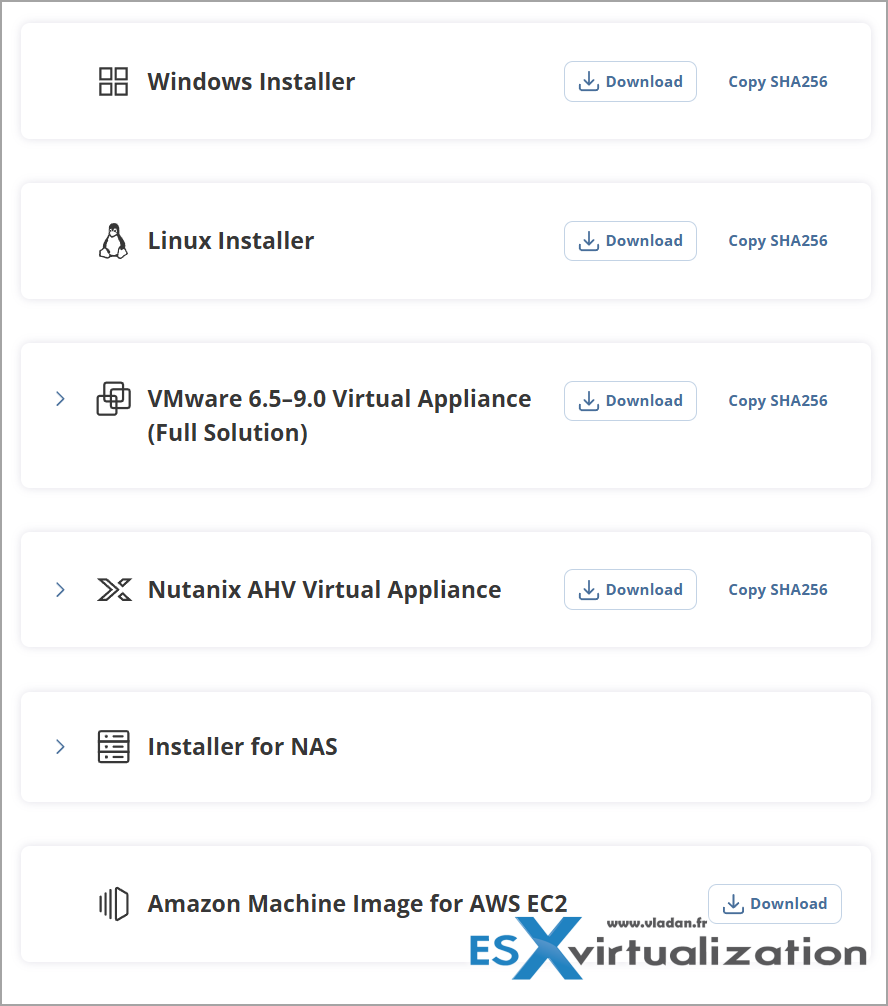
I'd prefer to run Nakivo on physical hardware next to my virtual infrastructure (separate your backups please). If you want to save on Windows licensing, use Linux. The modern distros today make things easy. Keep the UI so you can manage the server easily. You don't have to install a “core” version only (a server version) of Linux.
The Elephant in the Room: Why Is NAKIVO Still Roughly Half the Price?
Short answer: because they don’t charge you for features you don’t use and they don’t nickel-and-dime you on licensing.
Official NAKIVO pricing page openly says “Save up to 50% on data protection”. In real-world comparisons I’ve seen (and heard from readers and clients), a typical 100-VM deployment is often 40-60% cheaper than Veeam once you factor in the full feature set (no separate licenses for orchestration, monitoring, or cloud connect in many cases).Licensing is flexible:
- Perpetual per-socket or per-workload
- Subscription options that are ridiculously affordable
- Physical machines and Proxmox VMs often don’t burn extra licenses the way some competitors do
Note: You can check the pricing calculator!
You get enterprise features (instant recovery, replication, immutable + air-gapped + encryption, NAS backup, multi-platform support) without the enterprise tax. That’s why so many SMBs and mid-market companies are quietly switching or adding NAKIVO as their primary/secondary solution.Real-World Migration Path: VMware → Proxmox (or Any Other Hypervisor)One of the smartest things you can do with NAKIVO right now is use it as your migration vehicle.
Here’s the practical workflow I recommend (and that NAKIVO themselves document):
- Deploy NAKIVO (VA, Linux, Windows — whatever fits your environment). Honestly, novadays physical server running Linux for backups is a must.
- Add both your VMware and Proxmox inventories.
- Create backup jobs for your VMware VMs (agentless, of course).
- Once you have solid, verified backups, simply restore those VMs directly to Proxmox (or Hyper-V, or even as physical if needed).
- Use replication jobs to keep the source and target in sync during cutover if you want near-zero downtime.
- Failover with Site Recovery jobs when you’re ready.
No export/import nightmares, no downtime windows measured in days, no third-party converters that break half the applications. Just clean, reliable backup + restore.I’ve been saying this since the early Proxmox support days: NAKIVO is one of the very few tools that genuinely makes hypervisor migration painless instead of a weekend nightmare.
Final Words
NAKIVO 11.2 isn’t a revolutionary “everything changed” release — and that’s exactly why I like it. It’s a solid, mature incremental update that keeps you protected on the latest platforms (Proxmox 9.x and vSphere 9) while adding the little things that make daily operations smoother (better retention UI, indexing, Direct Connect for MSPs, etc.).
For SMBs watching every euro, for service providers managing multi-tenant environments, and for anyone tired of paying premium prices for features they already get cheaper elsewhere — this is the backup solution that just makes sense.If you’re still on VMware and thinking about Proxmox, or already running Proxmox and need proper enterprise backup, or you’re just fed up with backup software that costs more than your hypervisor… download the 15-day fully functional trial and give 11.2 a spin.
You’ll probably end up keeping it.
Links:
- Official What’s New PDF (the one I used for this post): https://www.nakivo.com/res/files/pdf/nakivo_backup_whats_new.pdf
- NAKIVO 11.2 download & 15-day trial
- Pricing page
Links: Nakivo
More about Nakivo on ESX Virtualization
- Nakivo 11.2 With Proxmox 9.1 and VMware vSphere 9 Support Released
- Diving Deep into Nakivo Backup & Replication: Lesser-Known Features, Multiplatform Flexibility, and Licensing Options for Cost-Effective Data Protection
- Nakivo Backup and Replication v11.1 Released
- Protect Mixed environments with Nakivo Physical Machine recovery (bare metal)
- NAKIVO Backup and Replication 11.0.1 Now Supports Additional Languages and Offers Flexible Deployment Options
- Major Release – Nakivo Backup and Replication v11 – VMware EXPLORE 2024
- Nakivo Backup and Replication: A Comprehensive Solution for Heterogeneous Environments
- Nakivo Backup and Replication New and upcoming features
- Nakivo Backup and Replication VMware EXPLORE 2023 (video)
- Nakivo Backup 10.10 and Real-Time Replication Details
- Nakivo Backup and Replication 10.9 GA Adds Ransomware Scan as well as Bare Metal Recovery
- Nakivo Backup and Replication 10.9 will be adding Backup Malware scan and more
- Nakivo Backup and Replication 10.8 With vSphere 8 Support and more
- First Backup Vendor with VMware vSphere 8 Support – Nakivo
- How to Add a Physical Server and create a first backup with Nakivo Backup and Replication Software
- Security Tips for Nakivo Backup and Replication users
- Backup a file share with Nakivo Backup and Replication
- NAS Backup with Nakivo Backup and Replication 10.6
- Nakivo Backup and Replication FREE Edition Features and Limitations
- How to configure immutable backups with Nakivo
- Nakivo Backup and Ransomware Recovery
More posts from ESX Virtualization:
- Veeam Backup and Replication Upgrade on Windows – Yes we can
- Securing Your Backups On-Premises: How StarWind VTL Fits Perfectly with Veeam and the 3-2-1 Rule
- Winux OS – Why I like it?
- VMware Alternative – OpenNebula: Powering Edge Clouds and GPU-Based AI Workloads with Firecracker and KVM
- Another VMware Alternative Called Harvester – How does it compare to VMware?
- VMware vSphere 9 Standard and Enterprise Plus – Not Anymore?
- VMware vSphere Foundation (VVF 9) and VMware Cloud Foundation (VCF 9) Has been Released
- Vulnerability in your VMs – VMware Tools Update
- VMware ESXi FREE is FREE again!
- No more FREE licenses of VMware vSphere for vExperts – What’s your options?
- VMware Workstation 17.6.2 Pro does not require any license anymore (FREE)
- Two New VMware Certified Professional Certifications for VMware administrators: VCP-VVF and VCP-VCF
- Patching ESXi Without Reboot – ESXi Live Patch – Yes, since ESXi 8.0 U3
- Update ESXi Host to the latest ESXi 8.0U3b without vCenter
- Upgrade your VMware VCSA to the latest VCSA 8 U3b – latest security patches and bug fixes
- VMware vSphere 8.0 U2 Released – ESXi 8.0 U2 and VCSA 8.0 U2 How to update
- What’s the purpose of those 17 virtual hard disks within VMware vCenter Server Appliance (VCSA) 8.0?
- VMware vSphere 8 Update 2 New Upgrade Process for vCenter Server details
- What’s New in VMware Virtual Hardware v21 and vSphere 8 Update 2?
- vSphere 8.0 Page
- ESXi 7.x to 8.x upgrade scenarios
- VMware vCenter Server 7.03 U3g – Download and patch
- Upgrade VMware ESXi to 7.0 U3 via command line
- VMware vCenter Server 7.0 U3e released – another maintenance release fixing vSphere with Tanzu
- What is The Difference between VMware vSphere, ESXi and vCenter
- How to Configure VMware High Availability (HA) Cluster
Stay tuned through RSS, and social media channels (Twitter, FB, YouTube)





Leave a Reply