
ESX Virtualization

VMware ESXi, vSphere, VMware Backup, Hyper-V... how-to, videos....

Nakivo Backup and Replication - #1 Backup solution for Virtual, physical, cloud, NAS and SaaS

Menu
  • Certification
      • VCP-VVF Administrator
          • vcp-vvf-2.
        • Close
      • VCP-DCV vSphere 8
          • vcp2024-125.
        • Close
    • Close
  • VMware
    • Configuration Maximums
    • vSphere
      • VVF 9 and VCF 9
      • vSphere 8.0
      • vSphere 7.0
      • vSphere 6.7
      • vSphere 6.5
      • vSphere 6.0
      • Close
    • VMworld
      • VMware EXPLORE 2024
      • VMware EXPLORE 2023
      • VMware EXPLORE 2022
      • VMworld 2019
      • VMworld 2018
      • VMworld 2017
      • VMworld 2016
      • VMworld 2015
      • VMworld 2014
      • VMworld 2013
      • VMworld 2012
      • VMworld 2011
      • Close
    • Close
  • XCP-NG
    • XCP-NG
    • Close
  • Proxmox
    • Proxmox
    • Close
  • Microsoft
    • Windows Server 2012
    • Windows Server 2016
    • Windows Server 2019
    • Windows Server 2025
    • Close
  • Categories
    • Tips – VMware, Microsoft and General IT tips and definitions, What is this?, How this works?
    • Server Virtualization – VMware ESXi, ESXi Free Hypervizor, VMware vSphere Server Virtualization, VMware Cloud and Datacenter Virtualization
    • Backup – Virtualization Backup Solutions, VMware vSphere Backup and ESXi backup solutions.
    • Desktop Virtualization – Desktop Virtualization, VMware Workstation, VMware Fusion, VMware Horizon View, tips and tutorials
    • How To – ESXi Tutorials, IT and virtualization tutorials, VMware ESXi 4.x, ESXi 5.x and VMware vSphere. VMware Workstation and other IT tutorials.
    • Free – Free virtualization utilities, ESXi Free, Monitoring and free backup utilities for ESXi and Hyper-V. Free IT tools.
    • Videos – VMware Virtualization Videos, VMware ESXi Videos, ESXi 4.x, ESXi 5.x tips and videos.
    • Home Lab
    • Reviews – Virtualization Software and reviews, Disaster and backup recovery software reviews. Virtual infrastructure monitoring software review.
    • Close
  • Partners
    • NAKIVO
    • StarWind
    • Xorux
    • Close
  • This Web
    • News
    • ESXi Lab
    • About
    • Advertise
    • Archives
    • Disclaimer
    • Privacy policy
    • PDFs and Books
    • Close
  • Free

vSphere 5 – Clean ESXi 5.0 Installation video from my lab

By Vladan SEGET | Last Updated: February 15, 2017

Shares

My turn to show an installation of ESXi 5.0 in my lab.

In this video I'm showing clean installation of ESXi 5.0 in one whitebox from my lab. I do a clean installation of ESXi 5.0 (beta release), so I'm whipping my previous ESXi 4.1 from that USB stick. I do it in purpose just for demonstration purposes. If you want to see a video of upgrade from ESXi 4.1 to ESXi 5.0, you can have a look to video from Eric Sloof who did a nice job on that here when he did a upgrade of virtual ESXi just to demo it.

The video is not so clean as Eric's since I do have to manipulate my little video camera in my hand, and also the light in the room is not the best one too. But I tried to do my best. Also I'm not a cameraman professional and native English speaking person too, so my French accent might make you smile a bit.. -:). The video is
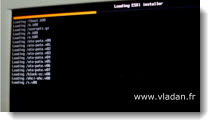
vSphere 5 - Clean installation or ESXi5 in the labYou can get the picture of how the process works. I temporarily connected a SATA CD-Rom drive and USB keyboard/mouse. Those devices are taken off when the initial configuration is done.

It seems that the installation process takes a bit more longer than we use to in ESXi 4.x version. It's probbably because there are some new components added in the ESXi 5.0, like an integrated firewall for example. Otherwise once in the DCUI (direct console user interface) the feeling is the same and you won't see any difference.

There are some differences during the installation process actually. It's the password assignment.  In the ESXi 4.x you had to install and reboot first and then on the first log-on you were asked to enter the login/password combination. Now the password is required during the installation process.

It's just my little contribution…..

Enjoy.. -:)

Enjoy… -:)


Vote !
Shares

| Filed Under: Videos Tagged With: ESXi 5.0 video, Installation ESXi 5, vSphere 5, vSphere 5 installation

About Vladan SEGET

This website is maintained by Vladan SEGET. Vladan is as an Independent consultant, professional blogger, vExpert x17, Veeam Vanguard x11, VCAP-DCA/DCD, ESX Virtualization site has started as a simple bookmarking site, but quickly found a large following of readers and subscribers.

Connect on: Facebook. Feel free to network via Twitter @vladan.

Comments

  1. Harry says

    September 19, 2011 at 4:21 am

    Hello
    thank you ver y much for the video. I tried installing version 5 but I keep getting “No network adapters”
    The installation cannot proceed without this, it needs rebooting and the installation process has to start again. Have you see this issue before? I have tried NAT and Bridge as network settings before the installation.
    Many thanks in advance.
    Harry

Private Sponsors


Featured

  • Thinking about HCI? G2, an independent tech solutions peer review platform, has published its Winter 2023 Reports on Hyperconverged Infrastructure (HCI) Solutions.
Click to Become a Sponsor

Most Recent

  • StarWind V2V / P2V Converter Version 9 (build 848) – Multi-VM Conversions, Full CLI Support, Hot Migrations, and Cloud Improvements Make This Free Tool a Datacenter Must-Have
  • Nakivo 11.2 With Proxmox 9.1 and VMware vSphere 9 Support Released
  • Ready for Voyage? Try Voyager Linux Distro – A Slick, Hybrid Distro That Just Works
  • VMware Releases ESXi 8.0 Update 3i – Build 25205845: Bug Fixes, Security Patches, and How to Upgrade Your Hosts
  • WinBoat – Running Windows Apps on Linux with Seamless Integration? Yes, Please!
  • VMware Workstation Pro 25H2U1 Released: Why You Should Update Now
  • StarWind VSAN for Hyper-V: Synchronous Replication for High-Availability Shared Storage
  • Veeam Backup & Replication Cybersecurity Improvements – Recon Scanner 3.0 and Malware Scanning in Backups
  • Diving Deep into Nakivo Backup & Replication: Lesser-Known Features, Multiplatform Flexibility, and Licensing Options for Cost-Effective Data Protection
  • Thinware SimpleVM – A Free-Forever Hypervisor Alternative for VMware Admins Tired of Broadcom’s Rising Costs

Veeam Vanguard x12

Get new posts by email:


Deals

Support us on Ko-Fi


Buy Me a Coffee at ko-fi.com

Friendly Websites and Blogs

  • vBlog.io
  • VMware Engineer Jobs
 

YouTube

…

Find us on Facebook

ESX Virtualization

…

Copyright © 2026 ·Dynamik-Gen · Genesis Framework · Hosted with HostColor.com
