
Hey folks, Vladan here from ESX Virtualization. If you’ve been reading the blog for a while you already know I’m always on the lookout for ways to keep Windows VMs small, in the lab. Back in November 2023 I wrote about the original Tiny11 project and how useful a stripped-down Windows 11 can be when you’re spinning up dozens of test VMs. That post is still here if you want a refresher: Tiny 11 – a lightweight Windows 11 needing only 12Gb disk and running on 4Gb of RAM
I also mentioned Tiny11 Builder when I compared different debloating tools on the StarWind blog earlier this year: Debloat Windows 11 ISO with Windows-ISO-Debloater
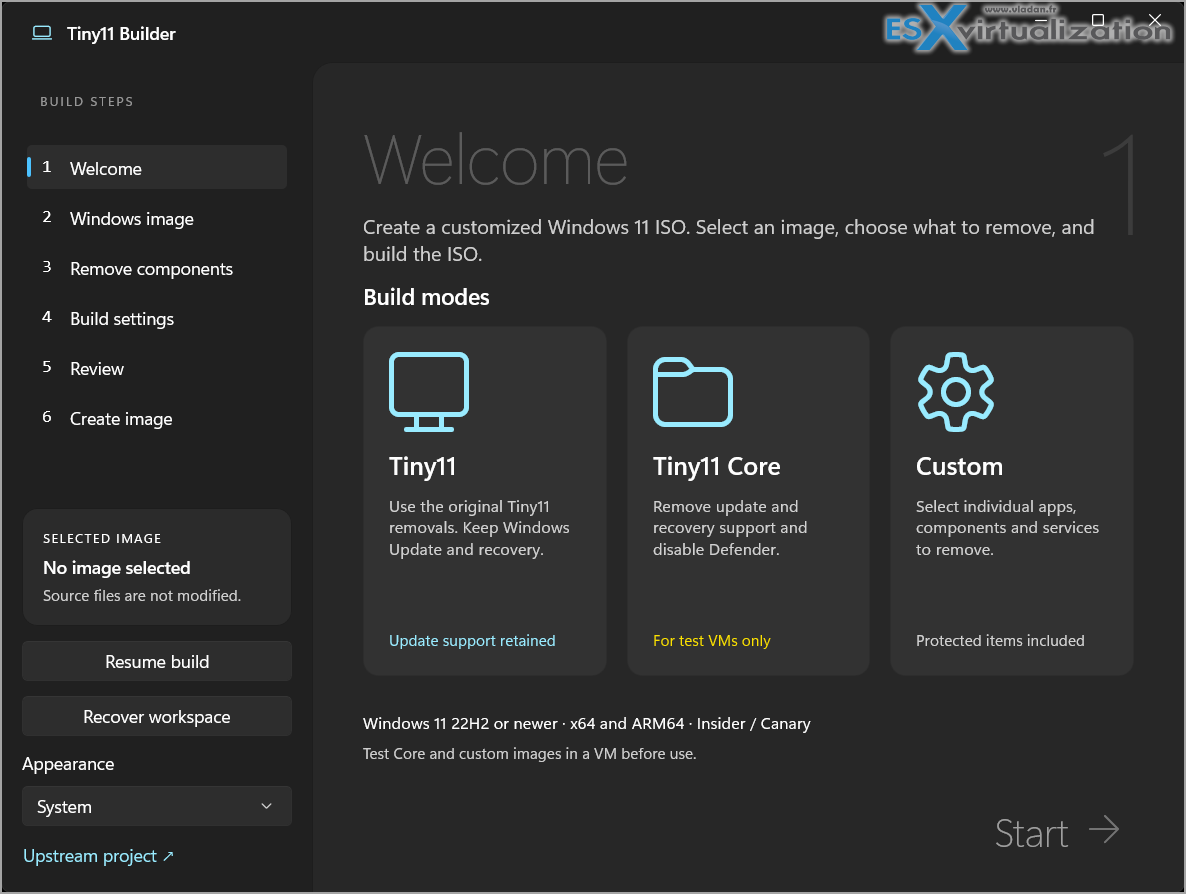
Well, yesterday (12 October 2026) NTDEV dropped a big update. The old PowerShell scripts are still there, but the main experience is now a completely rewritten native WinUI 3 application – Tiny11 Builder WinUI 0.1.1. And it looks and feels like a proper modern Windows app.
What’s new in 0.1.1
The most important fix in this release is compatibility with the upcoming Windows 11 26H2 (build 26300). Previous versions of the image tools were incorrectly rejecting it. The builder now correctly follows shared servicing bases and checks the actual servicing providers instead of just looking at the launcher. Windows 10 hosts are still fully supported as long as you have compatible deployment tools.
You simply replace the old application folder with the new extracted ZIP. Your existing source images and saved recipes stay untouched.
The three build modesThe app presents three clear choices right on the welcome screen:
| Mode | What it does |
| Tiny11 | Removes the usual bundled apps and unwanted features while keeping Windows Update, Defender and recovery. This is the one I recommend for most lab use. |
| Tiny11 Core | Goes much further – removes the component store (WinSxS), disables Defender and strips recovery support. The resulting image cannot be serviced or updated. Perfect only for throw-away test VMs. |
| Custom | Full control. You pick exactly which apps, features, services, drivers and even individual WinSxS folders to remove or keep. |
Turbo mode – the real speed upgrade
This is the feature that made me smile when I first saw it.Turbo mode is an optional switch on the build settings page (it’s off by default so your existing recipes behave exactly as before). When you enable it, the builder changes how it processes the image in several important ways:
- Feature and capability removals are batched and verified in a more efficient sequence instead of being handled one-by-one.
- It can use up to eight parallel copy workers when staging files.
- Log I/O is reduced so the disk isn’t constantly hammered with progress messages.
- When combined with Core builds or “Fast WIM” output, it creates a fast-compressed intermediate working WIM instead of repeatedly recompressing large changes into a heavy LZX image.
In the developer’s own measurements on a 26H2 x64 Core build, a full run dropped from roughly 90 minutes down to about 32 minutes on the same machine. The Core itself went from over four minutes to under 40 seconds.
Those numbers will vary depending on your CPU, storage and how much you remove, but the difference is very noticeable.
Turbo does not disable antivirus, change power settings, or try risky parallel servicing against a single mounted image. It still performs full state verification after every batch.
You also get independent toggles for “Remove redundant image data” (temp files, old CBS logs, crash dumps, etc.) and “Omit .NET 3.5 setup payload” if you want an even smaller final ISO.
How to use it
- Download the latest release from GitHub:
https://github.com/ntdevlabs/tiny11builder/releases/tag/winui-v0.1.1 - Choose the x64 ZIP for regular PCs or ARM64 if you’re on Windows on ARM.
- Extract the whole ZIP and run Tiny11Builder.exe as Administrator.
- The app can download the latest official Microsoft Windows 11 ISO for you (matching your architecture and language) or you can point it at an ISO you already have.
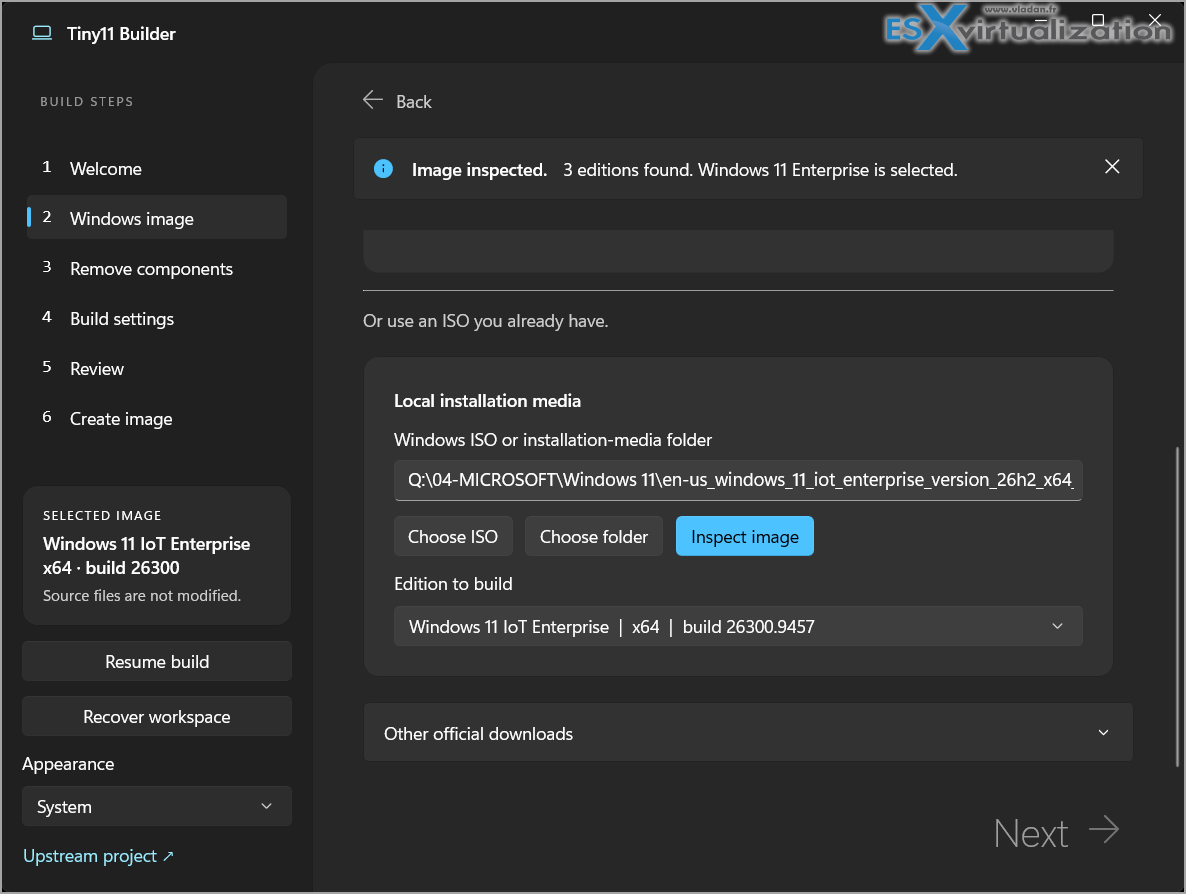
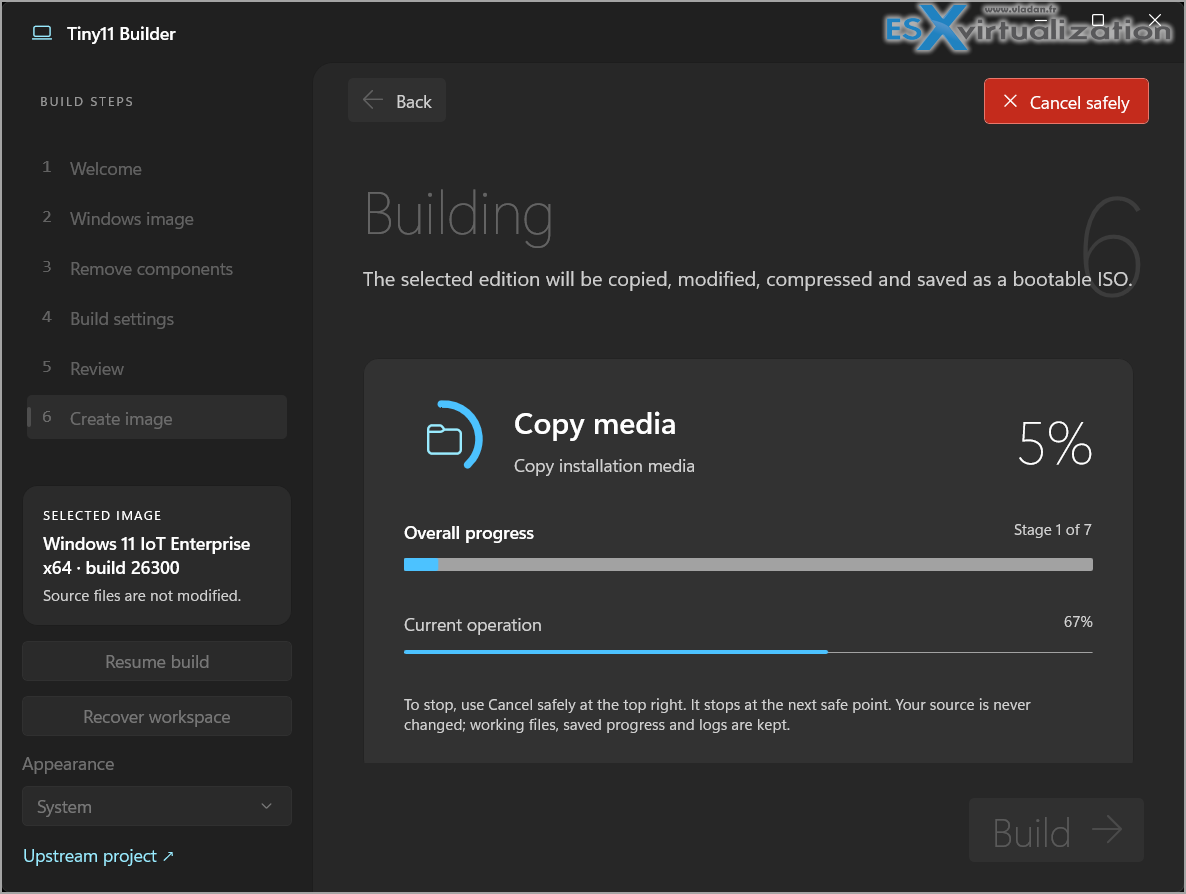
The wizard is clean and step-by-step. You get live progress, the ability to resume interrupted builds, SHA-256 verification of the finished ISO, and exportable recipes. Exactly the kind of tooling I like when I’m documenting builds in the lab.
Final words and important warnings
As always with these tools: Core cannot be updated or serviced.
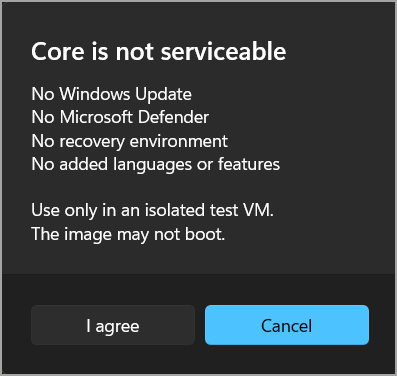
Aggressive Custom removals can break Windows. Always test the resulting ISO in a VM before you install it on anything that matters. If you just need a lightweight, small Windows 11 VM for your lab testing, go for the core! But don't expect to execute any Windows updates anytime soon. Just use it and break it!
The full source, original PowerShell scripts, and detailed usage documentation are still on the official repository:
https://github.com/ntdevlabs/tiny11builder
You can follow the developer on X/Twitter at @NTDEV_
You can also and check his YouTube channel for demos.
I’ll be putting the new WinUI version through its paces with a couple of 26H2 images over the next few days and will report back if anything interesting shows up. If you’ve already tried Turbo mode or have a favourite Custom removal set that works well in nested environments, drop a comment – I read every one of them.
Hope this keeps your lab VMs a bit lighter and faster to deploy. Stay tuned through RSS and the usual channels. Happy building!
More posts from ESX Virtualization:
- How to update your ESXi 7.x or 8.x to the latest ESXi 8.0U3k via command line
- Veeam Bare Metal Recovery from Recovery partition
- Veeam Backup and Replication Upgrade on Windows – Yes we can
- Securing Your Backups On-Premises: How StarWind VTL Fits Perfectly with Veeam and the 3-2-1 Rule
- VMware Alternative – OpenNebula: Powering Edge Clouds and GPU-Based AI Workloads with Firecracker and KVM
- Another VMware Alternative Called Harvester – How does it compare to VMware?
- VMware vSphere 9 Standard and Enterprise Plus – Not Anymore?
- Vulnerability in your VMs – VMware Tools Update
- VMware ESXi FREE is FREE again!
- No more FREE licenses of VMware vSphere for vExperts – What’s your options?
- VMware Workstation 17.6.2 Pro does not require any license anymore (FREE)
- Two New VMware Certified Professional Certifications for VMware administrators: VCP-VVF and VCP-VCF
- Patching ESXi Without Reboot – ESXi Live Patch – Yes, since ESXi 8.0 U3
- Update ESXi Host to the latest ESXi 8.0U3b without vCenter
- Upgrade your VMware VCSA to the latest VCSA 8 U3b – latest security patches and bug fixes
- VMware vSphere 8.0 U2 Released – ESXi 8.0 U2 and VCSA 8.0 U2 How to update
- What’s the purpose of those 17 virtual hard disks within VMware vCenter Server Appliance (VCSA) 8.0?
- VMware vSphere 8 Update 2 New Upgrade Process for vCenter Server details
- What’s New in VMware Virtual Hardware v21 and vSphere 8 Update 2?
- vSphere 8.0 Page
- ESXi 7.x to 8.x upgrade scenarios
- VMware vCenter Server 7.03 U3g – Download and patch
- Upgrade VMware ESXi to 7.0 U3 via command line
- VMware vCenter Server 7.0 U3e released – another maintenance release fixing vSphere with Tanzu
- What is The Difference between VMware vSphere, ESXi and vCenter
- How to Configure VMware High Availability (HA) Cluster
Stay tuned through RSS, and social media channels (Twitter, FB, YouTube)





Leave a Reply