ESX Virtualization

VMware ESXi, vSphere, VMware Backup, Hyper-V... how-to, videos....

Nakivo Backup and Replication - #1 Backup solution for Virtual, physical, cloud, NAS and SaaS

Menu
  • Certification
      • VCP-VVF Administrator
          • vcp-vvf-2.
        • Close
      • VCP-DCV vSphere 8
          • vcp2024-125.
        • Close
    • Close
  • VMware
    • Configuration Maximums
    • vSphere
      • VVF 9 and VCF 9
      • vSphere 8.0
      • vSphere 7.0
      • vSphere 6.7
      • vSphere 6.5
      • vSphere 6.0
      • Close
    • VMworld
      • VMware EXPLORE 2024
      • VMware EXPLORE 2023
      • VMware EXPLORE 2022
      • VMworld 2019
      • VMworld 2018
      • VMworld 2017
      • VMworld 2016
      • VMworld 2015
      • VMworld 2014
      • VMworld 2013
      • VMworld 2012
      • VMworld 2011
      • Close
    • Close
  • XCP-NG
    • XCP-NG
    • Close
  • Proxmox
    • Proxmox
    • Close
  • Microsoft
    • Windows Server 2012
    • Windows Server 2016
    • Windows Server 2019
    • Windows Server 2025
    • Close
  • Categories
    • Tips – VMware, Microsoft and General IT tips and definitions, What is this?, How this works?
    • Server Virtualization – VMware ESXi, ESXi Free Hypervizor, VMware vSphere Server Virtualization, VMware Cloud and Datacenter Virtualization
    • Backup – Virtualization Backup Solutions, VMware vSphere Backup and ESXi backup solutions.
    • Desktop Virtualization – Desktop Virtualization, VMware Workstation, VMware Fusion, VMware Horizon View, tips and tutorials
    • How To – ESXi Tutorials, IT and virtualization tutorials, VMware ESXi 4.x, ESXi 5.x and VMware vSphere. VMware Workstation and other IT tutorials.
    • Free – Free virtualization utilities, ESXi Free, Monitoring and free backup utilities for ESXi and Hyper-V. Free IT tools.
    • Videos – VMware Virtualization Videos, VMware ESXi Videos, ESXi 4.x, ESXi 5.x tips and videos.
    • Home Lab
    • Reviews – Virtualization Software and reviews, Disaster and backup recovery software reviews. Virtual infrastructure monitoring software review.
    • Close
  • Partners
    • NAKIVO
    • StarWind
    • Xorux
    • Close
  • This Web
    • News
    • ESXi Lab
    • About
    • Advertise
    • Archives
    • Disclaimer
    • Privacy policy
    • PDFs and Books
    • Close
  • Free

WIM to VHD converter

By Vladan SEGET | Last Updated: January 4, 2020

Way back I wrote about some tools used to convert VHD to VMDK or the other way around. There is another interesting tool, especially for those experimenting with Hyper-V and Microsoft based hypervizor.

This is a tool that allows you to take the WIM file off of a Windows 7 or Windows Server 2008 R2 install DVD and turn it directly into a virtual hard disk that can be used by Hyper-V, Virtual Server or Virtual PC.  Not only is this usefull, but it is really *fast*.  Usually under 10 minutes to get up and running.
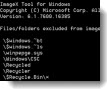
WIM to VHDWhen attaching the VHD and booting up, VHDs created by WIM2VHD will boot directly to the Out Of Box Experience, ready for your first-use customizations. The tool allows creation of  sysprepped VHD images from any Windows 7 installation source. (haven't tested W8, but I suppose it works as well).

Now being a VMware admin, you might not find it as useful as that, but I've found it kind of cool, and just to get the possibility to do it…

Requirements:

  • Computer running one of the following Windows operating systems:
  • Windows 7 RTM
  • Windows Server 2008 R2 RTM
  • Windows Server 2008 SP2 with Hyper-V RTM enabled (x64 only)
  • The Windows 7 Automated Installation Kit (AIK) or Windows OEM Pre-Installation Kit (OPK) installed.
  • A Windows 7 or Windows Server 2008 R2 installation source, or another Windows image captured to a .WIM file.

Example:

Create a Windows Server 2008 R2 Server Standard VHD with an automatically generated name:

CSCRIPT WIM2VHD.WSF /WIM:X:\sources\install.wim /SKU:SERVERSTANDARD

Now, the tools is not one the newest one, and the author's blog has just died….

You can find more examples and how-to usages at the source at MSDN. Download the command line tool from here: https://code.msdn.microsoft.com/wim2vhd

Author's blog: https://blogs.msdn.com/b/mikekol/

Vote !
facebookShare on Facebook
TwitterPost on X
FollowFollow us
PinterestSave

| Filed Under: Free Stuff Tagged With: VIM to VHD converter

About Vladan SEGET

This website is maintained by Vladan SEGET. Vladan is as an Independent consultant, professional blogger, vExpert x17, Veeam Vanguard x11, VCAP-DCA/DCD, ESX Virtualization site has started as a simple bookmarking site, but quickly found a large following of readers and subscribers.

Connect on: Facebook. Feel free to network via Twitter @vladan.

Comments

  1. Rafael says

    January 27, 2015 at 1:54 am

    Hi, how can I go from .WIM to .VMDK or .OVA image?

    Regards

Private Sponsors


Featured

  • Thinking about HCI? G2, an independent tech solutions peer review platform, has published its Winter 2023 Reports on Hyperconverged Infrastructure (HCI) Solutions.
Click to Become a Sponsor

Most Recent

  • Free Online EDB to PST Converter by Stellar: A Practical Tool for Extracting Exchange Mailboxes Without a Live Exchange Server
  • How to Recover Deleted Files from Virtual Machine
  • VMware Workstation Pro 26H1u1 Released – Security Fixes and Secure Boot Platform Key Remediation
  • StarWind Virtual HCI Appliance Free: Turn Your Servers into a Full HCI Cluster Without Spending a Cent
  • Veeam Backup & Replication 13.1: The Features That Actually Matter (and Why You Should Move Now)
  • How to update your ESXi 7.x or 8.x to the latest ESXi 8.0U3k via command line
  • Veeam Live OS ISO: How to Recover Access to a Locked Veeam Software Appliance (Admin Guide)
  • AnduinOS: A Clean, Windows-Friendly Ubuntu Distro That Brings New Life to Older PCs
  • Veeam Backup & Replication 13.1 Released Today – Major Update to the Veeam Data Platform
  • StarWind V2V Converter: The Free Swiss Army Knife for VM Migrations and Its Powerful Automation Capabilities

Veeam Vanguard x12

Get new posts by email:


Deals

Support us on Ko-Fi


Buy Me a Coffee at ko-fi.com

Friendly Websites and Blogs

  • vBlog.io
  • VMware Engineer Jobs
 

YouTube

…

Find us on Facebook

ESX Virtualization

…

Copyright © 2026 ·Dynamik-Gen · Genesis Framework · Hosted with HostColor.com