
I use VMware Workstation for quick labs and tests of different Linux distros. I like to look for guest OSes that deliver maximum output with minimal overhead. Lightweight, stable, and preconfigured for actual tasks rather than endless post-install tweaks. That's exactly where Ufficio Zero Linux (also known as Zero Linux or UfficioZero) shines. This Italian-developed distribution isn't chasing hype or minimalism for minimalism's sake – it's engineered specifically for productivity in offices, schools, freelance setups, and public entities – and to force to learn you some Italian!
In fact, when booting the live CD iso, when you select you language (English), you select your keaboard (FR in my case), you install the distro, and…. and….? You get your UI in …. ITALIAN. That's the only problem I found so far, but it's kind of benefical for those of you who want to learn Italian -:).
Developed and maintained by SIITE SRLS, Ufficio Zero focuses on being “ready out of the box” with tools that let professionals jump straight into documents, emails, video calls, printing, and collaboration — without wasting hours on configuration. With editions spanning Linux Mint, LMDE, PCLinuxOS, and Devuan bases, it offers options for modern laptops, older netbooks, and everything in between. In this post, I'll put the accent on productivity as requested: how Ufficio Zero streamlines workflows, pre-installs essential software, handles real-world office needs like printing and remote work, and why it's a smart choice for virtualization guests or reviving hardware without productivity loss.
What is Ufficio Zero Linux?
Ufficio Zero Linux is a family of free, open-source desktop distributions tailored for users who need reliable, efficient computing without proprietary licensing costs or forced upgrades. The name “Ufficio Zero” roughly means “Zero Office” — zero hassle, zero cost, zero barriers to getting work done.The project revives and expands an older initiative, now hosted and developed by SIITE SRLS in Italy. It targets professionals, freelancers, schools, and public administrations migrating from Windows or Mac. Key editions include:
- Anna (latest flagship, 64-bit): Based on Linux Mint 22.2, with Cinnamon, MATE, or Xfce options and a refined modern look. Supported until April 2029.
- 11.x (32/64-bit): LMDE6 or Linux Mint 21.x base, Cinnamon desktop with Windows-like interface — perfect for smooth transitions.
- 10 Plus (32/64-bit): LMDE6 base, MATE desktop, Windows-style layout.
- Lorena 5.1 (64-bit): PCLinuxOS rolling release, Xfce with Mac-like feel.
- Minimal 5.0 (32/64-bit): Devuan Daedalus base, lightweight Xfce for low-power hardware, supported until June 2028.
- Duplica 1.3: Not a full desktop but a live rescue/restore tool for backups, file recovery, password resets, and antivirus — crucial for maintaining uptime.
All editions include an extra repository for automatic printer detection (inkjet, laser, multifunction), making them exceptionally practical for document-heavy environments.
Here is the screenshot from the Live CD session where you have the option to install it to your hard drive (note that the label IS in English).
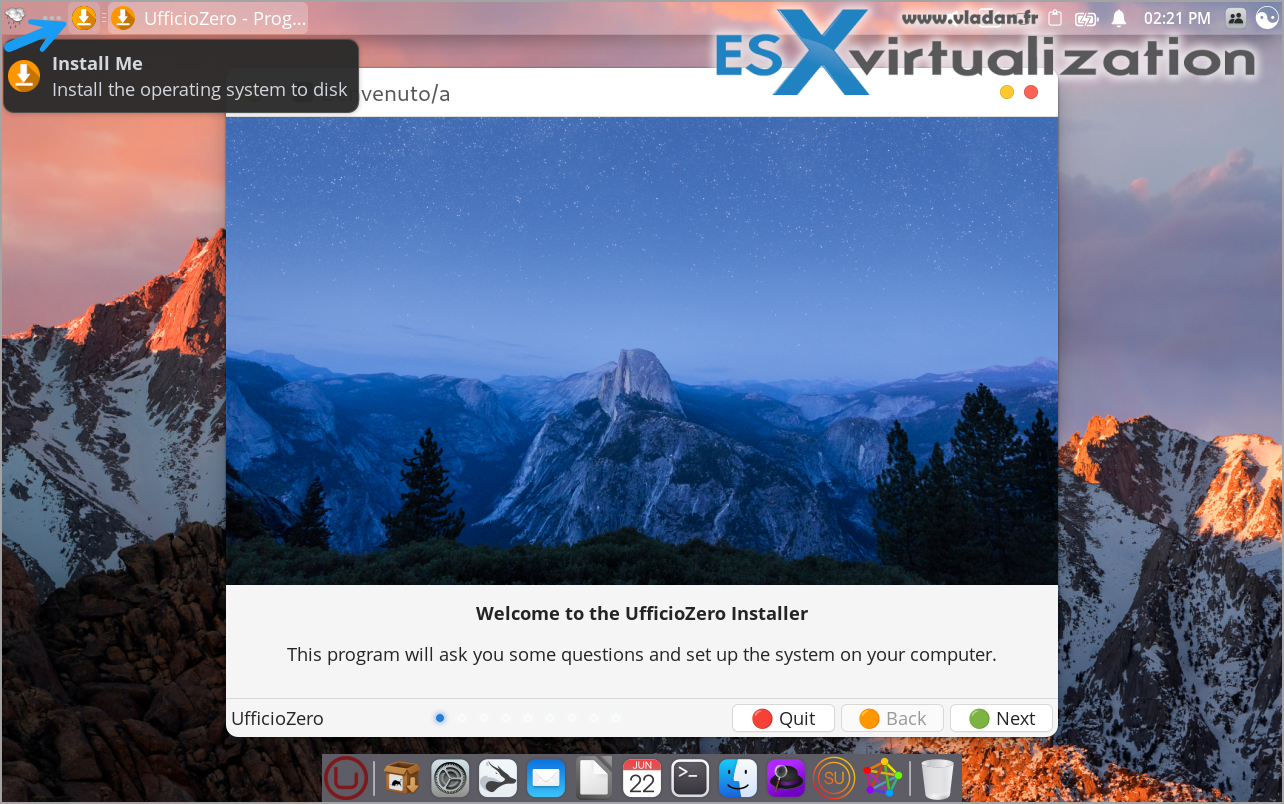
The UI is pretty slick tbh, but it seems to be forcing the Italian language by default – pretty everywhere -:( …
Why Productivity is the Core Focus
Ufficio Zero isn't just another distro; it's opinionated toward getting work done fast. Reviews and user feedback consistently highlight its “fleet of software” pre-installed and tuned for immediate use, reducing the typical Linux setup friction.Core productivity strengths:
- Pre-Installed Office and Document Tools: LibreOffice is front and center for documents, spreadsheets, presentations — fully compatible with Microsoft formats. Extensions handle advanced needs like PDF/A archival. Additional utilities include PDFsam for merging/splitting, Atril viewer, Calibre for e-books, Lyx for scientific docs, GanttProject for project planning, and PDF Mix Tool.
- Design and CAD Integration: LibreCAD and FreeCAD come ready for technical drawings or 3D modeling — huge for freelancers or schools with design workflows.
- Communication & Remote Work Suite: Firefox with productivity extensions, Thunderbird for email, plus easy (or prepped) access to Zoom, Cisco Webex, Jitsi Meet, Microsoft Teams, Signal Desktop, Telegram Desktop, and even WhatsApp Desktop. Remote desktop options like TeamViewer, AnyDesk, NoMachine, or DWService are streamlined.
- Printing and Scanning Excellence: The standout feature — dedicated repo auto-detects a wide range of printers/scanners without manual driver hunts. This alone saves hours in office setups.
- Digital Signatures and Italian-Specific Tools: Support for ArubaSign, Firma4ng, GoSign Desktop, and judicial-compatible solutions — vital for professionals in Italy dealing with public admin or legal docs.
- Backup, Recovery, and Maintenance: Duplica for bare-metal restores, undelete tools, ClamTk antivirus, GParted partitioning. Post-install scripts in many editions add extras like Wine (optimized for better legacy Windows app compatibility), simplifying migration.
- Familiar Interfaces to Minimize Learning Curve: Windows-like (11.x, 10 Plus) or Mac-like (Lorena) layouts let users focus on tasks, not relearning navigation.
In virtualization, this means allocating modest resources (2-4 GB RAM, 2 vCPUs) and getting a snappy, fully productive guest OS — ideal for testing scripts, running office VMs, or simulating client environments.
System Requirements: Hardware That Doesn't Limit Productivity
Ufficio Zero keeps specs modest to maximize usable hardware:
- Minimum: 1-2 GHz processor, 2-4 GB RAM, 40-60 GB storage (varies by edition).
- 32-bit options (11.x, 10 Plus, Minimal) revive netbooks/old laptops.
- 64-bit (Anna, Lorena) for modern machines.
It's lighter than stock Ubuntu/Mint yet richer in tools. In my tests (similar bases), Anna runs smoothly in VMs with limited allocation, leaving headroom for host tasks.Installation: Quick Path to ProductivityThe process is Mint-like — intuitive and fast:
- Download ISO from ufficiozero.org or SourceForge.
- Boot live session to test compatibility.
- Install via graphical tool (Calamares/Ubiquity-style).
- Post-install: Run updates and any “postinstaller” tasks for Wine, drivers, or extras.
Many editions are “out-of-the-box” ready, with post-install scripts adding productivity boosters. For VMs, EFI boot works seamlessly.
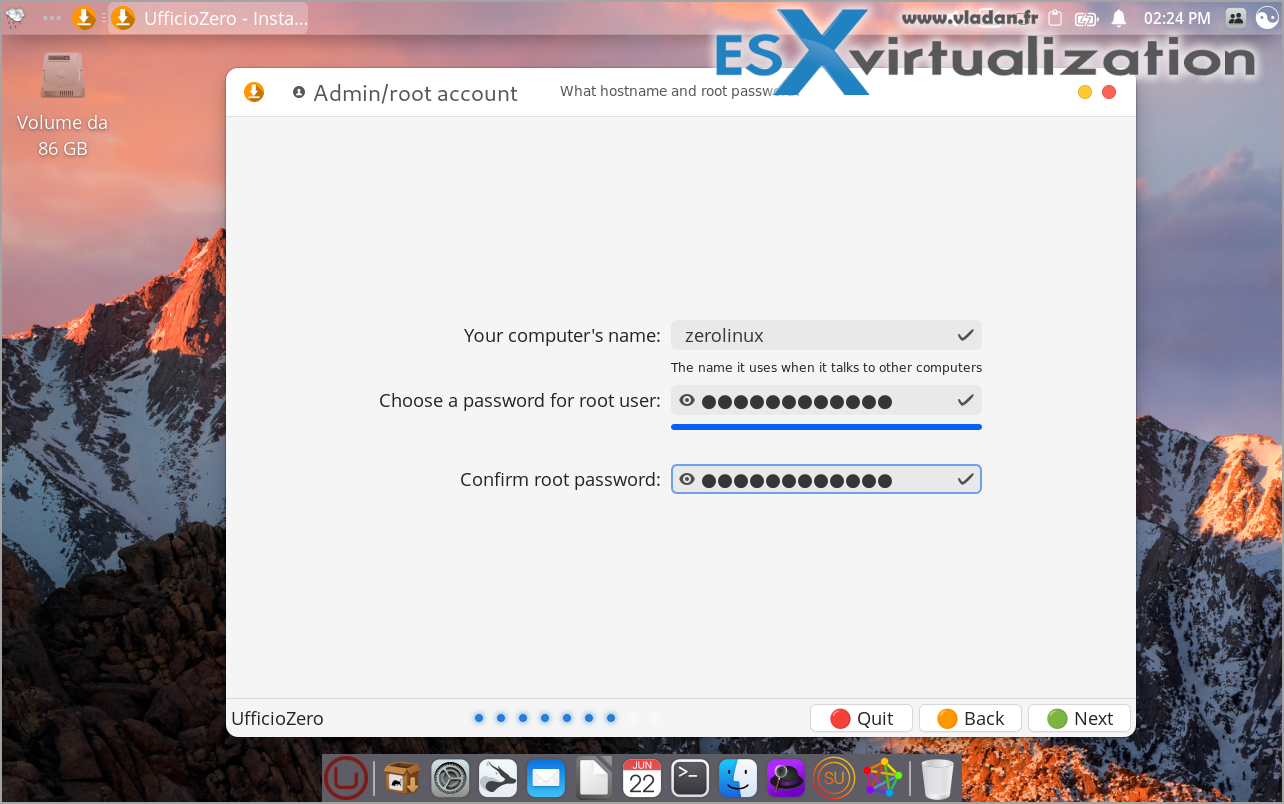
The installation is standard type
Pros and Cons (Productivity Lens)
Pros:
- Preconfigured for real work — office suite, comms, printing, signatures — minimal setup time.
- Excellent hardware/printer support reduces downtime.
- Long support (Anna to 2029) + rolling Lorena for always-current tools.
- Migration aids (Wine, familiar UIs) speed transitions.
- Free, stable, no telemetry — focus stays on output.
Cons:
- Multiple editions can overwhelm at first (homepage guides help).
- Some Italian defaults (easy to switch).
- Not ultra-minimal; prioritizes tools over bare-bones speed.
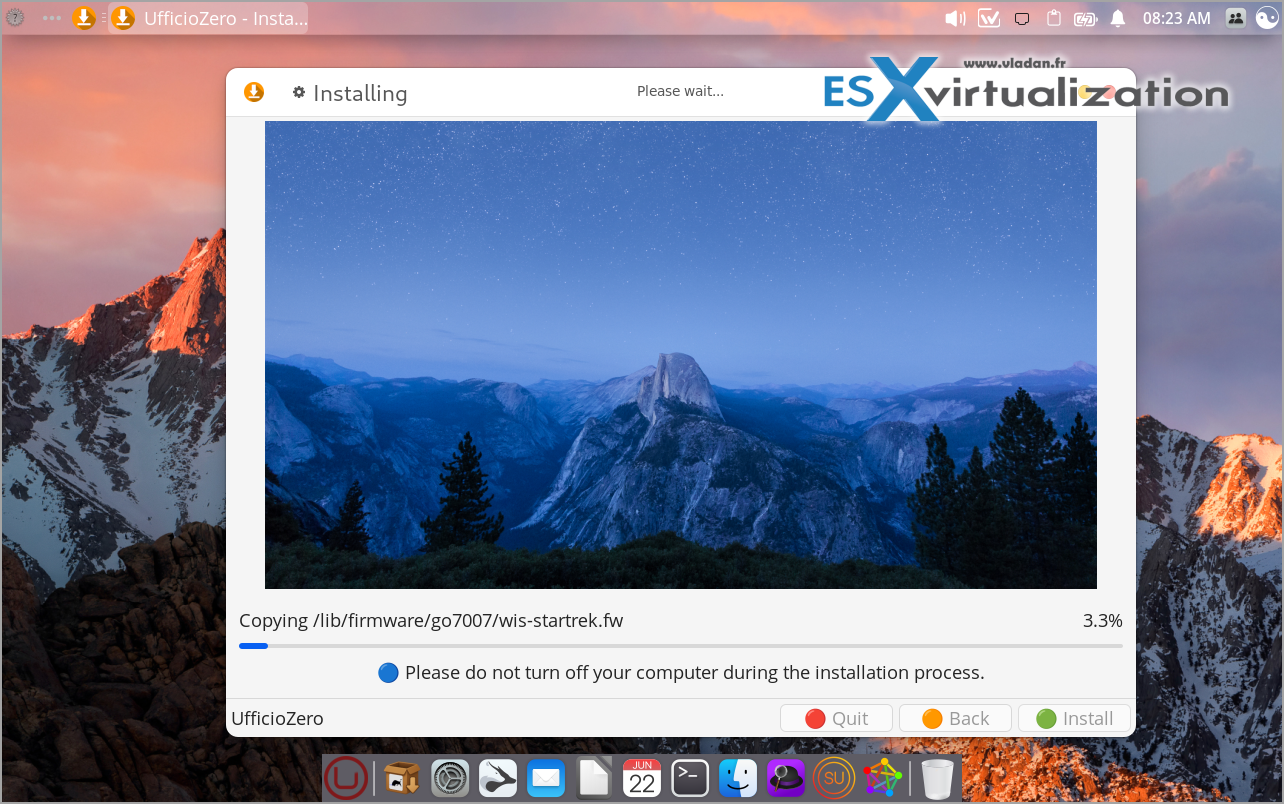
Installation to the disk is flawless, but don't be suprised after reboot -:) (better brush some italian).
Comparisons: Productivity-Focused Alternatives
- Vs. Linux Mint: Ufficio Zero builds on Mint but adds office/printer tweaks, digital sig support, and themed variants — more “production-ready” for desks.
- Vs. Zorin OS: Similar Windows mimicry, but Ufficio Zero excels in printer fleets and Italian pro tools.
- Vs. Linux Lite: Both lightweight/user-friendly; Ufficio Zero wins on pre-installed productivity fleet (CAD, signatures, remote apps).
For VMs or offices, Ufficio Zero edges out with its toolset.
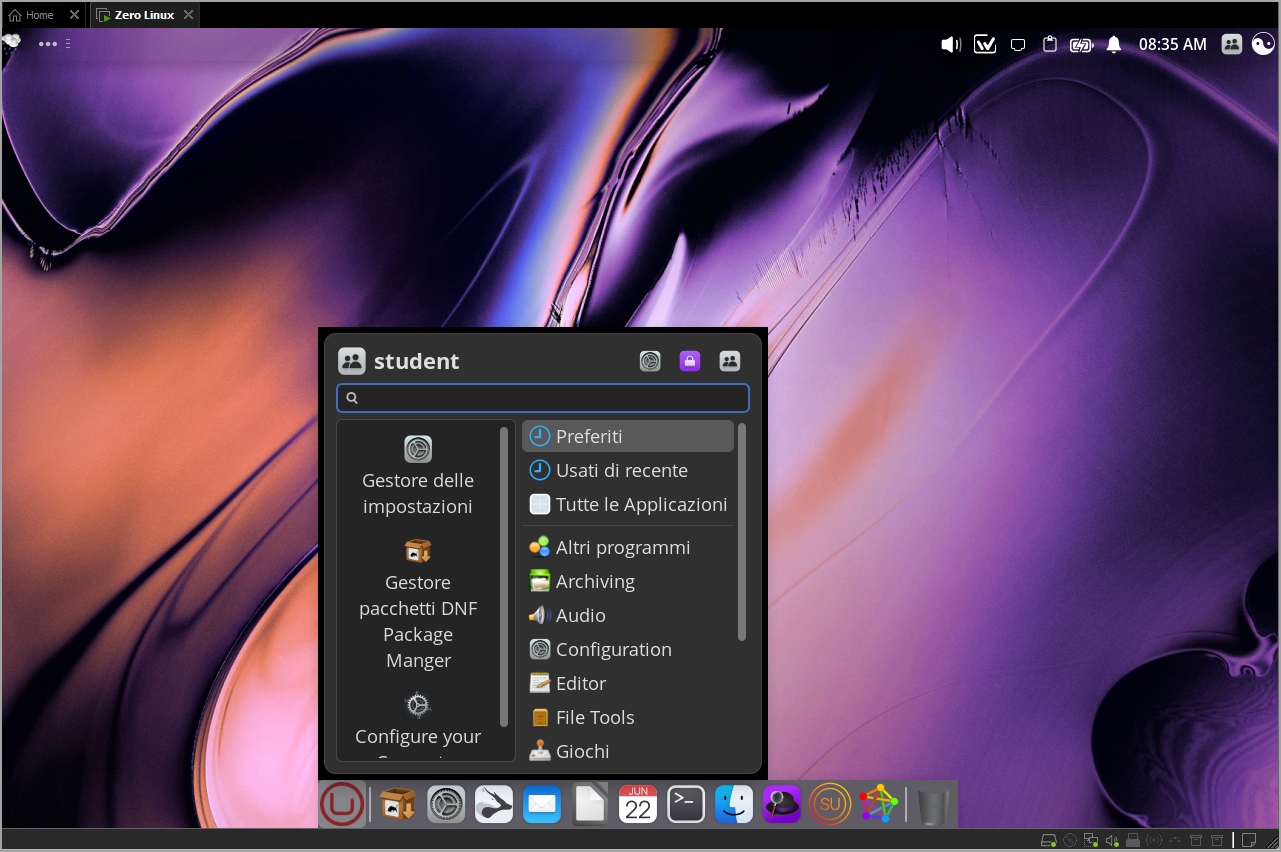
Screenshot after install – Italian UI… -:)
Community and Support
Active forum (forum.ufficiozero.org), wiki, YouTube channel with guides. Italian-focused but English-friendly. Donations support development.
Final Thoughts
Ufficio Zero Linux delivers where it counts: letting you produce without fighting the OS. Pre-installed LibreOffice + comms stack + printer magic + recovery tools mean more time working, less configuring. Whether migrating old hardware, setting up school labs, or running productive VMs, editions like Anna (modern, long-supported) or 11.x (familiar) stand out. If productivity in a free desktop matter to you — especially document-heavy or remote workflows, just download from https://www.ufficiozero.org/ and test the live ISO.
All this is nice looking, but hey, Italian friends, you could fix this for us?
More posts from ESX Virtualization:
- Veeam Backup and Replication Upgrade on Windows – Yes we can
- Securing Your Backups On-Premises: How StarWind VTL Fits Perfectly with Veeam and the 3-2-1 Rule
- Winux OS – Why I like it?
- VMware Alternative – OpenNebula: Powering Edge Clouds and GPU-Based AI Workloads with Firecracker and KVM
- Proxmox 9 (BETA 1) is out – What’s new?
- Another VMware Alternative Called Harvester – How does it compare to VMware?
- VMware vSphere 9 Standard and Enterprise Plus – Not Anymore?
- VMware vSphere Foundation (VVF 9) and VMware Cloud Foundation (VCF 9) Has been Released
- Vulnerability in your VMs – VMware Tools Update
- VMware ESXi FREE is FREE again!
- No more FREE licenses of VMware vSphere for vExperts – What’s your options?
- VMware Workstation 17.6.2 Pro does not require any license anymore (FREE)
- Two New VMware Certified Professional Certifications for VMware administrators: VCP-VVF and VCP-VCF
- Patching ESXi Without Reboot – ESXi Live Patch – Yes, since ESXi 8.0 U3
- Update ESXi Host to the latest ESXi 8.0U3b without vCenter
- Upgrade your VMware VCSA to the latest VCSA 8 U3b – latest security patches and bug fixes
- VMware vSphere 8.0 U2 Released – ESXi 8.0 U2 and VCSA 8.0 U2 How to update
- What’s the purpose of those 17 virtual hard disks within VMware vCenter Server Appliance (VCSA) 8.0?
- VMware vSphere 8 Update 2 New Upgrade Process for vCenter Server details
- What’s New in VMware Virtual Hardware v21 and vSphere 8 Update 2?
- vSphere 8.0 Page
- ESXi 7.x to 8.x upgrade scenarios
- VMware vCenter Server 7.03 U3g – Download and patch
- Upgrade VMware ESXi to 7.0 U3 via command line
- VMware vCenter Server 7.0 U3e released – another maintenance release fixing vSphere with Tanzu
- What is The Difference between VMware vSphere, ESXi and vCenter
- How to Configure VMware High Availability (HA) Cluster
Stay tuned through RSS, and social media channels (Twitter, FB, YouTube)


I booted Ufficio Zero Lorena 5.1 and by default it’s Italian. Is there a way to change it to English?
Italian distros are for Italians only ! Lol. Jokes apart. I think, in the lab, I let it boot into Italian (haven’t seen other options), and then for the install, swapped into English. I think the Italians try to impose their culture a bit too much -:). Enjoy.