
Veeam Backup & Replication has long been THE solution for data protection in virtualized environments. I’m covering their technology on my blog since its inception. The blog runs since 2008! Now, with the rise of ransomware and sophisticated cyber threats, Veeam has stepped up its game in cybersecurity. In recent versions, especially from v12 onwards up to v13 (now part of Veeam Data Platform), Veeam has introduced comprehensive malware detection capabilities that scan backups for threats before, during, and after the backup process.
This not only helps in identifying infected data but also ensures clean restores. A standout addition in v13 is the fully integrated Recon Scanner 3.0, powered by Coveware by Veeam, which brings proactive, behavior-based threat detection directly into the platform.
In this post, I'll dive into the technical details of these improvements, how they're integrated, the technologies behind them, and take a deeper look at Recon Scanner 3.0. If you're managing backups in a VMware, Hyper-V, or cloud setup, these would be really interesting for you.
What’s New in Veeam’s Cybersecurity Approach?
Veeam recognizes that backups are prime targets for attackers – according to their own reports, a high percentage of ransomware attacks aim at backups. To counter this, they've built a multi-layered defense system integrated directly into Backup & Replication (now Veeam Data Platform). This isn't just basic antivirus; it's a proactive, AI-driven system that works across the entire data lifecycle.
Veeam’s Key enhancements:
- Malware Detection Phases: Scanning before, during, and after backups to catch threats at every stage.
- Integration with Third-Party Tools: Via APIs and engines like YARA for advanced threat hunting.
- Immutable Backups: Protecting data from modification or deletion.
- Secure Restore: Ensuring restored data is malware-free.
- Recon Scanner 3.0: Now natively built-in for real-time proactive threat visibility.
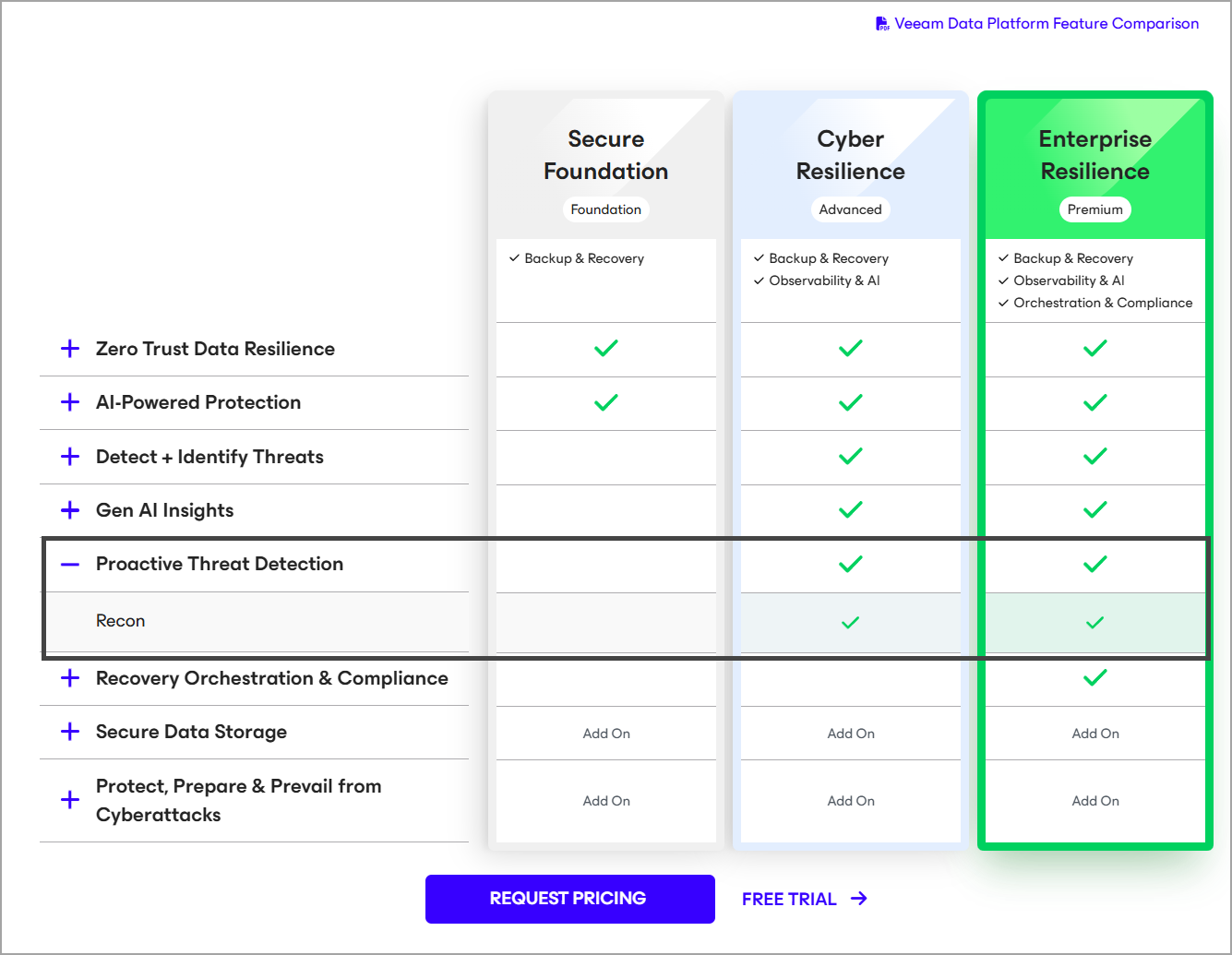
These features are available in higher license tiers like Premium, and v13 brings significant advancements with built-in Recon Scanner 3.0, AI-powered agents, and better integrations.
Deep Dive into Recon Scanner 3.0
Recon Scanner 3.0 represents a major evolution in Veeam's proactive cybersecurity strategy. Powered by Coveware by Veeam (Veeam acquired Coveware in April 2024 to bring in a ransomware protection, response, and recovery capabilities) and now is fully integrated into Veeam Data Platform (no longer a separate install in v13), it's a lightweight, patent-pending software agent designed specifically for backup environments. It runs on Veeam backup infrastructure components (primarily Windows-based, with support for physical or virtual machines) and continuously monitors for suspicious adversary behaviors that traditional AV/EDR solutions might miss.
Technically, Recon Scanner collects forensic data from multiple sources: Windows registry entries, OS-level and Veeam-specific event logs, active networking processes, browser history, file system activity, and more. This data is analyzed in real-time to detect indicators such as:
- Unexpected or unauthorized network connections (e.g., to command-and-control servers)
- Brute force login attempts on backup servers or related accounts
- Unusual user behavior or privilege escalations
- Suspicious file modifications or exfiltration patterns
- Anomalous processes that align with known ransomware tactics
All findings are automatically mapped to the MITRE ATT&CK framework's Tactics, Techniques, and Procedures (TTPs), providing context on the potential intent and stage of an attack (e.g., reconnaissance, initial access, persistence). Detection logic is continuously updated with real-world insights from Coveware's extensive ransomware incident database, making it adaptive to emerging threats.
Note: To setup your account and be able to use the Veeam's Recon scanner, please follow the steps from Veeam Help site.
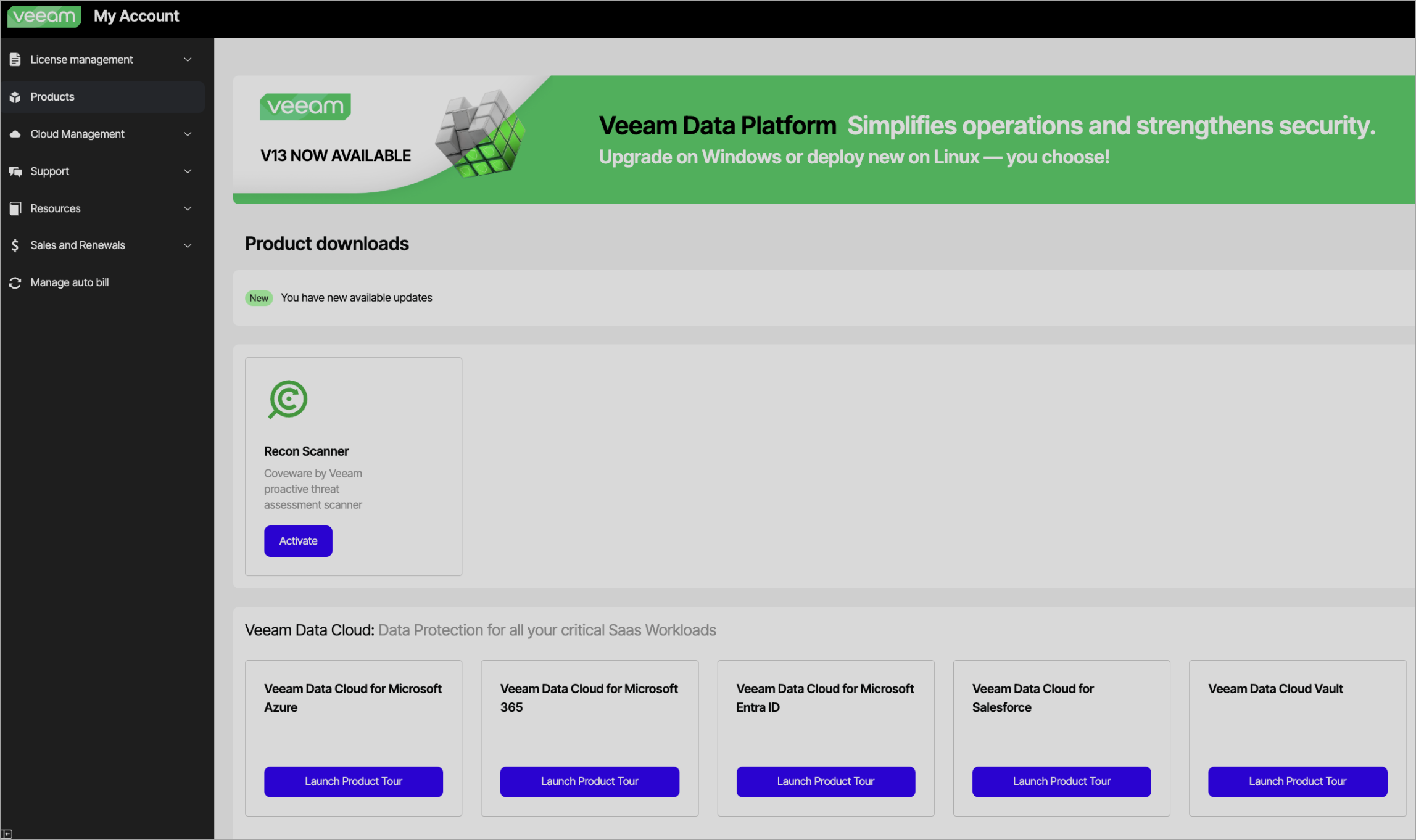
New in version 3.0 (released with v13):
- Consolidated Triage Inbox: A centralized view in the Veeam console to sort, prioritize, and manage alerts with severity ratings, behavioral insights, and suppression rules to reduce noise and alert fatigue.
- Veeam ONE Integration: Findings automatically surface in the Veeam ONE Threat Center for unified IT operations visibility.
- Microsoft Sentinel Integration: Correlates Recon data with broader SOC signals for enhanced detection, investigation, and automated response playbooks.
- Enhanced Forensics: Helps identify the timeline of events and the last known clean restore point, critical for rapid, confident recovery.
Deployment is lightweight – the agent consumes minimal resources and can run on up to multiple endpoints simultaneously without conflicting with backup operations. It's included at no extra cost in Veeam Data Platform Premium Edition.
This proactive “before backup” layer sets Veeam apart, as it's one of the few solutions that actively hunts for threats in the backup infrastructure itself before they can encrypt or delete data.
Here's a conceptual diagram of Recon Scanner 3.0's integration and workflow:
And an overview of how it fits into the cyber kill chain:
Before Backup: Proactive Threat Detection
The “before” phase spots issues in your production and backup environment early.
- Recon Scanner 3.0 (detailed above) monitors endpoints for adversary behaviors.
- Observability and AI-Powered Insights: ML algorithms analyze patterns like unusual VM activity or attacks on vCenter/ESXi.
- Veeam Incident API: Allows third-party EDR/XDR/SIEM tools to trigger actions, such as out-of-band backups on threat detection.
Integration uses RESTful APIs managed through the Veeam console.
During Backup: Inline Malware Scanning
Real-time detection during backup jobs:
- IoC Scanner and Entropy Analysis: Heuristic detection of encrypted blocks, ransom notes.
- File Indexing and Signature-Based Analysis: Combined with AI for anomaly flagging.
- Inline scanning in v12.1+ analyzes block-level data; v13 adds Malware Analysis AI Agent.
Screenshot from Veeam.com
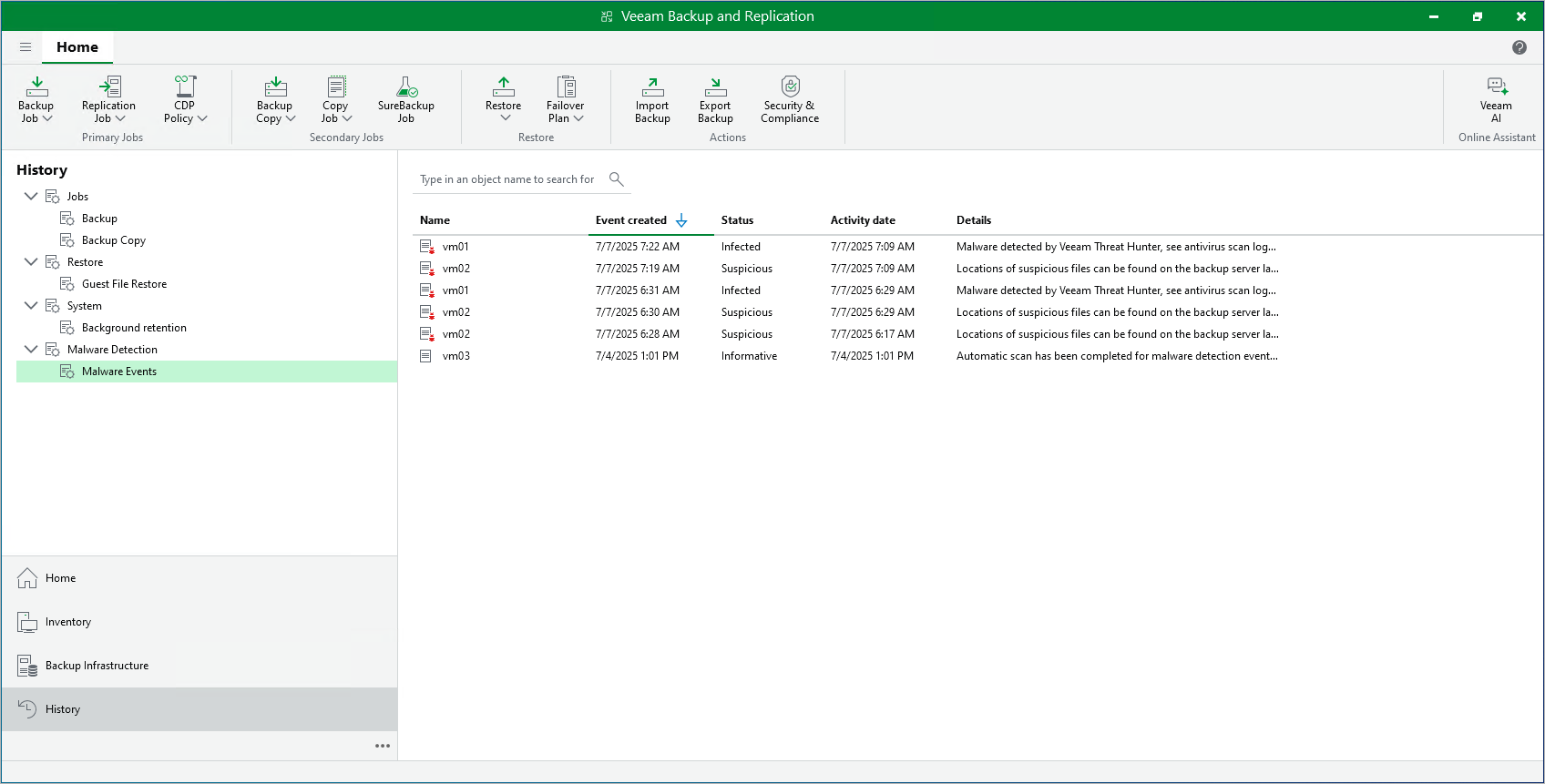
Backups go to immutable repositories (e.g., Hardened Linux Repo or Veeam Vault).
After Backup: Post-Process Validation and Secure Restore
- Veeam Threat Hunter: ML/heuristic scanning of restore points.
- YARA Rule Scanning: Custom rules in SureBackup jobs.
- Secure Restore: Isolated mounting and scanning before production restore.
Continuous SureBackup uses idle resources for background verification.
How It All Integrates Technically
Veeam's features use native engines (AI/ML, YARA, MITRE mapping) and APIs (Data Integration API, Incident API). Setup is console-based: enable scanning in job wizards, configure repositories for immutability.
Why These Improvements Matter
With threats evolving, Veeam's multi-phase approach (especially Recon Scanner 3.0) ensures backups are trustworthy, reduces reinfection risk, and speeds recovery. Upgrading to v13 is highly recommended for the integrated Recon capabilities.
Veeam Proactive Threat Detection.
Links:
More posts from ESX Virtualization:
- Veeam Backup and Replication Upgrade on Windows – Yes we can
- Securing Your Backups On-Premises: How StarWind VTL Fits Perfectly with Veeam and the 3-2-1 Rule
- Winux OS – Why I like it?
- VMware Alternative – OpenNebula: Powering Edge Clouds and GPU-Based AI Workloads with Firecracker and KVM
- Proxmox 9 (BETA 1) is out – What’s new?
- Another VMware Alternative Called Harvester – How does it compare to VMware?
- VMware vSphere 9 Standard and Enterprise Plus – Not Anymore?
- VMware vSphere Foundation (VVF 9) and VMware Cloud Foundation (VCF 9) Has been Released
- Vulnerability in your VMs – VMware Tools Update
- VMware ESXi FREE is FREE again!
- No more FREE licenses of VMware vSphere for vExperts – What’s your options?
- VMware Workstation 17.6.2 Pro does not require any license anymore (FREE)
- Two New VMware Certified Professional Certifications for VMware administrators: VCP-VVF and VCP-VCF
- Patching ESXi Without Reboot – ESXi Live Patch – Yes, since ESXi 8.0 U3
- Update ESXi Host to the latest ESXi 8.0U3b without vCenter
- Upgrade your VMware VCSA to the latest VCSA 8 U3b – latest security patches and bug fixes
- VMware vSphere 8.0 U2 Released – ESXi 8.0 U2 and VCSA 8.0 U2 How to update
- What’s the purpose of those 17 virtual hard disks within VMware vCenter Server Appliance (VCSA) 8.0?
- VMware vSphere 8 Update 2 New Upgrade Process for vCenter Server details
- What’s New in VMware Virtual Hardware v21 and vSphere 8 Update 2?
- vSphere 8.0 Page
- ESXi 7.x to 8.x upgrade scenarios
- VMware vCenter Server 7.03 U3g – Download and patch
- Upgrade VMware ESXi to 7.0 U3 via command line
- VMware vCenter Server 7.0 U3e released – another maintenance release fixing vSphere with Tanzu
- What is The Difference between VMware vSphere, ESXi and vCenter
- How to Configure VMware High Availability (HA) Cluster
Stay tuned through RSS, and social media channels (Twitter, FB, YouTube)


Leave a Reply