
Broadcom has dropped the latest update for VMware ESXi 8.0, specifically Update 3i with build number 25205845. If you're running vSphere 8 environments, whether standalone hosts or managed clusters via vCenter, this patch is worth your attention. Released on February 24, 2026, it's packed with resolutions to some nagging issues that could affect stability, performance, and security. No groundbreaking new features here, but plenty of fixes to keep your hypervisors humming along smoothly.
I've been digging into the release notes, and as usual, I'll break it down for you: what's fixed, potential gotchas, and step-by-step guides on how to apply this update. Whether you're patching a single ESXi host without vCenter or using Lifecycle Manager for a full cluster, I've got you covered. Let's dive in – and remember, always back up your configs and test in a lab first!
What's New in ESXi 8.0 Update 3i?
This update focuses primarily on resolving bugs reported in previous versions, improving reliability across storage, networking, and virtual machine operations. Broadcom continues the tradition of incremental improvements, addressing pain points that admins like us have encountered in production.
From the official release notes, here are the key resolved issues:
- Networking Fixes: One standout is the resolution for Keep-Alive settings on TCP connections. In earlier builds, accepted sockets might not inherit proper Keep-Alive parameters, leading to idle connections dropping prematurely. This could cause intermittent network hiccups in VMs or even host management issues. The fix ensures pings are sent correctly to maintain active sessions – a small but crucial tweak for high-availability setups.
- Storage Enhancements: VMFS metadata corruption alerts have been streamlined. Previously, duplicate warnings flooded logs for the same event, making troubleshooting a nightmare. Now, a generic VOB alert is used for all corruption events, with detailed info still logged in vmkernel for GSS deep dives. This reduces alert fatigue and helps you act faster. Also, there's a fix for incomplete catalog files in First Class Disk (FCD) systems, preventing them from being promoted to an active state and rendering the system unusable.
- Hardware and VM Stability: For AMD-based hosts, there's a critical patch for I/O Memory Management Unit (IOMMU) violations. Linux VMs with active IOMMU could become unresponsive due to memory corruption from exceeding I/O address limits. The update detects these violations and terminates the affected VM promptly, allowing quick diagnosis without crashing the whole host. Additionally, adjustments to storage path parameters like NoopOutInterval, NoopOutTimeout, and RecoveryTimeout now enforce minimum values to prevent misconfigurations.
- Other Bug Squashes: Issues with Linux VMs on AMD hardware getting hung, potential file corruptions in FCD, and better handling of upgrade compatibility checks are all addressed. If you've seen Purple Screen of Death (PSOD) errors or intermittent VM unresponsiveness, this build might be your savior.
Build details:
ESXi-8.0U3i-25205845-standard (ISO Build 25205845). It's available as a full ISO for fresh installs or as a depot ZIP for upgrades. Compared to the previous Update 3h (build 25067014 from December 2025), this one builds on those foundations with targeted fixes.
Word of caution: If you're on older updates like 3b through 3e, check your upgrade path. Direct upgrades to 3i are supported from 3g or 3h, but earlier versions might need intermediate steps, especially if you're using vSphere Supervisor or NSX integrations. Always cross-reference with Broadcom's compatibility matrices for your hardware – CPUs, NICs, HBAs, and storage arrays.
How to Upgrade Standalone ESXi Hosts to 8.0U3i (No vCenter Needed)
If you're managing free ESXi or standalone hosts, CLI is your best friend for updates. No need for fancy tools – just SSH access and the depot file. I've used this method countless times, and it's reliable as long as your host has internet or you upload the ZIP manually.
First, grab the depot file: VMware-ESXi-8.0U3i-25205845-depot.zip from the Broadcom Customer Portal (you'll need an active support contract). Upload it to a datastore on your host – say, /vmfs/volumes/datastore1/.
Enable SSH on your host via the web UI (Host > Actions > Services > Enable Secure Shell). Then, connect via PuTTY or your favorite SSH client.
Put the host in maintenance mode:
esxcli system maintenanceMode set –enable=true
Run a dry-run to preview the update (always do this to spot conflicts):
esxcli software profile update -d /vmfs/volumes/datastore1/VMware-ESXi-8.0U3i-25205845-depot.zip -p ESXi-8.0U3i-25205845-standard –dry-run
If it looks good (no VIB conflicts or hardware incompatibilities), proceed with the real update:
esxcli software profile update -d /vmfs/volumes/datastore1/VMware-ESXi-8.0U3i-25205845-depot.zip -p ESXi-8.0U3i-25205845-standard
Reboot the host:
reboot
Exit maintenance mode post-reboot and verify the build:
vmware -vl

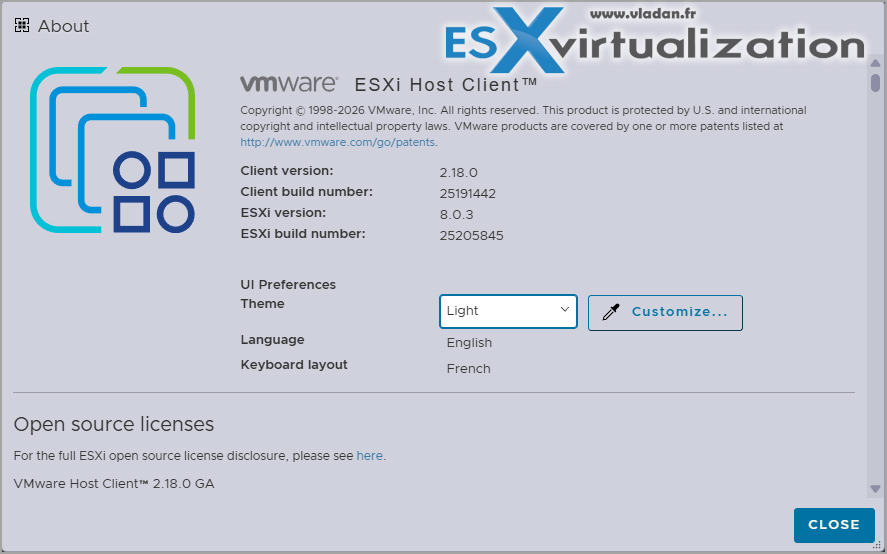
Should show VMware ESXi 8.0 Update 3i, Build 25205845. Total time? About 15-20 minutes per host, depending on hardware.If your host has internet access, you can skip the download and use Broadcom's online depot:esxcli network firewall ruleset set -e true -r httpClient
esxcli software profile update -p ESXi-8.0U3i-25205845-standard -d https://hostupdate.vmware.com/software/VUM/PRODUCTION/main/vmw-depot-index.xml
Don't forget to disable the firewall rule afterward. Pro tip: Back up your ESXi config first with:
vim-cmd hostsvc/firmware/backup_config
It generates a URL – download that tar file for safekeeping.
Upgrading ESXi Hosts Managed by vCenter 8.0
For clustered environments, vSphere Lifecycle Manager (formerly Update Manager) makes this a breeze. Ensure your vCenter is at least 8.0U3h or compatible – ideally update it to 8.0U3i alongside for full synergy.
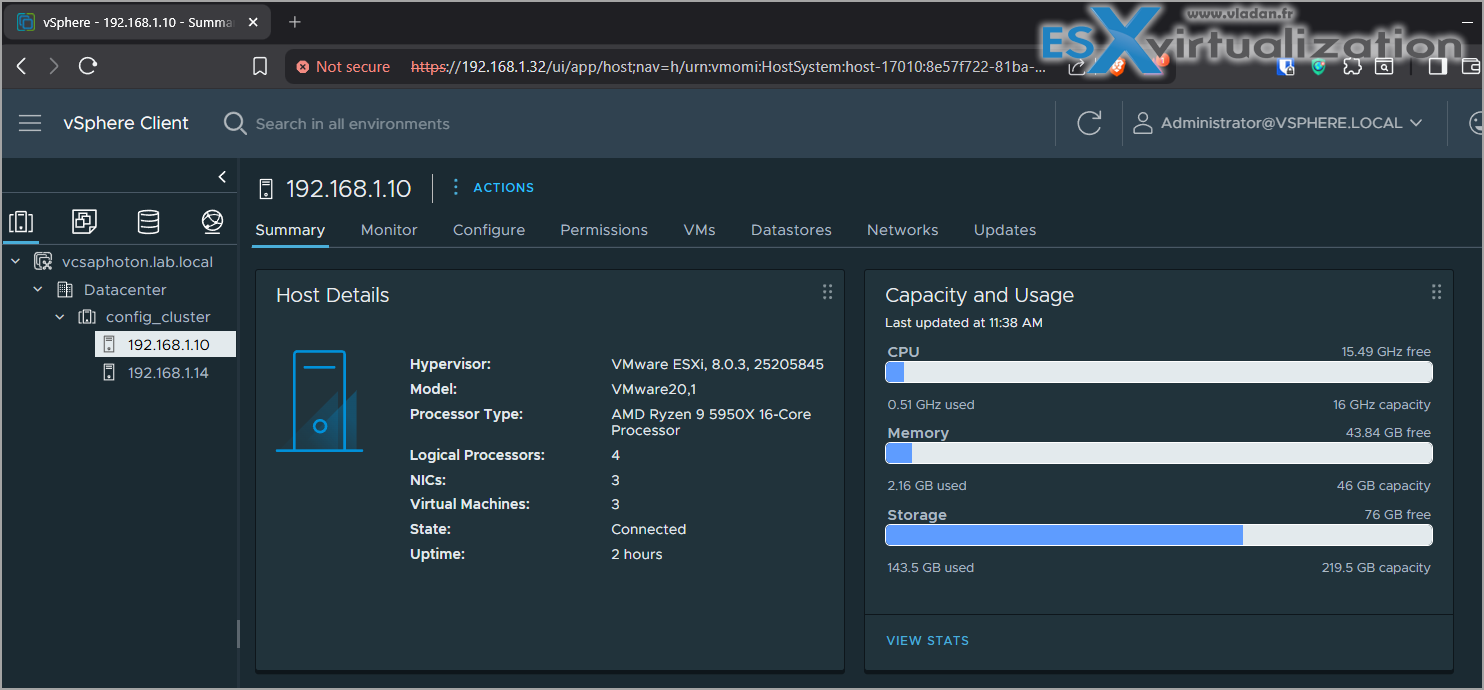
In the vSphere Client, go to your cluster > Updates > Image. If using baselines, import the new ESXi image via the depot ZIP or sync from online repo.
Create or edit your cluster image to include ESXi-8.0U3i-25205845-standard. Run a compliance check – it'll flag non-compliant hosts.Remediate: Select hosts, enable Quick Boot if supported (reduces downtime), and let vMotion handle VM migrations. Lifecycle Manager handles the rest – staging, install, reboot.
Key settings: Enable Enforce Live Patch if available (from 8.0U3 onward) for rebootless patching on eligible fixes. Monitor logs for any errors, like driver mismatches.
Post-upgrade, validate with esxcli system version get on a host.
Potential Caveats and Best Practices
Upgrades aren't always smooth – watch for AMD-specific issues if you're on EPYC processors. If using vSAN, ensure your cluster health is green pre-upgrade. NSX users: Check for ALB (Avi) compatibility, as 3i pairs with avi-31.2.2.
Test in a non-prod environment. I've seen cases where third-party VIBs (like custom drivers) cause conflicts – use –dry-run or compliance scans to catch them.
Security-wise, this update plugs holes, but pair it with VMware Tools updates in your VMs to address any guest-side vulnerabilities.
Final Words
ESXi 8.0 Update 3i is a solid maintenance release, emphasizing stability over flash. If you're dealing with the resolved issues, prioritize this patch. For most admins, it's low-risk with high rewards in uptime. Check out my related posts for more vSphere tips.
Links:
Related Posts:
- Patching ESXi Without Reboot – ESXi Live Patch – Yes, since ESXi 8.0 U3
- Update ESXi Host to the latest ESXi 8.0U3b without vCenter
- VMware Releasing VMware ESXi 8.0 Update 3h and VMware vCenter 8.0 Update 3h
More posts from ESX Virtualization:
- Veeam Backup and Replication Upgrade on Windows – Yes we can
- Securing Your Backups On-Premises: How StarWind VTL Fits Perfectly with Veeam and the 3-2-1 Rule
- Winux OS – Why I like it?
- VMware Alternative – OpenNebula: Powering Edge Clouds and GPU-Based AI Workloads with Firecracker and KVM
- Proxmox 9 (BETA 1) is out – What’s new?
- Another VMware Alternative Called Harvester – How does it compare to VMware?
- VMware vSphere 9 Standard and Enterprise Plus – Not Anymore?
- VMware vSphere Foundation (VVF 9) and VMware Cloud Foundation (VCF 9) Has been Released
- Vulnerability in your VMs – VMware Tools Update
- VMware ESXi FREE is FREE again!
- No more FREE licenses of VMware vSphere for vExperts – What’s your options?
- VMware Workstation 17.6.2 Pro does not require any license anymore (FREE)
- Two New VMware Certified Professional Certifications for VMware administrators: VCP-VVF and VCP-VCF
- Patching ESXi Without Reboot – ESXi Live Patch – Yes, since ESXi 8.0 U3
- Update ESXi Host to the latest ESXi 8.0U3b without vCenter
- Upgrade your VMware VCSA to the latest VCSA 8 U3b – latest security patches and bug fixes
- VMware vSphere 8.0 U2 Released – ESXi 8.0 U2 and VCSA 8.0 U2 How to update
- What’s the purpose of those 17 virtual hard disks within VMware vCenter Server Appliance (VCSA) 8.0?
- VMware vSphere 8 Update 2 New Upgrade Process for vCenter Server details
- What’s New in VMware Virtual Hardware v21 and vSphere 8 Update 2?
- vSphere 8.0 Page
- ESXi 7.x to 8.x upgrade scenarios
- VMware vCenter Server 7.03 U3g – Download and patch
- Upgrade VMware ESXi to 7.0 U3 via command line
- VMware vCenter Server 7.0 U3e released – another maintenance release fixing vSphere with Tanzu
- What is The Difference between VMware vSphere, ESXi and vCenter
- How to Configure VMware High Availability (HA) Cluster
Stay tuned through RSS, and social media channels (Twitter, FB, YouTube)


Leave a Reply