
How-to Install ESXi 3.5 U3 on USB Stick
If you do not want to install VMware ESXi 3.5 update 3 on your local drive, you can just follow a simplified procedure which you'll find below. You can find detailed information about what's new in this release at WMware website here.
All you need to do is follow this little howto about How to install ESXi 3.5 update 3 on a USB memory key. It's pretty straightforward and you should not have any issues with it.
1.) First get this freeware tools: IZArc, and also WinImage. (trial)
2.) Download the ESXi ISO file to your computer.
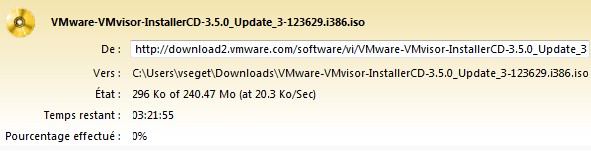
3.) Open the ISO with IZArc
4.) Extract the file “install.tgz”
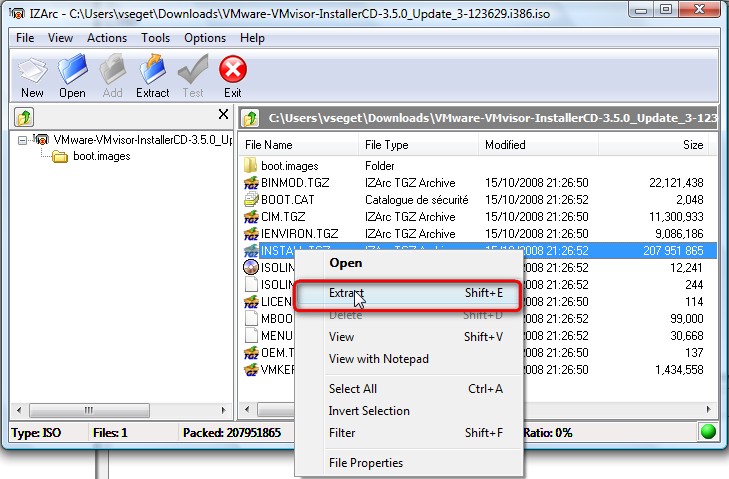
5.) Then you will need to open “install.tgz” with IZArc
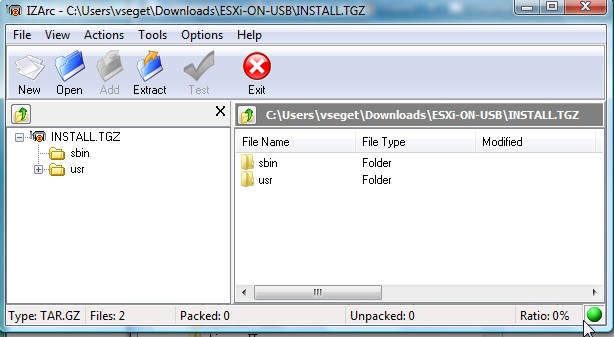
6.) Click on the “install.tar”
7.) Browse to this directory: “usrlibvmwareinstaller”
8.) Then you'll need to open “VMware-VMvisor-big-3.5.0_Update_3-103909.i386.dd.bz2?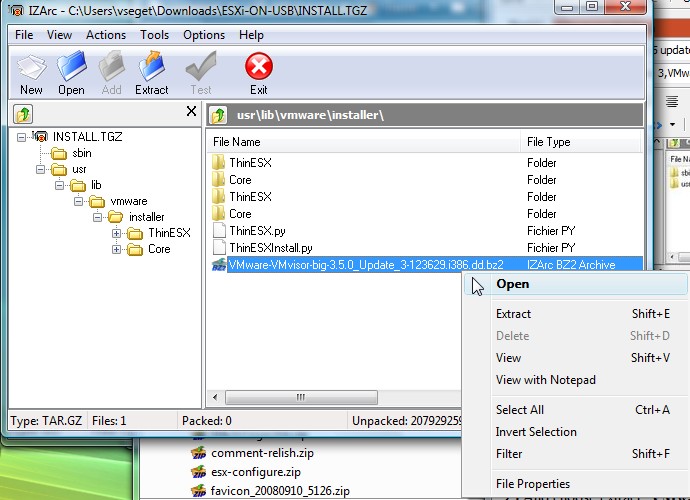
9.) And choose extract “VMware-VMvisor-big-3.5.0_Update_3-103909.i386.dd”
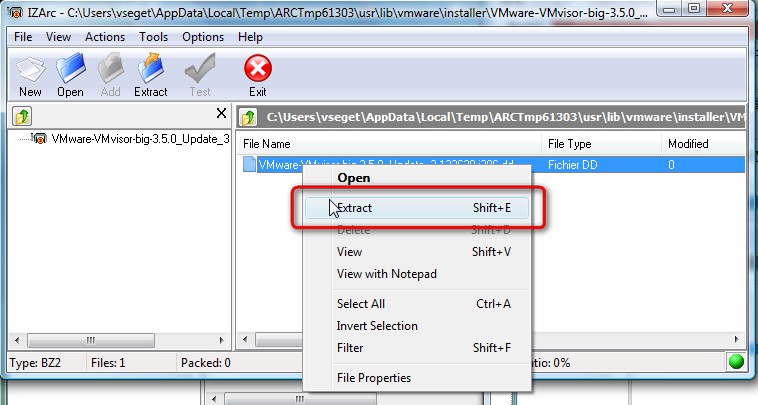
10.) After that you'll need to open WinImage and go to Disk, click on “Restore Virtual Harddisk Image on physical drive”
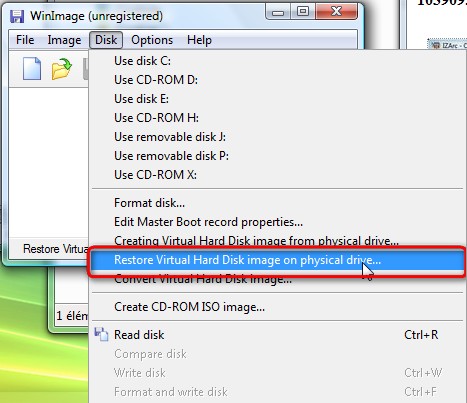
11.) Then just select a physical drive
12.) Select “VMware-VMvisor-big-3.5.0_Update_3-103909.i386.dd”
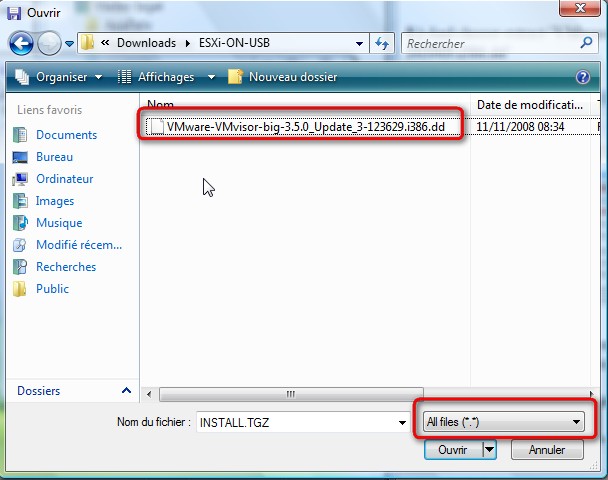
13.) After just click “yes” to write the DD image to the USB Disk





Hi Vladan,
Nice Tutorial.
Does it supports to be changed from one hardware type to another ? I’d like to test this stuff on different servers without to install ESXi every time
Thx
NiTRos last blog post..vmfs-undelete : l
Good question,
But I’m not sure I’m getting it right. You want to test the USB key on different servers right? Then there should not be a problem, but every time you change the server with the same USB key, you’ll have to change your configuraiton (like IP adress etc…)
The USB key does not install anythink on the server. The server just boots from it. If you test it, share your experience with the rest of us. The knowleadge is to be shared…. -:)
Vladan
I will 🙂
NiTRos last blog post..Bug dans l
It works on different hardware type and even keep the network settings.
Very cool tips Vladan, Thanks !
NiTRos last blog post..Fault Tolerance bient
Great, except I get to 99% of writing to the usb – and WinImage8.1 fails – can\’t read the source file 🙁
Tried three times with different filenames and paths. Tried unzipping the iso again. I use Win2000 – mebbe an issue there?
Any ideas?
I did not find any issues with that when I did that. Maybee try to change USB.. I might give it another try this week end.. Just to make sure…. -:)
Great, except I get to 99% of writing to the usb – and WinImage8.1 fails – can\
Disregard last post missed a step:
Open
PANIC: Error while reading file -1, cim.tgz
and if I try the same with ESXi 4, I get a similar error
You might have a corrupted file downloaded. Try to re-download your file again.
Vladan
Even this post is so old, I tried to test if the image works on an old intel server.
The procedure above worked fine, but the server doesn’t boot from the usb key. I also tried to install from CDROM to the usb key, but it happened the same.
I’m still not clear if it have to work on x32 server architecture
Oh, the server’s CPU is x32 bit architecture? Then I think that unfortunately that it will not works…