
Veeam Backup and Replication 9 went RTM and many folks will be upgrading. In this post I'll walk you through the upgrade process. There are few requirements and I've added few advice in this post concerning backing up your environment so you can roll-back in case of problem. You never know.
First of you should run at least Veeam Backup and replication v7 Patch 4.
Veeam Backup and Replication 9 brings quite a lot of new features that I have already posted, but I cover only small part of what's new:
- Veeam Scale-out Backup Repository
- Veeam Scale-out Backup Repository Maintenance Mode
- Veeam (clean) Installation (with new remote console install possibility)
- Veeam Backup and Replication v9 Guest File Exclusion
Today's post will be about upgrading. What's the requirements and how to backup your configuration before you hit the upgrade process?
The Upgrade Requirements:
- Veeam Backup and replication v7 Patch 4.
- License of for Veeam 9
- Installation ISO (Get it here)
Backing up your existing environment before upgrade [important]:
Anything can go wrong. But not having any backup is always worst than having backup at least few components. If you're running Veeam in a VM you might just want to do a snapshot before the upgrade. But make sure that your SQL backup is done as well if SQL is located on another server.
- SQL backup – Take a backup of the Veeam SQL database (via SQL management studio)
- Configuration backup – Do a configuration Backup (via the menu on the Veeam Backup product)
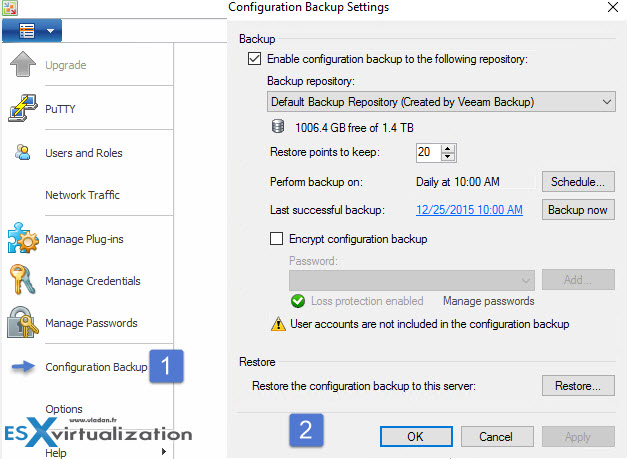
The upgrade Process of Veeam:
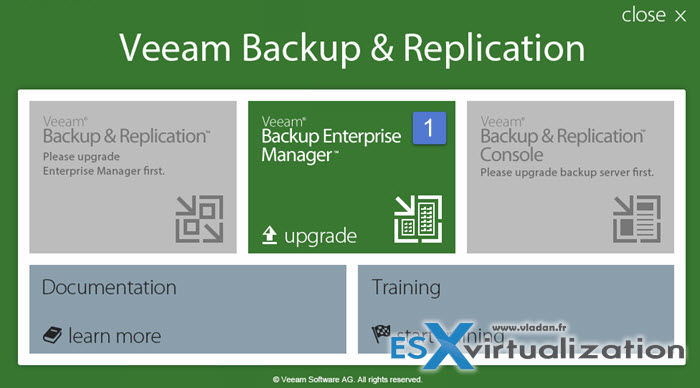
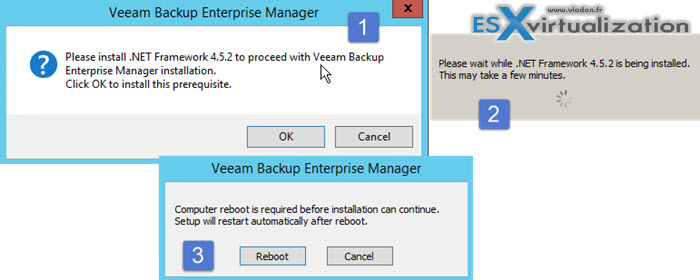
If you have enterprise manager installed you have to start with this. Launch enterprise manager installer and normally you'll get a prompt to install .NET 4.5.2 > You'll get prompted to reboot (N°1).
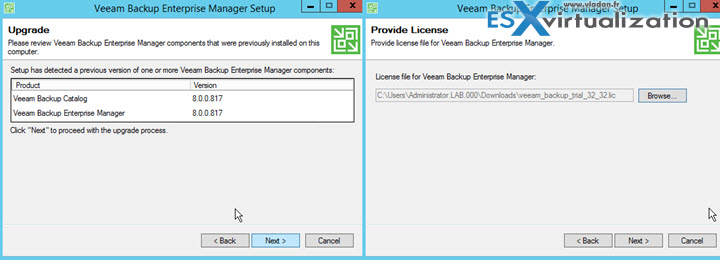
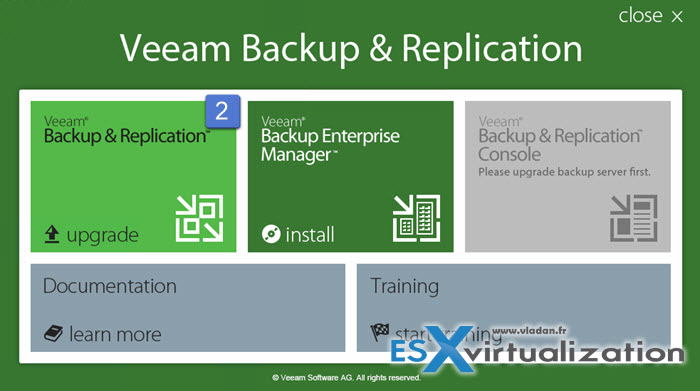
On the image below you can see that tht setup has detected that the Enterprise manager is currently installed. So the big Backup and Replication button on the left isn't available for now.
Continue with he upgrade of Veeam Enterprise Manager after the installation of .NET 4.5.2.
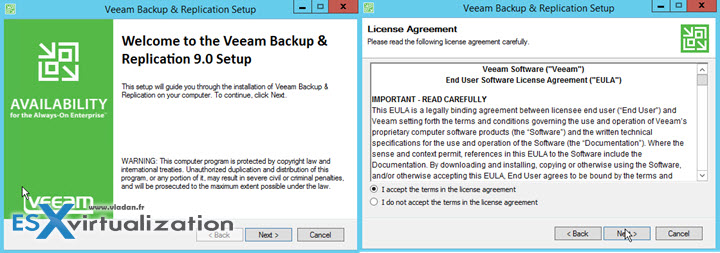
You'll need to accept the EULA ….
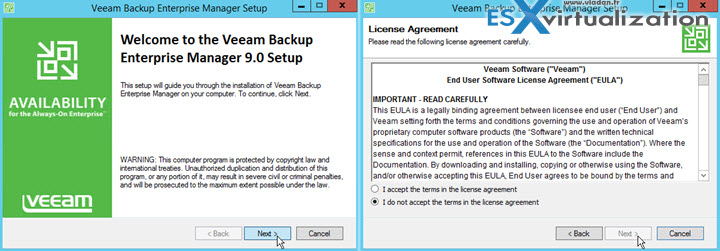
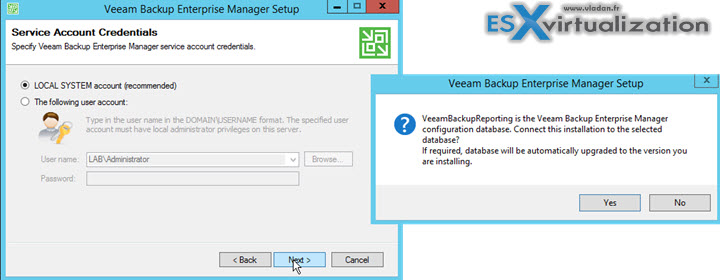
Enter License for Veeam 9 > Then the choice of service account or local SYSTEM account (recommended).
The enterprise manager database will be upgraded to the new version (hence the note at the beginning to create a backup of that SQL db…). Note that your setting might vary for example you can have remote SQL server with different connection settings.
Veeam Enterprise Manager start to install…
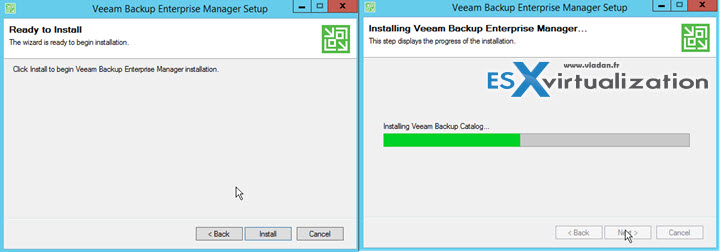
After backup catalog is the Veeam Backup Enterprise manager to be upgraded….
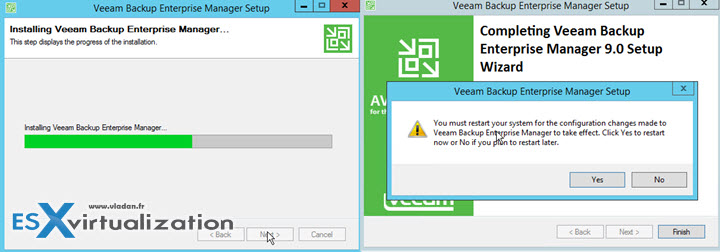
Reboot (N°2) is next. Once done the Grayed out square now becomes available and we can launch the upgrade of Veeam Backup and Replication 9.
So similar screens will show up, including license prompt.
But in this case you don't have to re-enter the license as we did that already previously. This is only necessary if you don't instaling the Veeam Enterprise Manager but only the standalone Veeam Backup and Replication Server.
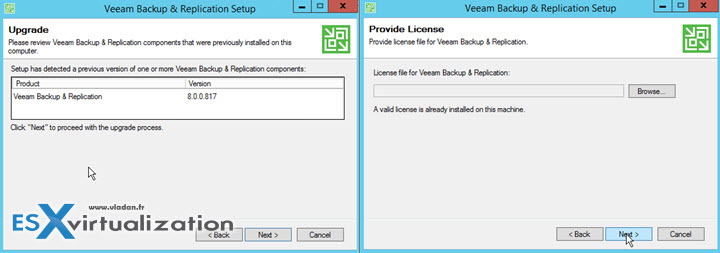
and then just follow the assistant…
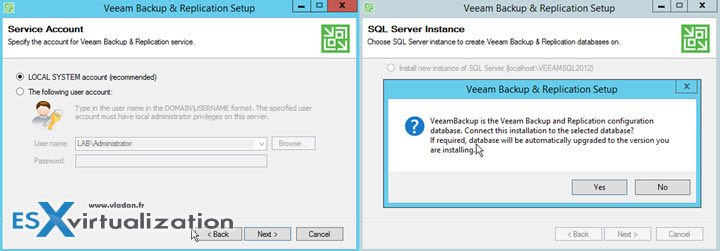
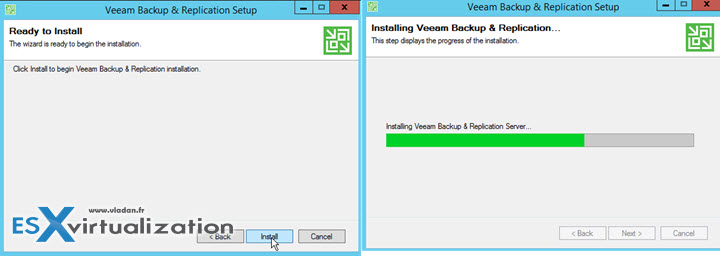
And the finall click on the Install button launches the Installer for Veeam Backup and Replication 9.
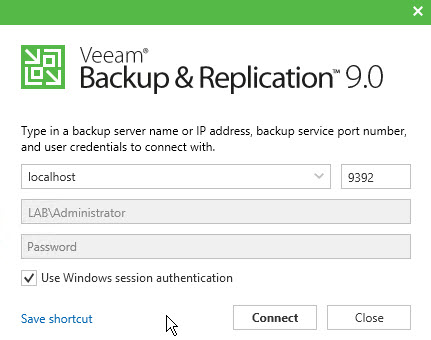
Here is the new console launch. In our case the console component got installed on the same server, but it's possible to install just the console on a management station or laptop so you don't have to RDP to your Veeam server.
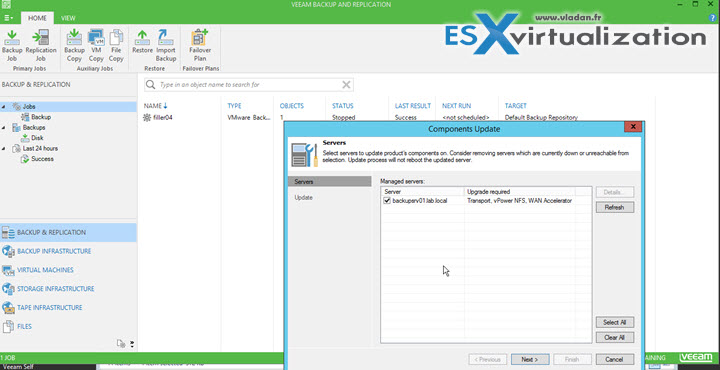
Here is the first launch of Veeam 9 prompting us immediately to upgrade all the components, backup proxies, transport components, vPower NFS or WAN accelerators etc…
I did a recording (1080p) of the whole upgrade process… And I'd also recommend to reboot at the end of the upgrade process. Watch in HD and Full Screen
Wrap UP
As you can see the Installer is very clever by detecting the required components which needs to be present before the actual upgrade can start by upgrading the Veeam Enterprise manager. The process went smooth in my lab. I was done in less than half an hour. As I said it's good to have important to have some backups, like the SQL databases or the Veeam Configuration backup. Those two things will take you less than few minutes to be done but can save your but if any problems!!
Get Veeam Backup 9 Full 30 Days Trial !!



Where did you find the RTM download? I don’t see any release announcement on the VEEAM website
Is the upgrade free if you’re coming from v8?
Yes, if you’re on a current support contract. But check that with a Veeam representative.