
Hey folks, Vladan here from ESX Virtualization. If you’ve been following my blog since way back in 2008 (yeah, we’re that old-school), you know I love diving into lightweight, no-nonsense tools that actually make life easier in the homelab, especially when everything else feels bloated and over-engineered. Time to optimize my lab!
With all the noise around VMware licensing changes, container orchestration, and edge computing, I’ve been hunting for distros that punch way above their weight without eating all my RAM or forcing me into endless updates. That’s how I landed on Alpine Linux. I’ve been testing it quietly in my lab for a few months now, and damn, it’s become one of my quiet favorites as it is one of the most efficient (RAM wise). So today I’m putting together this post: why I like Alpine, what makes it special, and why you might want to give it a spin too.
First things first – what exactly is Alpine Linux?
In short, it’s a minimalist, security-focused Linux distribution that’s built from the ground up to be tiny, fast, and reliable. It was started back around 2005 by Natanael Copa, and the philosophy has stayed rock-solid ever since: keep it simple, keep it secure, and don’t ship anything you don’t absolutely need. Unlike the big players like Ubuntu or Debian that throw in every desktop environment and service under the sun, Alpine strips everything down.
The base system fits in under 10 MB. Yeah, you read that right – ten megabytes. That’s smaller than some single Docker images I’ve seen from other distros.
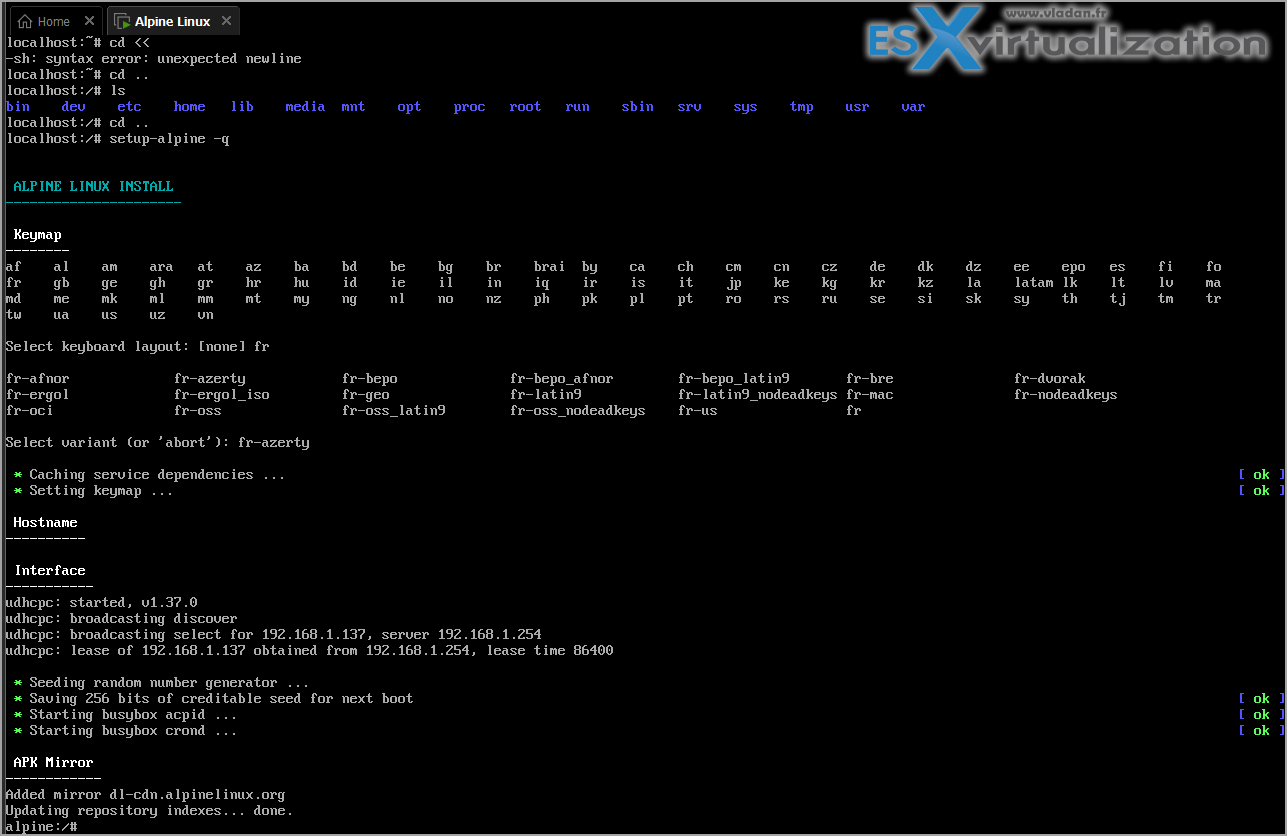
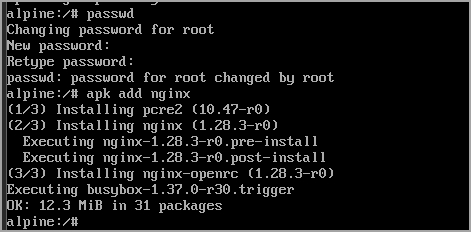
The magic really comes from two key choices under the hood. Instead of the usual glibc library, Alpine uses musl libc, which is way lighter and has a much smaller attack surface. Pair that with BusyBox instead of the full GNU coreutils, and you get a system that boots crazy fast and uses almost no resources. It ships with OpenRC as the init system (no systemd drama here, thank you very much) and its own package manager called apk. If you’re used to apt or yum, apk feels refreshingly simple – apk add nginx and you’re done in seconds. No endless dependency resolution hell.
I first threw Alpine into a VM in my Proxmox cluster just to see how it behaved as a lightweight guest OS. I was blown away. I spun up a tiny LXC container for a monitoring agent and the whole thing was running with under 50 MB of RAM after boot. Compare that to a fresh Ubuntu Server install that’s already chewing through 300-400 MB before you even start adding services. Normal if you ask me – why waste resources when you don’t have to?
Why Alpine shines in 2026 (especially for virtualization folks)
Look, we all know the industry is moving hard toward containers and Kubernetes. Alpine has basically become the de-facto base image for Docker. The official alpine:latest tag is everywhere because it’s secure by default and tiny enough that your container images stay under control. I’ve rebuilt several of my homelab services (Nginx reverse proxy, Pi-hole alternative, even a small Grafana setup) on Alpine-based images, and the difference in image size and startup time is night and day.
But it’s not just containers. In my VMware and Proxmox environments, I’ve started using Alpine as the OS for small utility VMs – think lightweight VPN endpoints, backup agents, or even as the base for custom appliances. It’s perfect for those “set it and forget it” workloads where you want maximum uptime and minimum patching overhead.
Security-wise, Alpine has always been ahead of the curve. Regular security updates, no unnecessary daemons running, and a focus on minimal privilege. It even used to ship with grsecurity patches in the past, and the community still keeps things locked down tight.I tested it recently on some older hardware too – an ancient mini-PC that was struggling with Ubuntu. Swapped it over to Alpine and suddenly it felt snappy again. No more “Microsoft says your PC is too old for Windows 11” nonsense (I don’t like that resource-wasting attitude one bit). Alpine just works on whatever you throw at it.
Getting started – it’s actually fun
Getting started – it’s actually funInstallation is dead simple, which I really appreciate. Head over to the official site, grab the latest ISO (as of now we’re on the 3.21 series – they release pretty frequently), boot it up, and run the setup-alpine script. It walks you through everything: keyboard layout, networking, disk partitioning, and even lets you choose between diskless or traditional install modes. I went with the standard disk install on a spare SSD and it took maybe ten minutes end-to-end.
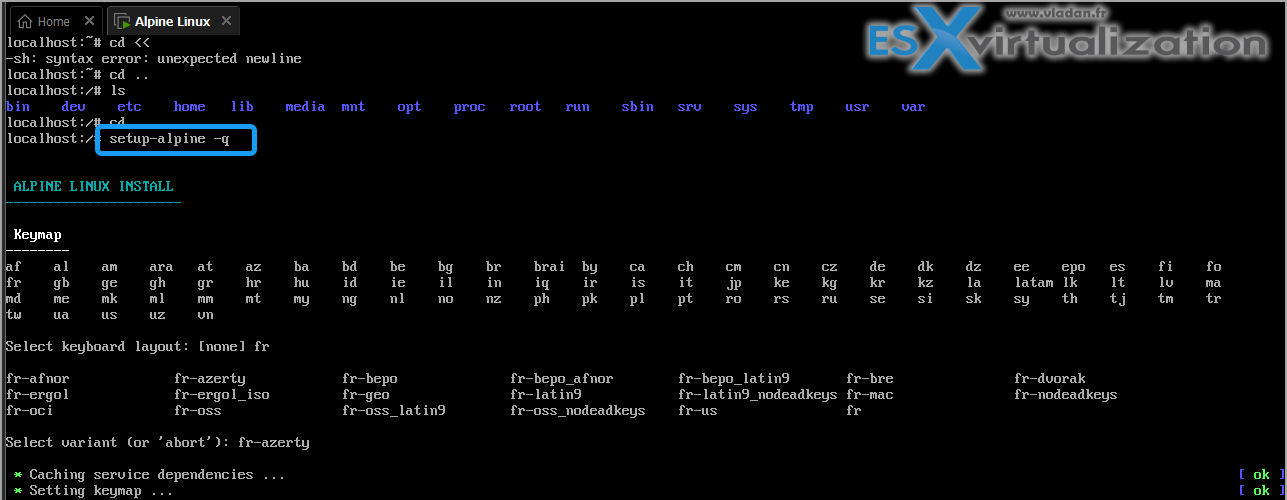
No bloat, no questions about “do you want to install 47 language packs?”
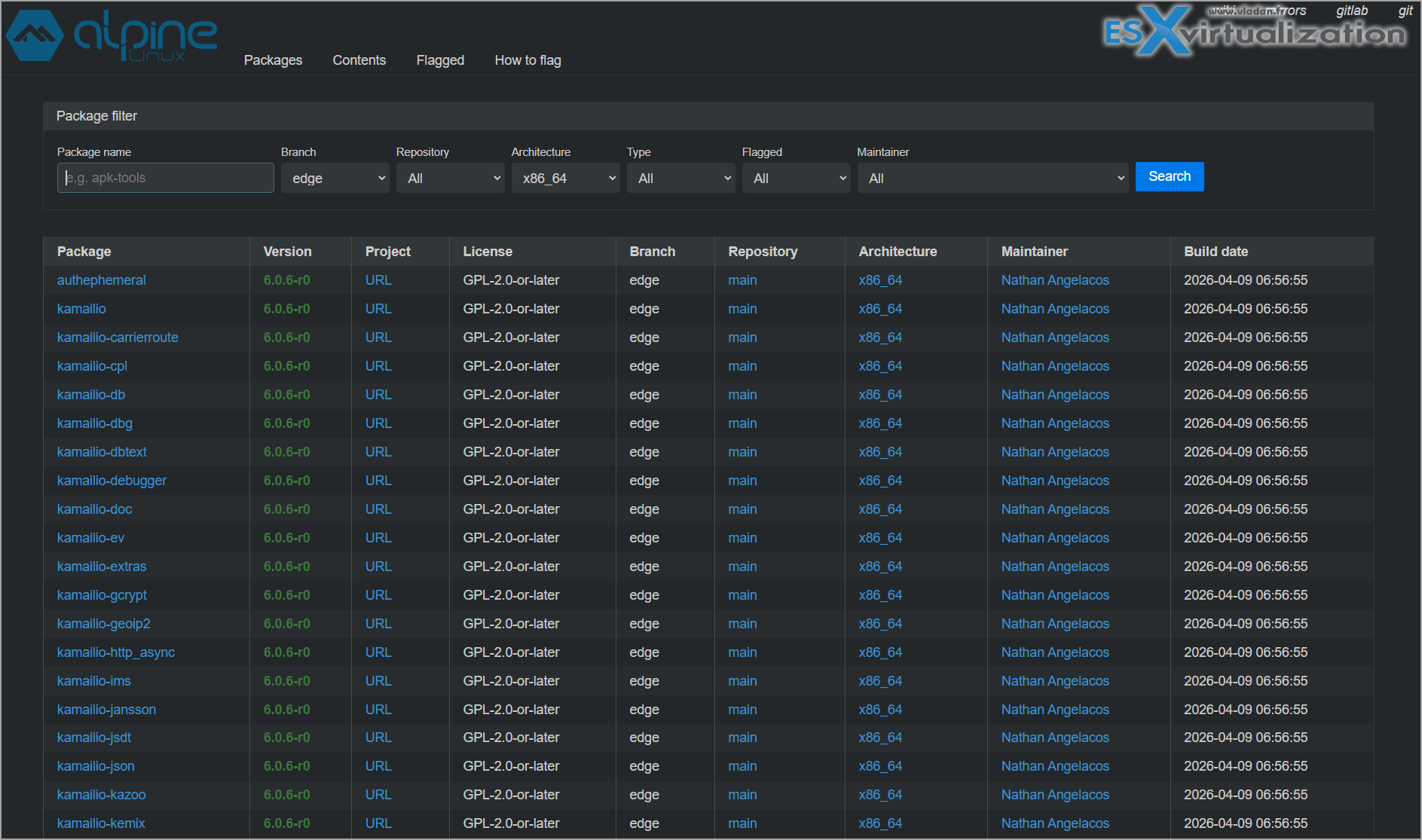
Once you’re in, apk is your best friend. Need a web server? apk add nginx. Want to enable the community repo for extra packages? Edit /etc/apk/repositories and you’re good. I’ve even got it running Docker and Podman without any issues. The package repository isn’t as massive as Debian’s, but for server and container use cases it covers 99% of what you need.
The good, the “different”, and why it might not be for everyone
Let me be honest – Alpine isn’t perfect for every scenario. If you’re coming from a full desktop distro and want a pretty GUI with all the bells and whistles, this probably isn’t it (though you can install Xfce or whatever if you really want). Some software that’s tightly coupled to glibc might need a bit of extra work, though the community has gotten really good at providing compatibility layers.But the pros far outweigh the quirks in my book:
- Insanely small footprint – perfect for edge devices, Raspberry Pi clusters, or dense VM environments.
- Security-first mindset – fewer moving parts means fewer things to break or exploit.
- Fast updates – the release cycle is quick and the team is responsive.
- Container-native – if you’re doing any Kubernetes or Docker work, you’re already using it whether you realize it or not.
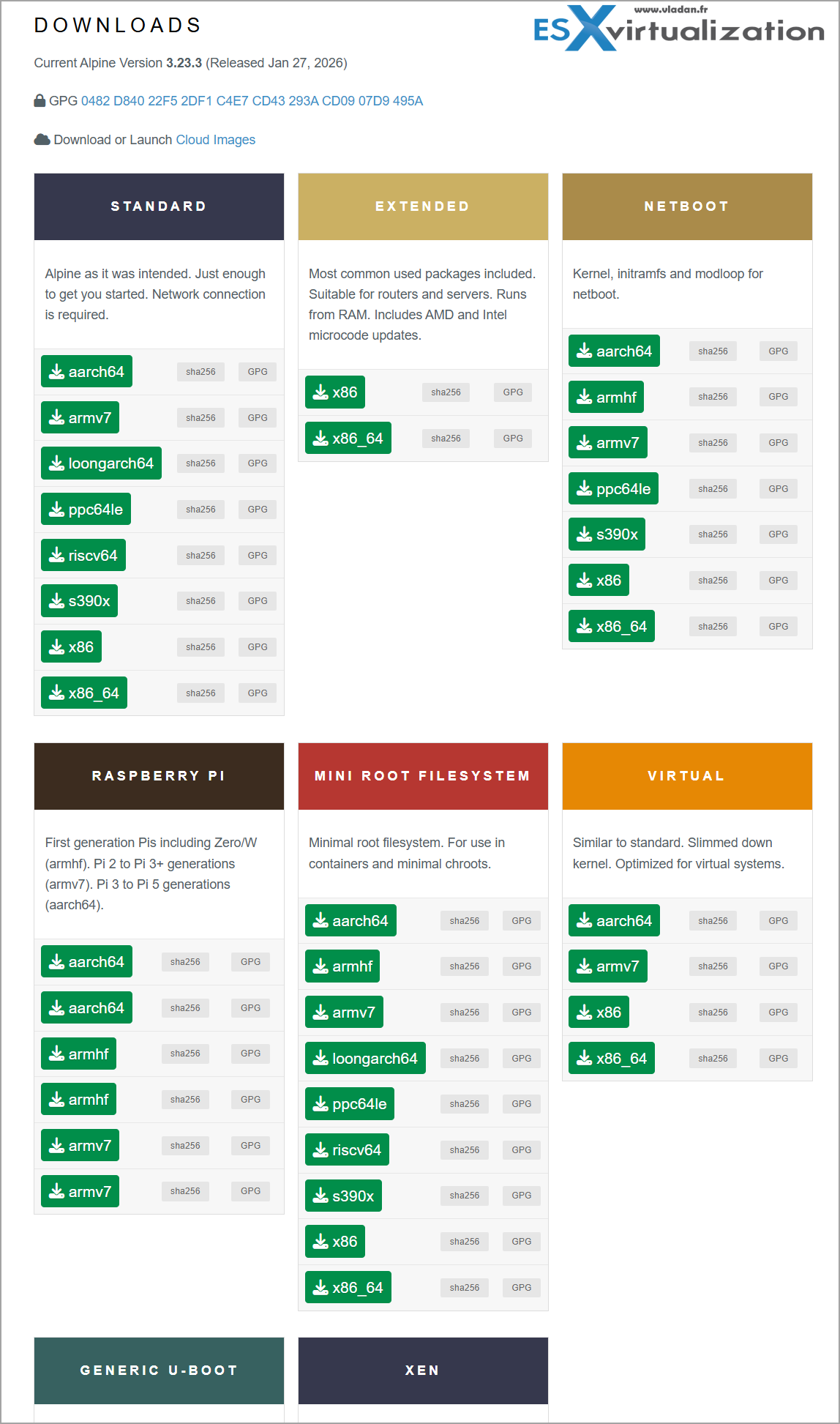
There are different type of downloads of Alpine Linux depending on your needs. For virtual labs there is a dedicated ISO download which has a limmed down kernel. Optimized for virtual systems.
I’ve seen it power everything from home routers to production micro-services, and it just keeps delivering. In my lab it replaced a couple of heavier VMs and I immediately noticed lower memory utilization (RAM prices are still through the roof so…). Every work merits its salary, right? Alpine gives you performance without the cost.
Final Words
If you’re tired of distros that feel like they’re trying to be everything to everyone, do yourself a favor and try Alpine Linux. Whether you’re running it bare-metal, in a VM, or as the base for your next container project, it’s one of those tools that just gets out of the way and lets you focus on what actually matters. I’ve already migrated a few more services over and I’m not looking back.Testing it currently within my Proxmox and VMware setups, but I’m seriously considering converting one of my edge devices to it full-time.
What do you think? Have you tried Alpine yet? Drop a comment below – I read every single one. And if you’re new here, welcome!
This blog has been tracking virtualization, backups, and open-source alternatives since 2008, and I’m not stopping anytime soon. Stay tuned through RSS, and social media channels ( Twitter, FB, YouTube ). Happy hacking, and see you in the next post!
More posts from ESX Virtualization:
- Ready for Voyage? Try Voyager Linux Distro – A Slick, Hybrid Distro That Just Works
- VMware Workstation Pro 25H2U1 Released: Why You Should Update Now
- Thinware SimpleVM – A Free-Forever Hypervisor Alternative for VMware Admins Tired of Broadcom’s Rising Costs
- Veeam Backup and Replication Upgrade on Windows – Yes we can
- Securing Your Backups On-Premises: How StarWind VTL Fits Perfectly with Veeam and the 3-2-1 Rule
- Winux OS – Why I like it?
- VMware Alternative – OpenNebula: Powering Edge Clouds and GPU-Based AI Workloads with Firecracker and KVM
- Proxmox 9 (BETA 1) is out – What’s new?
- Another VMware Alternative Called Harvester – How does it compare to VMware?
- VMware vSphere 9 Standard and Enterprise Plus – Not Anymore?
- VMware vSphere Foundation (VVF 9) and VMware Cloud Foundation (VCF 9) Has been Released
- Vulnerability in your VMs – VMware Tools Update
- VMware ESXi FREE is FREE again!
- No more FREE licenses of VMware vSphere for vExperts – What’s your options?
- VMware Workstation 17.6.2 Pro does not require any license anymore (FREE)
- Two New VMware Certified Professional Certifications for VMware administrators: VCP-VVF and VCP-VCF
- Patching ESXi Without Reboot – ESXi Live Patch – Yes, since ESXi 8.0 U3
- Update ESXi Host to the latest ESXi 8.0U3b without vCenter
- Upgrade your VMware VCSA to the latest VCSA 8 U3b – latest security patches and bug fixes
- VMware vSphere 8.0 U2 Released – ESXi 8.0 U2 and VCSA 8.0 U2 How to update
- What’s the purpose of those 17 virtual hard disks within VMware vCenter Server Appliance (VCSA) 8.0?
- VMware vSphere 8 Update 2 New Upgrade Process for vCenter Server details
- vSphere 8.0 Page
- ESXi 7.x to 8.x upgrade scenarios
- VMware vCenter Server 7.03 U3g – Download and patch
- Upgrade VMware ESXi to 7.0 U3 via command line
- VMware vCenter Server 7.0 U3e released – another maintenance release fixing vSphere with Tanzu
- What is The Difference between VMware vSphere, ESXi and vCenter
- How to Configure VMware High Availability (HA) Cluster





Leave a Reply