
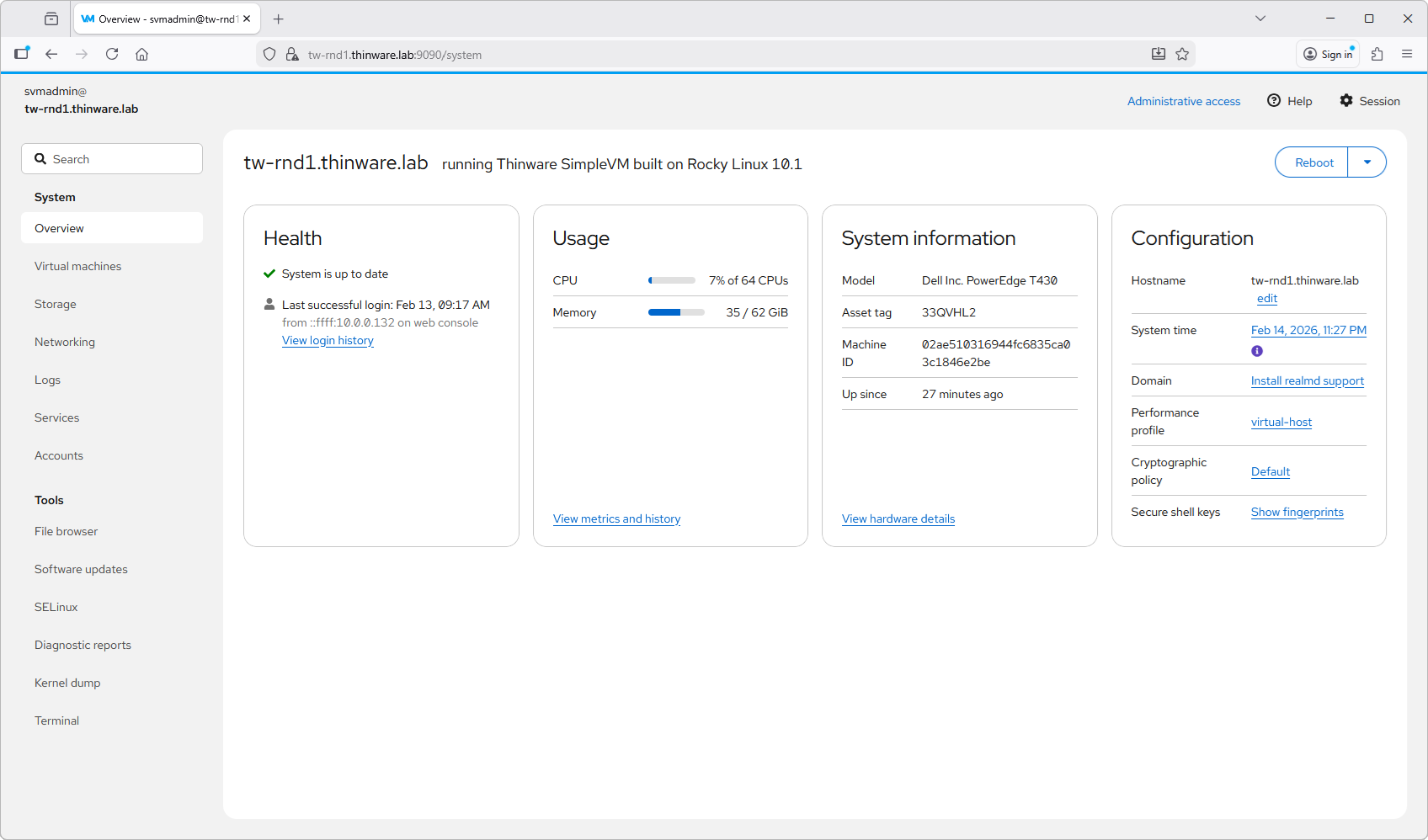
When I stumbled via Thinware and their upcoming SimpleVM virtualization platform, I thought that it might be just what's needed. A simple virtualization platform with central management (a vCenter like) that is FREE and OpenSource, and… simple to use. That's exactly what they doing! I immediately got in touch with them to ask more.
Many companies are actively seeking exit strategies to maintain robust virtualization without breaking the bank. In my ongoing series exploring VMware alternatives – like Proxmox VE and XCP-NG – this KVM-based Type-1 hypervisor promises enterprise-class features, seamless migration from existing setups, and best of all, it's free for commercial use forever. No subscriptions, no hidden traps – just pure operational freedom.
I talked to Jeremy Brown who is a CTO at Thinware:
Question: Jeremy, what is the reason behind SimpleVM, why it was created, and for which type of business (workloads) it is destined?
Jeremy: Our primary goal in creating SimpleVM was to make it easier than ever to stand up a host server and run VMs.
Our objective: a very secure, extremely fast, and super easy to implement solution with absolutely zero vendor lock-in. My thoughts are that you should be able to fire any vendor at any time and it not have an adverse effect on your business. With SimpleVM there is no proprietary software. Everything is built on open source, freely available, trusted software and 100% compatible with RHEL/Oracle/Rocky Linux.
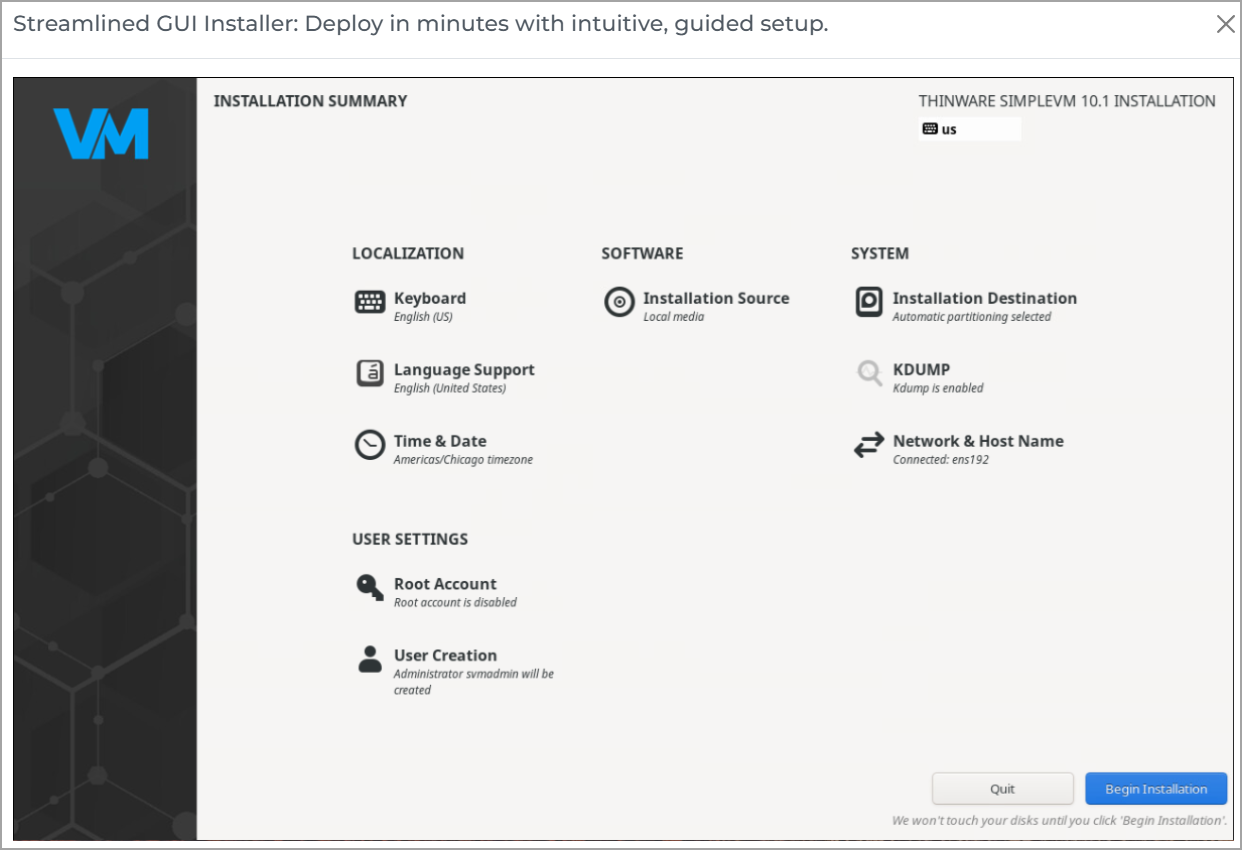
Note: you will notice that Oracle and Red Hat use oVirt as their management interface. oVirt is open source and can be deployed on SimpleVM as well. We chose not to include this by default because it is not “simple” to deploy, but it can be installed at any time if desired.
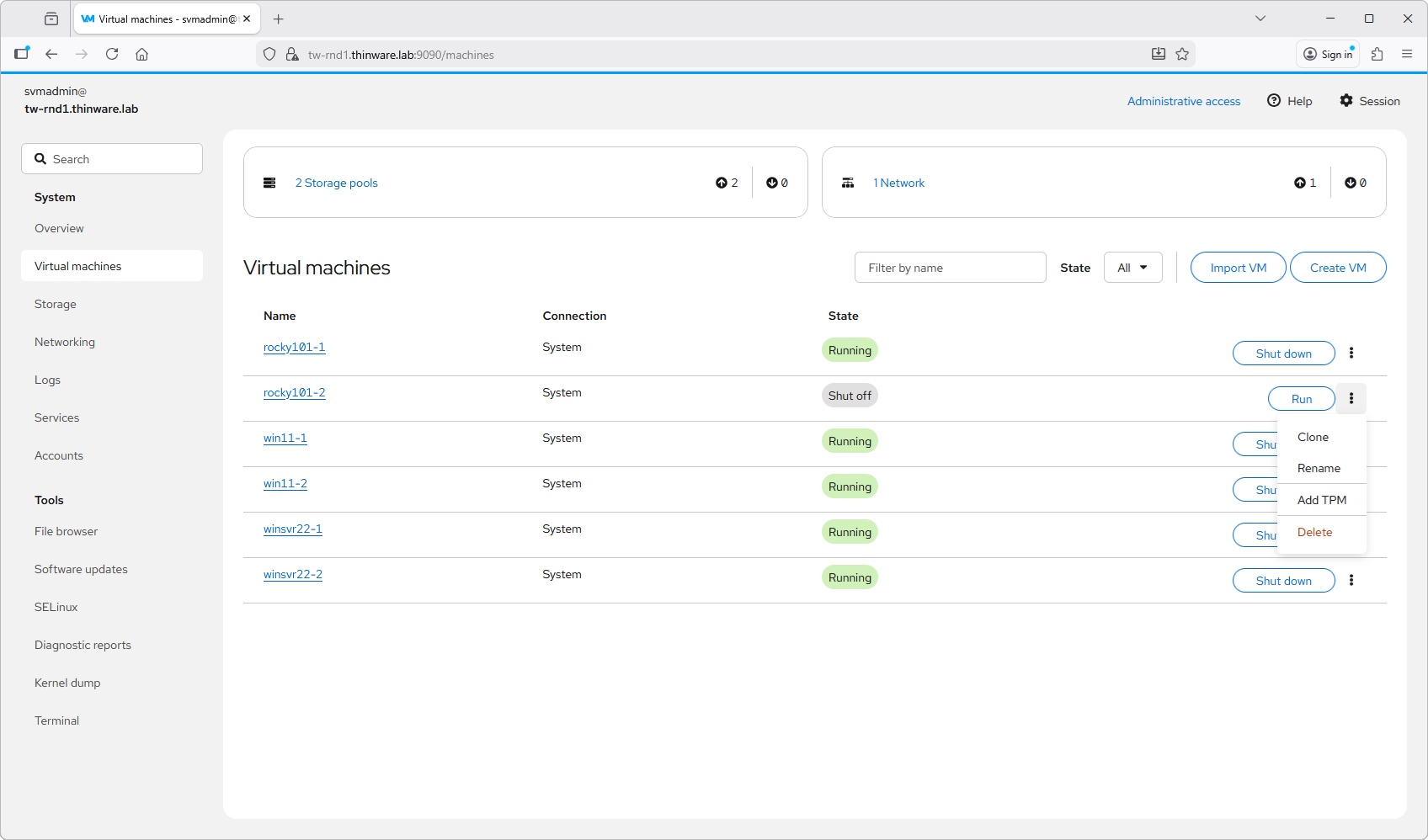
Screenshot from Simple VM website – VM operations
Question: Give us some technical details and little compare to VMware, Hyper-V or lately Proxmox perhaps?
Jeremy: SimpleVM at its core is KVM and KVM is KVM. So a KVM comparison to vSphere or Hyper-V would apply to SimpleVM.
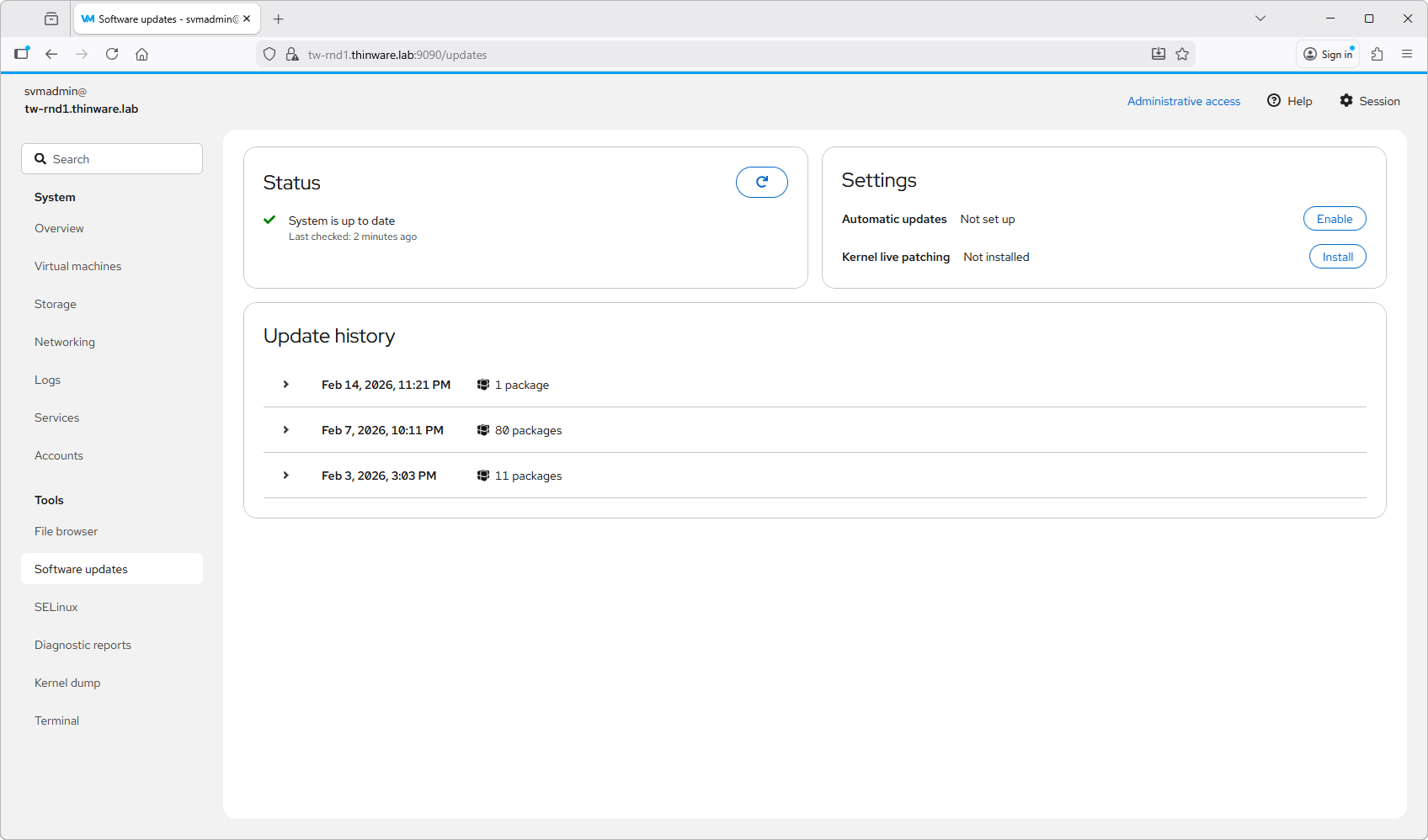
Software updates made simple – via UI
Proxmox is KVM at is core as well, with the addition of some proprietary software and a restrictive repo. These two things would be the two primary differences between SimpleVM and Proxmox. Proxmox says their software is free, but they do charge for access to their enterprise, e.g. “stable” repo.
With SimpleVM you will never be asked to pay for stable software—in other words, we are making enterprise-class software available to everyone, not just big businesses with big money. We want to partner with our customers and add value to their business. We do not want to be just another IT expense—and never a necessary one. Bottom line: if we don’t make your business better you should work with someone else.
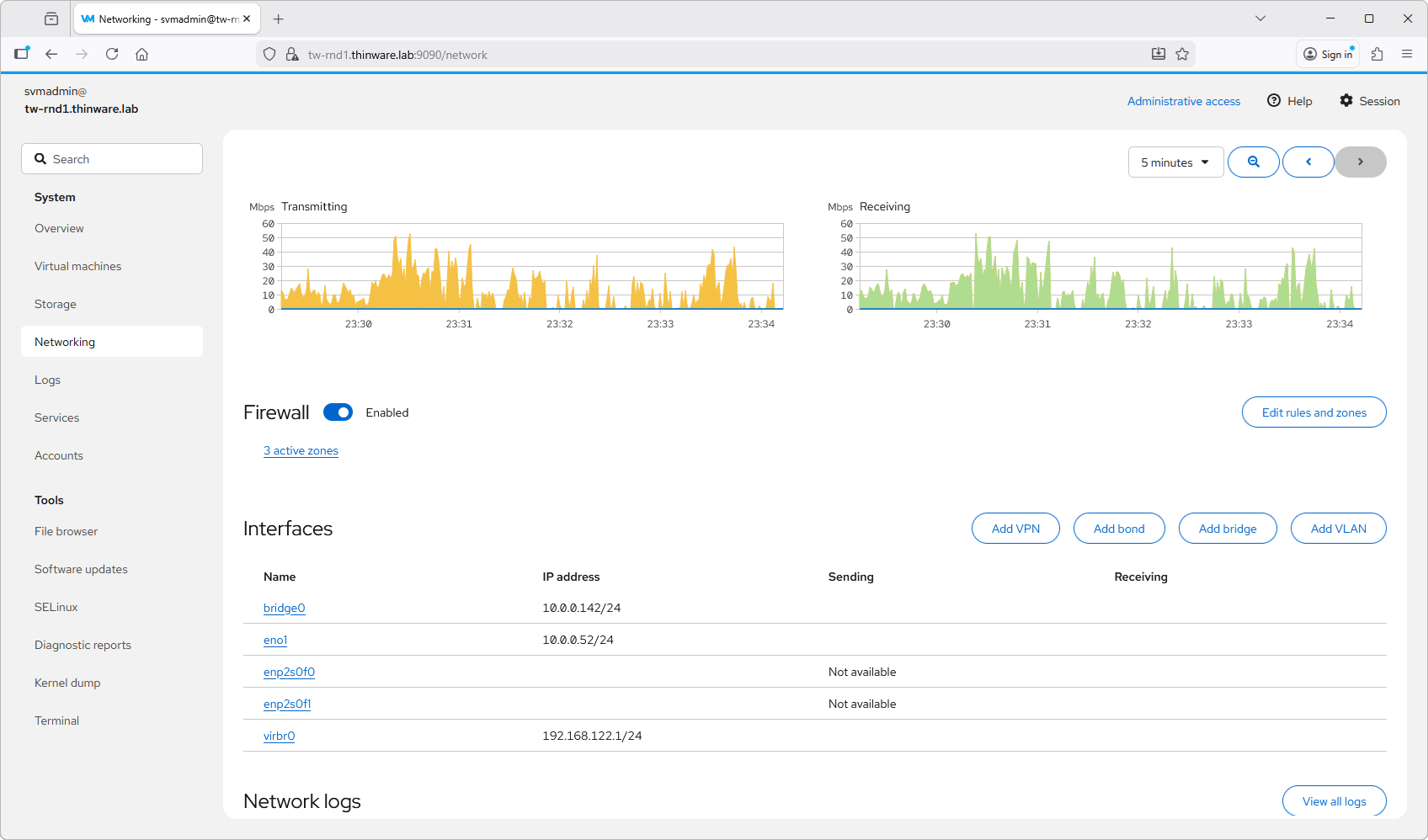
Configure host network interfaces, VLANs, and bridges.
Question: As we all know, businesses need protection for their data. The alternative hypervisors such as Proxmox or XCP-NG have their own backup solution and they are building partnerships with major backup vendors (ex. Veeam). How is it with SimpleVM and Thinware?
For backup we want our customers to use whatever tool they prefer. Most of the well know/used packages out there already support KVM so there is no issue there. We chose not to include backup into SimpleVM for this reason.
We still have quite a few customers using Thinware vBackup so we will be retooling vBackup to support KVM as well.
Thanks to Jeremy we had those hot infos right from the source!
The product is in BETA phase right now. The documentation as well. I picked some screenshots from Simplevm.com website to show the UI. It really looks good.
Key Facts
From the official Thinware SimpleVM site (simplevm.com), here are the relevant highlights as of February 2026:
- Live VM Migration — Yes, explicitly supported. In clustered setups, you get live VM migration between hosts. This is the direct equivalent of VMware vMotion: move running VMs from one host to another with minimal (or zero) downtime, assuming shared storage is in place. The site describes it as part of “Effortless High Availability” features, allowing seamless movement in multi-host environments.
- Automated Failover / HA — Yes, clusters support automated failover for high availability. If a host fails, VMs can restart on another node automatically (cold migration/failover style), combined with shared storage integration for better resilience.
- DRS Equivalent — No automatic, proactive load balancing or resource scheduling. There is no mention of anything like DRS that continuously monitors cluster resource usage (CPU/memory) and automatically initiates live migrations to rebalance workloads. The migration appears to be manual (admin-initiated) or tied to failover events, not an automated optimization engine.
Why this still matters for exit strategies?
For many companies—especially mid-sized ones tired of per-core licensing—the absence of full DRS isn't a deal-breaker. Manual live migration covers 80-90% of day-to-day use cases (host maintenance, upgrades, balancing during known peaks), and the zero-cost forever model + no vendor lock-in often outweighs losing automatic DRS. (note that DRS was part of VMware Enterprise PLUS license – the most expensive ones, and I know quite a few compagnies which used to have VMware Standard only, without DRS).
Thinware is positioning SimpleVM as “comprehensive functionality comparable to leading enterprise solutions” but streamlined. I'd expect more features post-launch (March 2026 timeframe), so keep watching their site and early adopter feedback.
Links:
- SimpleVM.com site
- Thinware.net site
Final Words
We live in a time where the users of the biggest virtualization vendor (VMware/Broadcom) software are facing massive cost increase and software bundles which they don't want/need for their business (most SMB/mid-size business). Over the past couple of months (soon years) I've covered many alternative solutions and I think that the trend will continue. Many businesses so far, did not stepped out just yet. They prefer to reduce their footprint with VMware, as a first step. This allow them to test side-by-side, alternative solutions and migrate slowly. This trend will most likely continue, for the next 2-3 years.
Whether SimpleVM will become the most poplular virtualization platform or not, time will tell. But one thing for sure, If Broadcom/VMware does not change their licensing strategy, the'll keep losing customers.
According to IA, Broadcom/VMware division is going pretty strong (but its your money folks):
Q3 2025 Results (Reported September 2025)
- Infrastructure Software Revenue (includes VMware): $6.8 billion, up 17% year-over-year.
- Total Company Revenue: $16.0 billion, up 22% YoY.
- AI Semiconductor Revenue: $5.2 billion, up 63% YoY.
- Operating Margin: 65.5%.
- VMware Cloud Foundation (VCF) Adoption: Over 90% of VMware’s top 10,000 customers have licensed VCF, though not all have fully deployed it (“shelfware” concern).
- Guidance for Q4 2025: Infrastructure software revenue expected at $6.7 billion (+15% YoY).
Download the study guide here.
More posts from ESX Virtualization:
- Veeam Backup and Replication Upgrade on Windows – Yes we can
- Securing Your Backups On-Premises: How StarWind VTL Fits Perfectly with Veeam and the 3-2-1 Rule
- Winux OS – Why I like it?
- VMware Alternative – OpenNebula: Powering Edge Clouds and GPU-Based AI Workloads with Firecracker and KVM
- Proxmox 9 (BETA 1) is out – What’s new?
- Another VMware Alternative Called Harvester – How does it compare to VMware?
- VMware vSphere 9 Standard and Enterprise Plus – Not Anymore?
- VMware vSphere Foundation (VVF 9) and VMware Cloud Foundation (VCF 9) Has been Released
- Vulnerability in your VMs – VMware Tools Update
- VMware ESXi FREE is FREE again!
- No more FREE licenses of VMware vSphere for vExperts – What’s your options?
- VMware Workstation 17.6.2 Pro does not require any license anymore (FREE)
- Two New VMware Certified Professional Certifications for VMware administrators: VCP-VVF and VCP-VCF
- Patching ESXi Without Reboot – ESXi Live Patch – Yes, since ESXi 8.0 U3
- Update ESXi Host to the latest ESXi 8.0U3b without vCenter
- Upgrade your VMware VCSA to the latest VCSA 8 U3b – latest security patches and bug fixes
- VMware vSphere 8.0 U2 Released – ESXi 8.0 U2 and VCSA 8.0 U2 How to update
- What’s the purpose of those 17 virtual hard disks within VMware vCenter Server Appliance (VCSA) 8.0?
- VMware vSphere 8 Update 2 New Upgrade Process for vCenter Server details
- What’s New in VMware Virtual Hardware v21 and vSphere 8 Update 2?
- vSphere 8.0 Page
- ESXi 7.x to 8.x upgrade scenarios
- VMware vCenter Server 7.03 U3g – Download and patch
- Upgrade VMware ESXi to 7.0 U3 via command line
- VMware vCenter Server 7.0 U3e released – another maintenance release fixing vSphere with Tanzu
- What is The Difference between VMware vSphere, ESXi and vCenter
- How to Configure VMware High Availability (HA) Cluster
Stay tuned through RSS, and social media channels (Twitter, FB, YouTube)





Hi Vladan,
It looks like SimpleVM is GA. I just downloaded it.
Thanks -:) Will check it out soon.
Any news for this Project ?
I think it went GA before the vacations. More content to come this automn. Stay tuned.