
ESX Virtualization

VMware ESXi, vSphere, VMware Backup, Hyper-V... how-to, videos....

Nakivo Backup and Replication - #1 Backup solution for Virtual, physical, cloud, NAS and SaaS

Menu
  • Certification
      • VCP-VVF Administrator
          • vcp-vvf-2.
        • Close
      • VCP-DCV vSphere 8
          • vcp2024-125.
        • Close
    • Close
  • VMware
    • Configuration Maximums
    • vSphere
      • VVF 9 and VCF 9
      • vSphere 8.0
      • vSphere 7.0
      • vSphere 6.7
      • vSphere 6.5
      • vSphere 6.0
      • Close
    • VMworld
      • VMware EXPLORE 2024
      • VMware EXPLORE 2023
      • VMware EXPLORE 2022
      • VMworld 2019
      • VMworld 2018
      • VMworld 2017
      • VMworld 2016
      • VMworld 2015
      • VMworld 2014
      • VMworld 2013
      • VMworld 2012
      • VMworld 2011
      • Close
    • Close
  • XCP-NG
    • XCP-NG
    • Close
  • Proxmox
    • Proxmox
    • Close
  • Microsoft
    • Windows Server 2012
    • Windows Server 2016
    • Windows Server 2019
    • Windows Server 2025
    • Close
  • Categories
    • Tips – VMware, Microsoft and General IT tips and definitions, What is this?, How this works?
    • Server Virtualization – VMware ESXi, ESXi Free Hypervizor, VMware vSphere Server Virtualization, VMware Cloud and Datacenter Virtualization
    • Backup – Virtualization Backup Solutions, VMware vSphere Backup and ESXi backup solutions.
    • Desktop Virtualization – Desktop Virtualization, VMware Workstation, VMware Fusion, VMware Horizon View, tips and tutorials
    • How To – ESXi Tutorials, IT and virtualization tutorials, VMware ESXi 4.x, ESXi 5.x and VMware vSphere. VMware Workstation and other IT tutorials.
    • Free – Free virtualization utilities, ESXi Free, Monitoring and free backup utilities for ESXi and Hyper-V. Free IT tools.
    • Videos – VMware Virtualization Videos, VMware ESXi Videos, ESXi 4.x, ESXi 5.x tips and videos.
    • Home Lab
    • Reviews – Virtualization Software and reviews, Disaster and backup recovery software reviews. Virtual infrastructure monitoring software review.
    • Close
  • Partners
    • NAKIVO
    • StarWind
    • Xorux
    • Close
  • This Web
    • News
    • ESXi Lab
    • About
    • Advertise
    • Archives
    • Disclaimer
    • Privacy policy
    • PDFs and Books
    • Close
  • Free

How to activate the battery reporting level inside of a VM while working in Full Screen Mode

By Vladan SEGET | Last Updated: April 1, 2012

How to report battery level inside of your VM - VMware Workstation 8 laptop users

VMware Workstation 8 enables you to report the battery level inside of your VM while working in Full Screen Mode. VMware Workstation 8 is a piece of software I can’t stop working with. In fact since the release of the version 8 of the software, the tool has changed and gives the possibilities to manage […]

| Filed Under: Desktop Virtualization, How To Tagged With: Quick Tip VMware Workstation 8, VMware Workstation 8

How to create desktop pool in VMware View

By Vladan SEGET | Last Updated: February 19, 2017

VMware View Connection Server - Initial setup

Connecting to the View Connection server and Creating a desktop pool The whole series of VMware View will be finished when we’re going to create our first desktop pool and connects to a desktop via the VMware View client which you’ll install on your laptop for example. So in this “lesson” we’ll create our first […]

| Filed Under: How To Tagged With: How to create desktop Pool, VMware View Destkop Pool

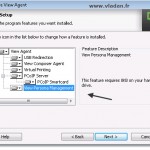
How to install VMware View Agent in the Virtual Desktop plus more
By Vladan SEGET | Last Updated: August 9, 2014

VMware View - Installation of View Agent in the Master VM

Installing View agent inside the Golden Image VM. To successfully setup VMware View in your lab, you need to build a Golden VM image. It’s basically an optimized VM with desktop Operating system like Windows XP or Windows 7, fully optimized for running in virtual environments. There are plenty of guides on which services to […]

| Filed Under: How To Tagged With: How-to setup VMware View in a lab, VMware View Golden Image, VMware View Installation how-to

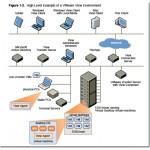
VMware View 5 Install, configure – How to do a simple lab setup
By Vladan SEGET | Last Updated: September 12, 2019

VMware View 5 architecture

VMware View Setup in my Home lab. I thought that the time is good to show some more lab setup I was playing with recently. I think that the VDI is really picking up recently. I do have some real interest from the client’s side as well so everything seems really that 2012 will be […]

| Filed Under: How To Tagged With: VMware View 5, VMware View How-to

This host currently has no management network redundancy – how to disable this message

By Vladan SEGET | Last Updated: March 29, 2015

this host currently has no management network redundancy

This host currently has no management network redundancy – how to disable this message in VMware vSphere cluster? When you enable SSH on a host you’ll get this yellow message like this “This host have no mangement network redundancy”. While configuring VMware vSphere HA cluster in your home lab, you certainly bumped in this message before. The […]

| Filed Under: How To, Server Virtualization Tagged With: This host currently has no management network redundancy

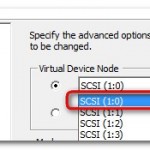
Changement from LSilogic paralel into pvscsi
By Vladan SEGET | Last Updated: February 20, 2017

How to avoid BSOD (Blue Screen of Death) when you want to change from LSI Logic parallel into PVSCSI. Before update 1 you could only use the new PVSCSI adapter for your DATA disks in your VMs. The process is kind of a workaround. Add a second hard disk to your VM with the PVSCSI adapter. […]

| Filed Under: How To, Server Virtualization Tagged With: how-to change from LSI Logic paralel into PVSCSI, LSI logic into PVSCSI, pvSCSI

How-to enable PvSCSI and when

By Vladan SEGET | Last Updated: December 17, 2020

VMware Paravirtualized SCSI (PVSCSI driver) Introduced with vSphere 4 this driver can speed up and offload CPU.  VMware Paravirtual SCSI (PVSCSI) adapter is able to achieve 12% more throughput with 18% less CPU cost compared to the LSI virtual adapter. vSphere ships with this new high-performance virtual storage adapter. Bus logic and LSI logic were […]

| Filed Under: How To, Server Virtualization Tagged With: Install PVSCSI, pvSCSI, vSphere PVSCSI setup

  • « Previous Page
  • 1
  • …
  • 25
  • 26
  • 27

Private Sponsors


Featured

  • Thinking about HCI? G2, an independent tech solutions peer review platform, has published its Winter 2023 Reports on Hyperconverged Infrastructure (HCI) Solutions.
Click to Become a Sponsor

Most Recent

  • Migration from VMware to ZSvirt Open Source – A Practical Guide for Homelabbers and Beyond
  • Windows Server 2028 is now in Public Preview – what’s coming next for the datacenter
  • StarWind V2V Converter remains one of the free tools for hypervisor migrations, especially when moving workloads to Proxmox VE or other KVM-based platforms.
  • Scality ARTESCA and Veeam: A Solid Combo for Cyber-Resilient Backups
  • Commvault Rethinks Recovery for the AI Era – Commvault SHIFT 2026
  • VMware vSphere Express for Essential Virtualization – ESXi 9 and vCenter 9 with No vSAN and DRS
  • StarWind VTL: Building a Solid, Immutable Backup Strategy in the Ransomware Era
  • Most Popular posts of 2026
  • Veeam 100 Summit Lisbon 2026 – A New Location, Same Great Energy
  • XorMon 2.4.0 released – What’s New and Why You Should Care

Veeam Vanguard x12

Get new posts by email:


Deals

Support us on Ko-Fi


Buy Me a Coffee at ko-fi.com

Friendly Websites and Blogs

  • vBlog.io
  • VMware Engineer Jobs
 

YouTube

…

Find us on Facebook

ESX Virtualization

…

Copyright © 2026 ·Dynamik-Gen · Genesis Framework · Hosted with HostColor.com