
Hey folks, Vladan here. If you’ve been following my blog for a while (yes, we’re talking back to the early ESXi days), you already know the landscape has changed a lot since Broadcom took over VMware. Licensing costs went up, features got reshuffled, and a lot of us started looking for solid open-source alternatives. Many home lab users jumped to Proxmox VE – and it’s a great platform, no question. But there’s another player that deserves serious attention: ZSvirt.
This is the second post in my series on ZSvirt as a real open-source alternative to VMware. In the first one – ZSvirt.io – Open-Source KVM Virtualization That Actually Feels Enterprise (and Deploys in Minutes) – I covered the installation, the vSphere-like UI, HA, storage, and why it feels familiar if you’re coming from ESXi/vCenter. Today we go practical: how to migrate your VMware workloads over with minimal pain.
ZSvirt is the community edition of ZStack’s production-hardened ZSphere engine, a very robust platform, released under GPL-3.0 in August 2026. No artificial limits on hosts, VMs, or features for production use. It runs on KVM, gives you a single control plane that scales to thousands of hosts, supports large VMs (up to 768 vCPUs), and comes with a proper web UI, 2,000+ REST/OpenAPI endpoints, Terraform provider, and SDKs. You can download everything from the official ZSvirt platform and check the documentation.
I like the platform because it’s lightweight, feels like a faster and more responsive vCenter and vSphere like alternative. No need to allocate 24Gb of RAM just to run your vCenter server VM. The management plane runs directly from the host (and you can deploy 2 for redundancy). If not, just deploy the compute for additional nodes.
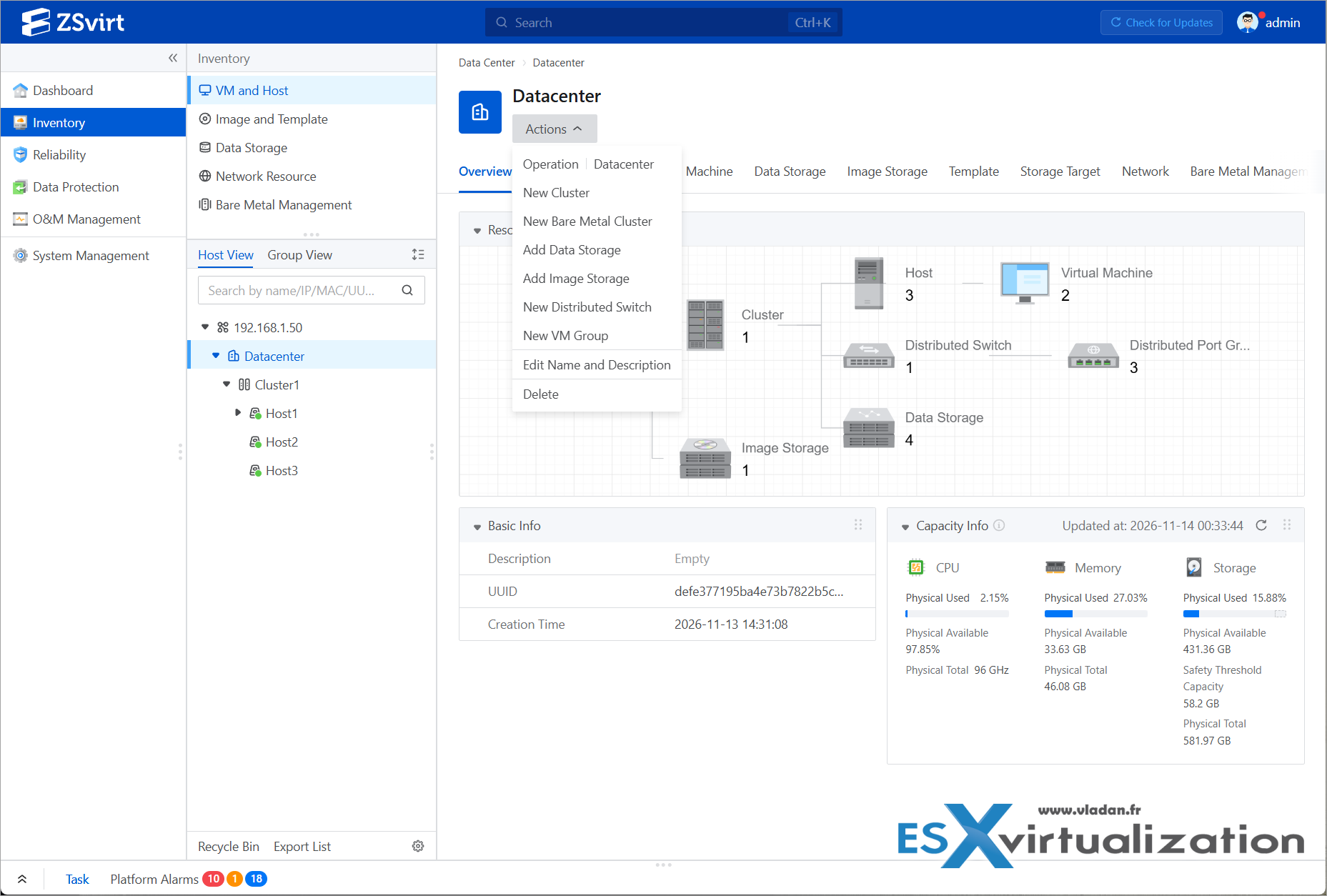
Datacenter view in ZSvirt management console – a 3-node lab cluster
One thing that stands out: the platform is already very popular across Asia. You’ll find strong adoption and community interest in Japan, South Korea, Singapore, Malaysia, China, and other countries in the region. Downloads have reached more than 100 countries, but the Asian footprint is particularly noticeable.
Why ZSvirt over Proxmox for many VMware refugees?
Proxmox is excellent – mature, flexible, great for homelabs, and it has LXC containers plus a huge community. No argument there. ZSvirt, however, takes a different route. It was born from a commercial enterprise engine (Zstack runs under the wings of Alibaba cloud) that has been running in production for years (thousands of deployments in finance, healthcare, manufacturing, etc.).
The result is a management model that feels much closer to VMware vSphere: Datacenter → Cluster → Host → VM, distributed switches, port groups, policy-based HA, and DRS-style scheduling.
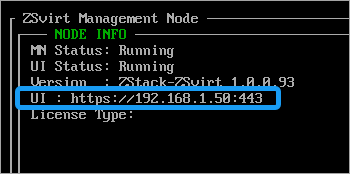 For someone used to vCenter and VMware in general, the learning curve is gentler, faster. You find stuff you already know.
The built-in migration tooling (ZMigrate) is agentless and designed for online sync + short cutover.
You also get native support for things like Secure Boot, vTPM 2.0, and a very clean API surface.
In short, if you want something that “just feels enterprise” without the license tax, ZSvirt is worth a close look. (Proxmox remains fantastic – this is simply another strong option that many VMware admins will find more familiar.)
Migration Preparation – Keep it simple
Before you start:
- Spin up a ZSvirt environment. You can use the ISO for bare metal (Note: The ZSvirt installation ISO is based on a customized Rocky Linux distribution) or the OVA/QCOW2 images for a quick nested test inside your existing VMware lab If you’re only testing it virtually. See my previous post for the step-by-step install.
- Create a Datacenter and Cluster, add at least one host, configure primary storage (local, NFS, iSCSI, or Ceph), image storage, and a distributed switch with port groups. Via the built-in assistant.
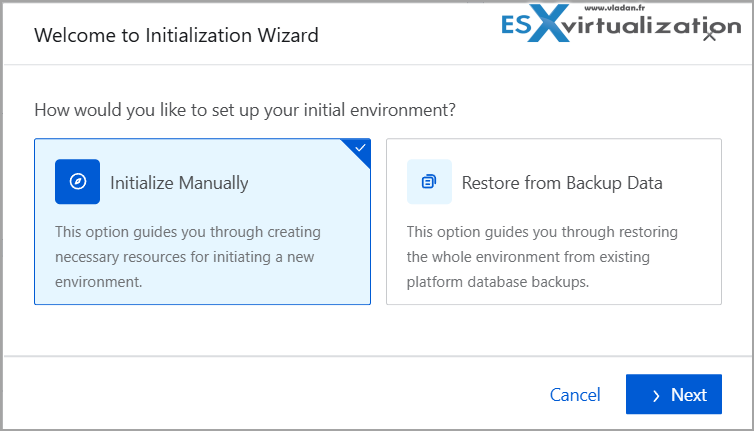
- Make sure network connectivity exists between the ZSvirt management/compute nodes and your vCenter/ESXi hosts.
- Have enough free storage on the target side.
That’s it. No need to over-complicate.
Important note about VDDK (as of late 2026)
ZSvirt’s preferred online migration tool, ZMigrate, relies on the VMware Virtual Disk Development Kit (VDDK) to read disks “agentlessly” from vSphere. In late August 2026 Broadcom removed the public download pages for VDDK (you might already heard about in the news). It is no longer freely available. (Ask me why? They probably don’t want people to leave?).
Access is now limited to selected Technology Alliance Program (TAP) partners and is officially positioned only for backup/recovery use cases. Existing local copies of VDDK continue to work, but new public downloads are gone.
Fortunately, ZSvirt still gives you clean, fully supported alternatives that do not need VDDK at all.
Recommended migration paths today:
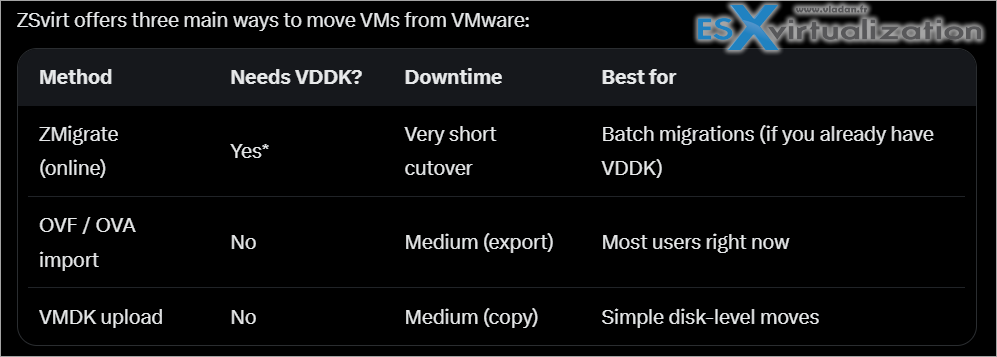
But the batch migration via ZMigrate is available only if you already have the VDDK package downloaded before the restriction. (Or you know where to get it from anyway….)
Option 1 – OVF / OVA import (currently the most practical path)
- In vSphere (or ESXi), power off the VM (or work from a clean snapshot).
- Export it as an OVF template (you will get the .ovf, .vmdk and .mf files).
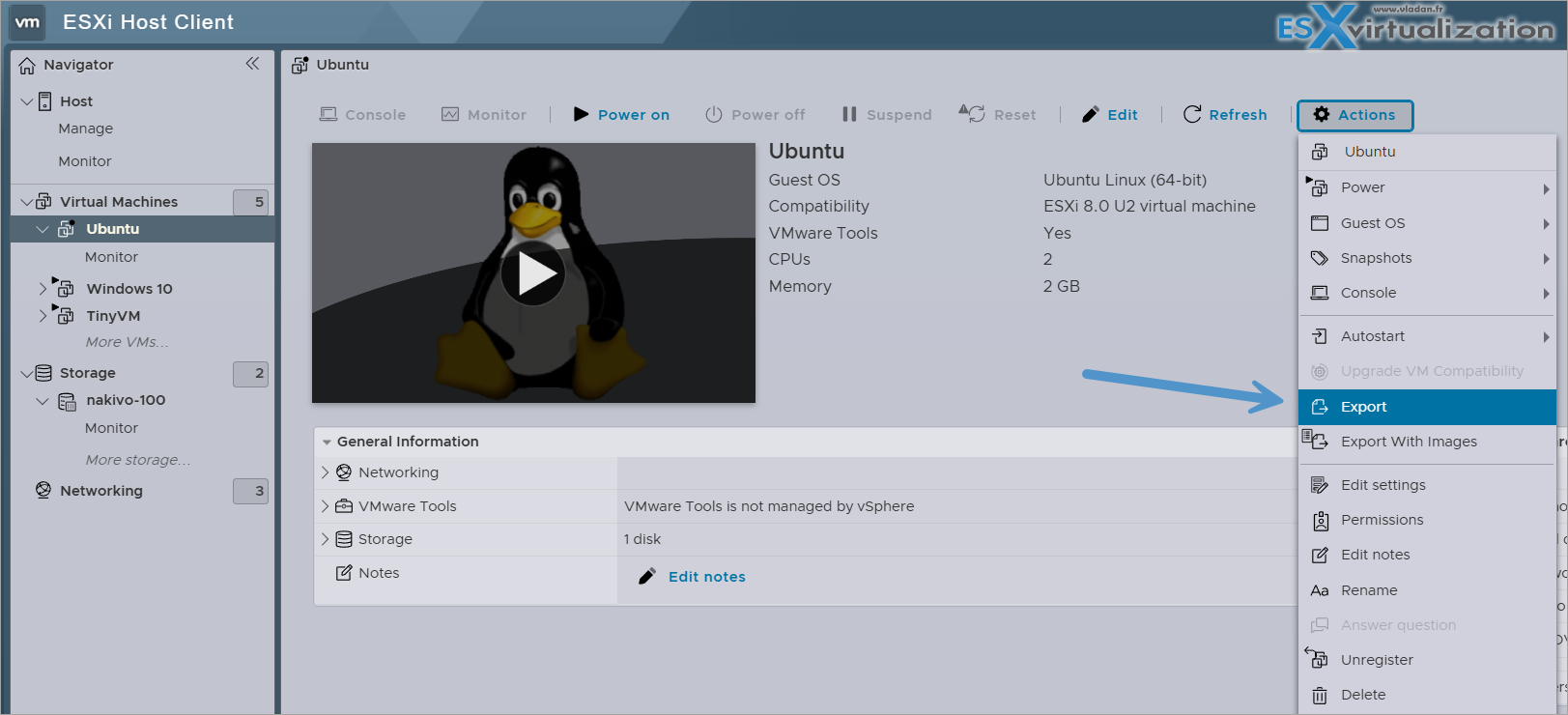
ESXi host console – Export your VM as OVF
3. In the ZSvirt UI go to the target cluster/host > New VM > Import VM.
4. Upload the OVF set, choose target storage, network port group, CPU/memory settings, and finish.
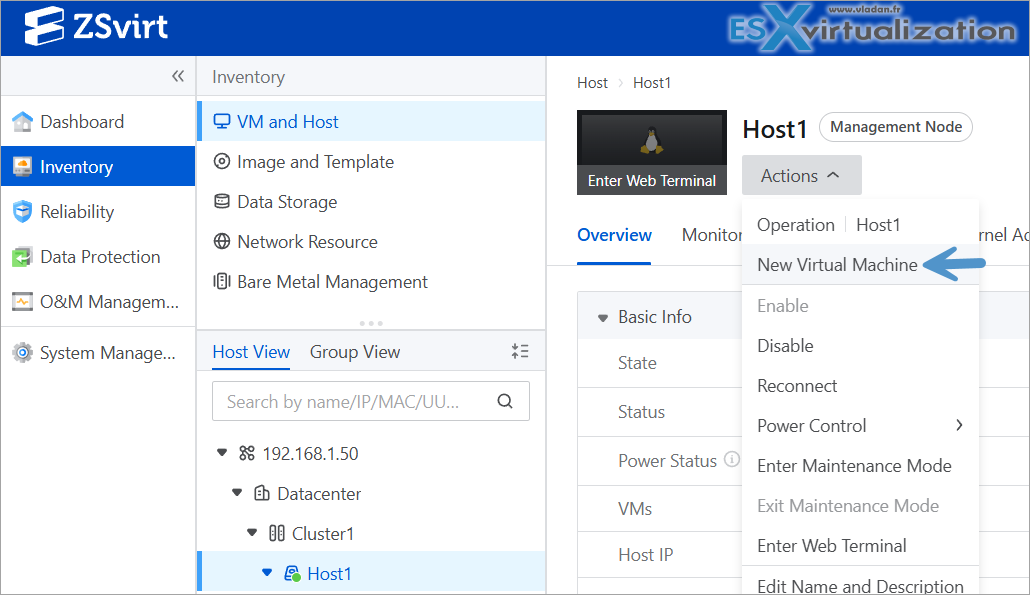
Importing new VM from OVF file
5. Power on the VM and install/verify guest tools. Done.
This method preserves most of the virtual hardware configuration and needs no VDDK. But it involves a manual work.
Option 2 – VMDK image upload (manual steps still works)
- Obtain the VMDK disk file(s) of the source VM.
- In ZSvirt go to Resource Center > Images > Add Image.
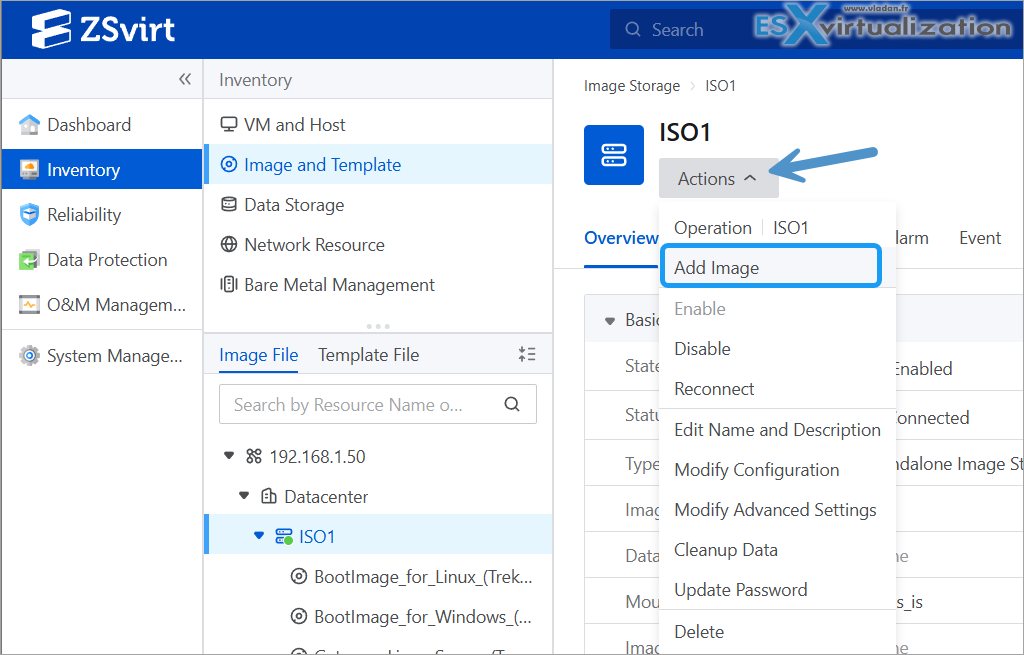
Uploading a VMDK in the lab
3. Upload the VMDK (the platform converts it automatically to qcow2 or raw depending on the image store).
4. Create a new VM from that image, assign CPU, memory, network, etc.
5. Boot and install guest tools.
Very straightforward when you only need the disk data and you create the config file within the ZSVirt UI.
Caveat: If your VMs live on VMware vSAN, this does not work and you need the VDDK or do an OVF export.
Option 3 – ZMigrate online migration (if you already have VDDK)
If you have a local VDDK package from before August 2026 (or you found it online somewhere else), the main online workflow is via the ZSVirt Migration Service:
- Download and deploy the ZMigrate package from the ZSvirt download page. Then You upload a compressed package via the UI.
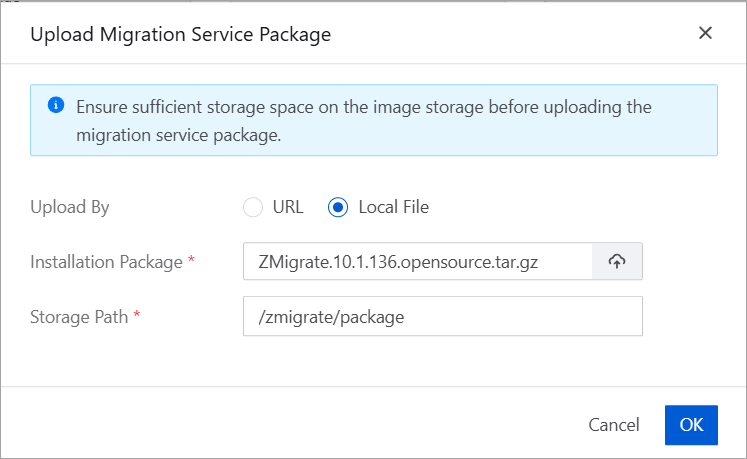
After clicking the Migration service, click Install and select the ZMigrate compressed package.
Once uploaded, click Install.
2. Upload your existing VDDK archive in the Migration Service section.
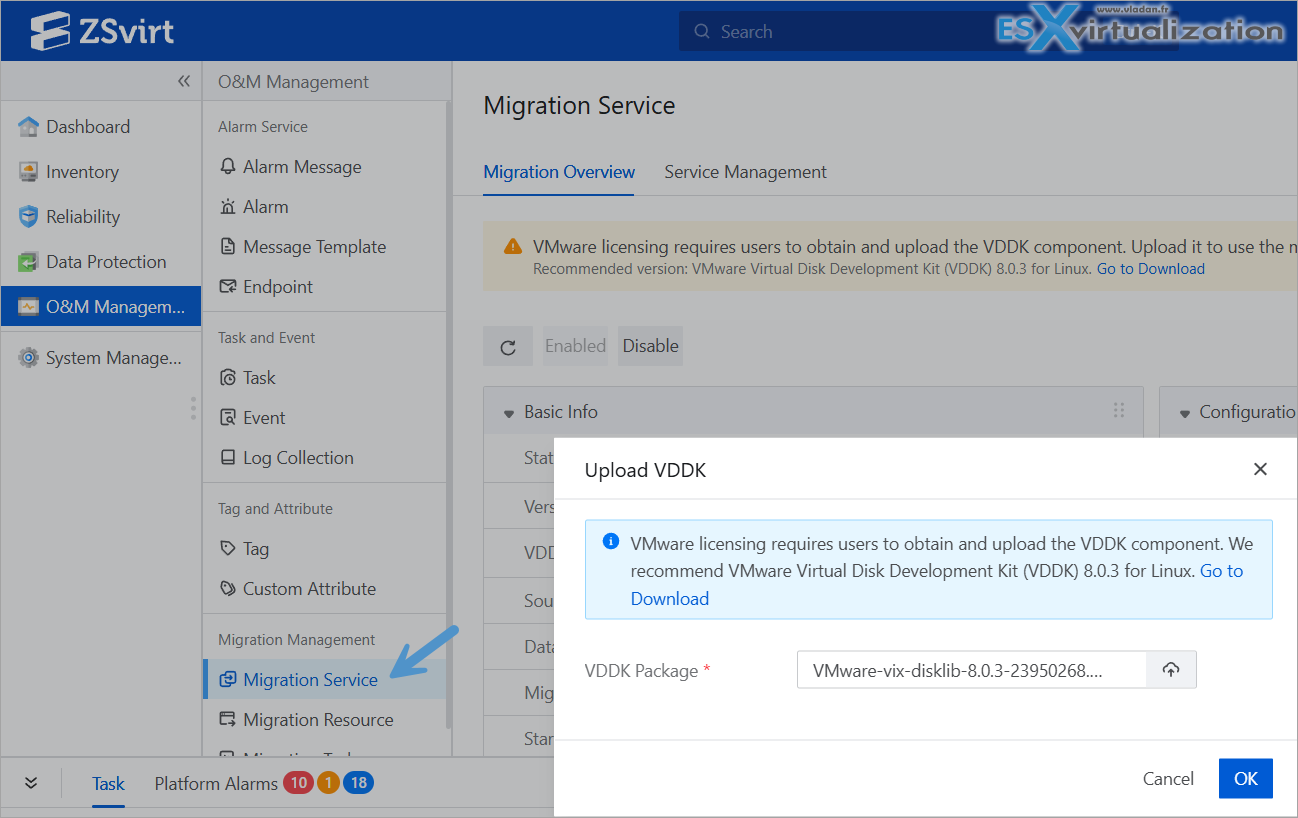
Uploading the VDDK package
3. Add a Data Gateway and register your vCenter/ESXi as the source platform.
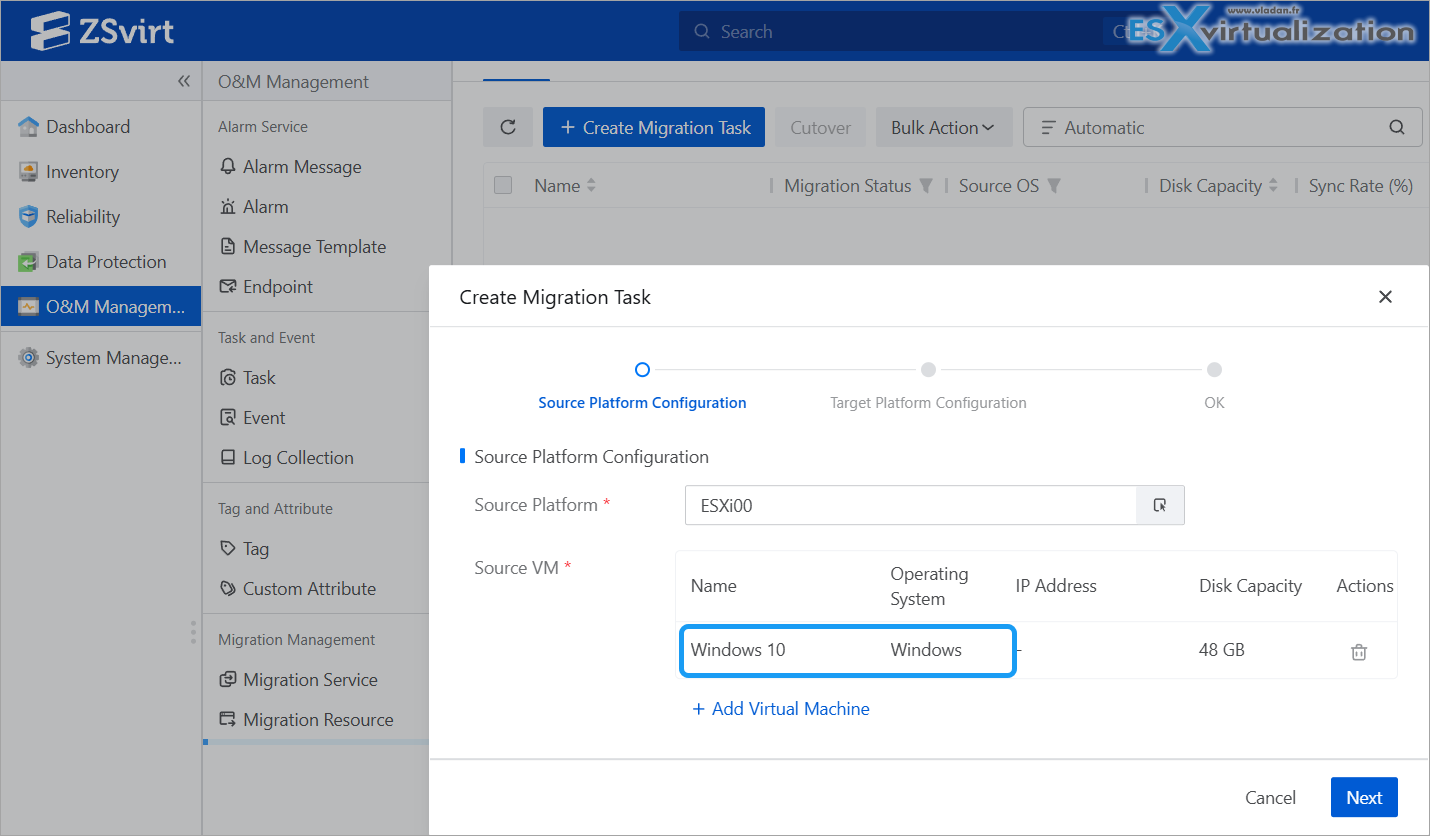
Example from the lab – picking a random VM on the ESXi
4. Create the migration task, let the full + incremental sync run while the source VM stays online, then perform the cutover.
You can get the full step-by-step details at ZSvirt.IO blog here.
Cutover downtime remains very short (often just a few minutes), because all the data has already been transferred. You only need the deltas.
Note: In case you want still the VDDK. If you grabbed VDDK 8.0.3 before August 25, 2026 Broadcom's stated position is that migration was never a licensed use case. Which means you can use it if you already have it. I think everybody is smart enough to get your copy, right? (No advice…)
Option 4 – Yes, there is always a way when you want to get out!
If you don’t have an access to VMware VDDK, there is also an independent open-source project called OpenVDDK that aims to be a drop-in replacement for the VDDK library. It might not work directly with ZSVirt as I haven’t tested it, but It plugs into tools that expect the VDDK library – virt-v2v.
Note: Once you have your ZSVirt environment installed and configured, if the missing VDDK bothers you or thinking that the ZMigrate setup is too complicated, you can always convert your VMs (do a Virtual-to-virtual) – V2V, via some other third-party conversion software.
For users seeking graphical or automated solutions, StarWind V2V Converter provides a user-friendly interface for format conversion (there are some command line switches too).
StarWind V2V Converter does not use VDDK. Based on debug logs from the StarWind forum, it connects to VMware via the vSphere Web Services API (SOAP). However, the tool does not have an option for ZSVirt as a destination directly so you must specify QCOW2 as disk format, and then import into ZSVirt.
Enterprise-scale migrations can utilize orchestration tools like vJailbreak or Apache CloudStack, which leverage virt-v2v under the hood to handle bulk migrations.
Post-migration checklist:
After migration, you need to make sure that your VM has connectivity, it is protected via high availability (HA), and backed up.
- Verify IP addresses of the VMs, DNS, and routing.
- Confirm HA policy if you need automatic restart on host failure.
- Take a native snapshot or set up a backup plan (ZSvirt has built-in snapshot and backup-storage features; for application-aware protection you can still use Veeam agents or other tools).
- Once you have all that, and you took the first backups, you can clean up the source VMs.
Final thoughts
Migrating from VMware doesn’t have to be a multi-month project full of pain. Even with the recent VDDK restriction, ZSvirt still offers clean, supported paths (especially OVF import and VMDK upload) that get the job done without depending on Broadcom downloads.
You keep a familiar operational model, solid tooling, and an open-source license that lets you run it in production without paying for the hypervisor itself.
Online DEMO
Check the online demo. As I can see, there is a new black theme in preparation for ZSvirt -😊…
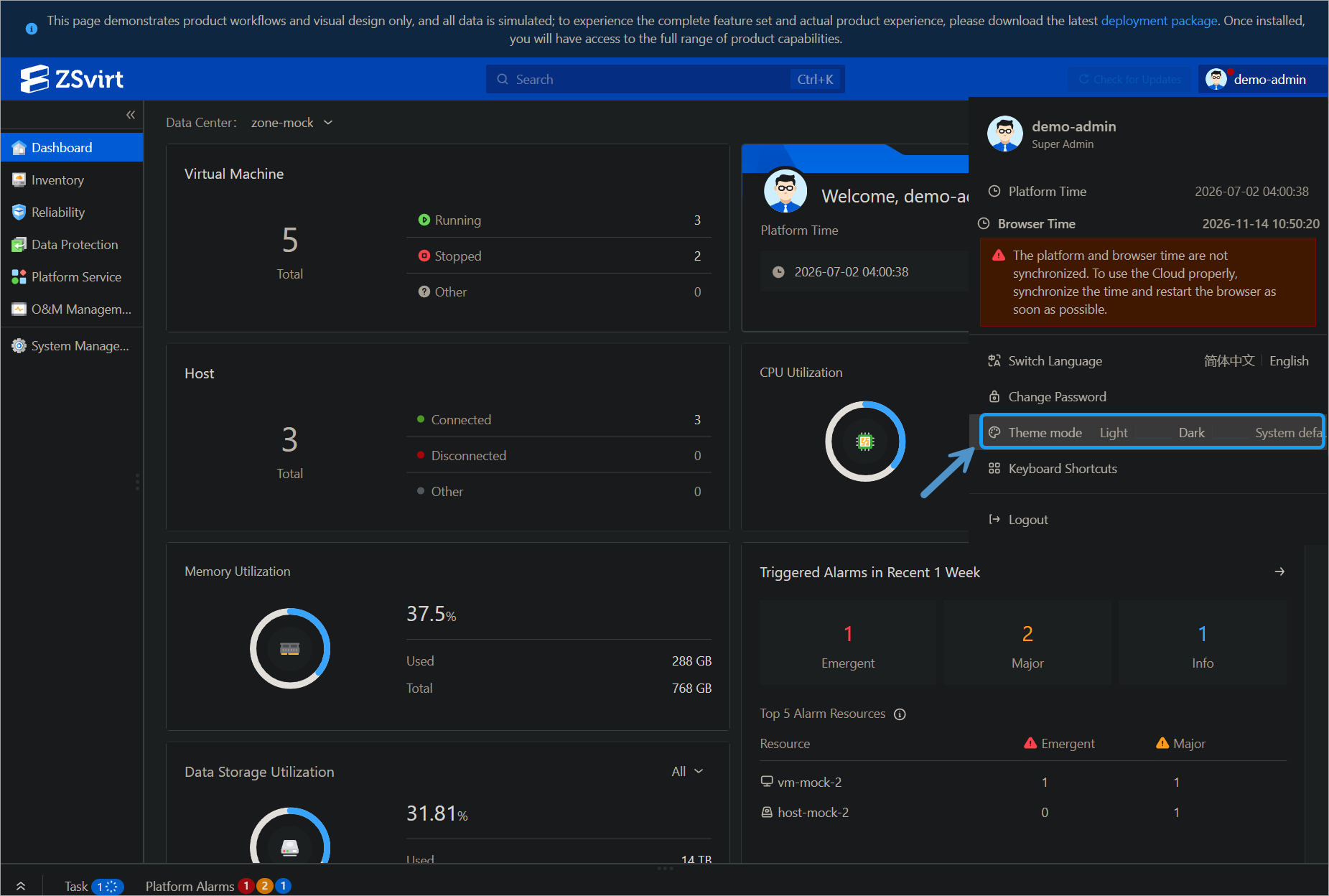
If you don’t have spare hardware to test, check the Online DEMO
This is part of an ongoing series on ZSvirt as an open-source VMware alternative. If you haven’t read the first post yet, start here: ZSvirt.io – Open-Source KVM Virtualization That Actually Feels Enterprise (and Deploys in Minutes).
Official resources:
- Platform & downloads: https://zsvirt.io/
- Documentation: https://docs.zsvirt.io/
- GitHub: https://github.com/ZSvirt/zsvirt
Have you already started testing ZSvirt, or are you still on the fence between Proxmox and something more vSphere-like? Drop a comment – I’m always curious to hear real-world experiences, especially how the VDDK situation affected your plans.
More posts from ESX Virtualization:
- How to update your ESXi 7.x or 8.x to the latest ESXi 8.0U3k via command line
- Veeam Bare Metal Recovery from Recovery partition
- Veeam Backup and Replication Upgrade on Windows – Yes we can
- Securing Your Backups On-Premises: How StarWind VTL Fits Perfectly with Veeam and the 3-2-1 Rule
- VMware Alternative – OpenNebula: Powering Edge Clouds and GPU-Based AI Workloads with Firecracker and KVM
- Another VMware Alternative Called Harvester – How does it compare to VMware?
- VMware vSphere 9 Standard and Enterprise Plus – Not Anymore?
- Vulnerability in your VMs – VMware Tools Update
- VMware ESXi FREE is FREE again!
- No more FREE licenses of VMware vSphere for vExperts – What’s your options?
- VMware Workstation 17.6.2 Pro does not require any license anymore (FREE)
- Two New VMware Certified Professional Certifications for VMware administrators: VCP-VVF and VCP-VCF
- Patching ESXi Without Reboot – ESXi Live Patch – Yes, since ESXi 8.0 U3
- Update ESXi Host to the latest ESXi 8.0U3b without vCenter
- Upgrade your VMware VCSA to the latest VCSA 8 U3b – latest security patches and bug fixes
- VMware vSphere 8.0 U2 Released – ESXi 8.0 U2 and VCSA 8.0 U2 How to update
- What’s the purpose of those 17 virtual hard disks within VMware vCenter Server Appliance (VCSA) 8.0?
- VMware vSphere 8 Update 2 New Upgrade Process for vCenter Server details
- What’s New in VMware Virtual Hardware v21 and vSphere 8 Update 2?
- vSphere 8.0 Page
- ESXi 7.x to 8.x upgrade scenarios
- VMware vCenter Server 7.03 U3g – Download and patch
- Upgrade VMware ESXi to 7.0 U3 via command line
- VMware vCenter Server 7.0 U3e released – another maintenance release fixing vSphere with Tanzu
- What is The Difference between VMware vSphere, ESXi and vCenter
- How to Configure VMware High Availability (HA) Cluster
Stay tuned through RSS, and social media channels (Twitter, FB, YouTube)





Leave a Reply