
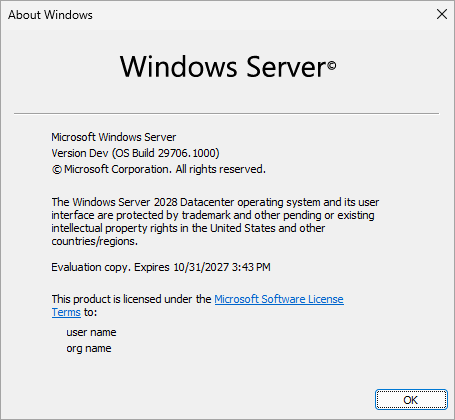
Microsoft just dropped the big news at Ignite 2026: Windows Server 2028 is officially in public preview. The branding has been updated on the Insider builds (currently build 29706), and the LTSC vNext is now clearly labeled Windows Server 2028.
You can grab the ISOs (Desktop Experience and Server Core for Standard/Datacenter, plus Azure Edition for VM eval) through the Windows Server Insider Program.
If you’ve been following Windows Server 2025 articles on my blog (native NVMe, GPU partitioning, SMB over QUIC, new AD functional levels, etc.), this next major release continues the modernization path while adding a stronger security posture, faster storage defaults, and simplified management.
Quote from Microsoft:
Today, we’re introducing Windows Server 2028, in public preview now. This major release raises the security and access bar, accelerates enterprise infrastructure, and simplifies management at scale.
Hardened by default – security takes the front seat
One of the most critical changes for admins is that Windows Server 2028 ships with a hardened Server Core configuration by default, plus a new security baseline. Hundreds of settings are enabled from first boot instead of relying on you to apply custom scripts or CIS/DISA baselines after the fact.
Expect things like:
- Preference for Kerberos over NTLM, LSASS protection, stronger password/lockout policies
- SMB signing and encryption enforced, firewall on in all profiles, legacy name resolution and unauthenticated RPC disabled
- Tighter TLS, paging file encryption, expanded auditing/PowerShell logging
- Early post-quantum cryptography investments (hybrid ML-KEM key exchange appearing in the stack) and automatic certificate management
Microsoft is still iterating — more NTLM blocking, hardware-backed protections, and print/RPC hardening are planned. The practical side effect? Some older scripts, tools, or legacy workflows may break until you selectively relax policies via OSConfig or GPO. Test thoroughly in the lab.
On the virtualization side, Trusted Launch for Hyper-V Generation 2 VMs is moving forward (Secure Boot + vTPM + boot integrity attestation, with cluster-aware vTPM state). Confidential VM support is also starting its journey on supported hardware. This continues the security focus we already saw evolving in Windows Server 2025.
Storage gets faster out of the box
Remember when native NVMe support arrived in Windows Server 2025 via cumulative update and was still opt-in (registry key or GPO)? In Windows Server 2028 it is enabled by default. No more translating NVMe commands through the old SCSI path. You get the multi-queue, lower-CPU, higher-IOPS path right away on modern PCIe Gen4/Gen5 drives that use the in-box StorNVMe.sys driver.
Additional storage improvements:
- NVMe over TCP and RDMA (NVMe-oF) transports
- Ability to boot from ReFS
These should help SQL, Hyper-V, file servers, and analytics workloads breathe better on current hardware. If you already tested native NVMe on 2025, the 2028 defaults simply remove the extra enablement step.
Management at scale
Microsoft is pushing harder on treating servers more like the rest of the Windows fleet:
- Intune management for Windows Servers is now in preview (Entra-joined or hybrid-joined persistent servers). Configuration, compliance, apps, and updates in the same console many of you already use for endpoints.
- Windows Admin Center Virtualization Mode (WAC vMode) reached general availability. Useful when you need deeper visibility into individual hosts and the VM fabric.
- Azure Arc continues for cloud-connected / hybrid management of production servers.
This is a logical next step after the Azure Arc taskbar icon and hybrid features we saw in earlier Windows Server 2025 previews.
Enterprise hybrid intelligence / local AI inference
The longer-term bet is running AI inference closer to the data and applications on the same trusted Windows Server platform (“local token factories”). Microsoft is investing across the stack:
- Hardware: AMD Instinct MI350P accelerator enters preview in H1 2027 for supported Windows Server hardware (including 2028).
- Platform: tools to deploy/configure inference environments and manage accelerated hardware.
- Runtimes: support for open-weight and custom models via Foundry Local, Windows ML, vLLM, Llama.cpp, etc.
- Security/governance: isolation via Microsoft eXecution Containers, Foundry model catalogs, Agent 365.
Right now the hybrid AI capabilities are limited to an early-access program with hardware requirements. Most of us will start by testing the security, storage, and management pieces while the silicon and runtimes mature.
How to get started
Join the Windows Server Insider Program, download the latest LTSC preview media, and do clean installs of build 29706 (or later). Microsoft recommends the Technology Adoption Program (TAP) if you want closer engagement with the engineering team.
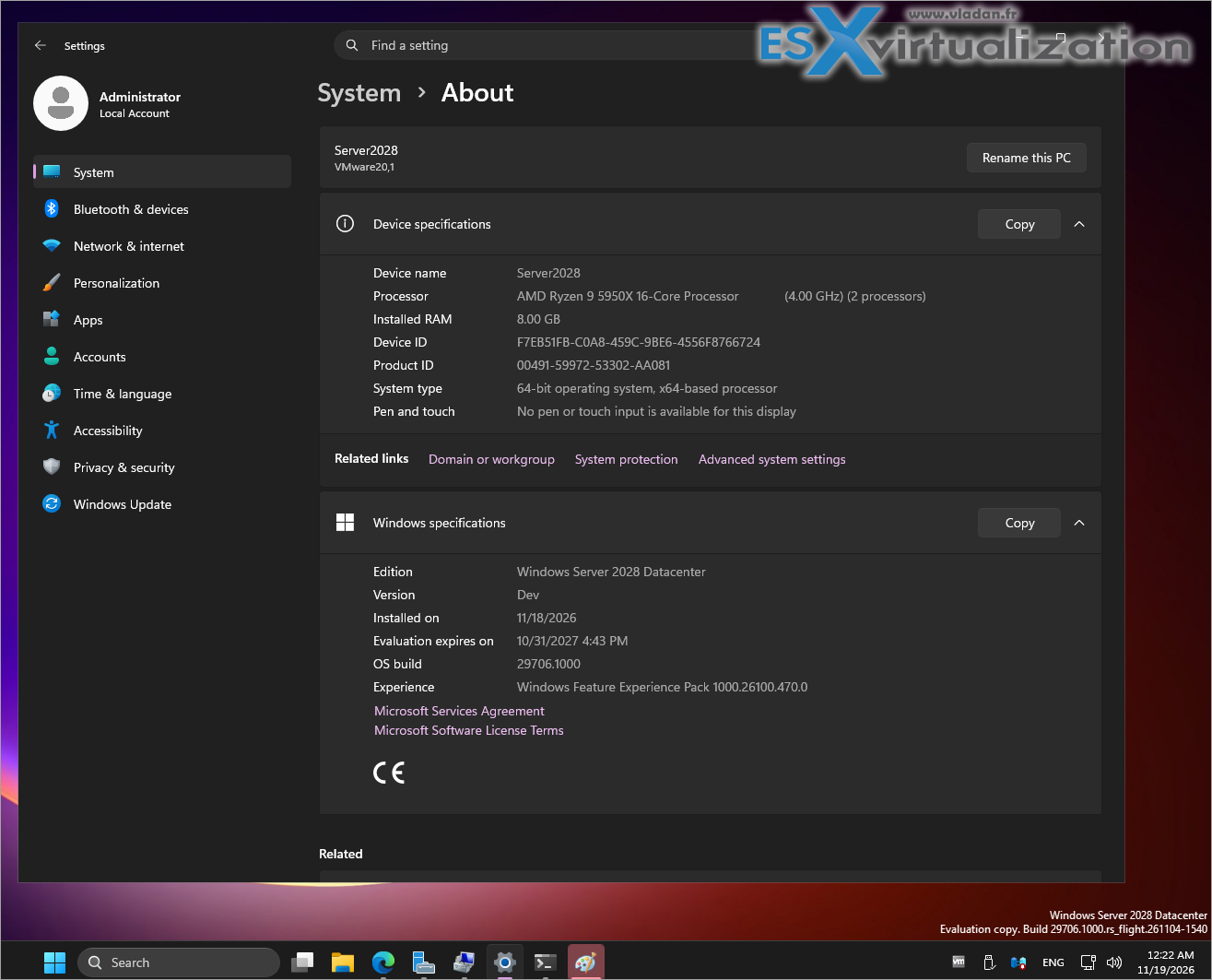
As always, treat this as lab material only — no production yet. The security defaults in particular will need compatibility testing with your existing tools and scripts.Final wordsWindows Server 2028 looks like a solid evolutionary step: security hardened by default, modern storage paths enabled out of the box, better management story with Intune + WAC, and the first real foundation for running inference workloads on the servers you already own and control.
It builds directly on the improvements we tracked in Windows Server 2025 best new additions and features (native NVMe, GPU-P, SMB over QUIC, AD database changes, hotpatching via Arc, etc.).I’ll be installing the preview in the lab and will share more hands-on details, screenshots, and any gotchas as I dig deeper.
Stay tuned.
Source: Microsoft Tech Community – Windows Server 2028: A trusted foundation for an evolving enterprise
More related posts on ESX Virtualization
- Windows Server 2025 latest updates and Native NVMe Support
- Windows Server 2025 best new additions and features
- GPU Partitioning in Windows Server 2025
- SMB over QUIC in Windows Server 2025 – What’s this?
- Windows Server 2025 – Building my new Domain Controller
More posts from ESX Virtualization:
- How to update your ESXi 7.x or 8.x to the latest ESXi 8.0U3k via command line
- Veeam Bare Metal Recovery from Recovery partition
- Veeam Backup and Replication Upgrade on Windows – Yes we can
- Securing Your Backups On-Premises: How StarWind VTL Fits Perfectly with Veeam and the 3-2-1 Rule
- VMware Alternative – OpenNebula: Powering Edge Clouds and GPU-Based AI Workloads with Firecracker and KVM
- Another VMware Alternative Called Harvester – How does it compare to VMware?
- VMware vSphere 9 Standard and Enterprise Plus – Not Anymore?
- Vulnerability in your VMs – VMware Tools Update
- VMware ESXi FREE is FREE again!
- No more FREE licenses of VMware vSphere for vExperts – What’s your options?
- VMware Workstation 17.6.2 Pro does not require any license anymore (FREE)
- Two New VMware Certified Professional Certifications for VMware administrators: VCP-VVF and VCP-VCF
- Patching ESXi Without Reboot – ESXi Live Patch – Yes, since ESXi 8.0 U3
- Update ESXi Host to the latest ESXi 8.0U3b without vCenter
- Upgrade your VMware VCSA to the latest VCSA 8 U3b – latest security patches and bug fixes
- VMware vSphere 8.0 U2 Released – ESXi 8.0 U2 and VCSA 8.0 U2 How to update
- What’s the purpose of those 17 virtual hard disks within VMware vCenter Server Appliance (VCSA) 8.0?
- VMware vSphere 8 Update 2 New Upgrade Process for vCenter Server details
- What’s New in VMware Virtual Hardware v21 and vSphere 8 Update 2?
- vSphere 8.0 Page
- ESXi 7.x to 8.x upgrade scenarios
- VMware vCenter Server 7.03 U3g – Download and patch
- Upgrade VMware ESXi to 7.0 U3 via command line
- VMware vCenter Server 7.0 U3e released – another maintenance release fixing vSphere with Tanzu
- What is The Difference between VMware vSphere, ESXi and vCenter
- How to Configure VMware High Availability (HA) Cluster
Stay tuned through RSS, and social media channels (Twitter, FB, YouTube)





Leave a Reply