
For those enthousiasts which are still running ESXi in their labs, or for SMBs which needs to upgrade their VMware vSphere Infrastructure, this is this quick guide which allows you to upgrade couple of ESXi hosts easily enough via a “depot.zip” file. The VMware-ESXi-8.0U3k-25595708-depot.zip is the latest file which has all cumulative patches inside, is required.
While couple of years back, the patch and upgrade process was I'd say less critical, with the rising of ransomware threads, this has become more and more urgent to patch your infrastructure quite fast in order to mittigate security risk concerning the zero day vulnerabilities and other threats.
Step-by-Step Upgrade Process
- Download the Patch: Log in to the Broadcom Support Portal, navigate to VMware vSphere > ESXi, and download the Offline Bundle (a .zip depot file) for your target ESXi 8.x build.
- Upload to Datastore: Transfer the .zip file to an accessible datastore on the ESXi host via SCP or the vSphere Client.
- Enable SSH on the hosts.
- Enter Maintenance Mode: Shut down all VMs on the host and enable maintenance mode via SSH:
vim-cmd /hostsvc/maintenance_mode_enter
- Execute the Update: Use the following command, replacing the path and profile name with your specific files:
esxcli software profile update -p <Profile-Name> -d /vmfs/volumes/<Datastore-Name>/<Patch-File>.zip

-
- To find the profile name, run:
esxcli software sources profile list -d /vmfs/volumes/<Datastore-Name>/<Patch-File>.zip
-
- If you encounter a hardware compatibility error, add –no-hardware-warning.
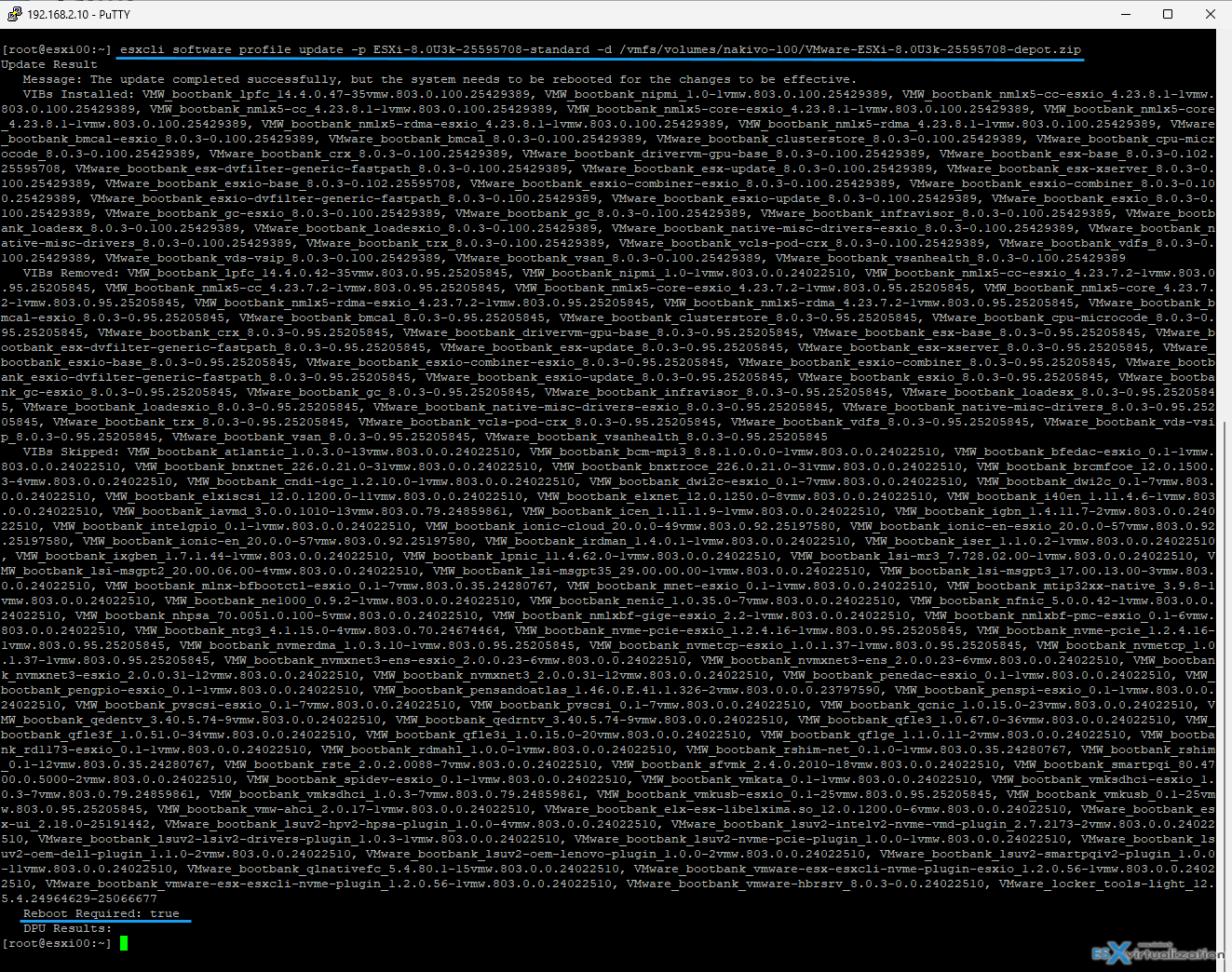
- Reboot: Restart the host to apply the changes:
reboot
- Exit Maintenance Mode: Once the host is back online, disable maintenance mode and restart your VMs.
Alternative way – via ISO
If CLI access is difficult, you can mount the ESXi Installer ISO via remote management (iLO/DRAC) or a virtual CD-ROM. Boot from the ISO, select the existing installation, and choose Upgrade (not Install) to preserve data.
Using vCenter?
IF you have vCenter, you know the update process for vCSA appliance, right?
Attach the latest VMware-vCenter-Server-Appliance-8.0.3.01000-25600417-patch-FP.iso to your VCSA VM and connect via the VAMI user interface https://IP_vcsa:5480
Check available updates.
Check if you have recent file level backup of your VCSA.
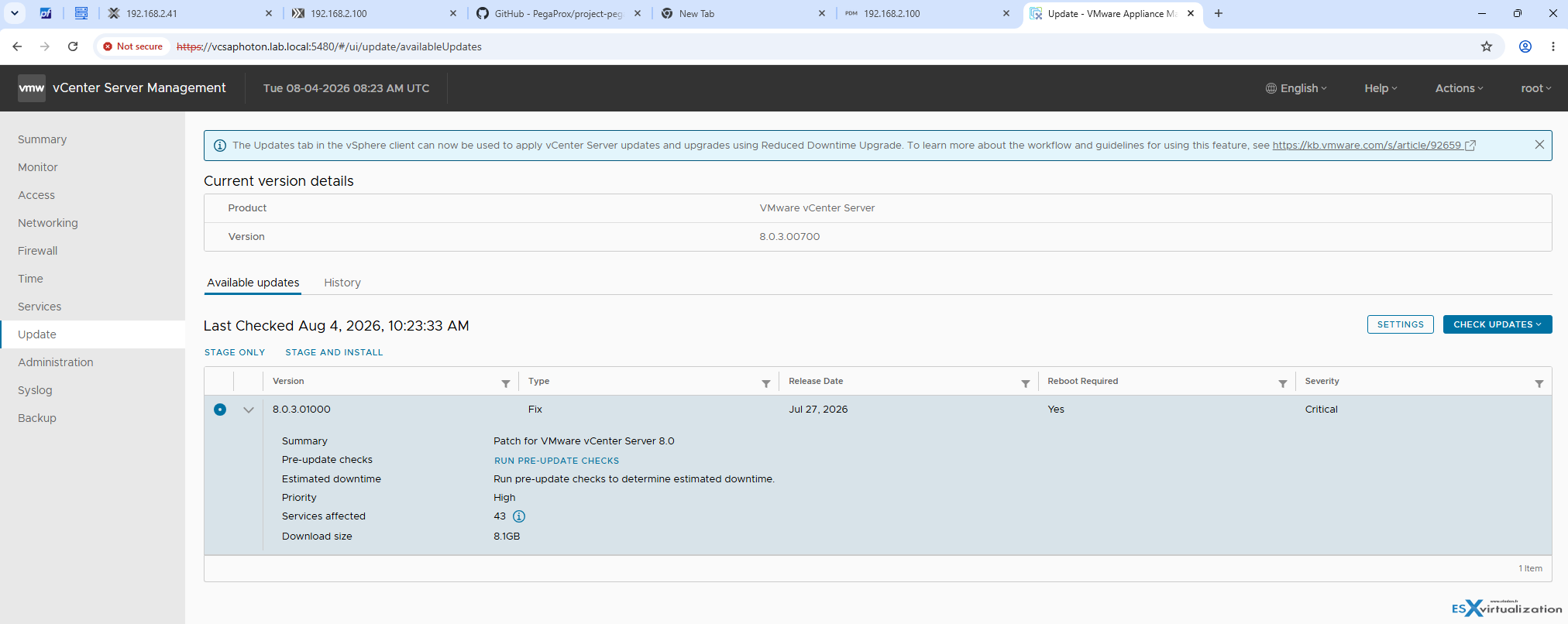
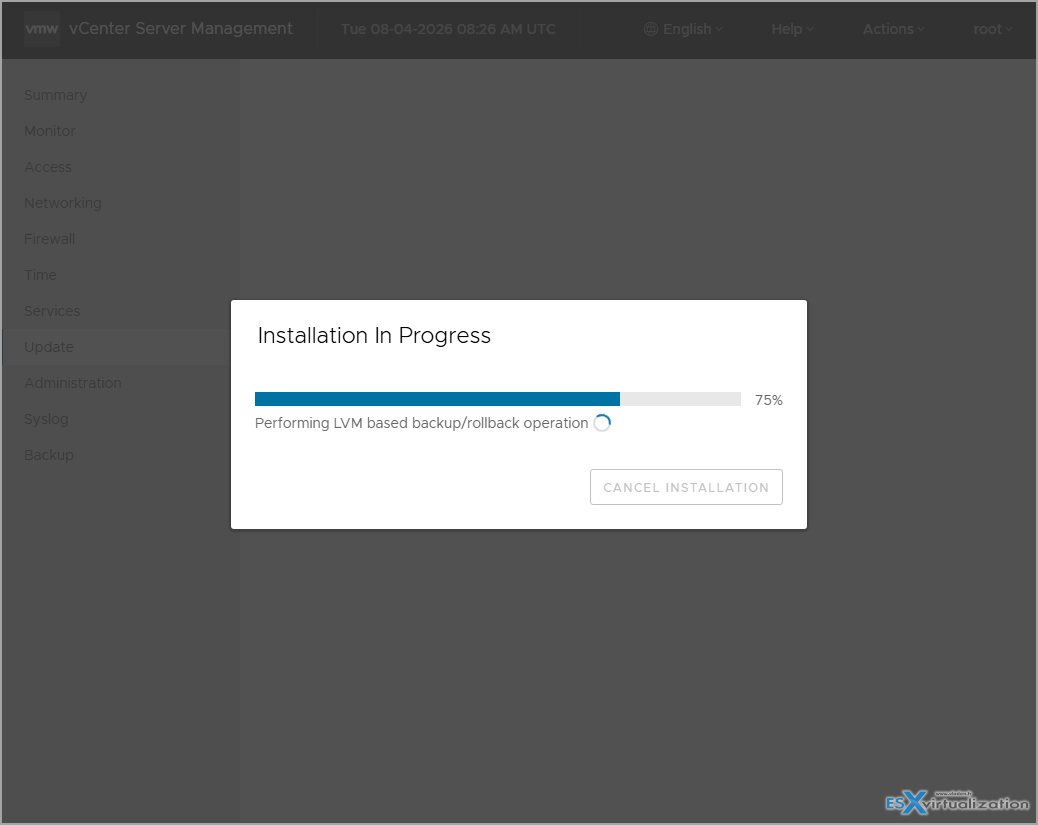
Then
If you do not patch VMware ESXi 8.x, you expose your infrastructure to critical security risks, operational instability, and compliance failures. As of August 2026, unpatched ESXi 8.x hosts are vulnerable to actively exploited zero-day vulnerabilities.
Critical Security Risks
The most severe consequence is exposure to remote code execution (RCE) and VM escape attacks.
- Active Exploitation: Vulnerabilities such as CVE-2025-22224 (CVSS 9.3) and CVE-2026-47876 have been observed being exploited in the wild. These flaws allow attackers with local access to a virtual machine to break out of the guest OS and execute arbitrary code on the underlying ESXi host.
- Total Compromise: Exploiting these vulnerabilities can lead to a complete takeover of the hypervisor, allowing attackers to access, modify, or delete all virtual machines on the host.
- No Workarounds: For many of these critical flaws, Broadcom has stated there are no workarounds; applying the patch is the only mitigation.
Operational and Stability Issues
Beyond security, running outdated builds introduces significant operational hazards:
- vSAN Data Integrity: Specific unpatched versions contain bugs that can cause vSphere vMotion failures or data corruption when changing storage policies (e.g., RAID-1 to RAID-5) in vSAN clusters.
- System Crashes: Unpatched hosts are susceptible to Purple Screen of Death (PSOD) events caused by known bugs in PCIe handling and network drivers, leading to unexpected downtime.
- Feature Incompatibility: Older builds may fail to communicate correctly with newer vCenter Server versions or lack support for modern hardware drivers.
Support and Compliance Consequences
- End of Support: While ESXi 8.0 General Support extends until October 2027, this applies only to the latest update releases. Running significantly outdated builds may void your ability to receive technical assistance from Broadcom.
- Regulatory Violations: Failing to patch known critical vulnerabilities (especially those listed on CISA's Known Exploited Vulnerabilities catalog) often violates industry compliance standards (e.g., PCI-DSS, HIPAA, SOC2), potentially resulting in fines or failed audits.
More posts from ESX Virtualization:
- Veeam Bare Metal Recovery from Recovery partition
- Veeam Backup and Replication Upgrade on Windows – Yes we can
- Securing Your Backups On-Premises: How StarWind VTL Fits Perfectly with Veeam and the 3-2-1 Rule
- VMware Alternative – OpenNebula: Powering Edge Clouds and GPU-Based AI Workloads with Firecracker and KVM
- Another VMware Alternative Called Harvester – How does it compare to VMware?
- VMware vSphere 9 Standard and Enterprise Plus – Not Anymore?
- VMware vSphere Foundation (VVF 9) and VMware Cloud Foundation (VCF 9) Has been Released
- Vulnerability in your VMs – VMware Tools Update
- VMware ESXi FREE is FREE again!
- No more FREE licenses of VMware vSphere for vExperts – What’s your options?
- VMware Workstation 17.6.2 Pro does not require any license anymore (FREE)
- Two New VMware Certified Professional Certifications for VMware administrators: VCP-VVF and VCP-VCF
- Patching ESXi Without Reboot – ESXi Live Patch – Yes, since ESXi 8.0 U3
- Update ESXi Host to the latest ESXi 8.0U3b without vCenter
- Upgrade your VMware VCSA to the latest VCSA 8 U3b – latest security patches and bug fixes
- VMware vSphere 8.0 U2 Released – ESXi 8.0 U2 and VCSA 8.0 U2 How to update
- What’s the purpose of those 17 virtual hard disks within VMware vCenter Server Appliance (VCSA) 8.0?
- VMware vSphere 8 Update 2 New Upgrade Process for vCenter Server details
- What’s New in VMware Virtual Hardware v21 and vSphere 8 Update 2?
- vSphere 8.0 Page
- ESXi 7.x to 8.x upgrade scenarios
- VMware vCenter Server 7.03 U3g – Download and patch
- Upgrade VMware ESXi to 7.0 U3 via command line
- VMware vCenter Server 7.0 U3e released – another maintenance release fixing vSphere with Tanzu
- What is The Difference between VMware vSphere, ESXi and vCenter
- How to Configure VMware High Availability (HA) Cluster
Stay tuned through RSS, and social media channels (Twitter, FB, YouTube)





Good article.. but.. I have a question.. when I login to the support page.. and try to download the zip file… the download link doesn’t show to me.. like I can’t download it. Do you know how to fix it?
Check your support contract, or ask VMware. If you have an active support, you should be able to download the file.
Nice artlcle, but why maintenane mode and shutdown all VM’S
Because single host. No cluster. If cluster, then yes, migration VMs on another host > maintenance mode > patch.