
If you're an IT admin dealing with the constant threat of ransomware, you know how crucial it is to have a solid backup strategy that goes beyond the basics. Today, I want to dive into StarWind Virtual Tape Library (VTL), a solution that's all about making your backups immutable and ransomware-proof while keeping everything under your control in your own datacenter. I've been covering virtualization and backup tools for years, and StarWind VTL stands out for its technical prowess in this area. Let's get into the details.
What Makes StarWind VTL a Technical Powerhouse?
StarWind VTL emulates a physical tape library using software, but it leverages modern storage like high-capacity spinning disks, flash, and optional cloud integration. This means you can integrate it seamlessly into your existing tape-centric backup infrastructure without ripping everything out. The key here is its on-premises deployment: you install it right in your datacenter on your hardware, giving you full control over your data's localization. No mandatory cloud dependency—your data stays where you want it, under your management.
From a technical standpoint, VTL acts as a storage gateway that writes backups to virtual tape images. These can be stored locally on direct-attached storage (DAS) or tiered to cloud providers like AWS S3, Azure, or Wasabi for added layers. But the beauty is in the localization: with the full version, you can configure custom retention policies, replication, and tiering to keep critical backups on-site for lightning-fast recovery. This avoids the downtime of downloading from the cloud during a crisis.
Immutability and Ransomware Protection: The Core Strengths
Ransomware loves targeting backups—it's their way to ensure you pay up. StarWind VTL counters this with Write-Once-Read-Many (WORM) storage, making your backups immutable by design. Once data is written to a virtual tape, it can't be modified or deleted, even if malware infiltrates your network. This immutability layer is baked in, leaving ransomware with zero chances to tamper.
Add to that air-gapping: VTL creates isolated recovery points by replicating data to offsite storage (cloud or another on-prem site). But unlike pure cloud solutions, you maintain control in your datacenter.
For example:
- Local Caching and Tiering: Store recent backups on fast on-prem flash for quick access, then tier older ones to immutable cloud archives.
- Ransomware-Proof Design: Virtual tapes are inherently secure, and with proactive monitoring in the paid version, you get alerts on suspicious activity.
- 3-2-1 Rule Compliance: Easily achieve multiple copies (local disk, virtual tape, cloud) without losing oversight.
In my experience reviewing similar tools, this combo of immutability and on-prem control makes VTL a game-changer for environments like VMware or Hyper-V setups, where data sovereignty is non-negotiable.
Why On-Premises Control Matters More Than Ever
Let's talk about data localization. With regulations like GDPR or just plain business needs, you don't want your backups floating in someone else's cloud without full visibility. StarWind VTL lets you deploy on your servers, using your storage—spinning disks for capacity, flash for speed. You control the encryption, access, and policies. No vendor lock-in; it's your datacenter, your rules.
The paid versions even offer a pre-built VTL Appliance with enterprise hardware, a web UI for management, and AI-powered telemetry for “call home” monitoring. This means proactive issue prevention, so you're not reacting to failures—you're ahead of them. For tech-savvy admins, this level of control translates to faster restores and lower RTO/RPO in ransomware scenarios.
Trial vs. Free Version: What's the Difference?
StarWind offers a Free version for those starting out or with smaller needs, and a 30-day Trial for the full experience. Here's a quick technical comparison to help you decide:
Free Version:
- Perpetual License: No time limit, great for testing or light production.
- Limitations: Cache restricted to 4 virtual tapes; no local storage support (must offload to cloud); configuration via PowerShell scripts only (GUI is monitoring-mode only).
- Ransomware Protection: Basic immutability via cloud offload, but no custom tiering or on-prem retention for quick recovery—data must be downloaded from cloud for restores.
- Support: Community-based only, no professional help.
- Best For: Small-scale setups or PoCs where flexibility isn't critical.
Note: Your license to the software is perpetual and NOT time-bombed. Production use IS permitted. However, there are certain restrictions in functionality (GUI) and support, including the initial deployment and evaluation period. That’s why if you plan to use VTL in the commercial environment, it’s strongly recommended to apply for the trial version. In other words: Do NOT use the free version as a trial! They are different!
Trial Version (Leads to Paid):
- Full Features for 30 Days: Unlimited virtual tapes, local storage, custom retention/replication/tiering profiles, and web UI for full configuration.
- Immutability and Protection: Advanced WORM, air-gapping with on-prem options, proactive monitoring.
- On-Premises Focus: Complete control over data in your datacenter, with optional cloud for hybrids.
- Support: During trial, access to standard support; paid editions offer Premium or ProActive plans.
- Best For: Enterprises needing scalability and deep customization.
The Free version gives you a taste of VTL's core (essential ransomware protection), but the Trial unlocks the full potential for serious immutability in your datacenter. If you're evaluating, start with the Trial—don't use Free as a substitute, as they're tuned differently.
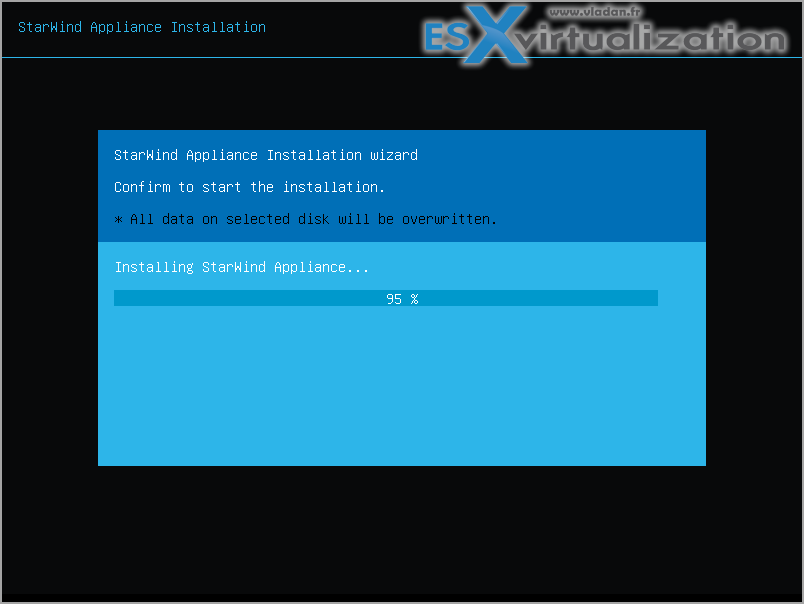
StarWind VTL can be deployed as a Windows application or as a bare-metal Linux ISO image. The ISO image can also be installed in a VM on top of supported hypervisors.
Example of the deployment in the lab shows a personalized StarWind installer (bare metal).
Then continue via web browser.
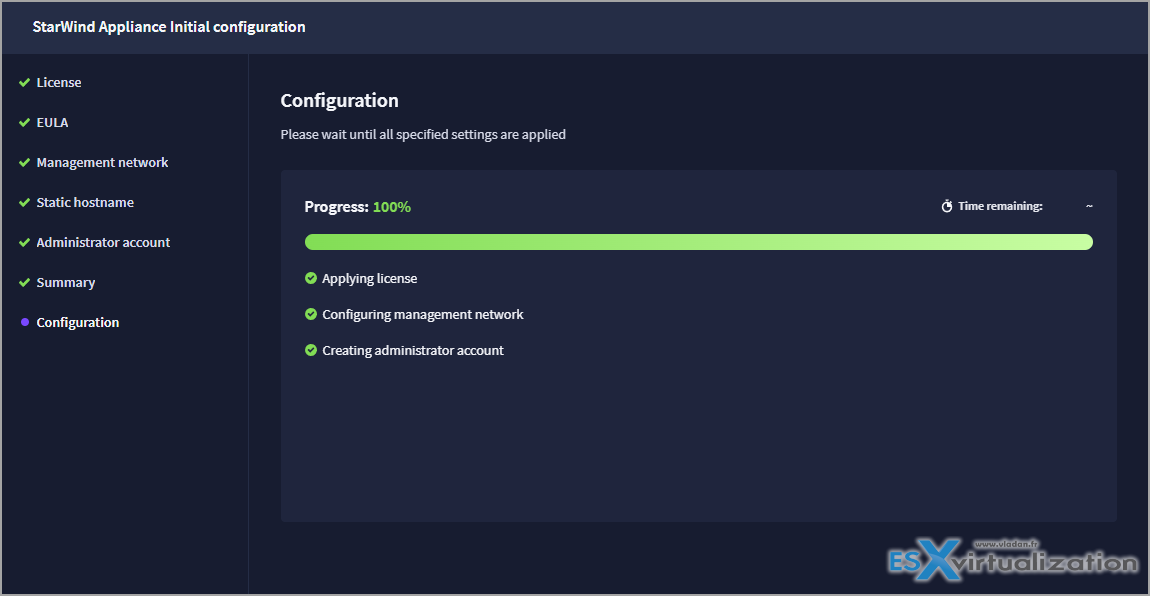
You can follow the full deployment guide (including adding StarWind VTL to your Veeam Backup) from StarWind website here.
Link: StarWind VTL
Final Words
StarWind VTL isn't just another backup tool; it's a technical safeguard that emphasizes immutability, ransomware resilience, and on-premises control to keep your data truly yours. In a world where attacks are evolving, having this in your arsenal can mean the difference between quick recovery and costly downtime.
If you've tried StarWind VTL or have questions on integrating it with VMware/ESXi, drop a comment below. I'd love to hear your take!
For more on backups and virtualization, check out my other posts like Veeam VBR 13 and Scality Artesca Integration: A Game-Changer for Cyber-Resilient Backups or Why Immutable Storage is Key in 2026.
More posts from ESX Virtualization:
- Veeam Backup and Replication Upgrade on Windows – Yes we can
- Securing Your Backups On-Premises: How StarWind VTL Fits Perfectly with Veeam and the 3-2-1 Rule
- Winux OS – Why I like it?
- VMware Alternative – OpenNebula: Powering Edge Clouds and GPU-Based AI Workloads with Firecracker and KVM
- Proxmox 9 (BETA 1) is out – What’s new?
- Another VMware Alternative Called Harvester – How does it compare to VMware?
- VMware vSphere 9 Standard and Enterprise Plus – Not Anymore?
- VMware vSphere Foundation (VVF 9) and VMware Cloud Foundation (VCF 9) Has been Released
- Vulnerability in your VMs – VMware Tools Update
- VMware ESXi FREE is FREE again!
- No more FREE licenses of VMware vSphere for vExperts – What’s your options?
- VMware Workstation 17.6.2 Pro does not require any license anymore (FREE)
- Two New VMware Certified Professional Certifications for VMware administrators: VCP-VVF and VCP-VCF
- Patching ESXi Without Reboot – ESXi Live Patch – Yes, since ESXi 8.0 U3
- Update ESXi Host to the latest ESXi 8.0U3b without vCenter
- Upgrade your VMware VCSA to the latest VCSA 8 U3b – latest security patches and bug fixes
- VMware vSphere 8.0 U2 Released – ESXi 8.0 U2 and VCSA 8.0 U2 How to update
- What’s the purpose of those 17 virtual hard disks within VMware vCenter Server Appliance (VCSA) 8.0?
- VMware vSphere 8 Update 2 New Upgrade Process for vCenter Server details
- What’s New in VMware Virtual Hardware v21 and vSphere 8 Update 2?
- vSphere 8.0 Page
- ESXi 7.x to 8.x upgrade scenarios
- VMware vCenter Server 7.03 U3g – Download and patch
- Upgrade VMware ESXi to 7.0 U3 via command line
- VMware vCenter Server 7.0 U3e released – another maintenance release fixing vSphere with Tanzu
- What is The Difference between VMware vSphere, ESXi and vCenter
- How to Configure VMware High Availability (HA) Cluster
Stay tuned through RSS, and social media channels (Twitter, FB, YouTube)





Leave a Reply