
Microsoft dropped the first cumulative update for Windows 11 version 26H1 on February 10, 2026, via KB5077179, bringing the OS build to 28000.1575. This version is quite unique—it's not a broad feature update like 24H2 or 25H2, but a scoped release built specifically to support new hardware innovations, especially on Arm-based devices with Qualcomm's Snapdragon X2 Series processors. And, it's for Windows Insiders only, as usually with those preview builds.
As someone who spends a lot of time testing Windows in virtualized environments (VMware, Hyper-V, Proxmox, you name it), I find this approach interesting. It avoids forcing a platform change on billions of existing x64 machines, which could have repeated some of the compatibility headaches we saw in past major updates. If you're on 25H2 or earlier today, you won't see 26H1 offered at all—it's pre-installed only on qualifying new laptops hitting the market in early 2026. But you can test it, if you're insider. For me, I like to test new W11 build, but I'm only doing it in a secure, sandbox environment with VMware Workstation (whcih is FREE download now, without license file) software. This allows me to quickly spin the build, do the write up and take some screenshot from the OS.
In this post, I'll cover the technical details of build 28000.1575, the key fixes and changes, what's coming with the full Windows 11 26H2 later this year, and a quick guide to joining the Windows Insider Program so you can experiment with these early branches yourself.
Windows 11 26H1: For New PCs Only (for now)
Version 26H1 uses build numbers starting at 28000 (a clear jump from 26200 in 25H2 and 26100 in 24H2). It's based on a newer Windows core platform optimized for emerging silicon—right now, that's primarily Snapdragon X2 Elite and similar Arm chips. These devices ship with 26H1 out of the box for better performance tuning, power efficiency, and hardware compatibility right from day one.
Existing PCs (even high-end x64 systems) stay on 25H2 or 24H2 and will skip straight to 26H2 when it arrives. Devices that launch with 26H1 also won't upgrade to 26H2 automatically—they'll follow their own servicing path until a later unification update (expected sometime before the 26H1 support end date of March 2028 for Home/Pro editions).
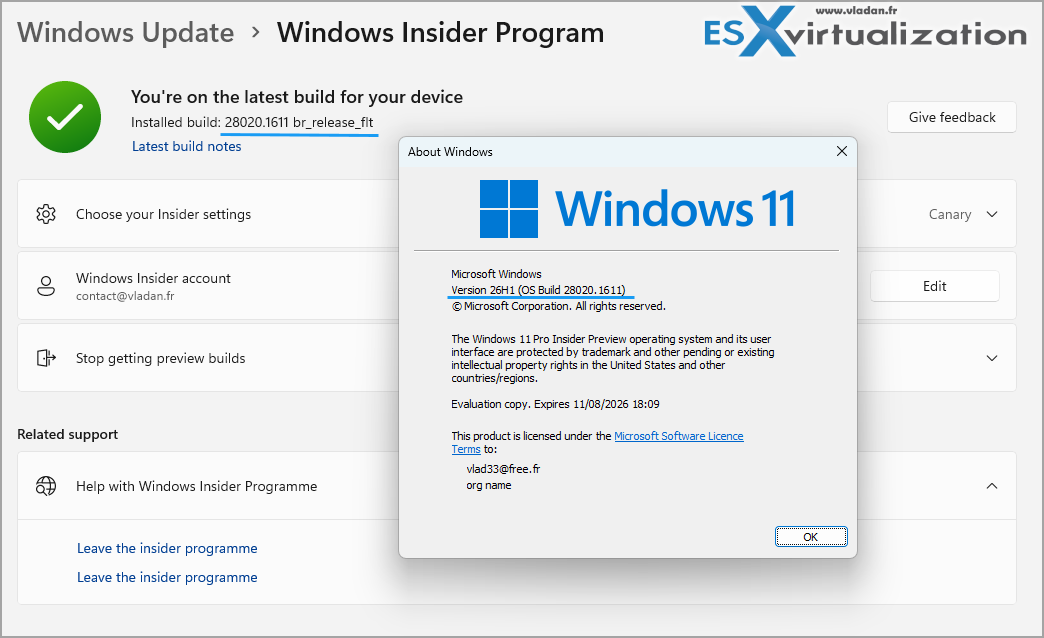
From a virtualization perspective, this split means testing 26H1 in VMs will likely require manual installation via Insider Canary builds (that's what I did, I took 25H2 > signed as Insider on Canary > updated to 26H1), as it's not offered through normal upgrade paths.
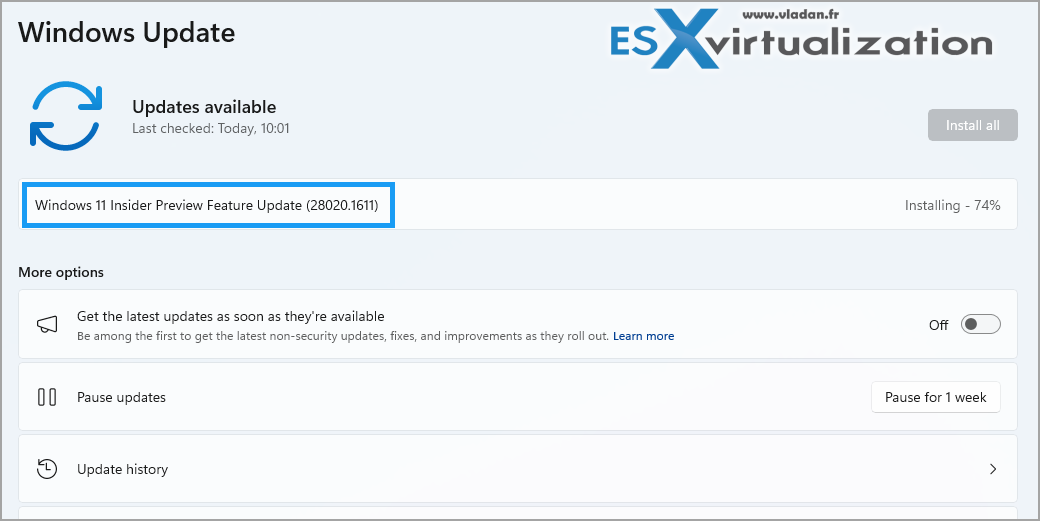
What's New and Fixed in Build 28000.1575 (KB5077179)
This is the inaugural Patch Tuesday update for 26H1, bundling the latest security patches plus reliability improvements.
Here's the technical breakdown of the notable changes:
- Graphics Stability: Fixed a KERNEL_SECURITY_CHECK_FAILURE bug tied to dxgmms2.sys on certain GPU configurations—important for any graphics-heavy or virtualized workloads where passthrough is involved.
- .NET Framework 3.5 Shift: .NET 3.5 is no longer available as an optional Windows Feature on Demand. If legacy apps need it, install via the standalone .NET Framework installer. This declutters the core OS image but adds a manual step for some enterprise or dev scenarios.
- Wi-Fi Connectivity: Resolved issues blocking connections to specific WPA3-Personal networks, which should help on new Arm laptops in mixed enterprise/home environments.
- Reliability Tweaks:
- BitLocker Hardware Lab Kit (HLK) tests now display correctly in the Windows Hardware Compatibility Program.
- Fixed TrustedInstaller hangs that could stall OS boot sequences.
- AI Module Updates: Multiple AI components (Image Search, Content Extraction, Semantic Analysis, Settings Model) updated to version 1.2511.1224.0—refinements rather than headline features, but they point to ongoing behind-the-scenes AI work.
- Security: Full February 2026 security fixes are included. The Servicing Stack was also updated to match build 28000.1575 for smoother future patching.
No major known issues are listed for this update on supported hardware, which is encouraging for early adopters.
The Road to Windows 11 26H2
While 26H1 is hardware-specific, the broader ecosystem upgrade will be Windows 11 26H2, expected in the second half of 2026 (most likely September–October, following Microsoft's typical cadence). This should be a full feature update available to all compatible Windows 11 devices currently on 24H2 or 25H2.
Early Dev Channel previews hint at deeper AI integrations, performance optimizations, and UI/polish refinements. Unlike 26H1 devices, existing PCs should upgrade normally to 26H2. I'll watch the Insider channels closely and post updates as more details emerge—especially around virtualization guest support and any breaking changes for hypervisors.
Joining the Windows Insider Program – Quick Guide
Want to get hands-on with 26H1 builds (or future 26H2 previews) right now? The Windows Insider Program lets you install preview versions, including the 28000-series from the Canary Channel. It's perfect for lab testing in VMs before touching production hardware.Steps (as of 2026):
- Prerequisites: Make sure your device meets Windows 11 hardware requirements (TPM 2.0, Secure Boot, compatible CPU). Use a Microsoft account.
- Enroll:
- Open Settings (Win + I) → Windows Update → Windows Insider Program.
- Click Get started and sign in/link your Microsoft account.
- Pick a channel: Beta or Release Preview for more stability; Dev for newer features; Canary for the absolute earliest builds (like 26H1/28000 series).
- Install:
- Accept the terms, restart if asked.
- Go back to Windows Update and check for updates—the preview build should download and install.
- Feedback & Safety: Use the Feedback Hub (Win + F) to report bugs. Canary builds can be unstable, so run them in isolated VMs if possible. Note that even non-Arm PCs can install 26H1 previews from Canary for testing.
Microsoft's approach with 26H1 shows they're prioritizing hardware-specific optimizations without disrupting the massive installed base—smart move for stability. 26H2 should bring the real goodies to everyone else.
Is Windows 26H1 made for average user?
Not really tbh. It's mostly made available for developers testing applications, Hardware engineers working with next-generation processors, early adopters interested in technical platform changes. Stay tuned for more. Stay tuned for more IT and virtualization-focused coverage.
Links:
- February 10, 2026—KB5077179 (OS Build 28000.1575): https://support.microsoft.com/en-us/topic/february-10-2026-kb5077179-os-build-28000-1575-74e81d2f-48db-4322-8bd7-8633f8d4d079
- What to know about Windows 11, version 26H1 (Windows IT Pro Blog): https://techcommunity.microsoft.com/blog/windows-itpro-blog/what-to-know-about-windows-11-version-26h1/4491941
- Windows 11, version 26H1 update history: https://support.microsoft.com/en-us/topic/windows-11-version-26h1-update-history-253c73cd-cab1-4bfd-94dc-76c452273fc9
- Windows 11 – release information (Microsoft Learn): https://learn.microsoft.com/en-us/windows/release-health/windows11-release-information
- Join the Windows Insider Program and manage Insider settings: https://support.microsoft.com/en-us/windows/join-the-windows-insider-program-and-manage-insider-settings-ef20bb3d-40f4-20cc-ba3c-a72c844b563c
- Getting started with Windows Insider: https://www.microsoft.com/windowsinsider/getting-started
For more on Windows Server or VMware alternatives, check out my recent posts on Windows Server 2025 features or Proxmox as a VMware alternative.
More posts from ESX Virtualization:
- Veeam Backup and Replication Upgrade on Windows – Yes we can
- Securing Your Backups On-Premises: How StarWind VTL Fits Perfectly with Veeam and the 3-2-1 Rule
- Winux OS – Why I like it?
- VMware Alternative – OpenNebula: Powering Edge Clouds and GPU-Based AI Workloads with Firecracker and KVM
- Proxmox 9 (BETA 1) is out – What’s new?
- Another VMware Alternative Called Harvester – How does it compare to VMware?
- VMware vSphere 9 Standard and Enterprise Plus – Not Anymore?
- VMware vSphere Foundation (VVF 9) and VMware Cloud Foundation (VCF 9) Has been Released
- Vulnerability in your VMs – VMware Tools Update
- VMware ESXi FREE is FREE again!
- No more FREE licenses of VMware vSphere for vExperts – What’s your options?
- VMware Workstation 17.6.2 Pro does not require any license anymore (FREE)
- Two New VMware Certified Professional Certifications for VMware administrators: VCP-VVF and VCP-VCF
- Patching ESXi Without Reboot – ESXi Live Patch – Yes, since ESXi 8.0 U3
- Update ESXi Host to the latest ESXi 8.0U3b without vCenter
- Upgrade your VMware VCSA to the latest VCSA 8 U3b – latest security patches and bug fixes
- VMware vSphere 8.0 U2 Released – ESXi 8.0 U2 and VCSA 8.0 U2 How to update
- What’s the purpose of those 17 virtual hard disks within VMware vCenter Server Appliance (VCSA) 8.0?
- VMware vSphere 8 Update 2 New Upgrade Process for vCenter Server details
- What’s New in VMware Virtual Hardware v21 and vSphere 8 Update 2?
- vSphere 8.0 Page
- ESXi 7.x to 8.x upgrade scenarios
- VMware vCenter Server 7.03 U3g – Download and patch
- Upgrade VMware ESXi to 7.0 U3 via command line
- VMware vCenter Server 7.0 U3e released – another maintenance release fixing vSphere with Tanzu
- What is The Difference between VMware vSphere, ESXi and vCenter
- How to Configure VMware High Availability (HA) Cluster
Stay tuned through RSS, and social media channels (Twitter, FB, YouTube)





Leave a Reply