
Today's freebie is from a guy who 30 years ago designed the original Windows Task manager.
If you’ve ever hit Ctrl+Shift+Esc on a Windows box and stared at the Task Manager wondering what’s eating your CPU or RAM, you’ve used Dave Plummer’s work. The same guy who wrote the original Windows Task Manager back in the mid-90s for Windows NT 4.0 has been busy again. This time it’s called TMOG – Task Manager OG.
“Over 30 years ago, I wrote the original Windows Task Manager. Now I’ve built TMOG to help you spot what’s slowing down your computer—and understand why. One clear view, whether you run Windows, macOS, or Linux.”
And no, it’s not just another Windows utility. It runs natively on Windows 11, macOS, and Linux. One shared measuring core, three native front-ends. No Electron, no web views, no bloated browser shell. Just proper native code.
I stumbled on this a few weeks ago and thought it was worth a proper look, especially for those of us who jump between different operating systems in the lab or at customer sites.
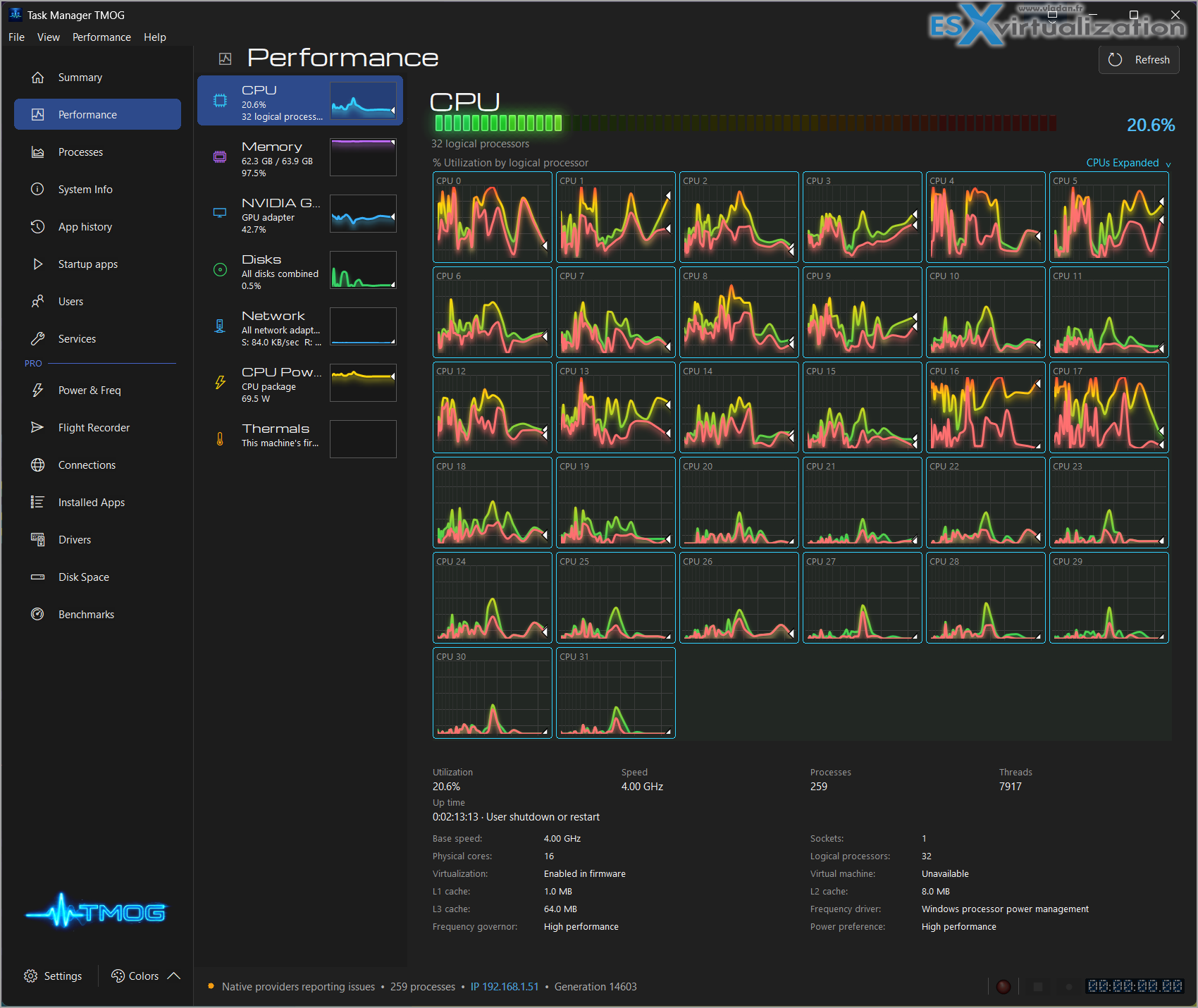
What is TMOG exactly?
TMOG stands for Task Manager OG. Dave Plummer built it as the modern version of the tool he created more than 30 years ago. He fed a detailed 107-page specification into Claude Code and had a working prototype surprisingly fast. The result is a clean, fast system monitor that actually tells you why your machine is slow, hot, or draining the battery.
The free version already covers the essentials:
- Live system summary dashboard
- Per-process resource usage (CPU, memory, disk, network, energy)
- Startup apps
- Services
- Users
- System info
- Performance views with 60 Hz animated meters (much smoother than the old once-per-second refresh)
Pro adds the interesting bits: Flight Recorder (record and replay telemetry so you can scrub back through a slowdown), Power & Frequency details, network connections, installed apps, disk space analysis, and benchmarks. Pro is currently priced around $39.95.
Why this one feels different
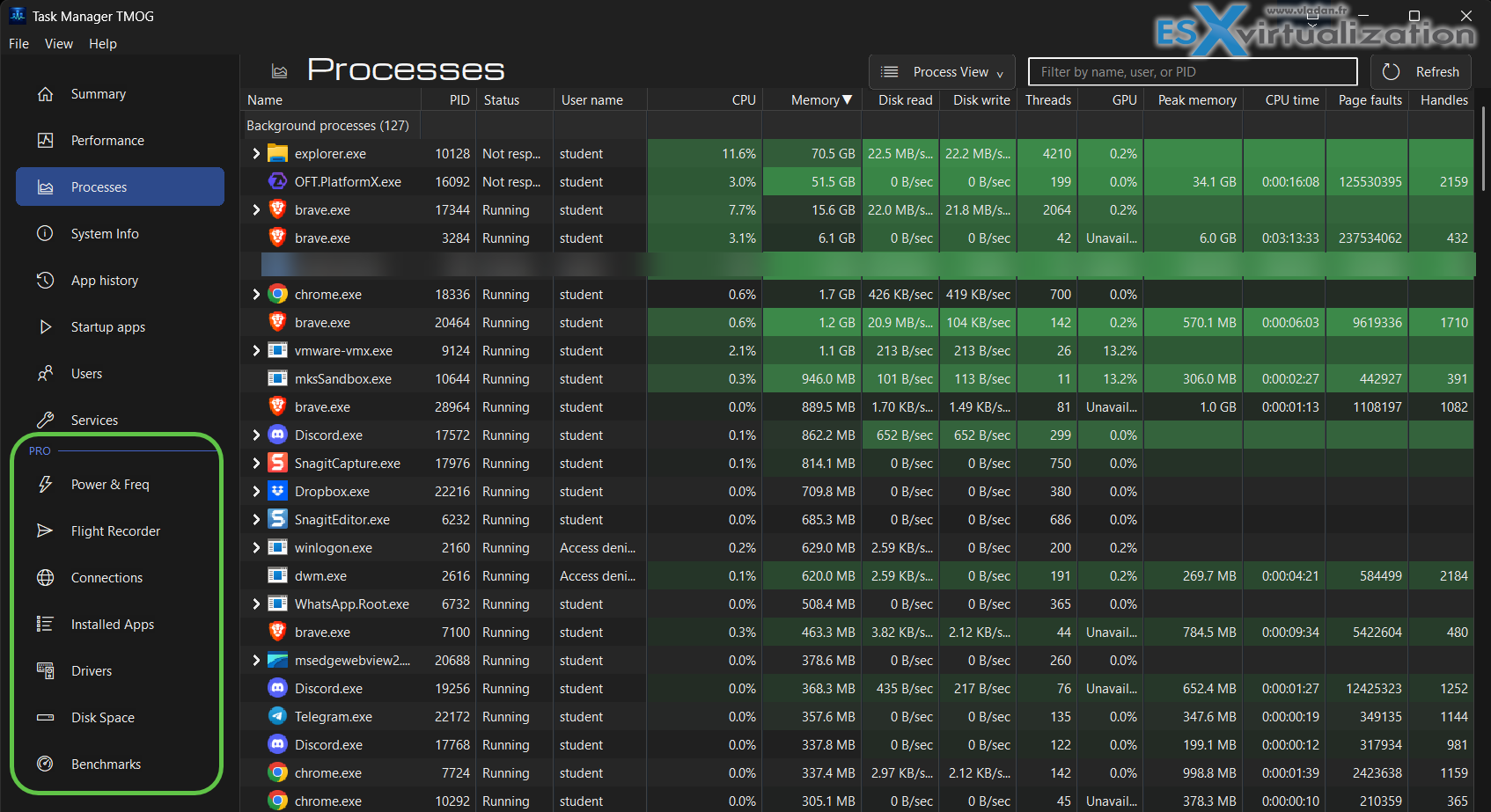
Most system monitors today are either too basic or too heavy. Windows Task Manager has improved over the years, but it’s still Windows-only. macOS Activity Monitor is clean but limited. Linux has plenty of tools (htop, glances, etc.), but none of them give you the same consistent experience across platforms.
TMOG aims for consistency. Same models, same metric semantics, same overall layout whether you’re on Windows, a Mac with Apple Silicon, or a Linux desktop running X11 or Wayland.
A few things I like:
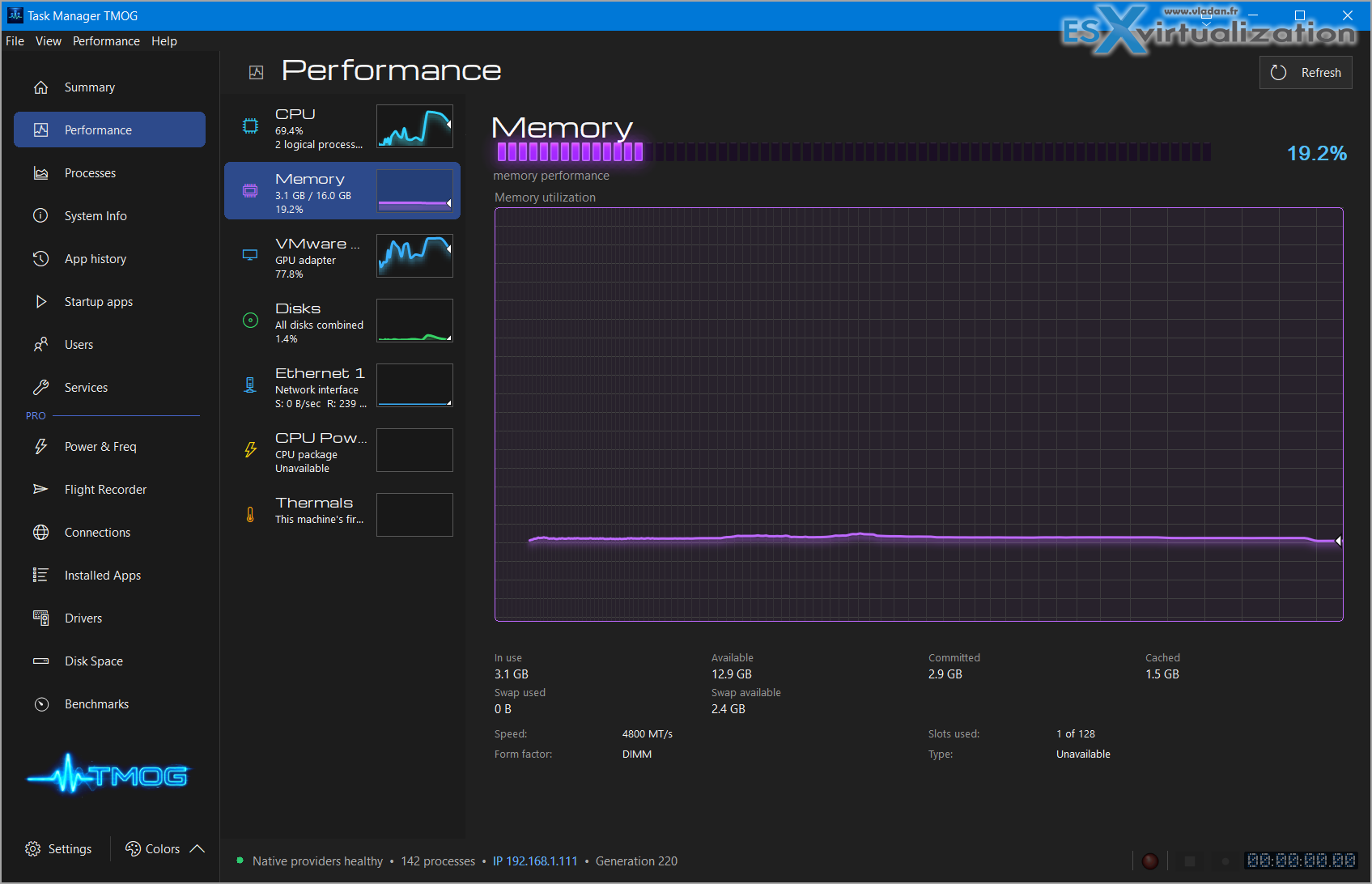
Native all the way down – Windows version is C++/Win32. macOS is Swift + AppKit. Linux is C++ with Qt 6. Shared C++20 measuring core underneath. That keeps the overhead low and the updates fast.
Honest data – If a sensor isn’t available, TMOG doesn’t invent a zero. It shows that the reading is unsupported. Gaps in the graphs stay as gaps. No smooth lines over missing data. I appreciate that.
Process identity that survives PID reuse – Modern OSes recycle process IDs. TMOG tracks identity properly so you don’t end up acting on the wrong process five minutes later.
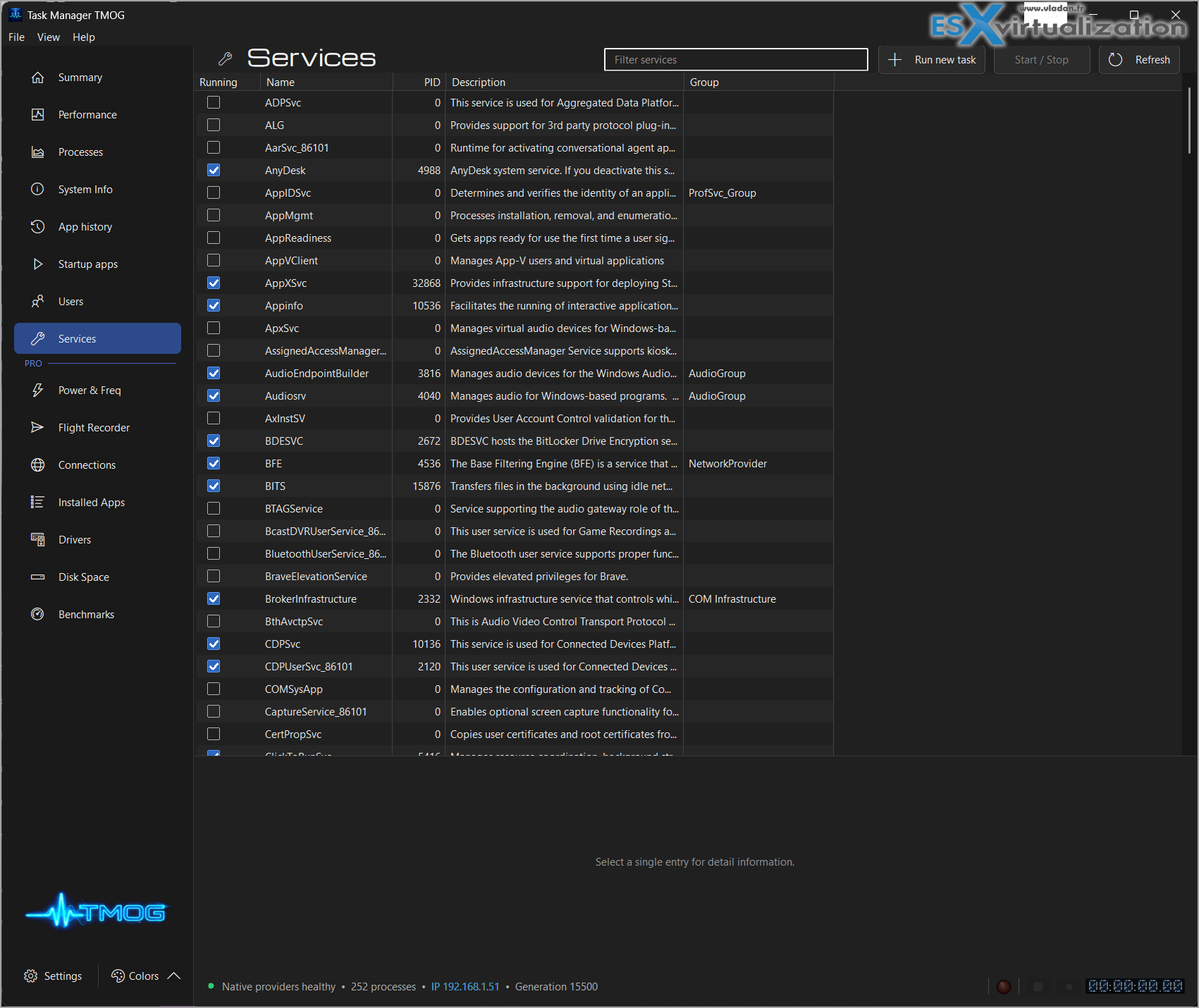
Efficiency cores get their own color – On modern CPUs this is useful. You can see at a glance whether a workload is sitting on the performance cores or the efficiency ones.
Self-monitoring option – You can turn on monitoring of TMOG itself to see how much it costs. Spoiler: it’s light.
The Flight Recorder is the real Pro feature
This is the one that sold me on the concept. When something goes wrong – fans spin up, frame rates drop, battery starts draining faster than expected – you often only notice after the fact. Flight Recorder lets you record the telemetry, save it, and later scrub back through the same panels (CPU, memory, disk, network, power, etc.).
It’s like having a black box for your desktop. Very useful for intermittent issues that are hard to catch live.
Platforms and current status
As of the latest builds (around September 2026):
- macOS – 14+, Apple Silicon and Intel, signed and notarized
- Windows 11 – x64 and ARM64
- Linux – AppImage, Deb, and binary options for x64 and ARM64
It’s still in active development (beta/RTM stages depending on the exact build), so expect the usual early-adopter caveats. Some sensors are platform-dependent. Temperature coverage, for example, varies. But the core monitoring is solid.
Downloads are available directly from tmog.org. The free version doesn’t expire and doesn’t require an account.
Who is this for?
If you only ever use one OS and the built-in tools are good enough, you might not need it. But if you:
- Work across Windows, Mac, and Linux
- Need to troubleshoot performance issues quickly
- Want better visibility into energy use and thermals
- Prefer native tools over Electron apps
- Just like well-engineered system utilities
…then TMOG is worth trying.
And if you don't like the colors by default, just make it Mono, Green, Amber or Blue -:)
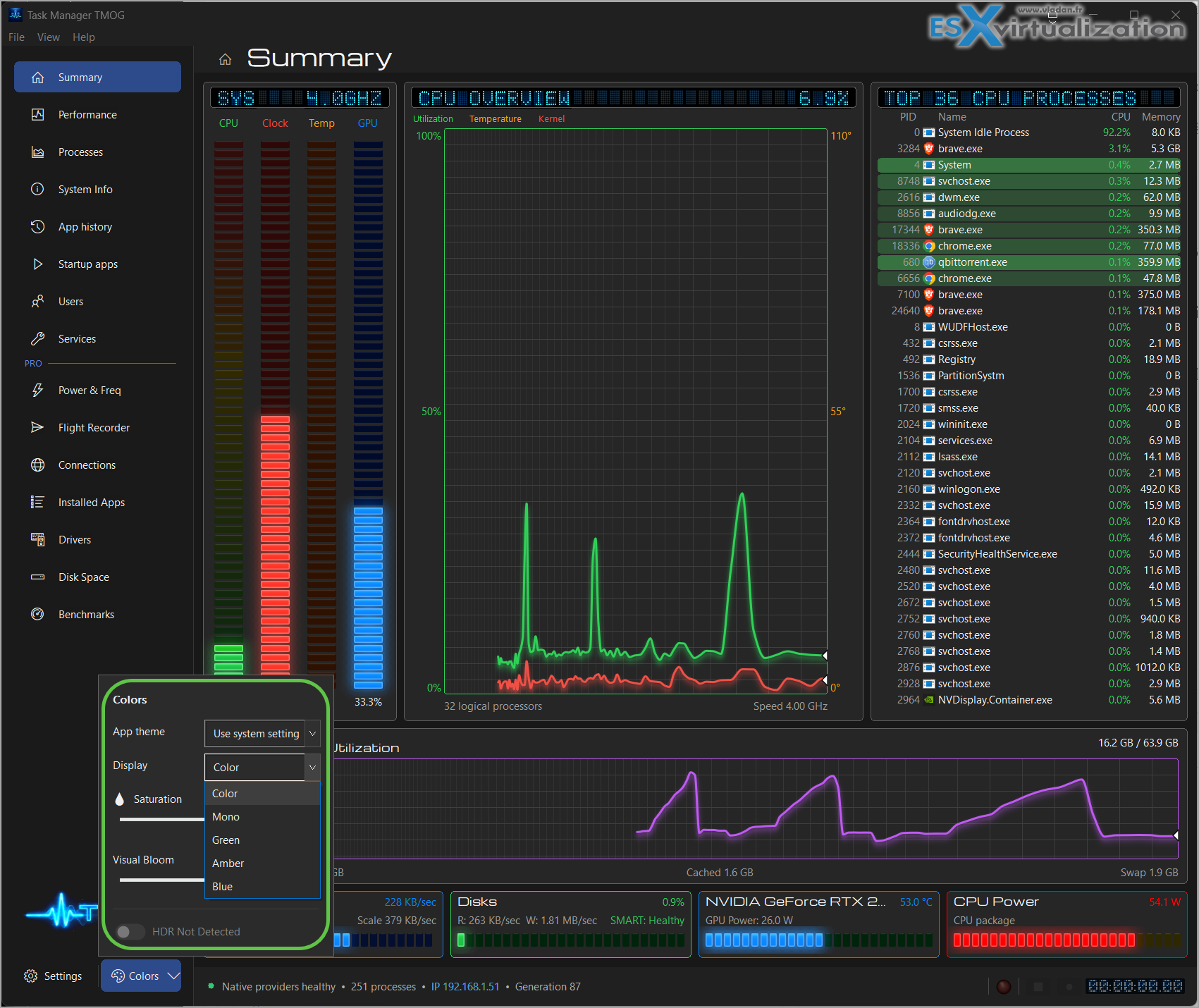
I’ve already thrown it on a couple of machines in the lab. The summary view alone is more useful than the default Windows Task Manager for a quick health check. The process hierarchy with proper filtering and sorting is clean. And the phosphor-style themes (green, amber, blue, etc.) are a nice touch if you like the classic console look.
A few practical notes
Because the Windows and early builds weren’t always signed in the usual way, you may need to allow the first launch manually. That’s normal for independent tools in beta.
On Linux the Qt 6 version behaves well on both X11 and Wayland in my limited testing. AppImage is the easiest way to try it without committing to a package.
Resource usage of the tool itself stays low, which is important. Nobody wants a monitor that becomes part of the problem.
Final Words
Dave Plummer could have just left the original Task Manager as a historical footnote. Instead he came back with a modern, cross-platform, native tool that actually improves on the concept. TMOG feels like the Task Manager we should have had years ago – deeper information, faster refresh, honest sensors, and the ability to go back in time when something goes wrong.
Is it perfect yet? No. It’s still early. Some advanced features sit behind the Pro license, and sensor coverage will keep improving. But the foundation is solid and the philosophy is right: measure accurately, stay native, stay lightweight, and don’t invent numbers.
If you spend any serious time looking at why machines misbehave, go grab the free version from tmog.org and give it a spin. I’d be interested to hear how it behaves on your hardware – especially some rare Linux setups or the latest Apple Silicon Macs.
Download and more info at tmog.org.
Enjoy -:)
More posts from ESX Virtualization:
- How to update your ESXi 7.x or 8.x to the latest ESXi 8.0U3k via command line
- Veeam Bare Metal Recovery from Recovery partition
- Veeam Backup and Replication Upgrade on Windows – Yes we can
- Securing Your Backups On-Premises: How StarWind VTL Fits Perfectly with Veeam and the 3-2-1 Rule
- VMware Alternative – OpenNebula: Powering Edge Clouds and GPU-Based AI Workloads with Firecracker and KVM
- Another VMware Alternative Called Harvester – How does it compare to VMware?
- VMware vSphere 9 Standard and Enterprise Plus – Not Anymore?
- Vulnerability in your VMs – VMware Tools Update
- VMware ESXi FREE is FREE again!
- No more FREE licenses of VMware vSphere for vExperts – What’s your options?
- VMware Workstation 17.6.2 Pro does not require any license anymore (FREE)
- Two New VMware Certified Professional Certifications for VMware administrators: VCP-VVF and VCP-VCF
- Patching ESXi Without Reboot – ESXi Live Patch – Yes, since ESXi 8.0 U3
- Update ESXi Host to the latest ESXi 8.0U3b without vCenter
- Upgrade your VMware VCSA to the latest VCSA 8 U3b – latest security patches and bug fixes
- VMware vSphere 8.0 U2 Released – ESXi 8.0 U2 and VCSA 8.0 U2 How to update
- What’s the purpose of those 17 virtual hard disks within VMware vCenter Server Appliance (VCSA) 8.0?
- VMware vSphere 8 Update 2 New Upgrade Process for vCenter Server details
- What’s New in VMware Virtual Hardware v21 and vSphere 8 Update 2?
- vSphere 8.0 Page
- ESXi 7.x to 8.x upgrade scenarios
- VMware vCenter Server 7.03 U3g – Download and patch
- Upgrade VMware ESXi to 7.0 U3 via command line
- VMware vCenter Server 7.0 U3e released – another maintenance release fixing vSphere with Tanzu
- What is The Difference between VMware vSphere, ESXi and vCenter
- How to Configure VMware High Availability (HA) Cluster
Stay tuned through RSS, and social media channels (Twitter, FB, YouTube)





Leave a Reply