
Proxmox Datacenter Manager 1.0 has just been released. The product was officially released in stable version 1.0 on December 4, 2025, following an alpha release in December 2024 and a beta phase in September 2025. I have blogged about the 0.9 release not long ago at StarWind.com blog and I really liked it. Now, with the 1.0 I'll have a second look. It is certainly a missing piece for VMware administrators seeking an alternative for mid/large virtualization environments. With Veeam's support for Proxmox the move to Proxmox based environments seems easier as Proxmox is now supported Hypervisor solution in Veeam Backup and Replication.
Proxmox Datancenter Manager – The features
The platform provides a unified, real-time dashboard that aggregates health status, CPU, RAM, and storage I/O metrics across all connected environments, enabling administrators to monitor infrastructure performance and identify bottlenecks. It supports dynamic, role-based custom views, allowing teams to access tailored overviews without direct access to underlying hosts or virtual machines, enhancing security and operational efficiency.
Key features include cross-cluster live migration of virtual machines and containers, which enables responsive load balancing and maintenance without downtime.
It also offers centralized management of virtual infrastructure, including starting, stopping, and configuring VMs and containers, along with a powerful search function inspired by query languages like Elasticsearch and GitHub for rapid resource discovery.
PDM integrates with Software-Defined Networking (SDN) to manage EVPN zones and VNets across multiple remotes from a single interface, simplifying complex network overlays.
It includes a central Update Management Panel for monitoring and deploying updates across the entire Proxmox VE and Proxmox Backup Server infrastructure, improving security and compliance.
The platform supports authentication via LDAP, Active Directory, and OpenID Connect, and provides unified SSH access to all managed remotes.
My quick test install
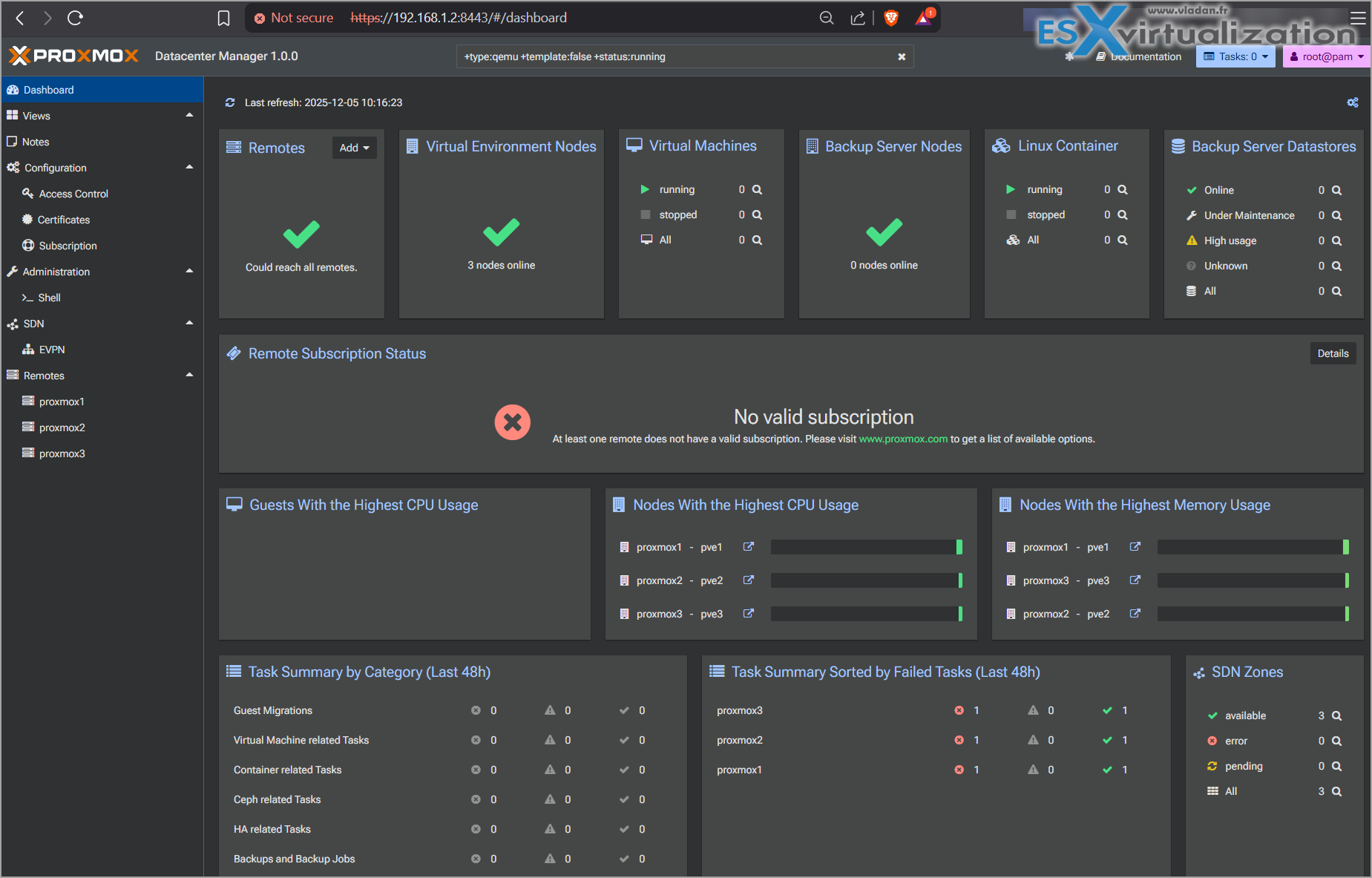
I quickly spun the solution and as you can see, it takes the same branding as Proxmox VE. BTW, it is officially supported solution by Proxmox, not some github personal repo….
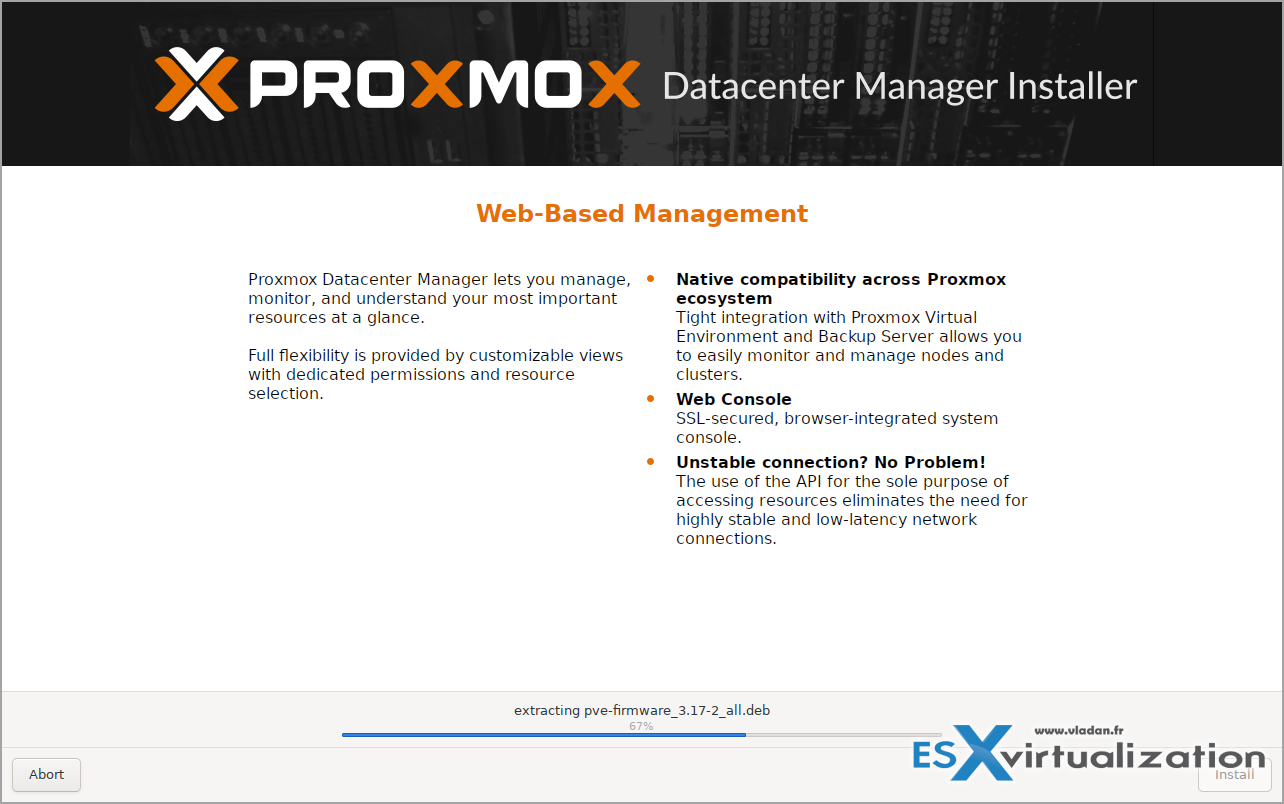
It's a Debian ISO bundled with the solution so if you have a Debian Linux running somewhere, you can install it on the top too. But I just downloaded the ISO and installed it as is. It took less than 5 min.
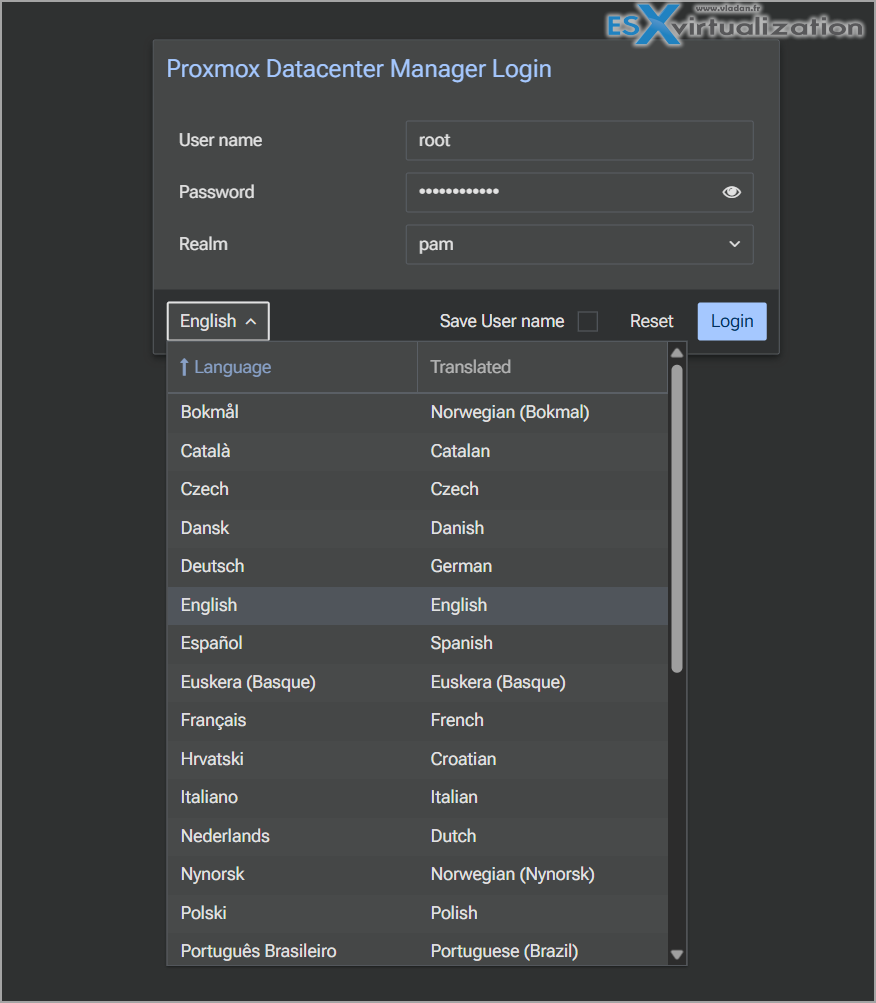
The power of community and languages! I like it! See the screenshot below…
Add new node – they call it Remote
Simple stuff here. Like in vCenter – Add new host… In Proxmox language, host means remote.
In fact, In Proxmox Datacenter Manager (PDM), a “remote” refers to any independent Proxmox Virtual Environment (VE) node or cluster that is connected to the central PDM instance. These remotes can be standalone nodes or clusters located in different geographical locations, and they are managed from a single, unified interface.
So adding remote you adding a new host/cluster to your environment. Really simple stuff here.
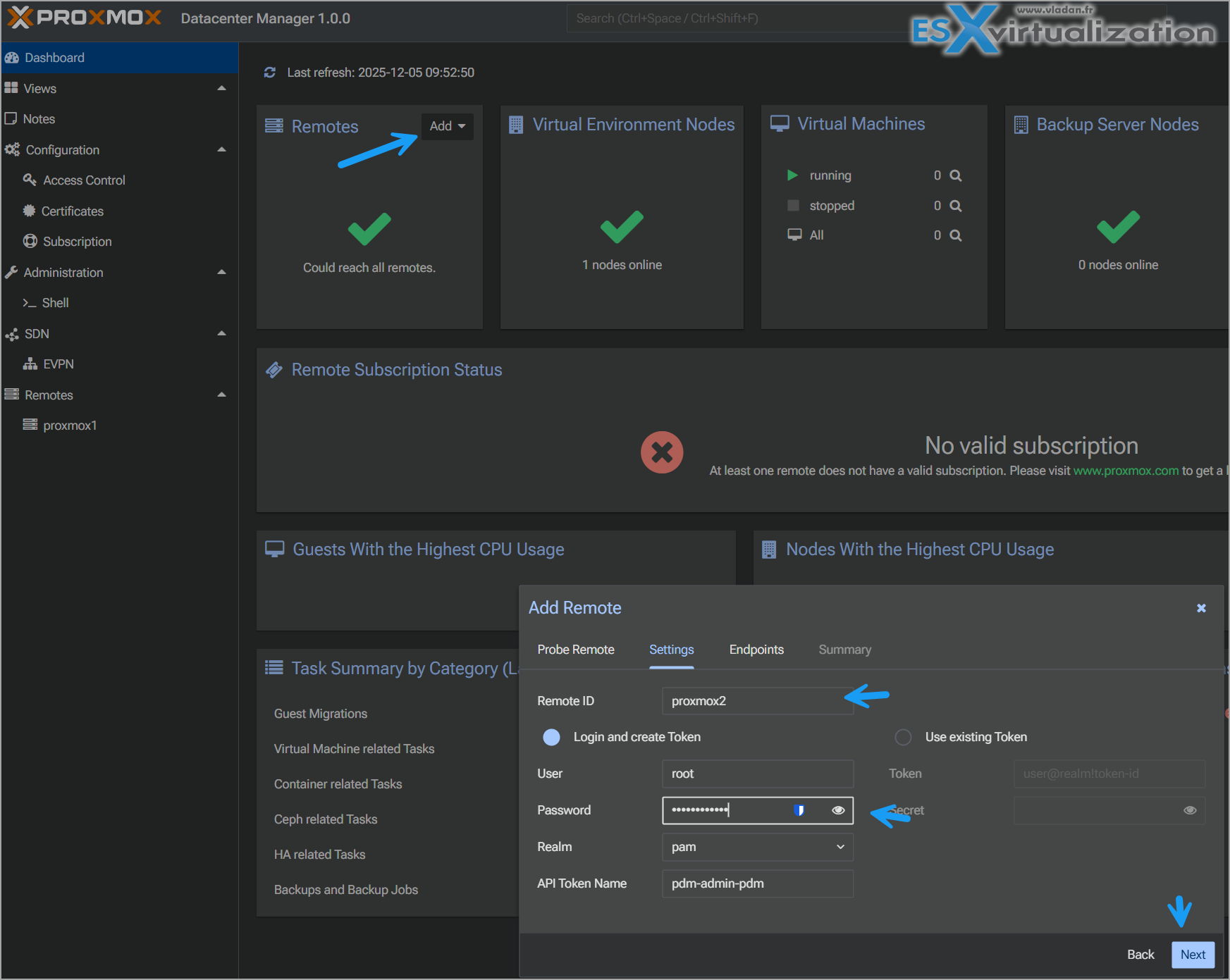
I had my 3 hosts added it straight away…. They're “empty” – no vms running -:) as I'm nesting it within my virtual lab.
Note: I have created my DNS entries on my domain controller (DNS server) before I started the test. So I had 1 dns entry for Proxmox datacenter manager and 3 entries for my 3 Proxmox hosts.
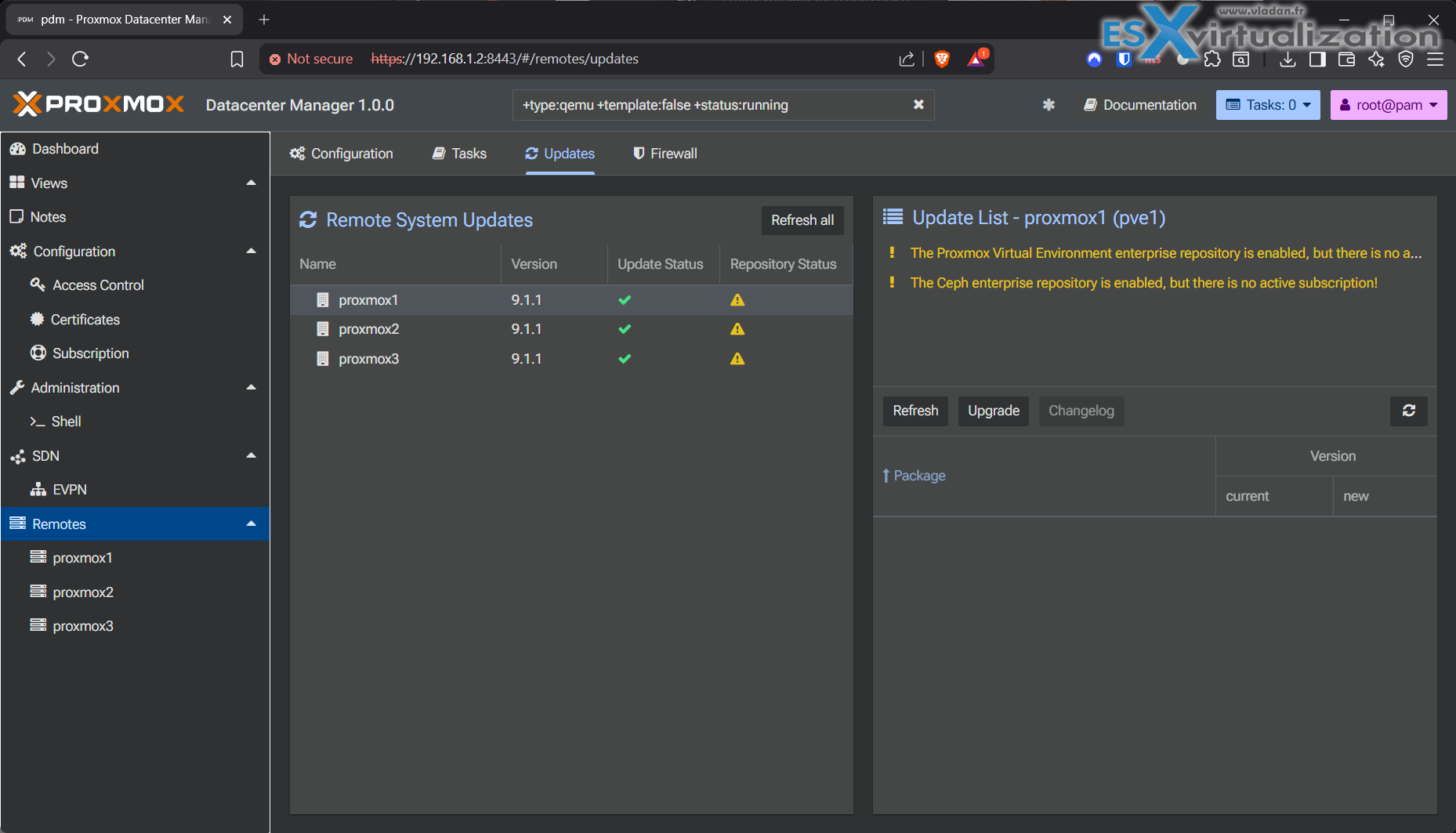
The UI is super fast tbh…
Built on Debian 13.2 “Trixie” with a Linux kernel 6.17 and ZFS 2.3, PDM is fully developed in the Rust programming language, featuring a modern, high-performance frontend built with the new Rust/Yew Proxmox UI framework.
It is licensed under the GNU AGPLv3 and is available as a downloadable ISO image for bare-metal installation, with seamless upgrades possible via APT from older versions.
Enterprise users with active support subscriptions for their Proxmox remotes gain access to PDM updates and technical support, and the solution is designed to scale from local installations to globally distributed data centers.
I'm quite impressed, yes. The UI is super clean, snappy.
For VMware admins, CEOs, business owners, is this looks like a real VMware alternative?
I think yes. Many VMware users at Reddit shows their “Good by” to VMware and they have their valid reason – price!
quote:
VMWare doubled (maybe a little more) than last years, and last years was doubled from our previous year. Ended up migrating 300+ VMs in roughly 3 weeks (a long 3 weeks). Had to setup a small Hyper-V cluster for a handful of appliances that where not supported on KVM. So far no major show stoppers on Proxmox (miss DRS though). Not going to miss our VMWare renewals though.
So yes, some features are still missing, like DRS. True, DRS makes life easier. But hey, it might be comming in the future.
Other alternatives, such as XCP-NG and Xen Orchestra (vCenter equivalent). An XCP-ng, when managed through Xen Orchestra (XO), it does have a DRS equivalent so your VMs can be balanced evenly across your cluster.
Update: Thanks Olivier
does not include a built-in Distributed Resource Scheduler (DRS) equivalent to VMware's DRS.
While XCP-ng supports live migration, high availability (HA), and cluster management through pools, the automated workload balancing feature found in VMware vSphere is not natively available in XO.
Some users have noted that features like load balancing (DRS) are not configured at the pool level in XO, requiring users to test and configure such functionality rigorously if needed. Although XCP-ng offers strong capabilities in areas like live migration and centralized management, the absence of DRS is a notable difference compared to VMware's vSphere ecosystem, the user base remains low for now. But things will change imho.
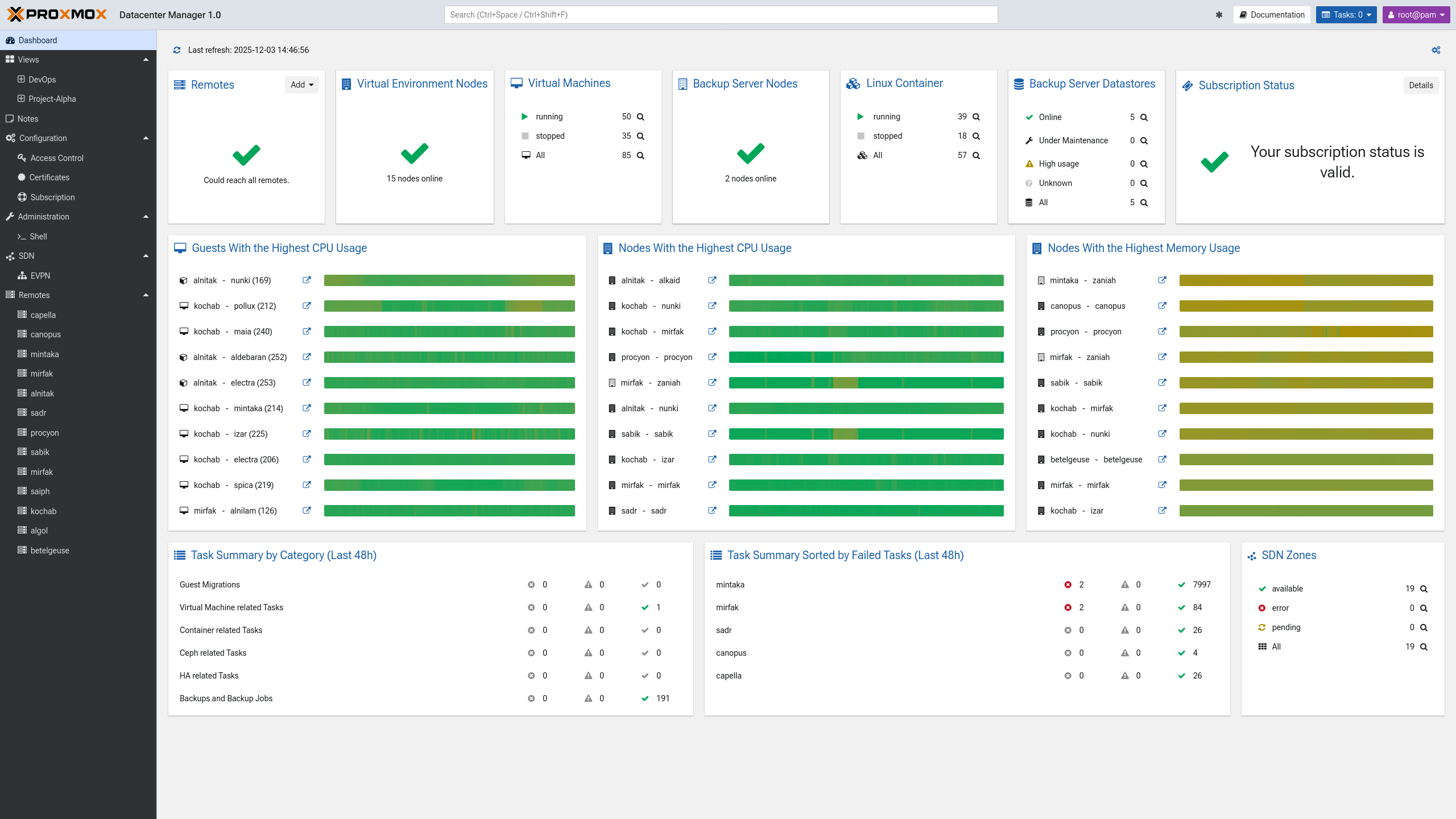
Screenshot from Proxmox website
Links:
- Proxmox Wiki roadmap
- Proxmox Downloads page
- Proxmox Datacenter Manager Admin Guide 1.x PDF (highly recommend getting this one).
Final Words
The VMware Brexit is happenning. It is not a single week, single month event. It's happening progressively. Compagnies do not want to spend tripple, quadruple or more amount of money what they've been paying in the past. However, the deadline for vSphere 8 is aproaching. Slowly, but surely….
The End of General Support for VMware vSphere 8.0 is scheduled for October 11, 2027. Then you would need to have Active SnS on it to keep applying updates/patches after that date. While users can continue running the software after the End of General Support date, doing so poses significant risks, including the absence of security patches, support services, and potential compliance violations. It is recommended to plan for an upgrade to vSphere 9 or a migration to an alternative platform before the October 2027 deadline.
If you're in this situation, and willing to stay with unsupported platform, you risk to put your company in danger, and if you're paying a cyber insurance, they most likely won't aprove it.
The alternative platforms they'll grow up. They are already capable. They are getting integrated into the backup products or they are bringing their own backup products too (the case of Proxmox AND XCP-NG!) so if you're really tight on the budget, you can use those bundled with those virtual alternatives.
More posts from ESX Virtualization:
- Veeam Backup and Replication Upgrade to v13 on Windows – Yes we can
- 3 New Advanced Certifications from VMware/Broadcom Released
- Winux OS – Why I like it?
- VMware Alternative – OpenNebula: Powering Edge Clouds and GPU-Based AI Workloads with Firecracker and KVM
- Proxmox 9 (BETA 1) is out – What’s new?
- Another VMware Alternative Called Harvester – How does it compare to VMware?
- VMware vSphere 9 Standard and Enterprise Plus – Not Anymore?
- VMware vSphere Foundation (VVF 9) and VMware Cloud Foundation (VCF 9) Has been Released
- Vulnerability in your VMs – VMware Tools Update
- VMware ESXi FREE is FREE again!
- No more FREE licenses of VMware vSphere for vExperts – What’s your options?
- VMware Workstation 17.6.2 Pro does not require any license anymore (FREE)
- Two New VMware Certified Professional Certifications for VMware administrators: VCP-VVF and VCP-VCF
- Patching ESXi Without Reboot – ESXi Live Patch – Yes, since ESXi 8.0 U3
- Update ESXi Host to the latest ESXi 8.0U3b without vCenter
- Upgrade your VMware VCSA to the latest VCSA 8 U3b – latest security patches and bug fixes
- VMware vSphere 8.0 U2 Released – ESXi 8.0 U2 and VCSA 8.0 U2 How to update
- What’s the purpose of those 17 virtual hard disks within VMware vCenter Server Appliance (VCSA) 8.0?
- VMware vSphere 8 Update 2 New Upgrade Process for vCenter Server details
- What’s New in VMware Virtual Hardware v21 and vSphere 8 Update 2?
- vSphere 8.0 Page
- ESXi 7.x to 8.x upgrade scenarios
- VMware vCenter Server 7.03 U3g – Download and patch
- Upgrade VMware ESXi to 7.0 U3 via command line
- VMware vCenter Server 7.0 U3e released – another maintenance release fixing vSphere with Tanzu
- What is The Difference between VMware vSphere, ESXi and vCenter
- How to Configure VMware High Availability (HA) Cluster
Stay tuned through RSS, and social media channels (Twitter, FB, YouTube)





Bonjour !
Le load balancing est bien disponible dans Xen Orchestra, cf https://docs.xen-orchestra.com/load_balancing
Thanks Olivier, I updated the post -:)…
Hi,
Can you also update this section?
“Although XCP-ng offers strong capabilities in areas like live migration and centralized management, the absence of DRS is a notable difference compared to VMware’s vSphere ecosystem”
Ahh, my fault. Update that too -:) Thanks
The REAL feature(s) missing from Proxmox and all other competing hypervisors is a replacement for VMFS6 and all its HW accelerated features against external block storage. Just the fact that no-one has implemented an ATS (Atomic Test and Set) feature in a shared clustered filesystem means that clusters don’t scale above a few hosts when using shared storage (FC, NVMeoF etc.). This is a real showstopper for replacing VMware. Even for small 2-4 host environments I see this as an Achilles heel for write-intensive environments.
I see this as an issue for Nutanix, Scale and all others that are SDS only or SDS first.