
I have covered this FREE utility called StarWind V2V Converter from StarWind several times on this blog. Earlier posts include the original multi-conversion overview, the addition of P2V capabilities, the introduction of CLI support, and the more recent deep dive into Version 9 (build 848) features such as multi-VM handling and automation. You can find those earlier write-ups here:
- Free V2V and P2V Converter from StarWind is a multi conversion utility
- StarWind V2V Converter (P2V Migrator) FREE utility
- StarWind V2V Converter Now has CLI
- StarWind V2V / P2V Converter Version 9 (build 848)
- StarWind V2V Converter: The Free Swiss Army Knife for VM Migrations and Its Powerful Automation Capabilities
This post focuses on technical realities of V2V migrations to Proxmox/KVM, the current state of “hot” (live) conversion with a short cut-over window, and how to scale the process via the CLI when you have dozens or hundreds of VMs.
What StarWind V2V Converter Actually Does
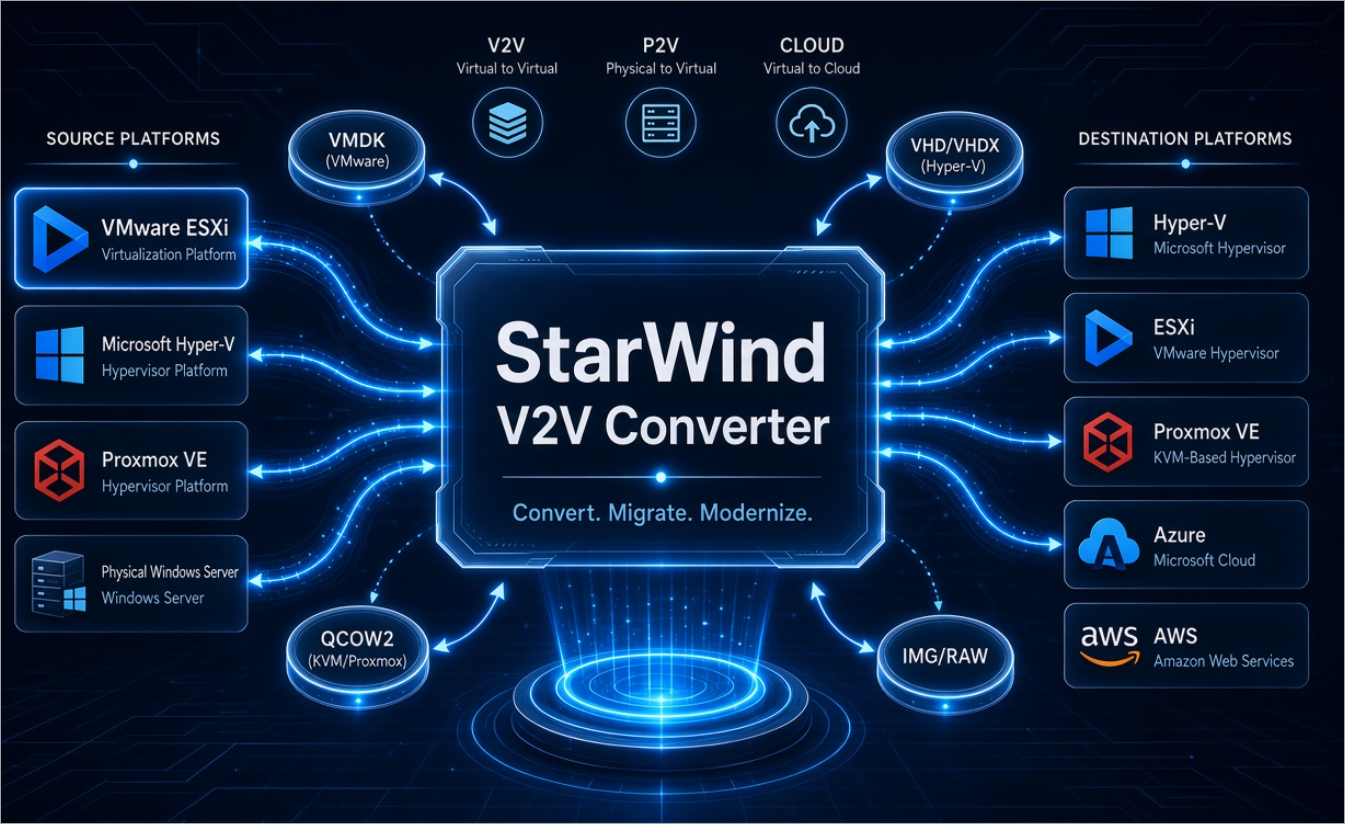
StarWind V2V Converter (also referred to as P2V Migrator) is a free Windows utility from StarWind Software. It performs direct source-to-target conversion of virtual machines and disks without requiring an intermediate full copy on the conversion host in most scenarios. Supported hypervisors include VMware ESXi, Microsoft Hyper-V, Proxmox VE, oVirt/OLVM, and Oracle VirtualBox. Supported formats cover VMDK (various thick/thin and stream-optimized variants), VHD/VHDX, QCOW2 (including v3 in recent builds), RAW/IMG, and VDI.
It also handles P2V from physical Windows machines and bidirectional conversions involving Azure and AWS.
The product page is at https://www.starwindsoftware.com/starwind-v2v-converter.
Official forums are at https://forums.starwindsoftware.com/.
Release notes are maintained at https://www.starwindsoftware.com/v2v-converter-release-notes.
Key operational points confirmed across official documentation and testing:
- Direct conversion reduces temporary storage needs.
- The tool creates a new VM on the target with matching CPU, RAM, disk, and basic network parameters (network adapters and controllers often need manual verification or adjustment after conversion).
- Snapshots on the source should generally be consolidated beforehand; the tool does not convert snapshot chains in place.
- Recent builds (Version 9 series, up through build 848 and later) added multi-VM conversion in the GUI, Proxmox 9.0 support, improved P2V driver injection for Windows guests to Proxmox/ESXi, and expanded CLI coverage for full VMs (not just disks).
Migrations to Proxmox VE / KVMProxmox VE is a popular KVM-based platform.
StarWind added native Proxmox support in mid-2024 (build 509) and has steadily improved it. You can convert to Proxmox from ESXi or Hyper-V (and the reverse) either via the GUI wizard or CLI.
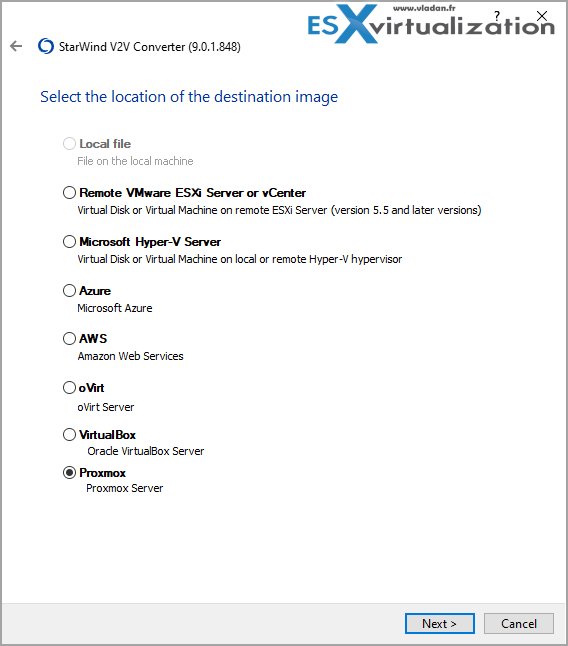
In the GUI you select the source (remote ESXi, Hyper-V, local file, etc.), authenticate, choose the VM or disk, select Proxmox as the target, provide node credentials, choose storage, assign a VMID, and pick the disk format (RAW/KVM or QCOW2). QCOW2 is Proxmox’s preferred format for snapshots and thin provisioning, but conversion to QCOW2 is slower than to RAW. The tool registers the new VM automatically on the Proxmox side.
Post-conversion checklist for Proxmox/KVM targets is standard but important:
- Verify boot order (BIOS vs UEFI).
- Install or confirm VirtIO drivers (especially for Windows guests) if not already present.
- Adjust network bridge and model (VirtIO preferred).
- Test the VM thoroughly before decommissioning the source.
- For Windows, consider the Windows Repair Mode option where available to handle hardware changes.
Performance depends on network bandwidth between the conversion host and the source/target, storage speed, and the fact that the converter is single-threaded. Large VMs take time; plan accordingly.
Hot Migration with Cut-Off – What Is Actually Possible
StarWind advertises “hot” or live VM migration for supported paths. The mechanism is snapshot-based: the converter takes a consistent snapshot of the running source VM, performs the bulk of the disk conversion, then synchronizes the delta changes that occurred during the conversion. At the end you power off the source VM and power on the target. The cut-over window is typically short (often under a minute for many workloads once the final sync finishes), but it is not a zero-downtime live migration in the cluster sense (no shared storage or continuous memory state transfer).
Important platform-specific reality check (as of late 2025 / early 2026 builds):
- Hot/live conversion with synchronization is well supported and documented between Hyper-V and ESXi (both directions in current releases). Official guides walk through enabling the “Synchronization” checkbox for these paths.
- For Proxmox as the target, the situation is more restricted. Official StarWind guidance from the Proxmox conversion series states that the VM should be powered off; hot conversion to Proxmox is not supported in the same way. Community reports and forum threads align with cold conversion being the reliable path for Proxmox destinations. You can still achieve a short-planned cut-over by converting a powered-off (or briefly quiesced) VM and then starting it on Proxmox.
In short: true hot migration with continuous sync + short cut-off works best on the Hyper-V ESXi paths. For Proxmox/KVM targets, treat the process as a planned cold (or warm) conversion with a controlled power-off window. Always test the exact source/target combination and build number in a non-production environment first. After conversion finishes, the source must be shut down and the target started; these steps are not fully automated by the tool.
Scaling to 100 VMs – CLI Automation
The GUI is convenient for a handful of machines. For larger fleets the CLI (V2V_ConverterConsole.exe) is essential. It has been available for disk conversions for a long time and was expanded in 2025 to full VM conversions for Hyper-V, ESXi, and Proxmox (later builds also cover oVirt/VirtualBox).
Default location:
C:\Program Files\StarWind Software\StarWind V2V ConverterBasic syntax:
V2V_ConverterConsole.exe convert parameter1=value1 parameter2=value2 …Key parameters include:
- Source: in_host_type (esx / win / proxmox / local), in_host_address, in_host_username, in_host_password, in_vm_name (or in_file_name for disks)
- Target: out_host_type, corresponding address/credentials, out_vm_name
- Proxmox-specific: out_proxmox_storage, out_proxmox_node, out_proxmox_vmid, out_file_type (e.g. ft_qcow2, ft_raw_kvm, ft_qcow2_v3)
- Other: out_vm_path (for ESXi/Hyper-V), out_vm_os (Windows/Linux)
Check Online help at StarWind here.
Practical Recommendations
- Download the latest build from the official product page and review the release notes for your exact source/target combination.
- Test a representative mix of Windows and Linux VMs (BIOS and UEFI, different disk controllers) first.
- For Proxmox targets prefer cold conversion and plan a short maintenance window for the cut-over.
- Use the CLI + scripting for anything beyond a few machines.
- After migration, clean up the source only when the target has been validated.
- Community discussion and support appear regularly on the StarWind forums.
VMware Pulled the plug and restricted public downloads of VDDK
late August 2026 Broadcom removed public downloads of VDDK from their developer portal (no advance announcement). They later stated that VDDK is intended only for backup/recovery use by authorized Technology Alliance Program (TAP) partners, not for general public or migration use by end customers. Existing local copies continue to work, but new downloads from VMware/Broadcom are restricted.
You know that Google is your friend -:).
Alternatives to VMware VDDK?
OpenVDDK is the most direct technical alternative.
- Independent, from-scratch reimplementation of libvixDiskLib.so.8.0.3 (VDDK 8.0.3 interface).
- Written in Go + thin C layer; no VMware code.
- Apache 2.0 license, fully open source, free to download, use, fork, and redistribute.
- Drop-in: many tools load it in place of the official library with no code changes.
- Read-only (suitable for backup and migration; does not support writing disks).
- Transports: HotAdd, NBD, NBDSSL.
- Tested on vSphere 6.7 U3, 7.0.3, 8.0.3, and 9.1.1 (via vCenter or direct ESXi).
- Reported performance often better than official VDDK in tests (e.g., faster sequential reads and shorter migration times).
- GitHub: https://github.com/openvddk/openvddk
Website: https://openvddk.com
Latest noted release: 0.7.4 (October 2026). User and developer kits available.
It has been validated with virt-v2v, nbdkit VDDK plugin, Forklift/KubeVirt, MTV (OpenShift), Proxmox pipelines, Apache CloudStack, V2K Migrate, and others. Production use reports exist, though the project emphasizes it is community-supported with no warranties.
Final Words
StarWind V2V Converter continues to fill a real gap: a free, bidirectional, reasonably automated path between major hypervisors without forcing you into vendor-specific one-way tools.
For organizations moving from VMware or Hyper-V toward Proxmox or other KVM platforms, it is still one of the most straightforward options available. Check the links above for the product page, forums, and the earlier detailed posts on this blog if you need the step-by-step GUI walkthroughs or older build notes.
More posts about StarWind:
- StarWind VTL: Building a Solid, Immutable Backup Strategy in the Ransomware Era
- StarWind VSAN Free vs Paid: Real Production Savings with Software-Defined Storage
- StarWind Virtual HCI Appliance Free: Turn Your Servers into a Full HCI Cluster Without Spending a Cent
- StarWind V2V / P2V Converter Version 9 (build 848) – Multi-VM Conversions, Full CLI Support, Hot Migrations, and Cloud Improvements Make This Free Tool a Datacenter Must-Have
- StarWind VSAN for Hyper-V: Synchronous Replication for High-Availability Shared Storage
- StarWind VTL: Boosting Immutability and Ransomware Protection in Your Own Datacenter
- StarWind HyperConverged Appliance with Proxmox VE: Perfect HCI Solution for Small Businesses
- Fortifying Your Backup Infrastructure Against Ransomware – StarWind VTL Best Practices
- FREE version of StarWind VSAN vs Trial of Full version
- Installation of StarWind VSAN Plugin for vSphere
- StarWind VSAN with new UI and deployment options
- Exploring StarWind VSAN: High Availability, Cost Savings, and Performance
- StarWind V2V Converter The Cutting-Edge Upgrade: StarWind V2V Converter’s April 2024 Innovations
- What is StarWind Tape Redirector (FREE) and what’s the benefits?
- 5 Easy Steps to be more resilient with Two Hosts only – StarWind VSAN
- How StarWind VSAN solution can save you money and energy in ROBO environments
- 2-Nodes clusters without Witness – StarWind VSAN Heartbeat Failover Strategy
- You can’t extend backup window – Check NVMe Backup Appliance from StarWind
- Replacing Aging Hardware SAN Device by a Software – StarWind VSAN
- StarWind V2V Converter (PV2 Migrator) FREE utility
- Cluster with 2-Nodes only – How about quorum?
- StarWind VSAN Latest update allows faster synchronization with storing synchronization journals on separate storage
- How to Update StarWind VSAN for VMware on Linux- Follow UP
- StarWind SAN & NAS software details for VMware and Hyper-V
- VMware vSphere and HyperConverged 2-Node Scenario from StarWind – Step By Step(Opens in a new browser tab)
- How To Create NVMe-Of Target With StarWind VSAN
- Veeam 3-2-1 Backup Rule Now With Starwind VTL
- StarWind and Highly Available NFS
- StarWind VSAN on 3 ESXi Nodes detailed setup
- VMware VSAN Ready Nodes in StarWind HyperConverged Appliance
More posts from ESX Virtualization:
- How to update your ESXi 7.x or 8.x to the latest ESXi 8.0U3k via command line
- Veeam Bare Metal Recovery from Recovery partition
- Veeam Backup and Replication Upgrade on Windows – Yes we can
- Securing Your Backups On-Premises: How StarWind VTL Fits Perfectly with Veeam and the 3-2-1 Rule
- VMware Alternative – OpenNebula: Powering Edge Clouds and GPU-Based AI Workloads with Firecracker and KVM
- Another VMware Alternative Called Harvester – How does it compare to VMware?
- VMware vSphere 9 Standard and Enterprise Plus – Not Anymore?
- Vulnerability in your VMs – VMware Tools Update
- VMware ESXi FREE is FREE again!
- No more FREE licenses of VMware vSphere for vExperts – What’s your options?
- VMware Workstation 17.6.2 Pro does not require any license anymore (FREE)
- Two New VMware Certified Professional Certifications for VMware administrators: VCP-VVF and VCP-VCF
- Patching ESXi Without Reboot – ESXi Live Patch – Yes, since ESXi 8.0 U3
- Update ESXi Host to the latest ESXi 8.0U3b without vCenter
- Upgrade your VMware VCSA to the latest VCSA 8 U3b – latest security patches and bug fixes
- VMware vSphere 8.0 U2 Released – ESXi 8.0 U2 and VCSA 8.0 U2 How to update
- What’s the purpose of those 17 virtual hard disks within VMware vCenter Server Appliance (VCSA) 8.0?
- VMware vSphere 8 Update 2 New Upgrade Process for vCenter Server details
- What’s New in VMware Virtual Hardware v21 and vSphere 8 Update 2?
- vSphere 8.0 Page
- ESXi 7.x to 8.x upgrade scenarios
- VMware vCenter Server 7.03 U3g – Download and patch
- Upgrade VMware ESXi to 7.0 U3 via command line
- VMware vCenter Server 7.0 U3e released – another maintenance release fixing vSphere with Tanzu
- What is The Difference between VMware vSphere, ESXi and vCenter
- How to Configure VMware High Availability (HA) Cluster
Stay tuned through RSS, and social media channels (Twitter, FB, YouTube)





Leave a Reply